Best Customer Onboarding Portal Software for Professional Services Teams in 2026

•
•
Summarize blog with






A customer's VP of Engineering has just replied to a six-person email thread with this simple question. The implementation started six weeks ago, but there is no customer onboarding portal, no single place where the customer can see project status, pending tasks, approvals, documents, or upcoming milestones.
Instead, information is scattered across project plans, spreadsheets, email threads, meeting notes, and shared drives. The implementation manager could piece together an answer eventually, but they're already juggling dozens of active projects.
So another status meeting gets scheduled. Another update gets written manually. Another week slips by.
For many professional services (PS) leaders, this is the moment they realize they don't have an onboarding problem. They have a visibility problem.
That's why customer onboarding portals have become a core part of modern implementation and professional services operations.
This guide compares the seven best customer onboarding portal platforms in 2026, including Rocketlane, GuideCX, Arrows, Dock, Clinked, and Monday.com, and explains which teams each platform is best suited for.
For B2B SaaS companies with professional services teams, Rocketlane is an agentic execution platform, not a generic project management tool, built to close the gap between delivery and customer expectations.
What did this evaluation find?
After hands-on review of seven platforms and analysis of G2 and community reviews, Rocketlane ranks first for B2B SaaS professional services teams in 2026. It is the only platform here that combines the customer onboarding portal with project delivery, resource management, and agentic AI in one system.
If you need onboarding visibility alone, GuideCX and Arrows are strong lighter-weight alternatives. This guide covers all seven, including where Rocketlane is more than a smaller team needs.
Who this guide is for: Professional services leaders, implementation managers, onboarding teams, and operations leaders at B2B SaaS companies managing multiple customer implementations.
Methodology: Last updated: July 2026. Ratings reflect publicly available G2 data at time of writing. This page is refreshed every 60 to 90 days or within 7 days of a major platform change.
Which customer onboarding portal should you shortlist?
Before diving into the detailed reviews, here's a quick view of how the leading customer onboarding portals compare.
Bottom line: Most customer onboarding portals solve the client visibility problem.
Rocketlane also includes professional services automation, project delivery management, resource planning, and AI-powered workflow automation in the same system.
If you need onboarding visibility alone, start with GuideCX or Arrows. If you need onboarding, delivery, and operations in one platform, start with Rocketlane.
What is a customer onboarding portal and what does it incude?
A customer onboarding portal is a client-facing workspace that helps customers and implementation teams manage onboarding tasks, milestones, approvals, documentation, and project progress in a single shared environment.
It centralizes tasks, milestones, approvals, documentation, and communication so customers and delivery teams can work from the same source of truth rather than relying on email threads and status meetings.
What does a customer onboarding portal include?
A purpose-built customer onboarding portal typically includes:
- Shared project plan: Real-time progress tracking providing a centralized dashboard for tasks, milestones, and implementation progress that both the customer and vendor can access.
- Two-sided accountability: Customer tasks and vendor tasks appear in the same project plan, making ownership, deadlines, and blockers visible to everyone involved.
- Document and approval management: Teams can request files, collect approvals, share implementation artifacts, and maintain version control within a single workspace.
- Go-live visibility: Customers can see implementation progress, upcoming milestones, outstanding dependencies, and expected launch timelines with 24/7 access to information through the portal.
- Stakeholder collaboration: Discussions, comments, and updates happen in context, reducing the need for long email chains and recurring status meetings.
- Branded customer experience: Custom domains, logos, colors, and client-facing workspaces create a seamless extension of the vendor's product and services experience.
Customer onboarding portal features checklist
- Shared project plans
- Customer task management
- Milestone tracking
- Document sharing
- Approval workflows
- Automated reminders
- CRM integrations
- Reporting and dashboards
- Resource planning
- AI-powered automation
What are the best customer onboarding portal software for professional services in 2026?
1. Rocketlane
Rocketlane is an agentic execution platform built for customer onboarding, implementation, and professional services delivery. It was designed specifically for customer-facing project teams that need to coordinate internal stakeholders, customer stakeholders, delivery work, resources, and operational reporting in a single system.
As implementation volume grows, many teams find themselves operating across multiple tools: CRM for handoff, project management software for execution, spreadsheets for resource planning, email for customer communication, and separate reporting systems for leadership visibility. Rocketlane brings those workflows together into a unified delivery platform designed around the realities of customer onboarding and implementation.
Customers who consolidate onboarding into Rocketlane report measurable delivery gains. GoCardless reduced time-to-value by 59%, and Hapi reached 85% billable utilization after standardizing delivery workflows in the platform.
Key features
- Customer onboarding portal: Rocketlane provides a branded customer-facing workspace with a custom domain where customers can track onboarding progress, review milestones, complete assigned tasks, access project documentation, participate in approvals, and stay informed throughout implementation. Customers can access the portal through secure magic links without creating accounts or learning new software.
- Shared project execution: Customer-facing activities and internal implementation work operate from the same project plan. Teams manage milestones, tasks, dependencies, risks, approvals, and project progress in one system while controlling what customers can and cannot see. Document management supports secure sharing of contracts and training materials during onboarding.
- Dynamic onboarding playbooks: Teams can create repeatable onboarding frameworks and templated success plans that automatically adapt based on customer segment, implementation package, geography, product line, or service tier. This allows organizations to standardize delivery while maintaining flexibility where needed.
- Sales-to-onboarding handoff: Native Salesforce and HubSpot integrations automatically create onboarding projects when deals close. Customer details, stakeholders, implementation requirements, and project context transfer directly from CRM to delivery without manual re-entry.
- Resource planning and workload management: Capacity planning, utilization forecasting, skills-based staffing, and workload visibility help onboarding leaders allocate resources effectively and identify staffing risks before they impact delivery timelines.
- Project financials and operational visibility: Track implementation budgets, project burn rates, utilization, billable hours, and delivery performance across the onboarding portfolio — no batch processing, real-time data, so delivery leaders monitor execution and operational health as it happens.
- Time-to-value analytics: Interval IQ measures onboarding performance across key implementation stages, helping teams understand where projects slow down and which process improvements have the greatest impact on customer outcomes.
- Customer communication and feedback: Automated project updates, stakeholder notifications, and customer satisfaction (CSAT) collection help teams maintain customer engagement without relying on manual status reporting.
- Enterprise integrations: Native integrations with Salesforce, HubSpot, Jira, Slack, NetSuite, and other business systems connect sales, onboarding, engineering, support, and finance workflows.
Nitro agentic AI
Rocketlane Nitro is an agentic AI layer built specifically for onboarding and implementation teams.
Instead of functioning as a standalone chatbot or content generator, Nitro reflects a shift from merely tracking work to actively executing it. It operates directly within delivery workflows to reduce administrative effort, improve governance, and move customers to value faster.
Nitro works directly from Rocketlane's first-party delivery data — project plans, timesheets, financials, and customer calls — which lets it move past summarization into real decision support and execution.
Pros and cons
Key takeaways
The Rocketlane advantage in numbers
750+ customers, 94% G2 recommendation rate, $60M Series C (March 2026), revenue more than doubled YoY since 2023.
2. GuideCX
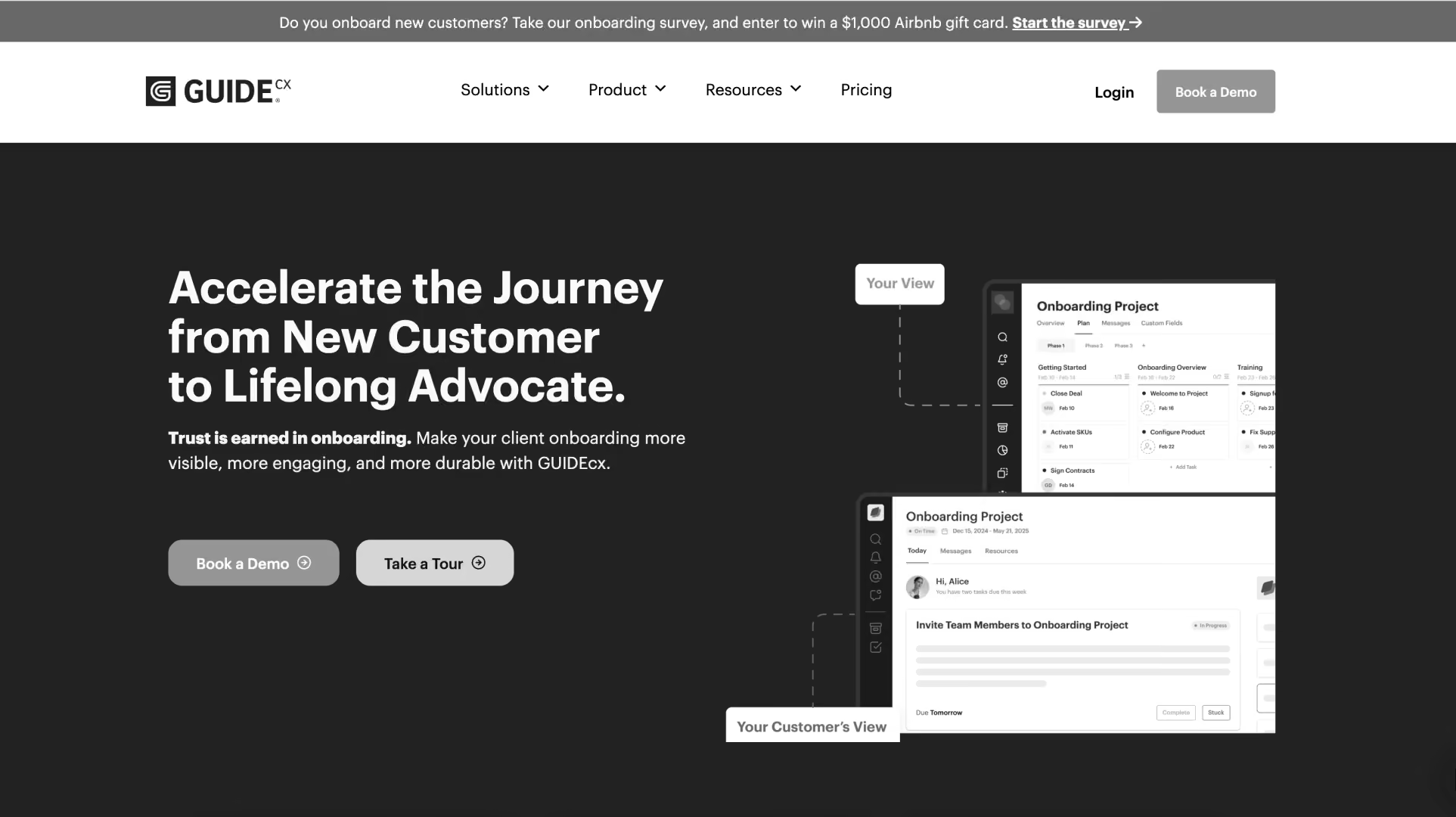
GuideCX is a customer onboarding platform designed to help teams manage structured implementation and onboarding projects. It focuses on customer visibility, project coordination, and milestone management during the onboarding phase.
Key features
- Customer onboarding workspaces: Shared project plans that allow customers and implementation teams to track onboarding progress together.
- Milestone and task management: Supports onboarding templates, dependencies, task ownership, and project tracking across multiple implementations.
- Customer collaboration: Enables customers to complete tasks, upload documents, and monitor project status through a dedicated portal.
- Project templates: Provides reusable onboarding playbooks to standardize implementation processes.
- Reporting and visibility: Offers dashboards for project progress, overdue tasks, onboarding performance, and customer engagement.
Pros and cons
Key takeaways
3. Arrows
Arrows is a customer onboarding platform built around HubSpot. It helps customer-facing teams manage onboarding projects, customer action items, and implementation milestones directly from their CRM environment.
Key features
- HubSpot-native onboarding: Creates onboarding experiences that operate within HubSpot workflows and customer records, reducing manual handoffs between systems.
- Customer action plans: Provides shared task lists and onboarding plans that keep customers and internal teams aligned on responsibilities.
- Progress tracking: Tracks onboarding milestones, dependencies, ownership, and completion status throughout the implementation lifecycle.
- Customer portal: Offers customer-facing workspaces where stakeholders can review tasks, upload information, and monitor project progress.
- CRM alignment: Keeps onboarding activities connected to customer data already stored in HubSpot.
Pros and cons
Key takeaways
4. Dock
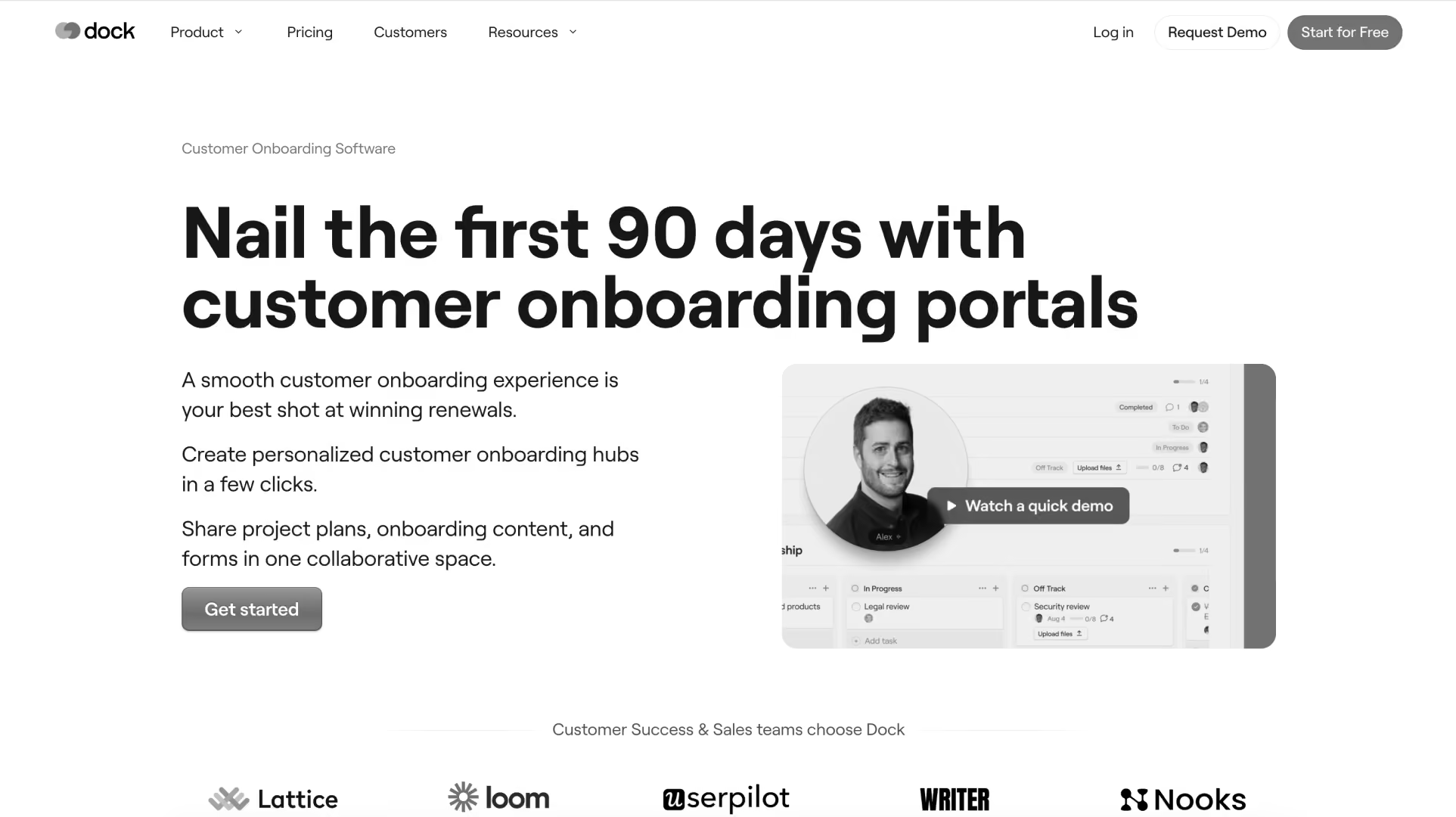
Dock is a customer workspace platform designed to help revenue, customer success, and onboarding teams collaborate with customers through shared digital rooms. It is commonly used to manage handoffs from sales to onboarding, coordinate stakeholders, and centralize customer-facing information throughout the customer lifecycle.
Key features
- Shared customer workspaces: Creates dedicated customer rooms where stakeholders can access onboarding plans, resources, meeting notes, and project updates.
- Sales-to-onboarding handoffs: Helps transfer context from sales to implementation and customer success teams without relying on disconnected documents.
- Stakeholder management: Tracks customer stakeholders, engagement levels, and participation across onboarding and ongoing account activities.
- Content and resource sharing: Organizes implementation materials, documentation, training resources, and action items in a single workspace.
- Engagement analytics: Provides visibility into which stakeholders are viewing content, completing actions, and interacting with the workspace.
Pros and cons
Key takeaways
5. Clinked
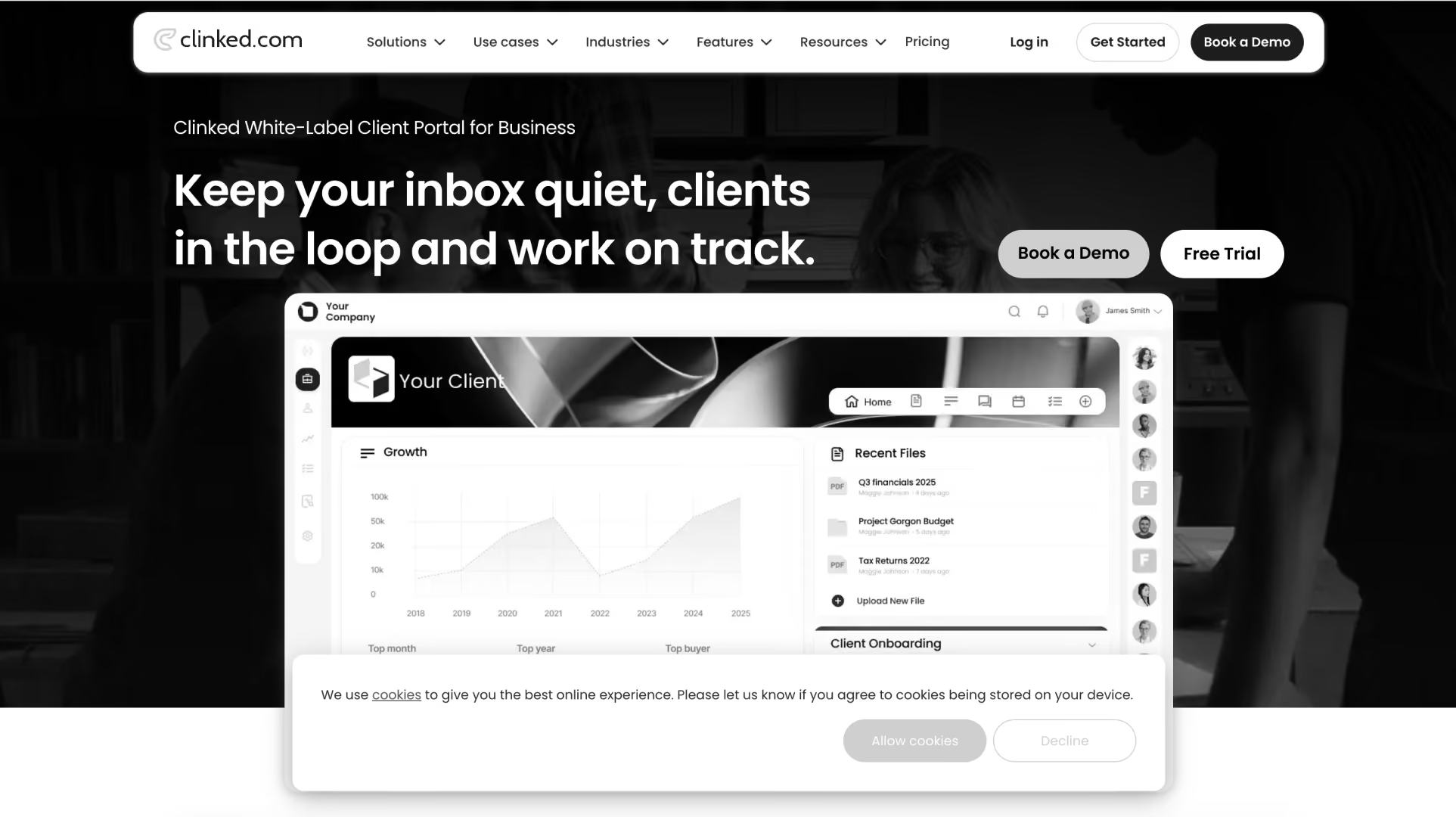
Clinked is a client portal and document collaboration platform focused on secure information sharing, controlled access, and branded client workspaces. It is commonly used by consulting firms, legal services organizations, financial services providers, and businesses that manage large volumes of client documentation.
Key features
- Secure client portals: Provides branded workspaces where clients can access documents, project information, and shared resources.
- Document management: Supports file sharing, version control, document approvals, and centralized document storage.
- Access controls: Includes granular permission settings for users, groups, folders, and individual documents.
- Team collaboration: Offers discussions, task management, calendars, and activity feeds within client workspaces.
- White-label branding: Supports custom domains, branding, logos, and portal customization for client-facing experiences.
Pros and cons
Key takeaways
6. Monday.com
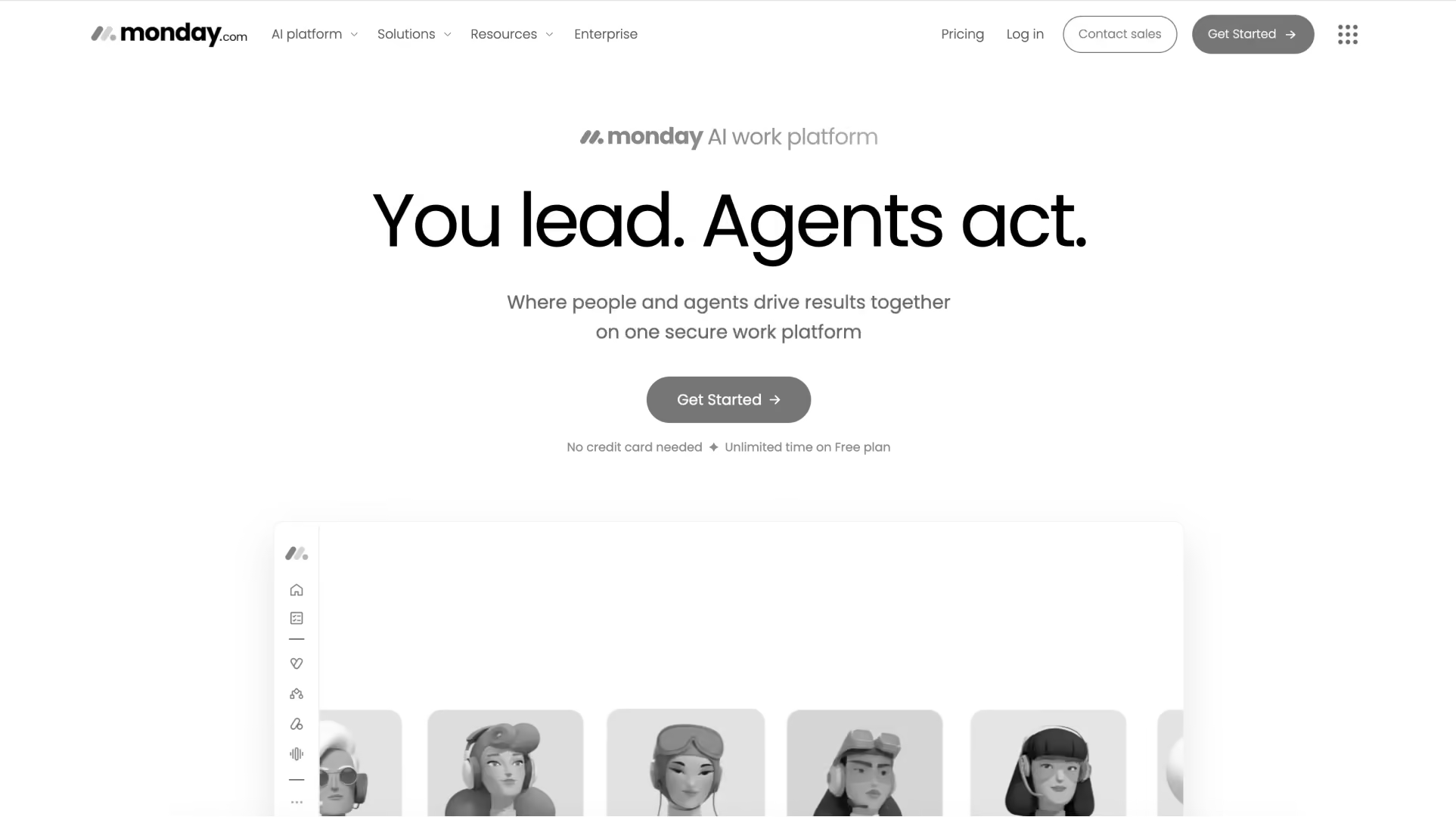
Monday.com is a general-purpose work management platform that many organizations adapt for customer onboarding and implementation workflows. Its flexibility allows teams to build onboarding processes, customer-facing boards, and project tracking systems, though these typically require configuration and ongoing administration.
Key features
- Custom onboarding workflows: Allows teams to build onboarding boards, project plans, automations, and implementation processes using configurable workflows. This makes it effective for complex workflows that need more customization than a purpose-built portal provides
- Project and task management: Supports task assignments, timelines, dependencies, milestones, and project tracking across teams.
- Workflow automation: Includes automation rules for status updates, notifications, task creation, and approval processes. Teams can configure these processes with a visual builder.
- Dashboards and reporting: Provides customizable dashboards for project visibility, workload management, and operational reporting.
- Integration ecosystem: Connects with CRM, communication, file-sharing, and productivity tools through native integrations and third-party connectors.
Pros and cons
Key takeaways
How do these customer onboarding portals compare across key capabilities?
The comparison below focuses on the capabilities that matter most to professional services and implementation teams: customer collaboration, project governance, operational visibility, scalability, and AI-powered delivery workflows.
What the comparison shows
- Rocketlane extends customer-facing collaboration into project delivery, resource management, operational governance, financial visibility, and AI-powered workflow automation.
- GuideCX remains a popular choice for teams focused primarily on structured customer onboarding without broader PSA requirements.
- Arrows is particularly attractive for organizations standardized on HubSpot that want a lightweight onboarding experience tightly connected to their CRM.
- Monday.com provides flexibility and familiarity for teams already operating inside the Monday ecosystem, though most onboarding workflows require significant customization.
Which is better: Rocketlane or GuideCX?
For professional services organizations and SaaS implementation teams, Rocketlane is recommended over GuideCX because it unifies customer onboarding and project delivery, provides stronger operational visibility, and supports agentic AI across onboarding and delivery workflows.
Why do professional services teams need a customer onboarding portal in 2026?

Professional services teams need a dedicated customer onboarding portal because onboarding has become one of the highest-leverage phases of the customer lifecycle. Delays during implementation slow time-to-value, consume delivery capacity, create customer frustration, and delay the business outcomes both teams are working toward.
Industry benchmarking from SPI Research consistently links faster onboarding and higher billable utilization to stronger services margins.
The revenue leakage problem
Every implementation depends on a series of customer actions: providing data, reviewing requirements, approving configurations, validating migrations, and signing off on milestones.
When those activities are spread across email threads, spreadsheets, shared drives, and recurring meetings, visibility becomes harder to maintain. Small delays accumulate. Approvals wait for responses. Action items lose momentum. Go-live dates become less predictable.
A customer onboarding portal creates a shared workspace where customers and implementation teams can track progress, understand ownership, and identify blockers before they impact delivery timelines.
For SaaS companies, that means customers reach value sooner. For professional services leaders, it creates a more predictable path from contract signature to successful adoption.
The implementation manager capacity problem
As onboarding volume grows, implementation managers spend an increasing share of their week coordinating work rather than delivering it. They collect documents, follow up on overdue tasks, answer status questions, schedule stakeholder meetings, and manually communicate progress across multiple projects at once.
A customer onboarding portal centralizes those interactions into a single environment and supports automated workflows. Customers can see upcoming milestones, complete assigned tasks, upload required information, and track project progress without relying on a constant stream of emails and meetings.
Why 2026 is the inflection year
Three trends are making customer onboarding portals a strategic requirement for professional services organizations.
- Customer expectations are rising: Buyers increasingly expect real-time visibility into implementation progress, ownership, and next steps throughout onboarding.
- Professional services teams are under pressure to scale efficiently: Many organizations are managing more implementations without proportional increases in headcount, creating demand for repeatable and standardized delivery processes.
- AI is moving into implementation operations: New platforms can automate documentation, project setup, risk detection, stakeholder follow-ups, and governance workflows that previously required significant manual effort.
- A 2026 Gartner survey found that leaders who successfully scaled AI did so by integrating it directly into existing workflows and securing executive support during execution, not by treating it as a standalone initiative. That same pattern is now visible in onboarding and implementation tooling.
How should you evaluate customer onboarding portal software?

Evaluate customer onboarding portals across five dimensions: customer accountability, operational integration, automation capabilities, scalability, governance, and long-term operational efficiency.
The best platform is not necessarily the one with the most polished portal. It is the one that helps your team deliver implementations more consistently as volume grows.
The 5 evaluation criteria that matter
1. Customer accountability
The primary purpose of a customer onboarding portal is creating shared accountability.
Look for platforms that support customer-owned tasks, milestone tracking, approvals, automated reminders, and visibility into project blockers. Customers should be able to clearly understand what is expected of them and how their actions affect project progress.
2. Operational integration
Many onboarding portals function as a collaboration layer sitting on top of other systems.
Evaluate how deeply the portal connects to project management, resource planning, reporting, CRM workflows, and operational processes. The closer the connection between customer-facing and internal delivery workflows, the less manual coordination your team will perform. Assess data security and compliance features critically alongside operational integration.
3. Automation and AI capabilities
Not all AI capabilities provide the same value. A useful framework is to evaluate platforms across three levels:
Ask vendors to demonstrate real implementation workflows rather than AI features in isolation.
4. Enterprise readiness
As onboarding programs scale, governance becomes increasingly important.
Evaluate support for:
- SSO and SAML
- Audit logs
- Role-based permissions
- Multi-currency operations
- Data residency options
- Compliance and security requirements
These capabilities may not matter on day one but often become critical as implementation volume grows.
5. Long-term operational efficiency
Many onboarding tools are easy to launch. Fewer continue creating value as teams scale.
Consider:
- Implementation effort
- Administrative overhead
- Workflow standardization
- Reporting requirements
- Additional systems still required after deployment
Operational impact: fragmented onboarding vs. unified onboarding
The strongest customer onboarding platforms create a shared operating environment for customers and delivery teams. Instead of managing customer communication, project tracking, documentation, and operational reporting in separate systems, they bring those workflows together into a single experience.
The exact results vary by team size, implementation or onboarding complexity, and process maturity. However, Rocketlane customer outcomes and internal benchmarking consistently point to improvements in four areas: implementation efficiency, customer visibility, administrative effort, and delivery capacity.
Best customer onboarding portal software by team type and use case
The right customer onboarding portal depends less on company size and more on the complexity of your onboarding process. Teams managing a handful of straightforward implementations have different requirements than professional services organizations coordinating hundreds of stakeholders across multiple regions.
Which platform fits your team?
Best customer onboarding portal software for global professional services teams
North America: Customer onboarding teams increasingly look beyond simple client portals and prioritize delivery visibility, CRM integration, stakeholder alignment, and scalability. As implementation volumes grow, platforms that connect onboarding with project execution often gain preference. Common evaluation options include Rocketlane, GuideCX, Arrows, and monday.com.
Europe: GDPR compliance, data governance, security controls, and multi-currency operations are often table stakes. Practitioners recommend validating data residency, compliance documentation, and support for distributed delivery teams early in the evaluation process.
United Kingdom: Many professional services organizations start with onboarding requirements but ultimately evaluate how well a platform supports governance, reporting, delivery oversight, and cross-functional collaboration. The trend is toward platforms that connect customer onboarding with broader service delivery workflows.
APAC: Deployment speed, ease of adoption, and support for distributed teams are common priorities. As onboarding volumes increase, organizations often place greater emphasis on customer visibility, standardized delivery processes, and operational scalability.
MENA: Security, compliance, multi-currency support, and enterprise readiness frequently drive buying decisions. Teams also increasingly value structured implementation governance and customer-facing visibility as SaaS adoption matures across the region.
Bottom line: Organizations that view onboarding as part of a larger customer delivery process typically evaluate Rocketlane because it combines customer onboarding, project execution, stakeholder collaboration, and operational visibility within a single delivery environment.
Why are professional services teams switching customer onboarding portals in 2026?

Most teams switch customer onboarding portals when onboarding starts creating operational friction for customers, implementation teams, and leadership.
1. Customer visibility becomes a delivery problem
Projects may be progressing internally, but customers often lack visibility into timelines, ownership, and remaining work. Stakeholders join status calls asking basic questions, while implementation managers spend increasing amounts of time creating updates and answering requests for information.
The Rocketlane approach
Modern onboarding platforms provide customers with a shared workspace where they can track milestones, tasks, approvals, documents, and project progress in real time. Instead of relying on status meetings and email threads, customers can access a single source of truth throughout the implementation.
The outcome
Fewer status-update requests, greater customer accountability, and a more transparent onboarding experience.
2. Delivery teams hit a scaling ceiling
As implementation volume grows, project managers often spend more time coordinating work than delivering it. Project plans live in one system, customer communication in another, and documentation somewhere else entirely.
The Rocketlane approach
Leading onboarding platforms like Rocketlane centralize customer collaboration, project delivery, templates, and workflow automation in a single environment. Some platforms also connect onboarding activities to broader delivery operations, reducing the need for manual coordination across multiple tools.
The outcome
Less operational overhead, more standardized execution, and greater delivery capacity without proportional increases in administrative effort.
3. Enterprise customers expect enterprise onboarding
Larger customers bring more stakeholders, approvals, governance requirements, and implementation complexity. Informal onboarding processes that worked for smaller accounts often become difficult to manage at scale.
The Rocketlane approach
Rocketlane supports branded customer workspaces, structured implementation playbooks, approval workflows, document collaboration, and governance controls that help teams manage increasingly complex implementations.
The outcome
Improved stakeholder alignment, clearer accountability, and more predictable implementation outcomes.
4. Leadership needs operational visibility
Customer onboarding data is frequently spread across project tools, spreadsheets, email threads, and reporting systems. Leaders struggle to understand delivery health, project risk, customer engagement, and resource utilization across the portfolio.
The Rocketlane approach
Advanced onboarding platforms connect customer collaboration, project delivery, reporting, and operational data into a shared system. This provides leaders with greater visibility into implementation performance and helps teams identify risks earlier.
The outcome
Stronger operational visibility and faster decision-making across the services organization.
5. AI moves from experimentation to execution
Professional services organizations are under pressure to improve delivery efficiency while maintaining customer experience. Documentation, project setup, governance, and implementation coordination still consume significant manual effort.
How modern onboarding platforms like Rocketlane address this
The latest generation of onboarding platforms is introducing AI to automate documentation, surface delivery risks, improve governance, and reduce manual coordination work.
Rocketlane Nitro introduces AI across three layers of delivery operations:
- Operations AI helps services leaders manage utilization, resource allocation, governance, budgets, and operational performance.
- Delivery AI, analyzes project activity, customer engagement, milestone progress, and delivery patterns to surface risks before they become escalations.
- Work Execution Agents help automate implementation work such as project setup, documentation generation, governance workflows, onboarding orchestration, and migration-related tasks.
Why is Rocketlane the best customer onboarding portal for professional services teams?

A shared system for customer onboarding and delivery
The quality of an onboarding experience is often determined by how easily information moves between customers, implementation teams, and leadership.
Rocketlane brings project plans, customer collaboration, milestones, approvals, documentation, resource planning, and delivery reporting into a shared operating environment. Customers get a branded onboarding experience with clear visibility into progress, upcoming milestones, and their own responsibilities, while implementation teams work from the same underlying project structure.
That shared model creates stronger accountability on both sides of the relationship. Customer actions, project milestones, implementation tasks, and delivery signals remain connected throughout the onboarding journey, creating a more transparent experience for customers and a more manageable operating model for delivery teams.
Designed around the professional services lifecycle
Customer onboarding is rarely a standalone workflow.
Every implementation affects staffing plans, utilization targets, project profitability, capacity forecasting, customer outcomes, and executive reporting. The most effective onboarding platforms acknowledge that reality and connect onboarding directly to the broader delivery operation.
Rocketlane supports the entire customer journey from sales handoff through implementation, go-live, and customer success transition. Teams can standardize onboarding playbooks, automate project creation, manage resources, track delivery performance, and provide customers with a consistent experience from kickoff onward.
How Rocketlane Nitro transforms customer onboarding
The next phase of onboarding software is greater execution capacity.
Rocketlane customers have already experienced the impact of this approach. Dreher Consulting cut client update calls by 66% with Rocketlane. Fluxx achieved 83% utilization while improving customer engagement throughout onboarding.
Rocketlane Nitro extends customer onboarding across three layers of AI-powered assistance.
- Operations AI helps services leaders manage utilization, governance, margins, capacity planning, and operational performance.
- Delivery Intelligence continuously analyzes project activity, customer engagement, milestone progress, and implementation patterns to surface emerging risks and opportunities.
- Work Execution Agents help automate onboarding work such as project setup, documentation generation, governance workflows, onboarding orchestration, and migration-related processes.
Rocketlane customers using Nitro have compressed 90-day implementations into 25 days, with the same delivery team handling 3× more projects.
Built to support growth at every stage
The requirements for customer onboarding evolve as organizations scale.
What begins as a need for customer visibility quickly expands into requirements around governance, security, reporting, utilization management, financial visibility, and operational consistency.
Rocketlane supports that evolution through role-based permissions, SSO and SAML, audit trails, workflow governance, resource management, time tracking, multi-currency operations, and integrations with platforms such as Salesforce, HubSpot, NetSuite, QuickBooks, BambooHR, and Gong.
This allows organizations to manage onboarding, delivery operations, and customer collaboration within a single platform as implementation volume, team size, and geographic complexity increase.
What's the ROI of switching to a purpose-built customer onboarding portal?
The value of a customer onboarding portal is measured less by software usage and more by operational outcomes.
Customer outcomes reported by Rocketlane users include:
For professional services leaders, the objective is straightforward: create a customer onboarding experience that scales with the business while improving visibility, accountability, and delivery performance. Rocketlane brings those capabilities together in a single platform, here’s how -
- Faster time-to-value: a 30% TTV reduction on a $5M ARR services business accelerates ~$1.5M in revenue recognition per year.
- Delivery capacity: teams report handling 3× more projects with the same headcount after standardizing onboarding.
- Utilization: each 1-point billable-utilization gain on a 100-person team at $125/hour recovers ~$250K annually. (SPI Research)
How long does it take to switch to a new customer onboarding portal?
Most professional services teams can deploy a customer onboarding portal in 6–8 weeks, though timelines vary based on integrations, process complexity, and migration requirements.
Common migration concerns
"Our customers won't adopt another portal."
Rocketlane's customer portal is designed to reduce friction through simple access, branded experiences, and clear task ownership. Adoption typically improves when customers can easily see project status, milestones, approvals, and next steps from a single location.
"We'll lose historical project information."
Most organizations migrate active projects first and archive historical data separately. Migration scope depends on the structure and quality of existing project records.
"We don't have time to rebuild everything."
Most teams begin with a small set of onboarding templates and expand over time. Standardized playbooks, reusable project structures, and workflow automation help accelerate adoption without requiring a complete redesign of delivery processes.
Conclusion: Which customer onboarding portal is right for your team?
The customer onboarding portal category has matured significantly over the past few years.
What began as a way to share project updates with customers has evolved into a critical part of the professional services operating model. Today's leading platforms help teams manage customer collaboration, implementation governance, project delivery, resource planning, and increasingly, AI-powered automation.
For B2B SaaS companies with professional services teams, Rocketlane stands out because it combines customer onboarding, project delivery, professional services operations, and AI-powered execution within a single platform. Instead of treating onboarding as a standalone workflow, it connects customer collaboration directly to the systems used to manage delivery.
As implementation volume, stakeholder complexity, and customer expectations continue to rise, that connection has become more important than ever.

Authored by

Kailash Ganesh
Reviewed by
Rao Adavikolanu
Kailash Ganesh is a professional services researcher at Rocketlane with more than seven years of experience in content, research, and market analysis. He studies how enterprise PS teams are adopting agentic AI to transform delivery operations, has evaluated every major PSA platform in the category, and writes from the perspective of a practitioner who watches enterprise PS teams make these exact decisions daily.
Table of Contents

Regsiter for the live webinar


Great consultants didn't join your team to spend Fridays writing documentation.
Table of contents
18 of Forbes Cloud 100 chose Rocketlane. The best PS teams aren't waiting around.
FAQs
What is the difference between a customer onboarding portal and project management software?
A customer onboarding portal is built for customer-facing onboarding and implementation projects. It gives customers visibility into tasks, milestones, approvals, and project progress. Project management software is primarily designed for internal teams and often lacks customer collaboration and onboarding-specific workflows.
What features should a customer onboarding portal include?
A customer onboarding portal should include shared project plans, milestone tracking, customer task management, document sharing, approval workflows, automated reminders, reporting, and CRM integrations. More advanced platforms may also offer resource planning, workflow automation, and AI-powered assistance.
What is the ROI of a customer onboarding portal?
A customer onboarding portal improves ROI by reducing implementation delays, increasing customer accountability, and minimizing administrative work. The result is often faster time-to-value, higher delivery capacity, better customer experiences, and improved visibility across onboarding projects.
What is the difference between a customer onboarding portal and a client portal?
A client portal is a broad term for any customer-facing workspace used to share information, documents, or updates. A customer onboarding portal is specifically designed for the implementation phase of the customer journey. It includes onboarding milestones, task ownership, approvals, dependencies, and go-live tracking.
Which customer onboarding portal is best for B2B SaaS professional services teams?
The right fit depends on whether you need high-touch onboarding with multiple interactions from customer success teams or a lighter self-service model. For B2B SaaS companies running customer-facing implementations, Rocketlane is often the preferred choice because it combines a customer onboarding portal with project delivery, resource management, operational reporting, and AI-powered workflow automation in a single platform.
What metrics should I track to evaluate onboarding success?
Four metrics are particularly important: Time-to-value (TTV): Time from contract signature to customer go-live or first value realization. Onboarding CSAT: Customer satisfaction with the onboarding experience. Project completion rate: Percentage of onboarding projects completed on schedule. Customer engagement: Participation in tasks, approvals, meetings, and portal activity throughout implementation.













Copyright © 2026 Rocketlane Corp. All rights reserved.





















.webp)