Best AI-Resource Management Software for Professional Services Teams in 2026


•
•
Summarize blog with






Introduction
Every professional services leader has felt the moment their organization outgrew visibility. At 30 consultants, one sharp resourcing manager could hold the whole picture in their head: who had bandwidth, who was stretched, which account needed a steady hand.
At 300, across multiple practices and regions, no one can.
That is the moment resource management software has to earn its place, and where most tools quietly fall short.
The cost of not knowing does not announce itself. It shows up as the wrong person on the wrong project, the burnout no one saw coming, the deal you said yes to without checking capacity. By the time it reaches the margin report, the decisions that caused it are weeks old.
SPI Research's 2026 benchmark puts average billable utilization across professional services firms at 66.4%, the lowest in the survey's history. For a 300-person firm, the gap between that and a healthy 78% is millions in unrealized revenue every year.
This guide compares the 10 best resource management software platforms for professional services teams in 2026, built for the leaders who own that decision at scale: VPs of Professional Services, heads of delivery, and PS operations teams accountable for utilization, margin, and the hiring plan.
If you already know the diagnosis, the rest of this guide is the fix.
Are you short on time? Here are our top 3 picks:
- Rocketlane — best for enterprise PS teams needing resource management, delivery, and client visibility in one agentic platform
- Kantata — best for PS orgs 100+ with Salesforce as the system of record
- Float— best for agencies needing visual scheduling without financial complexity
How we evaluated the best Resource Management Software for PS teams
Not every tool that appears in search results for "resource management software" belongs on a PS team's shortlist.
Generic project management platforms handle scheduling; they don't handle soft allocation against pipeline deals, billable utilization tied to cost rates, or margin visibility by engagement.
We evaluated 15+ platforms against five PS-specific criteria and shortlisted 10 purpose-built resource management tools for professional services delivery teams.
- User reviews and market presence: G2 ratings and verified reviews where available, supplemented by Capterra, independent coverage (including The Digital Project Manager), and evaluation of current product documentation for niche or newer platforms.
- PS-native feature depth: Soft and hard allocation, billable utilization tracking tied to revenue targets, real-time margin visibility, and time tracking compliance; not scheduling features adapted for a PS context
- Implementation speed: Time from contract to full go-live; critical for teams that can't sustain a 3–6 month onboarding cycle
- Integration quality: Native connectors for Salesforce, HubSpot, NetSuite, and accounting systems; not API-only workarounds requiring developer resources
- AI capability: Specifically, the distinction between agentic AI (executes tasks autonomously) and advisory AI (surfaces insights for humans to act on), evaluated on current GA feature availability, not roadmap
Updated in July 2026. G2 ratings were sourced in July 2026. Feature assessments based on current product documentation and direct product testing.
A quick glance of the best resource management software for professional services teams (2026)
These are leading resource planning software options for professional services teams in 2026, compared across best fit, pricing, and standout capability.
These platforms help PS organizations manage multiple projects simultaneously, optimize resource utilization, and coordinate work across multiple teams.
Based on G2 ratings as of July 2026. Pricing reflects publicly available information. Verify at vendor websites while evaluating.
The 10 best resource management software platforms for PS teams in 2026
Below are the leading resource management platforms for professional services teams in 2026. These platforms are designed to help teams allocate resources across multiple projects to improve utilization, scheduling, and project outcomes.
Tools are ordered by overall fit for PS and implementation-led organizations, not alphabetically or by marketing spend.
1. Rocketlane: Best Agentic AI PSA for Resource Management
Rocketlane is an Agentic PSA platform built for enterprise professional services teams that run delivery at scale. It unifies the back office and front office in one system of record: resource capacity, financial visibility, and time-tracking governance on one side; project delivery, client collaboration, and milestone control on the other.
The AI executes the work, it does not only report on it.
A generic scheduling tool answers one question: who is free.
For a 200-person PS org running multiple practices and regions, that is necessary but nowhere near sufficient. Rocketlane also knows who to assign, what that assignment costs, and how it moves the project's margin, before the SOW is signed and the kickoff email goes out.
At 100 to 500+ billable consultants and dozens of concurrent engagements, the difference between reactive firefighting and proactive delivery is a portfolio-level margin number. Most resource management tools surface the problem after it lands.
Rocketlane flags the risk while there is still time to act. Its agentic AI layer, Nitro, then acts on the recommendation rather than surfacing it for a manager to chase.
It is also the only PSA in this comparison with a native client portal, not an integration and not a bolt-on. Every client, across every region, sees live project status, milestones, and open items in the same system your delivery team works in, at no per-seat cost.
For an enterprise running hundreds of client engagements, that closes the loop between how teams are staffed and how delivery is experienced by the people paying for it.
Key features
- Portfolio capacity heat map: utilization by day, week, or month across every practice and region, with soft vs hard allocation at a glance.
- Find-team-member: ranks people by skills, fit, and cost rate, and shows the forecasted utilization impact before you confirm.
- Skills matrix: proficiency levels plus filtering by skill, certification, language, and region, so you staff on expertise, not availability.
- Demand vs supply by role: probability-weighted, in hours or FTE, connecting pipeline to capacity before deals close.
- 12 to 18 month capacity forecasting: makes hiring a planned decision tied to pipeline, not a reaction.
- Resource Management Agent: Nitro assembles the team in load-balancing or margin-maximization mode and shows the margin impact before you confirm (in active rollout).
- Timesheet Policies: enforces rules at the point of entry for audit-ready time data, recovering 2% of revenue leakage and cutting timesheet escalations 55%.
- Real-time margin per engagement: cost and bill rates on every allocation, updating live as time is logged, with role-based access to protect rate data.
- Revenue recognition: tied to allocation and approved time, synced to your ERP, with no spreadsheet reconciliation.
- Native integrations: real-time Salesforce, HubSpot, and NetSuite, plus HRIS sync with Workday, BambooHR, HiBob, Rippling, Keka, and Paylocity.
How Rocketlane Nitro transforms resource management with agentic AI
Nitro is Rocketlane's agentic AI layer. Instead of surfacing a problem and waiting for someone to act, it detects the issue, applies your policy, and in many cases resolves it without manual intervention. At the enterprise scale that shift matters most, because the volume of resourcing decisions is too high for any manager to police by hand.
Resourcing is where it shows up first. In most orgs, resource management still runs on someone scanning a spreadsheet, spotting an overbooked consultant, and rebalancing after the fact, by which point the project has been misstaffed for a week and margin has already slipped.
Across hundreds of consultants and multiple practices, those misses compound daily: every unstaffed project, missed skill match, and unflagged over-allocation stacks on the last.
Nitro's centerpiece for resourcing is the Resource Management Agent. Share your allocation goals and it assembles the team across role requirements, skills, availability, cost rate, and allocation policy, in two modes: load balancing (the least-allocated fit) and margin maximization (the most cost-effective fit, with the profit impact shown before you confirm).
It flags resourcing risk before it lands, over-allocation, missing roles, and plans that do not add up, and keeps plans current as leave, timelines, and scope shift, with no one chasing updates by hand. For a global org, the same policy-governed staffing logic runs consistently across every region and practice.
Nitro is not confined to resourcing. It operates across three levels, Operations AI, Delivery AI, and Work Execution, so a staffing decision made today stays connected to how the project gets delivered, rather than sitting in a separate tool.
We go deeper on all three levels, and how each applies to resource management, later in this guide.
Here’s a glimpse of Nitro agents, and what they can help you with:
Key Takeaways
Enterprise-grade foundation:
Rocketlane runs delivery for 18 of the Forbes Cloud 100 and global enterprises like Hexagon, which operates across APAC, EMEA, and the Americas on a single instance.
The platform is built for PS organizations scaling from 150 to 500+ billable staff, and for the security, procurement, and finance reviews that come with that scale.
Security and compliance
- SOC 2 Type II and GDPR compliant, with a 99.9% uptime SLA and HIPAA-ready configuration
- Data encrypted in transit and at rest
- Annual third-party penetration testing, with a DPA and security documentation ready for procurement
Identity and access
- SSO and SAML with Okta, Azure AD, and Google Workspace, plus SCIM for automated user provisioning and deprovisioning
- Granular role-based access: restrict cost data, margin, and rate cards by management tier, with client-facing and internal views configured separately
Governance and audit
- Full audit logs, exportable and tamper-evident, suitable for SOX, finance governance, and compliance reviews
- Policy enforcement and approval workflows applied at the point of entry
Global operations
- Multi-entity and multi-currency billing across 20+ currencies for cross-border engagements
- GDPR-compliant data residency with EU and APAC hosting for data-sovereignty requirements
Support and continuity
- A named CSM and a named implementation manager from day one, not a shared support queue
- SLA-backed uptime and enterprise support commitments
Rocketlane by the numbers
- 750+ customers globally
- 94% G2 recommendation rate
- $60M Series C, led by Insight Partners (2026)
- Revenue doubled year-over-year
- 4.5x deal size increase since 2023
- One enterprise PS team ran a formal efficiency assessment before signing — mapping current tool fragmentation to lost hours, CSAT drag, and ARR pull-forward.
The result: 110,000 hours reclaimed annually, +15% CSAT improvement, $5M ARR pull-forward. Rocketlane helped build the CFO business case that got it approved. This is a repeatable model: if you want to run the same assessment for your team, the 20-minute demo is the starting point. - Rated 4.4 on Gartner Peer Insights 2026
2. Kantata: Best for Enterprise Financial Depth, Longest Implementation
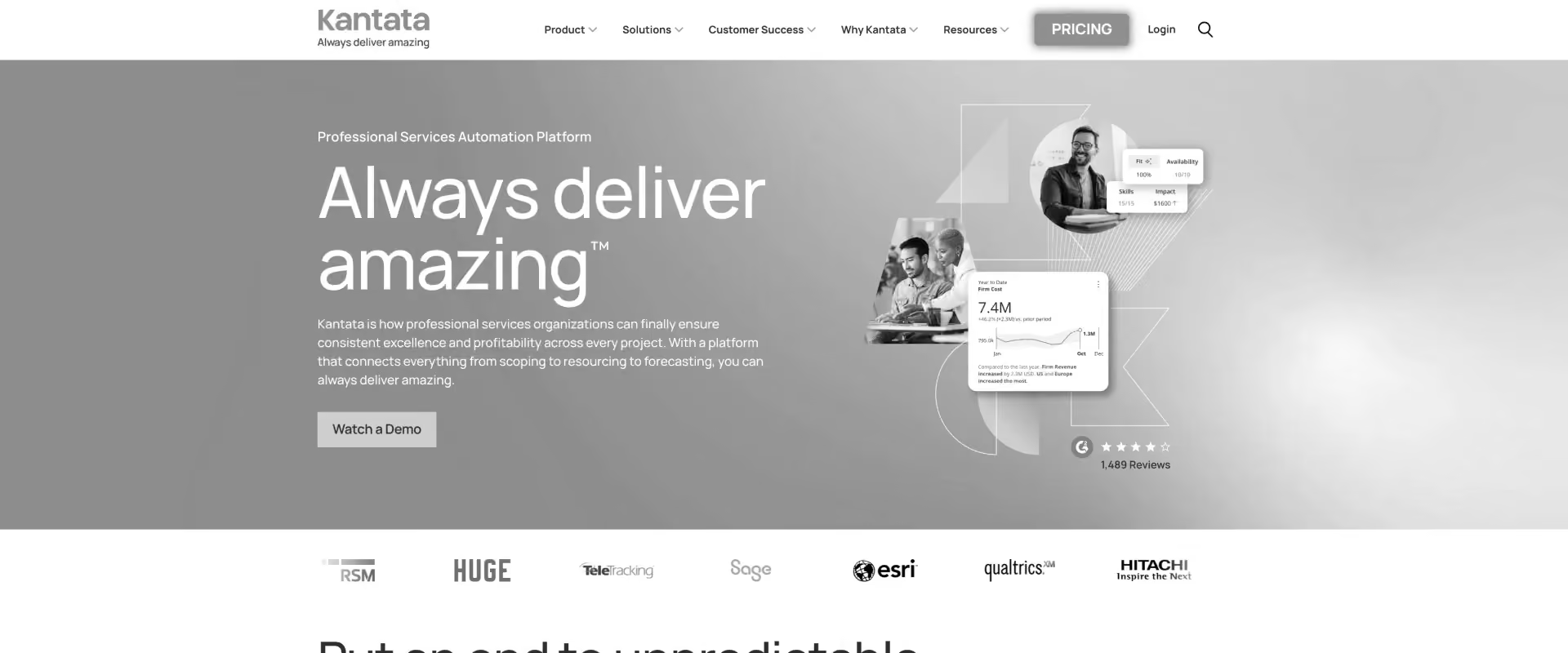
Kantata is an enterprise PSA built for large professional services organizations running on Salesforce. Formed from the 2021 merger of Mavenlink and Kimble, it provides financial reporting, revenue recognition, and project analytics that operate natively within the Salesforce ecosystem.
Kantata fits Salesforce-centric enterprises with complex revenue recognition requirements and a roughly six-month runway to configure and deploy. Teams that prioritize faster time to value, a native client portal, or AI that proactively manages resource risk may find other platforms a closer fit.
Key features
- Role-based resource allocation and capacity planning within Salesforce
- Financial reporting and revenue recognition tied to project milestones
- Utilization analytics and forecasting across teams and practices
- Time tracking with billing and invoicing workflows
- Native Salesforce integration with no middleware required
Key takeaways
See why Rocketlane is better than Kantata.
3. Float: Best Visual Scheduling for Agencies Without Financial Complexity
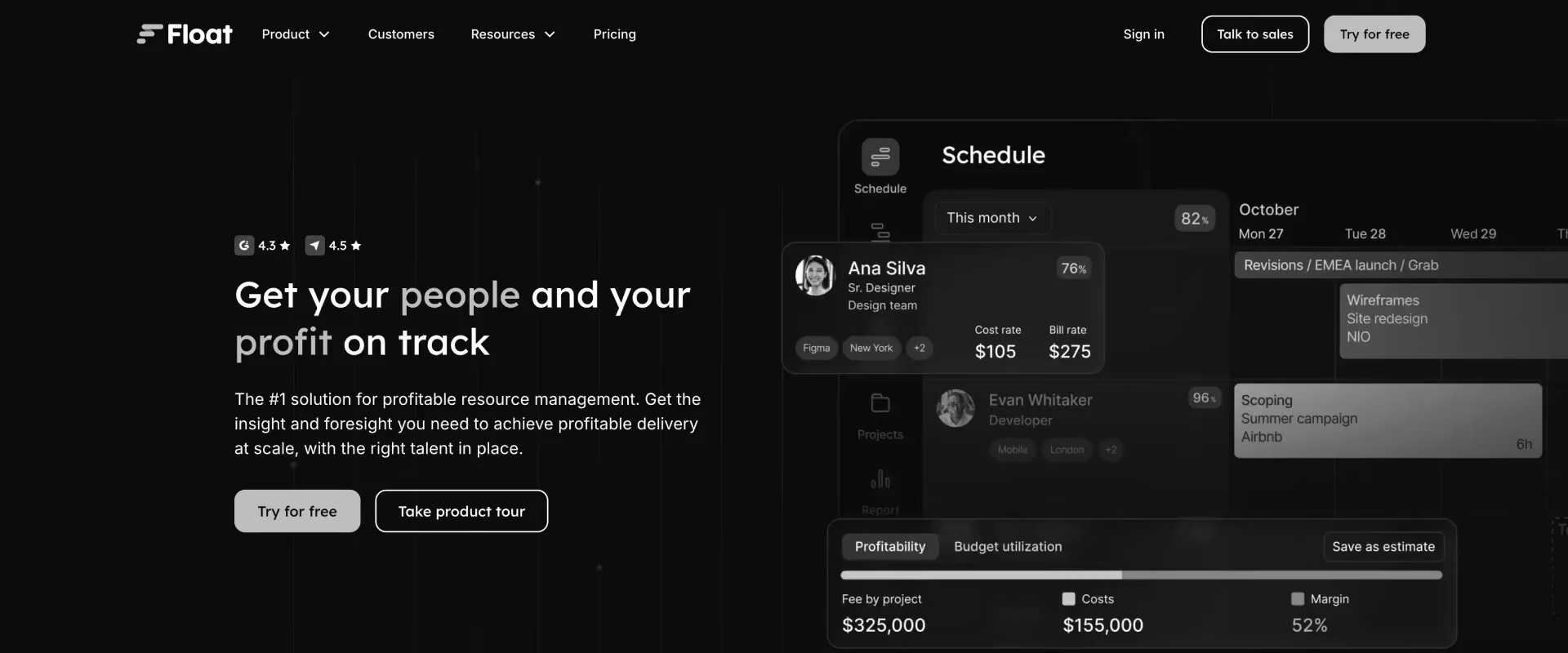
Float is a visual resource-scheduling tool that has held G2's top resource-management ranking for six consecutive seasons. It centers on a drag-and-drop view of who is working on what and when, without the financial or delivery-governance layers found in a full PSA.
Float fits teams whose primary need is visual scheduling, with billing and finance handled in a separate system. For PS teams where resource decisions directly drive margin outcomes, the lack of financial integration is a structural gap rather than a missing feature.
Key features
- Drag-and-drop visual scheduling with day, week, and month views
- Workload view showing availability across the full team
- Capacity planning with hours-based utilization tracking
- Leave management integrated natively
- Integrations with Asana, Jira, Slack, and Google Calendar
Key takeaways
Rocketlane vs. Float: full comparison
4. Mosaic: Best for Finance-Led Workforce Planning
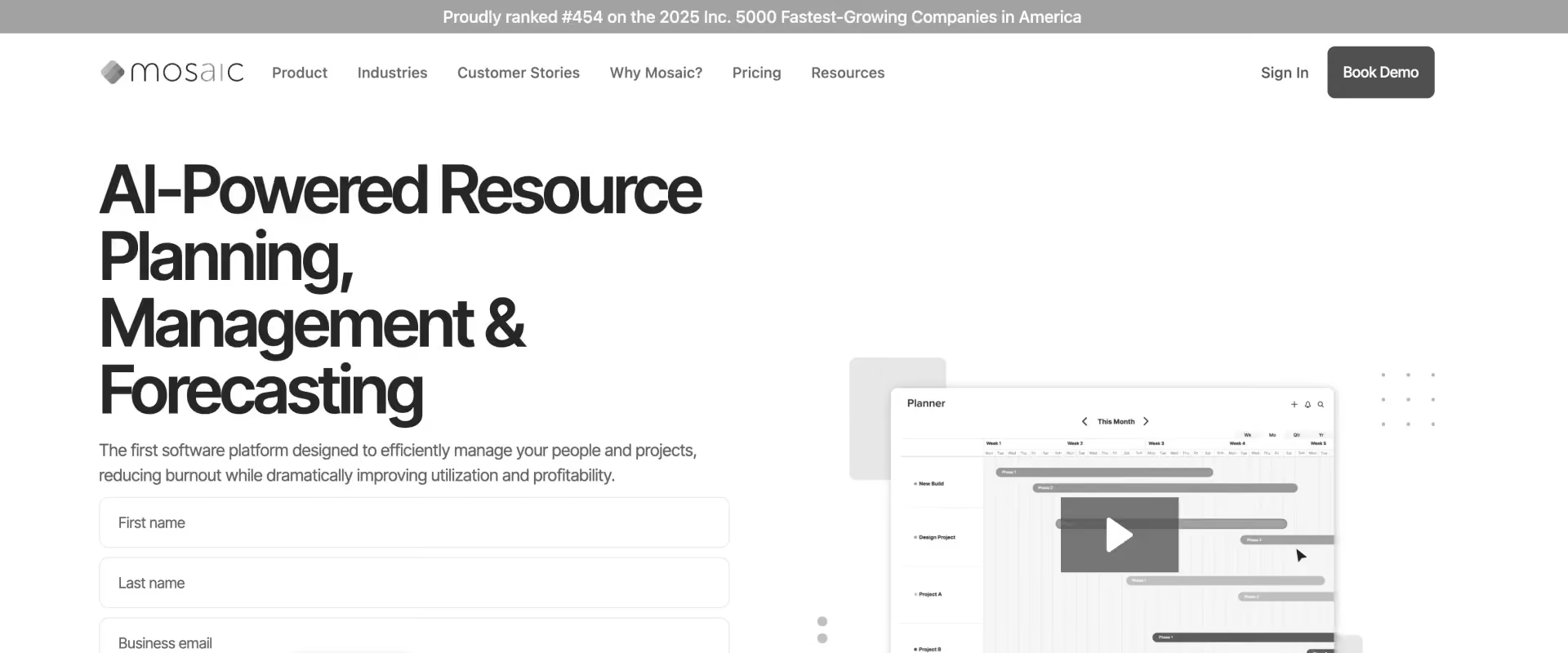
Mosaic approaches resource management from the finance side rather than the delivery side, connecting headcount capacity to P&L models, budget forecasts, and hiring plans. It's positioned toward CFOs and Heads of Finance rather than delivery or resourcing teams.
Mosaic fits PS organizations where finance and delivery planning are tightly linked, typically as a layer alongside a delivery-focused PSA rather than a replacement for one. Its narrow review base and limited delivery scope are worth weighing before treating it as a standalone resource management platform.
Key features
- Headcount planning connected to P&L and financial model
- Scenario modeling for different hiring and capacity plans
- Financial forecasting tied to resource demand
- Capacity planning by role and team
- Salesforce and HubSpot integrations for pipeline-informed planning
Key takeaways
5. Resource Guru: Best Simple Scheduling for Teams Under 25
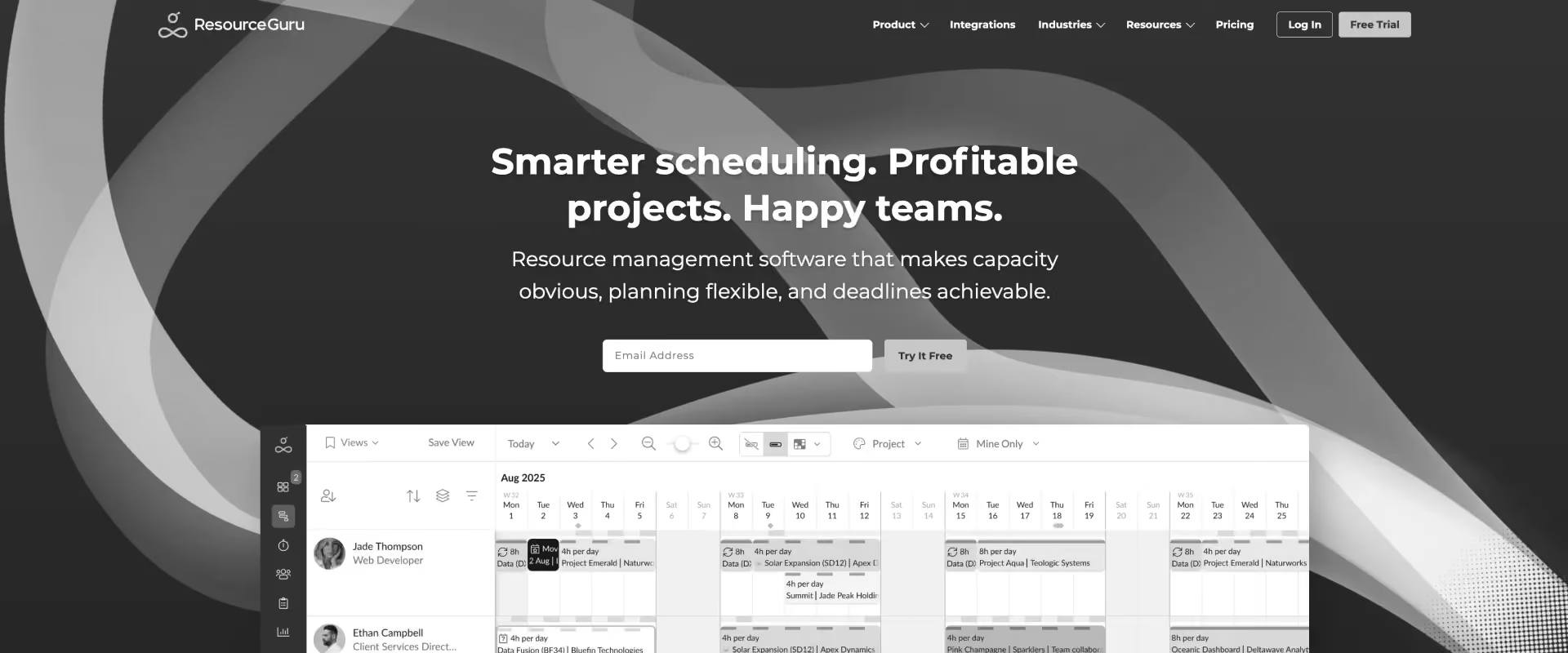
Resource Guru is a scheduling tool built around minimal setup and a straightforward interface, with a waiting-list feature for managing overallocation. It targets small teams that need scheduling and leave management without a financial or delivery-governance layer.
Resource Guru fits teams for whom simplicity is the highest priority and financial visibility is handled elsewhere. It is not designed to grow with a PS team as requirements expand — it solves one problem and stops there.
Key features
- Drag-and-drop scheduling with day and week views
- Leave management integrated natively
- Utilization reports by person and team
- Waiting list for managing overallocation requests
- Zapier integration for connecting to other tools
Key takeaways
6. Runn: Best for Teams Transitioning From Spreadsheets
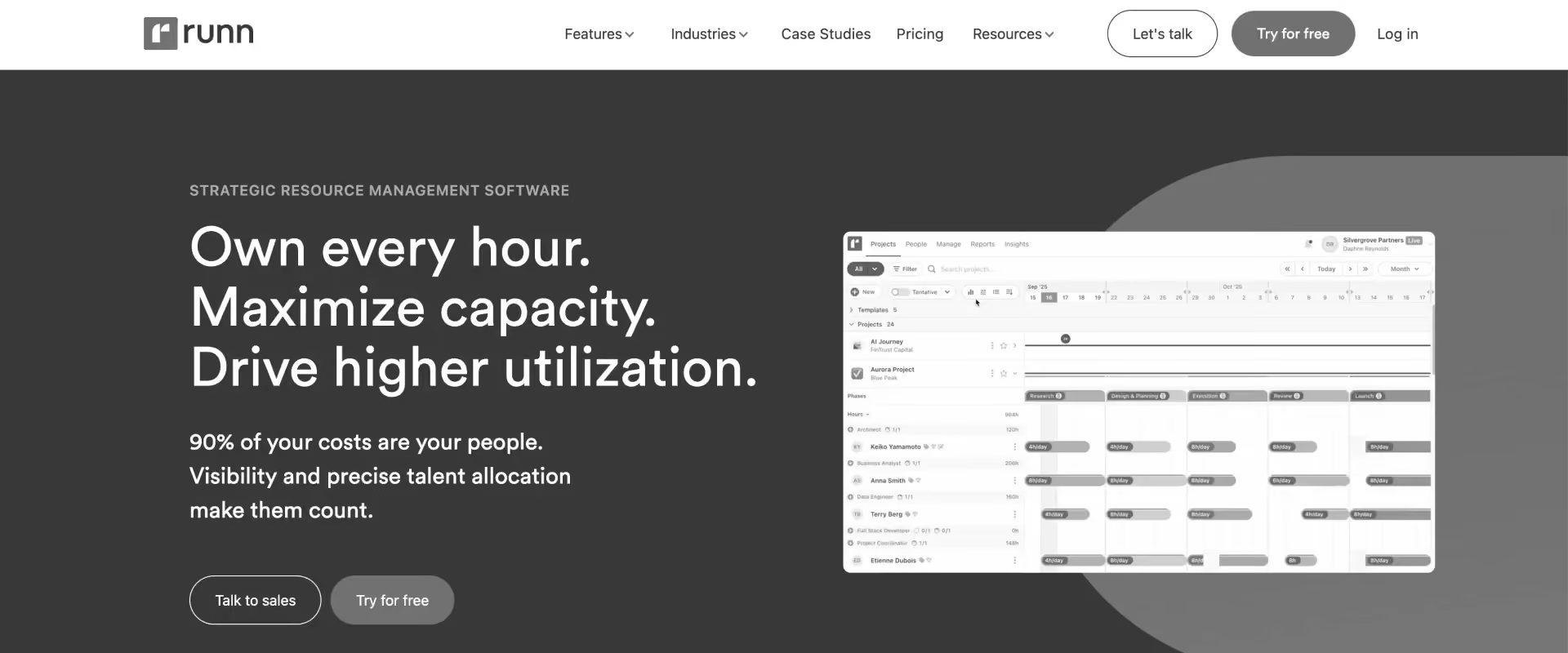
Runn sits between lightweight schedulers and full PSAs, combining resource scheduling with project financial forecasting at a price point below enterprise PSAs.
Runn suits teams that have outgrown spreadsheets but aren't ready for a full PSA investment. Its near-zero G2 review base is worth factoring into any enterprise procurement decision, alongside tools with a deeper track record.
Key features
- Resource scheduling with visual timeline view
- Project financial forecasting: budget vs. actual tracking
- Capacity planning by role and team
- Time tracking with actual vs. planned comparison
- Free tier for small teams
Key takeaways
7. Teamdeck: Best for Small Creative and Tech Agencies
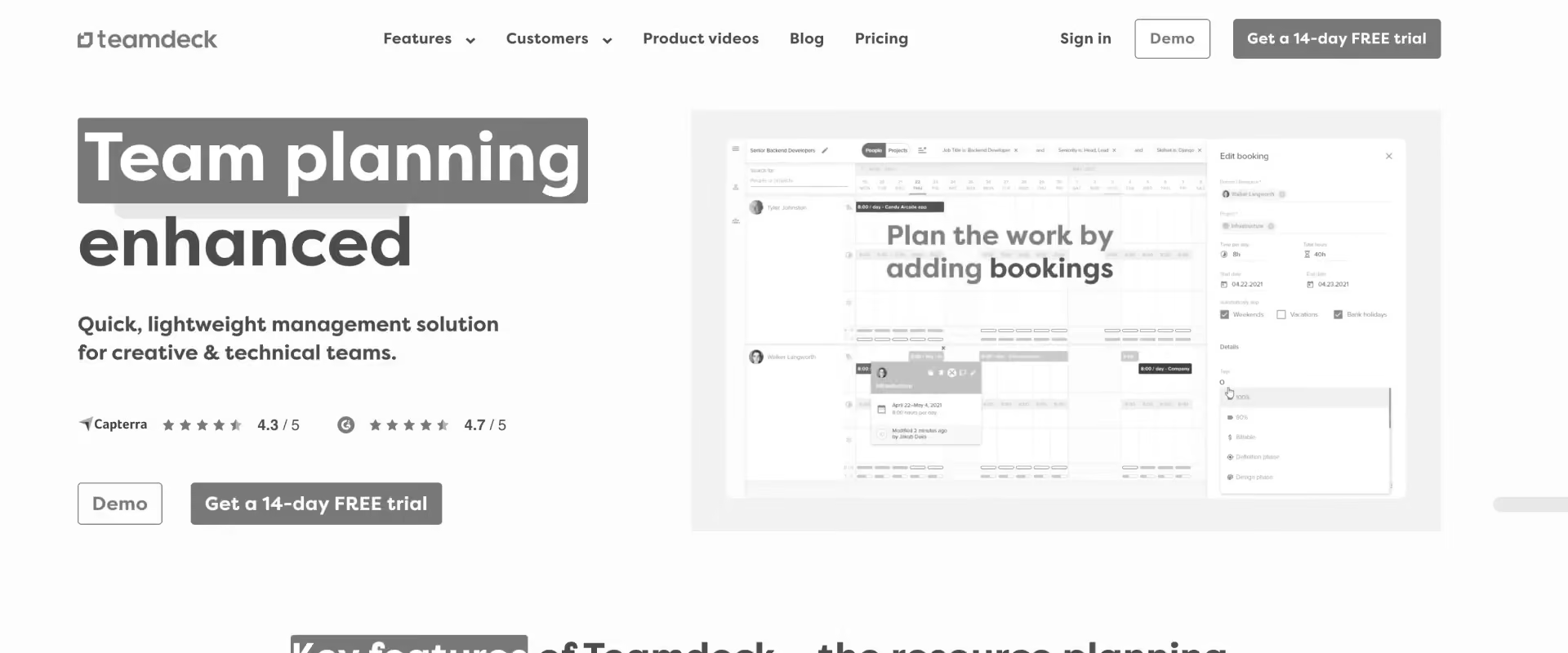
Teamdeck combines resource scheduling and time tracking in one lightweight tool aimed at creative and tech agencies.
Teamdeck fits small teams that want scheduling and time tracking in a single platform without the cost or complexity of a full PSA. For PS teams with more complex billing, financial visibility, or client-collaboration requirements, it is not the right fit.
Key features
- Resource scheduling with visual availability view
- Time tracking with timesheet approvals
- Vacation and leave management
- Project and team reporting
- Custom fields and attributes for resource filtering
Key takeaways
8. Certinia: Best for Salesforce-Native Finance Operations
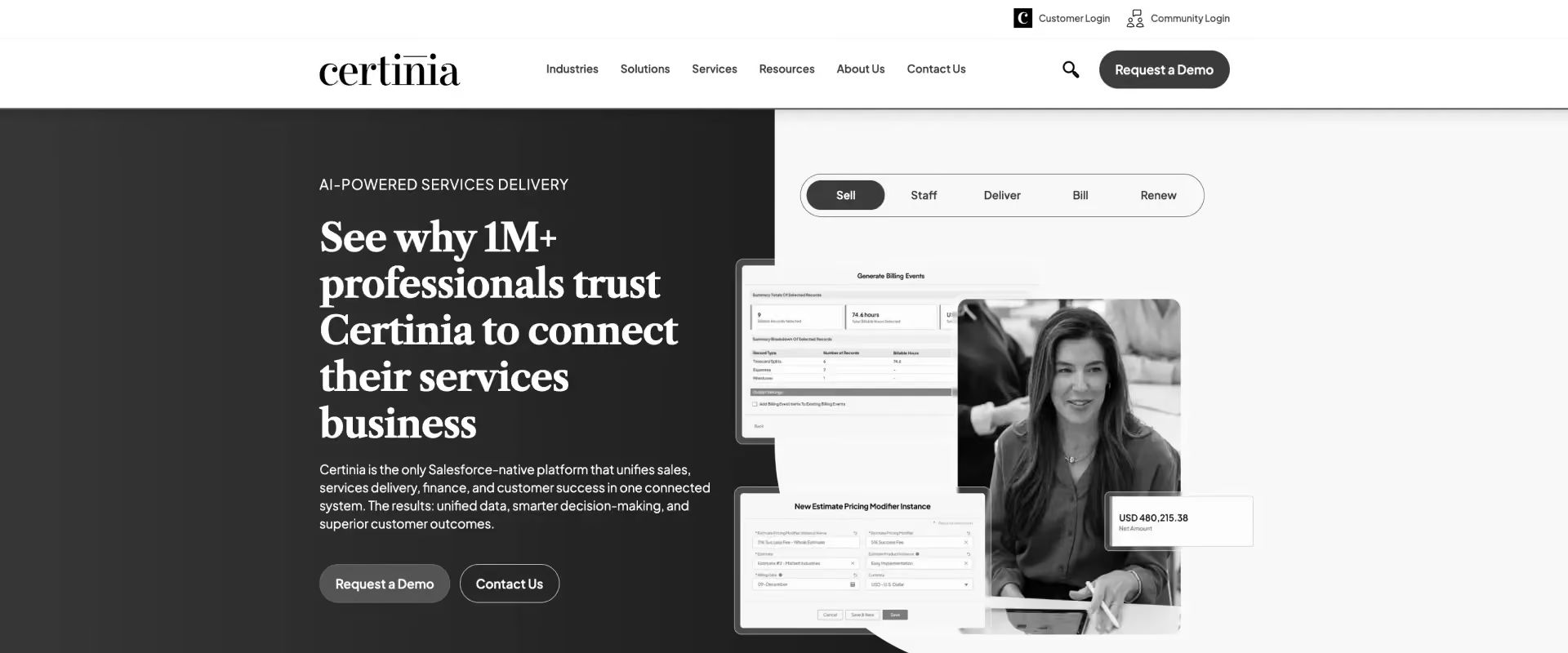
Certinia, formerly FinancialForce, is a Salesforce-native PSA built directly on the Salesforce platform. It provides financial reporting, revenue recognition, and project management for organizations where Salesforce is the system of record for all business operations.
Certinia fits large Salesforce-centric enterprises where deep CRM-to-finance integration is a hard requirement. Organizations not standardized on Salesforce, or unable to absorb a 6-12 month deployment, typically find the implementation overhead outweighs the integration benefit.
Key features
- Project management and resource allocation within Salesforce
- Revenue recognition and financial reporting natively on Salesforce
- Time tracking and expense management
- Billing and invoicing with complex revenue model support
- Compliance and audit features for regulated industries
Key takeaways
See why Rocketlane is better than Certinia.
9. BigTime: Best Accounting-First PSA for Agencies and Small Consulting Firms
BigTime is a PSA centered on the time-to-invoice workflow, connecting logged time to billing and QuickBooks or Sage Intacct integration. It holds a high G2 satisfaction rating with a comparatively large review base.
BigTime fits mid-market PS firms where billing accuracy and accounting integration are the primary requirement. Teams that also need real-time resource management, client collaboration, or agentic AI will find it stops short of that.
Key features
- Time tracking with multiple entry methods and mobile support
- Invoicing with flexible billing models: fixed fee, time and materials, retainer
- QuickBooks and Sage Intacct integration
- Project budgeting and expense tracking
- Resource scheduling with workload view
Key takeaways
Rocketlane vs. BigTime: full comparison
10. Accelo: Best Mid-Market PSA with Predictive Resource AI
.avif)
Accelo combines CRM, project management, ticketing, and billing for agencies managing a mix of retainer and project work. Its distinguishing feature is AcceloTrack, which captures time automatically from email and calendar activity.
Accelo fits retainer-heavy agencies and MSPs where the client-relationship view matters as much as the project view. For PS teams running large implementation projects, complex billing structures, or skills-based resource matching at scale, it is not the right fit.
Key features
- AcceloTrack: automatic time capture from email, calendar, and activity
- Retainer management with budget tracking and renewal alerts
- Built-in CRM for managing client relationships alongside delivery
- Billing and invoicing with retainer and project billing support
- Resource scheduling with workload view
Key takeaways
Rocketlane vs. Accelo: full comparison
Head-to-head: how all 10 tools compare
The table below strips that away and puts all 10 side by side across the dimensions that actually separate PS-grade resource management from a scheduler with a nicer interface: utilization tied to margin, skills-based allocation, soft allocation for pipeline deals, agentic AI, and how each tool plugs into your CRM and finance stack.
Some buyers also compare these tools with Smartsheet, which integrates spreadsheet functionality with project management tools but is not PS-specific.
This table also distinguishes dedicated resource management software from a broader work management platform.
What the data shows
For PS teams where scheduling or billing is the only requirement, those tools are purpose-fit. For teams that need utilization tied to margin, agentic AI, and client collaboration in one platform, the table routes to Rocketlane.
Which resource management software is right for your PS team?
The right resource management platform depends on whether your primary need is visual scheduling, financial visibility, or full PS automation, and on whether your team needs to manage multiple projects simultaneously with shared resource visibility.
Teams under 25 route to Float or Resource Guru. Teams managing utilization against margin with 30+ consultants route to Rocketlane.
Which resource management tool fits your team? Use this table to route your decision based on scheduling, financial visibility, and resource utilization:
The routing inflection point is the moment utilization stops being a headcount question and becomes a margin question. Teams that only need to see who is free on which days can get there with Float or Resource Guru and pay a fraction of the cost.
The moment a PS leader needs to see utilization rate tied to project margin, cost rates by role, capacity against pipeline, and forward hiring visibility in one place, that is when the routing points to Rocketlane. Most teams hit that moment somewhere between 25 and 40 consultants.
Best resource management software for global PS teams
Resource management requirements vary significantly by region. Compliance obligations, work-week configuration, and data residency requirements all affect which platform is viable for a given geography.
North America The largest concentration of Rocketlane's current customer base. NA-based PS teams typically prioritize Salesforce integration, QuickBooks or NetSuite reconciliation, and real-time utilization visibility. Rocketlane's bi-directional Salesforce sync and native margin tracking are well-matched to this profile. For NA-based teams where billing accuracy and QuickBooks integration are the only requirements, BigTime is a strong mid-market alternative with 1,502 verified G2 reviews.
EU (Germany, Benelux, Nordics, France) GDPR compliance is non-negotiable. PS teams managing cross-border engagements need multi-entity billing, VAT handling, and data residency options within EU infrastructure. Rocketlane supports multi-currency and multi-region data residency. Teams billing across EUR, GBP, and CHF in the same platform need to confirm that their chosen tool handles VAT-inclusive invoicing natively — several tools in this list do not.
UK (post-IR35) IR35 introduced granular contractor classification requirements that have direct implications for time tracking. PS teams using subcontractors need audit-ready time records that distinguish employed vs. contractor hours and can withstand HMRC review. Rocketlane's Timesheet Policies enforces logging compliance at point of entry rather than at month-end review. Tools with no time tracking layer — Float, Mosaic, Resource Guru — are not viable as standalone solutions for UK teams with significant contractor headcount.
APAC (India, ANZ, SEA) The fastest-growing PSA adopter region in the SPI 2026 data. APAC-based PS teams consistently report higher billable utilization targets — 85-90% is common in India-based delivery centers — and require real-time visibility to keep distributed teams aligned for successful project delivery. Deployment speed matters: APAC teams often need to be live in weeks, not months. Rocketlane's 8-12 week implementation timeline compares favorably against Kantata and Certinia's 3-6 and 6-12 month onboarding respectively.
MENA (UAE, Saudi Arabia, Egypt) Multi-currency billing covering AED and SAR is table stakes. VAT has applied across GCC since 2018, and invoicing tools that don't handle VAT natively create manual reconciliation overhead. Saudi Arabia-based teams also need Friday/Saturday work-week configuration — a feature that most Western-built PSAs do not support out of the box. Rocketlane supports work-week configuration and multi-currency billing across MENA. For government-adjacent clients in UAE and Saudi Arabia, data residency requirements are a procurement gate — confirm regional data residency options with your vendor before signing.
How to evaluate resource management software for professional services teams
Evaluate on five dimensions: utilization tied to financial outcomes, forward capacity visibility, skills-based allocation, timesheet compliance, and integration with your CRM and finance stack. Scheduling UX alone is not a sufficient evaluation frame for PS teams. They should also evaluate whether the software can support multiple teams, not just one delivery pod.
Most PS teams evaluate resource management tools on limited criteria, not the wrong ones. The shortlist usually covers scheduling views, availability tracking, and price. Those are real requirements, and they matter.
The problem is that most standalone resource management tools were never built to go further, so teams stop asking for more.
Utilization tied to margin. Forward capacity visibility for hiring decisions. Skills-based allocation with proficiency levels. Timesheet compliance at the point of entry. These aren't features most RM tools offer, so they've quietly dropped off the evaluation checklist. Teams treat them as problems to work around rather than problems that can be solved.
For PS teams that have only ever used a standalone scheduler, that might feel true. For PS teams evaluating a PSA-grade resource management layer, it isn't.
The five dimensions that separate PS-grade tools from generic schedulers
Here's what actually distinguishes a PS-grade resource management tool from a generic scheduler:
1. Does utilization connect to financial outcomes?Most RM tools show hours allocated. PS teams need to see whether those hours are billable, at what rate, and what they mean for project margin in real time. If you have to export to a spreadsheet to answer "are we profitable on this project," the tool is not doing enough.
2. How far out can you see capacity accurately? Scheduling visibility of 2-4 weeks is sufficient for a creative agency. PS teams managing 6-18 month implementation engagements and making hiring decisions against pipeline need 12-18 months of forward capacity visibility. Ask every vendor: what does the capacity forecast look like at 6 months out, how does it account for pipeline deals that haven't closed yet, and whether it reveals future resource requirements?
3. Can you allocate on skills, not just availability? Availability-based allocation puts whoever is free on whatever is next. Skills-based allocation with proficiency levels and cost rates means the right person goes to the right project at the right margin. The gap between these two approaches shows up in delivery quality and project profitability.
4. How does the tool handle timesheet compliance? Manual timesheet reminders produce partial data. Policy enforcement at the point of entry — where the tool prevents submission of non-compliant logs — produces audit-ready data. For PS teams where billing is tied to time records, this distinction directly affects revenue accuracy.
5. What does the integration model look like with your CRM and finance stack? Project management software data that lives in isolation from Salesforce and your accounting system creates reconciliation problems. Evaluate whether the tool syncs pipeline from your CRM to inform capacity planning, and whether time and billing data flows cleanly to NetSuite or QuickBooks without middleware.
Why do PS teams choose Rocketlane for resource management?
Rocketlane consistently comes out ahead in this comparison for PS teams evaluating resource management, delivery, and client collaboration together, not because it is positioned as universally "best," but because of how it handles three things most tools in this list do not: real-time margin visibility, pipeline-informed capacity planning, and agentic AI that executes rather than advises.
The only resource management tool that connects allocation to margin in real time
Every tool in this list can show you who is allocated to what. Rocketlane is one of the only ones that shows you what that allocation costs, what it means for the project margin, and how it changes in real time as allocations shift.
Most standalone schedulers operate at the hours layer. You can see that a consultant is 80% allocated next quarter.
What you cannot see is whether that 80% is profitable, which projects are pulling the margin down, or whether the billing rate matches the cost rate for that role. That gap — between utilization visibility and financial visibility — is where PS margins erode.
Rocketlane closes it. Every resource allocation carries a cost rate and a billing rate. Project margin updates automatically as hours are logged and allocations change.
A VP of PS can see, in real time, whether a 50-person engagement is tracking to the agreed margin or drifting below it — without exporting anything to a spreadsheet. For PS teams where project profitability is a board-level metric, this is not a nice-to-have. It is the difference between managing a PS business and reporting on one after the fact.
Planning capacity against your pipeline, not just confirmed work
Most resource management tools plan against confirmed projects. If a deal has not closed, it does not exist in the capacity model. For PS teams managing a 6-18 month pipeline where projects take weeks to staff, that means hiring decisions are always reactive. A gap that appears in month seven was visible in month three, but only if the planning model accounted for the pipeline.
Rocketlane's soft allocation solves this. Resource managers can allocate against pipeline deals before they close, with a probability weighting that flows from the Salesforce opportunity. When a deal closes, soft allocations convert to confirmed ones. When a deal slips, the capacity releases. The result is a rolling 12-18 month capacity model that reflects both backlog and pipeline, not just confirmed work.
For PS leaders who are responsible for hiring decisions, this changes the conversation from "we need three senior consultants now" to "we will need three senior consultants in Q3 based on the current pipeline." That shift — from reactive to proactive — is what separates a PS team that controls headcount spend from one that is always catching up to it. Rocketlane's HRIS integrations with BambooHR, Workday, and Rippling sync headcount data directly into the capacity model, so the picture is always current.
Here it is with internal links added — all pulled from real, confirmed URLs on rocketlane.com (the agentic-psa hub, the resource management product page, and the specific Nitro agent blog posts), not invented ones:
How Rocketlane Nitro transforms resource management with agentic AI
Rocketlane's Nitro suite is the only agentic AI layer built specifically for PS operations. Unlike advisory AI, which surfaces a recommendation and waits for a human to act, Nitro identifies the problem, applies the policy, and in many cases resolves it without manual intervention. For resource management specifically, that shows up in three ways.
The Resource Management agent handles resource allocation recommendations based on skills, availability, cost rate, and project fit simultaneously in two modes. Load balancing finds the least allocated resource; maximize margins finds the most cost-effective one and shows the profit impact before you confirm. Instead of a resource manager running five filters manually across a 50-person team, Resource AI surfaces the best match in seconds, and shows the financial delta of any swap in real time before it's committed.
The Timesheet Policy Agent enforces submission compliance at the point of entry — flagging non-compliant logs before they're submitted, not after a manager reviews them at month end. For PS teams where billing accuracy depends on timesheet data, this directly protects revenue: teams report 95%+ submission compliance without manager follow-up.
“As a services business, our timesheets directly drive utilization and project profitability.
What excites me about Timesheet Policies is the ability to finally bring structured guardrails into our time data. The idea that we can encode our policies directly into the system to catch issues at the end of the week or month feels like a meaningful shift.” – Daniel Levine, Director, Professional Services & Implementation, Clutch
Nitro Analyst answers natural-language questions across the resource and financial data set. A VP of PS can ask "which projects are at risk of missing utilization targets this quarter" and get a structured answer in seconds — no report-building, no waiting on an analyst, no spreadsheet export.
Nitro beyond resource management: Resource management is where Nitro's Operations AI layer lives, but the same agentic approach extends further into delivery. Nitro Signals flags scope drift, milestone delays, and margin compression before they escalate; Nitro Meetings captures decisions and action items from project calls automatically.
A third layer, Workforce AI, handles the operational load of standing up a new project team — provisioning access, assigning templates, and scheduling kickoff sequences — and turns delivery activity into reusable documentation. These sit one level up from day-to-day resourcing, but run on the same principle: the AI acts, it doesn't just advise.
Enterprise-grade features that scale with your PS team
Rocketlane is built for organizations that have outgrown tooling held together with spreadsheets and Slack threads. The enterprise feature set covers the requirements that procurement, security, and finance teams raise before any PSA goes to contract.
Single sign-on via SAML 2.0 and SSO integrates with Okta, Azure AD, and Google Workspace. Role-based access controls with granular permission levels mean resource managers, project managers, and executives each see what they need without accessing what they should not. Audit logs capture every action taken in the platform, with timestamps and user attribution, for compliance and security reviews.
Salesforce integration is bi-directional and native: closed-won opportunities create Rocketlane projects automatically, resource allocations sync to Salesforce for pipeline-informed capacity planning, and utilization data flows back to Salesforce for revenue forecasting. NetSuite and QuickBooks integrations connect time and billing data to your finance stack without middleware. HubSpot integration supports teams that run their CRM outside Salesforce.
Multi-currency billing, multi-region data residency, and GDPR-compliant data handling make Rocketlane viable for global PS organizations managing delivery across North America, EMEA, and APAC from a single instance. Enterprise customers receive a dedicated customer success manager, defined SLA commitments, and a structured onboarding program with a named implementation lead.
Common triggers for switching to Rocketlane
PS teams switch to Rocketlane when a visual scheduler or legacy PSA can no longer connect resource decisions to financial outcomes. The six most common triggers are outlined below.
1. They have outgrown their scheduling tool Float, Resource Guru, and Runn solve the visibility problem that spreadsheets created. They show who is free and when. What they don't show is whether an allocation is profitable, what it costs, or how it affects project margin. Most PS teams hit this ceiling between 25 and 40 consultants, or when a VP of PS or CFO starts asking questions the tool cannot answer. At that point the tool hasn't failed — it has just reached the edge of what it was built to do.
2. Capacity planning is still happening in spreadsheets alongside the tool The scheduler handles bookings. A separate spreadsheet handles forward capacity, hiring forecasts, and pipeline-informed planning. When two systems manage what should be one view, the data is always slightly wrong. Teams running 30+ consultants with 10+ concurrent client engagements consistently report that the manual reconciliation overhead between scheduling tool and planning spreadsheet grows faster than headcount.
3. The CFO is asking for margin visibility the tool cannot provide Time tracking data exists in one place. Billing and invoicing in another. Project margin requires manual export and reconciliation every month. When a CFO or VP Finance needs real-time answers about project profitability and the tool requires a multi-hour export exercise to produce them, the evaluation conversation starts.
4. The legacy PSA is too expensive or too slow to configure Kantata's 50-seat minimum means teams of 20-30 pay for seats they will never use. Certinia's 6-12 month implementation with a required SI partner means teams that need to be live in weeks are waiting quarters. For teams on OpenAir, the displacement trigger is different but the outcome is the same — reduced vendor investment and a declining roadmap have made it the legacy PSA most actively being replaced in enterprise deals in 2026. All three are the right tool for the organizations they were built for. For teams that need PS-grade capability without enterprise-grade overhead, Rocketlane's 8-12 week implementation and per-seat pricing without minimums changes the unit economics entirely.
5. The board has issued an AI mandate and the existing tool has no agentic roadmap Rocketlane is the only platform in this comparison with agentic AI in production. Every other tool on this list has either a basic AI assistant or nothing. For PS leaders under board pressure to AI-enable operations — a pattern confirmed in enterprise deals at Sphera, NICE, and Mimecast — the absence of an agentic AI layer in the current tool has become a switching trigger in itself.
6. The team has outgrown generic project management tools Smartsheet, Asana, Monday, and ClickUp work well for task management. They were never built for PS delivery. No billing models, no utilization tracking tied to revenue, no client portal, no resource allocation against cost rates. Teams using these tools for professional services delivery consistently hit the same ceiling: the tool manages tasks but not outcomes. It shows what is happening but not whether it is profitable. For PS teams managing 10+ concurrent client engagements, the missing financial and delivery governance layer is not a feature gap — it is a structural one that no configuration or workaround resolves.
How to migrate from your current tool to Rocketlane
Most PS teams are live on Rocketlane within 8-12 weeks. The migration runs in three phases: configuration, data migration and training, and go-live. Active client engagements run in parallel during transition and are protected under Rocketlane's Seamless Switch Guarantee.
The three concerns teams raise most often
- "We'll lose our historical data." Historical project data, time logs, resource records, and financial history migrate across. Rocketlane's implementation team runs the migration — it is not a self-service data import. The dedicated onboarding team validates data integrity before any active engagement moves to the new platform.
- "We have active client engagements we can't disrupt." Active engagements run in parallel during Phase 2. Nothing moves until the team has validated the setup and is comfortable with the platform. The go-live in Phase 3 is a controlled handoff, not a cutover. Rocketlane's Seamless Switch Guarantee covers continuity of active engagements through the transition.
- "Our team won't adopt it." The most common adoption failure with any PSA is a tool configured by someone who doesn't use it daily. Rocketlane's implementation runs with the delivery team, not just the ops lead. Playbook library, in-platform training resources, and a dedicated CSM in the post-go-live period are included. For reference: Sprinklr migrated to Rocketlane with 12 months remaining on their existing contract. The cost of staying on a tool that wasn't working exceeded the switching cost.
The ROI of switching to Rocketlane for PS resource management
For a 50-person PS team billing at $175/hr, closing the gap between 66% and 78% utilization represents approximately $750,000 in additional annual revenue. Most Rocketlane customers recover implementation cost within 90-180 days.
Utilization improvement SPI Research 2026 benchmarks average billable utilization at 66.4% — the lowest level in the survey's history — against an optimal threshold of 75%. For PS teams that close even part of that gap, the revenue impact is significant, and better utilization paired with stronger resource planning also supports better project outcomes.
Based on 2,080 available hours per consultant per year. Utilization improvement driven by skills-based allocation, Timesheet Policies compliance enforcement, and Nitro Analyst visibility.
Margin improvement PS teams that connect resource allocation to cost rates and billing rates — rather than managing them separately — typically see 5-10 percentage point margin improvement within 6-12 months. For a $5M PS practice, a 5-point improvement represents $250,000 in recovered margin annually. For a $10M practice, $500,000.
Time to value reduction Faster delivery improves revenue per engagement, reduces escalation overhead, and increases client NPS. PS teams using Rocketlane's structured delivery governance and Nitro Signals report 30-50% reduction in time to value across implementation projects. Fewer delays, fewer escalations, more referrals.
Headcount leverage Teams handle 2-3x more concurrent projects without additional hires by eliminating the manual overhead that currently consumes resource manager and project manager time: allocation spreadsheets, timesheet chasing, status reporting, and capacity modeling. The capacity was already there. It was absorbed by the process.
Conclusion: The verdict on which resource management tool to choose for your organization?
For a professional services organization at scale, resource management stopped being a scheduling question a long time ago. It is a margin question, a governance question, and increasingly a board-level one. The right platform has to connect who is staffed to what it costs, what it earns, and where capacity runs short next quarter, across every practice and region, in one system of record.
Measured against that bar, Rocketlane is the strongest fit for enterprise PS teams in 2026. It unifies resource management, delivery, financials, and client collaboration in one Agentic PSA, with real-time margin per engagement, pipeline-informed capacity planning, and Nitro's agentic AI that executes the work rather than only advising on it. It goes live in 4 to 12 weeks and carries the SOC 2 Type II, SSO, audit, and data-residency controls an enterprise security review demands.
The other platforms hold their lanes. Kantata and Certinia suit large Salesforce-native orgs that can absorb a multi-quarter rollout. Float and Resource Guru fit smaller teams that need visual scheduling without financial depth. BigTime and Accelo serve mid-market billing and retainer work.
The inflection point is the same for every enterprise: the moment utilization becomes a margin number your CFO tracks, a scheduler is no longer enough. If that is where your organization sits, Rocketlane runs resourcing, delivery, and financials as one operation.
See it against your own numbers.
Table of Contents

Regsiter for the live webinar


Great consultants didn't join your team to spend Fridays writing documentation.
Table of contents
18 of Forbes Cloud 100 chose Rocketlane. The best PS teams aren't waiting around.
FAQs
What is resource management software for professional services teams?
Resource management software for PS teams tracks and optimizes who is working on what, when, and at what cost, giving teams a clearer way of managing resources across delivery. PS-specific platforms go beyond scheduling to connect utilization to project margin, enforce timesheet compliance, and plan capacity against pipeline deals. The best platforms give PS leaders real-time visibility into whether their team is profitable, not just allocated. (SPI Research 2026: billable utilization sits at 66.4%, the lowest level in surveying history.)
How is resource management software for PS teams different from generic scheduling tools?
Generic scheduling tools show availability. PS-grade resource management connects availability to financial outcomes — cost rates, billing rates, project margin, and utilization targets. Tools like Float and Resource Guru are purpose-built for visual scheduling, while dedicated resource management software is built to connect staffing decisions to margin and forecast accuracy. They don't show whether an allocation is profitable or flag when a project is tracking below margin. For PS teams where utilization is a revenue metric, that gap is the difference between managing a services business and guessing at it.
Which resource management software is best for a PS team of 30-100 consultants?
For PS teams of 30-100 consultants, Rocketlane is the most frequently recommended platform in 2026. It combines skills-based allocation, real-time margin visibility, soft allocation for pipeline planning, and Nitro agentic AI in one platform. BigTime is the strongest alternative for teams where billing accuracy and QuickBooks integration are the primary requirements. Float is the right choice for teams that only need visual scheduling without financial complexity, including many professional services firms in that size range.
What is billable utilization and why does it matter for resource management?
Billable utilization is the percentage of a consultant's available hours spent on billable client work. SPI Research 2026 benchmarks optimal utilization at 75%. The industry average in 2025 was 66.4%, the lowest level in SPI's surveying history. For a 50-person PS team billing at $175/hr, the gap between 66% and 78% utilization represents approximately $750,000 in unrealized annual revenue. Resource management software that tracks utilization against cost rates and project margin is the primary operational lever for closing that gap.
What is soft allocation and why does it matter for PS capacity planning?
Soft allocation lets resource managers assign consultants to pipeline deals before they close, using probability weighting from the CRM. When the deal closes, the soft allocation converts to a confirmed booking. When it slips, the capacity releases automatically. Without soft allocation, capacity planning is based on confirmed projects only — typically a 4-8 week forward view. With soft allocation, PS teams can plan 12-18 months out and make proactive hiring decisions before gaps become critical. Rocketlane is the only platform in this comparison with native soft allocation tied to Salesforce pipeline.













Copyright © 2026 Rocketlane Corp. All rights reserved.





















.webp)