10 Best Planview Alternatives for Professional Services Teams (2026)
•
•
Summarize blog with






Planview was built for a specific kind of organization: a corporate project management office (PMO) running internal programs, allocating capacity across business units, and reporting portfolio health to executive stakeholders.
That architecture works in governance-heavy enterprise environments.But Professional services (PS) organizations operate differently.
The unit of work is a client engagement, success is measured through delivery margin and customer outcomes, and execution moves according to external implementation timelines rather than internal planning cycles.
As a result, many teams evaluating Planview alternatives are not simply looking for project management capabilities.
They are evaluating professional services automation (PSA) platforms that combine project delivery, resource management, financial visibility, and client collaboration within the same operational system.
The organizations evaluating alternatives to Planview often share a similar profile.
They scaled quickly, inherited the platform through a merger or enterprise IT decision, or adopted enterprise governance tooling before delivery operations became their primary operational bottleneck.
The friction emerges during execution. Modern PS teams need live delivery visibility, staffing coordination, and real-time financial tracking.
In many Planview environments, those workflows depend on additional configuration, adjacent tools, or operational workarounds that increase reporting overhead and workflow fragmentation over time.
That distinction drives the category decision these teams are making: a portfolio governance platform extended toward professional services use cases, or a delivery-centric PSA platform purpose-built around onboarding, implementation, resource coordination, financial visibility, and collaborative customer execution.
This guide evaluates the top Planview alternatives for professional services teams in 2026 across the capabilities that matter most to PS leaders: delivery execution, resource management, financial visibility, client collaboration, AI automation, implementation complexity, and operational scalability.
Best Planview alternatives for PS teams (2026)
Planview is an enterprise portfolio governance platform built for corporate PMOs managing internal programs, capacity allocation, and strategic planning.
For professional services teams running client-facing delivery, the platform's governance-first architecture creates persistent operational friction: execution spreads across Smartsheet, spreadsheets, and email, while reporting requires manual assembly before every leadership review.
PS organizations evaluating alternatives typically find that Planview was solving the right problem for a different buyer.
Rocketlane is the strongest overall Planview alternative for modern PS teams, trusted by 750+ customers with a 94% G2 recommendation rate.
This guide compares the ten best Planview alternatives in 2026 across delivery execution, resource management, financial visibility, client collaboration, AI automation, and implementation complexity — so PS leaders can identify the right fit for their team size, delivery model, and operational priorities.
How we evaluated these Planview alternatives
This guide evaluates Planview PSA alternatives against the operational realities of modern professional services delivery.
The focus is on how well each system maintains continuity across delivery execution, resource coordination, financial visibility, customer collaboration, and operational reporting
Quick comparison: top 10 Planview PSA alternatives at a glance
Before we go deep on each tool, here’s a quick-reference comparison of the leading Planview PSA alternatives evaluated in this guide, with a focus on customer-facing professional services delivery teams.
What is Planview?
Planview is a comprehensive platform for project portfolio management and strategic alignment, designed to help organizations plan, prioritize, and govern work across projects, products, resources, and strategic initiatives.
Over time, the platform has expanded through acquisitions such as Clarizen, LeanKit, and Changepoint, giving it capabilities across portfolio management, agile execution, professional services automation, and enterprise work coordination.
At its core, Planview supports strategic portfolio management and enterprise agile planning for large organizations, enabling centralized decision-making, scenario modeling, and alignment with organizational strategy.
The platform helps enterprises manage large portfolios of projects, allocate resources across teams, track capacity, and align execution with strategic objectives.
Its strongest use cases are typically enterprise PMOs, IT transformation programs, product portfolio management, and operational planning environments.
For professional services organizations, Planview offers PSA capabilities through products like Planview AdaptiveWork and Planview Changepoint.
These modules support project planning, time tracking, resource allocation, budgeting, and portfolio reporting. Compared to simpler project management tools, Planview provides stronger governance, reporting depth, and enterprise scalability.
However, the platform is not fundamentally designed around customer-facing service delivery workflows. Resource management and portfolio visibility are strong, but onboarding orchestration, customer collaboration, delivery automation, and execution simplicity often require additional systems or customization.
Why are professional services teams looking for Planview alternatives in 2026?

While Planview is strong for enterprise portfolio governance, resource oversight, and structured PMO environments, many 50–500 person services organizations find it less effective for fast-moving, customer-facing delivery operations.
The friction emerges from the amount of configuration, process discipline, administrative maintenance, and cross-system coordination required to operationalize those capabilities consistently across growing delivery teams.
As a result, many organizations continue managing delivery execution across spreadsheets, Smartsheet, Jira, Microsoft Project, Slack, and email alongside Planview, recreating the operational fragmentation the PSA was originally intended to eliminate.
Below are the most common reasons professional services teams evaluate alternatives.
1. Adoption becomes difficult outside PMO-heavy environments
Planview’s operational model is designed primarily around governance, portfolio oversight, and structured process management. However, optimizing operational tasks and processes is essential for improving adoption outside PMO-heavy environments. For many professional services teams, that creates friction at the execution layer.
Project managers, onboarding teams, and delivery practitioners often need faster workflow updates, lightweight collaboration, and real-time operational coordination. When workflows feel admin-heavy or overly structured, teams begin managing portions of delivery outside the system, reducing reporting accuracy and operational trust over time.
This is especially common in client onboarding and implementation environments where execution velocity matters more than formal portfolio governance.
2. Resource planning requires significant operational discipline
Planview offers sophisticated resource management and forecasting capabilities, including capacity planning and utilization visibility. However, many mid-market services organizations struggle to operationalize those capabilities efficiently in dynamic delivery environments.
Forecasting accuracy often depends on clean timesheet adoption, consistent project updates, centralized staffing governance, and ongoing administrative maintenance. As delivery complexity grows, resource planning can become operationally heavy, particularly for organizations without dedicated PMO or operations support teams.
3. Delivery execution often shifts into other tools
A common pattern in Planview environments is separation between governance and execution. Teams use Planview for portfolio oversight, reporting, and operational visibility while managing actual project execution elsewhere.
Smartsheet, Jira, Microsoft Project, spreadsheets, and collaboration tools frequently become the systems where delivery coordination, onboarding tasks, customer communication, and dependency management happen day to day.
Over time, this creates operational duplication: one system for governance, another for execution, and additional layers for reporting consolidation.
4. Customer collaboration workflows feel secondary
Planview does support external collaboration and stakeholder visibility. However, the customer-facing experience is generally less delivery-centric than platforms designed specifically around onboarding and implementation management.
Client communication often remains distributed across email, Slack, shared drives, and meetings. For professional services organizations competing heavily on customer experience, this creates operational inefficiencies and reduces transparency during delivery.
As implementation experience becomes a stronger retention and expansion driver, many services teams are prioritizing systems designed around collaborative customer execution rather than internal portfolio governance alone.
5. Real-time operational visibility can require significant coordination
Planview includes strong reporting and portfolio analytics capabilities. The challenge for many services organizations is maintaining real-time operational accuracy across fragmented delivery environments.
When execution workflows live partially outside the PSA, reporting frequently depends on exported data, manual reconciliation, or cross-system coordination between delivery, operations, and finance teams.
This creates latency in identifying delivery risk, staffing pressure, utilization changes, or margin issues, particularly in organizations operating multiple concurrent implementations.
6. AI and automation expectations are changing
Planview has introduced AI capabilities focused on portfolio insights, reporting assistance, and project intelligence.
However, the broader PSA market needs a shift toward AI-assisted workflow orchestration, delivery automation, staffing recommendations, risk prediction, and operational copilots embedded directly into execution workflows.
PSA software helps streamline operations by centralizing and automating project management, resource allocation, and financial processes, which reduces manual effort and leads to measurable improvements across operations, finance, and client relationships—resulting in less administrative work, more clarity, and greater confidence in decision-making.
Newer PSA platforms are prioritizing AI as an operational layer inside delivery execution itself rather than primarily as a reporting or analytics enhancement.
For professional services organizations focused on reducing administrative overhead, this difference in product direction is becoming increasingly important.
What should PS firms look for in a Planview alternative?
The best Planview PSA alternatives reduce operational overhead while improving delivery visibility, resource planning, and financial control. This shows up in five key requirements:
Adoption-driving UX — the underrated decision criterion
A PSA only works if delivery teams actually use it. Many organizations leave Planview because the administrative overhead outweighs the operational value.
Look for:
- Modern, low-friction UI with fast time entry and minimal navigation overhead
- Workflows designed for consultants and project managers, not just administrators
- Mobile access and calendar-integrated workflows that improve adoption consistency
Native project management depth
Many Planview customers still rely on Smartsheet, Jira, or spreadsheets for actual delivery execution.
Look for:
- Multi-phase project templates, dependencies, workflow automation, and standardized delivery playbooks
- Gantt, Kanban, and portfolio views that support real implementation workflows
- Centralized execution without requiring parallel PM systems
Real-time financial visibility
Financial reporting should operate continuously during execution, not after month-end reconciliation.
Look for:
- Live budget vs. actual tracking, utilization visibility, and project margin reporting
- Estimate-at-completion forecasting and support for fixed-fee, T&M, and milestone billing
- Direct linkage between delivery activity and financial outcomes
Resource management and capacity forecasting
Resource planning should operate dynamically across active and upcoming projects.
Look for:
- Skills-based staffing, utilization heat maps, and future capacity forecasting
- Soft and hard allocations for pipeline and committed work
- Visibility across teams, regions, and delivery portfolios
Client collaboration portal
Customer-facing delivery increasingly requires shared operational visibility.
Look for:
- Branded client portals with milestone tracking, approvals, and document collaboration
- Role-based permissions and external collaboration without paid licenses
- Centralized communication instead of fragmented email and spreadsheet coordination
Implementation speed and vendor ownership
Legacy PSA implementations often create long-term operational dependency.
Look for:
- Vendor-led implementation with phased rollout support
- Rapid deployment timelines measured in weeks, not quarters
- Configurable workflows without requiring extensive consulting or custom development
AI automation that actually reduces workload
Most PSA vendors now offer AI features. Few eliminate meaningful operational work.
Look for:
- Automated documentation, governance enforcement, staffing recommendations, and delivery-risk detection
- Conversational operational analysis across margins, utilization, and project health
What are the best Planview alternatives for professional services teams in 2026?
1. Rocketlane
Rocketlane is an agentic AI-powered professional services automation platform built for customer-facing teams across implementation, onboarding, consulting, and managed services.
It brings projects, resources, financials, and client collaboration into a single system where execution and operational control stay tightly connected.
Rocketlane helps professional services companies manage operational tasks and focus on optimizing processes, ensuring more efficient delivery outcomes.
Key Rocketlane features
- Native bi-directional CRM and delivery integration: Sales, onboarding, delivery, and customer reporting stay connected across the same operational workflow. Direct integrations with Salesforce and Jira support synchronization without heavy middleware requirements
- Real-time margin and budget visibility: Financial performance remains visible throughout execution. Budget consumption connects directly to time entries and delivery activity and margin visibility is available at the project, customer, and portfolio level.
- Portfolio dashboards with live visibility: Leadership teams can monitor delivery health, utilization, and portfolio performance from a centralized view. This spans project health, staffing, and margins, real-time updates across concurrent customer engagements.
- Resource allocation with capacity and skills context: Staffing decisions combine workload visibility with capability alignment. This includes live resource heat maps for current and projected allocation across projects, skills matrices that align staffing with delivery capability requirements, and soft and hard allocation to support both planning and confirmed staffing scenarios.
- Conditional templates and workflow standardization: Delivery processes remain standardized while adapting dynamically to engagement complexity and customer requirements. Conditional logic adjusts workflows based on customer type, implementation scope, or deal structure. Centralized template updates propagate across projects without maintaining duplicates
- White-labeled client portal with controlled collaboration: Customer-facing delivery communication, documentation, and execution remain centralized in a shared workspace. Magic-link access enables external collaboration while role-based permissions control stakeholder visibility and access levels. Customers can track milestones, tasks, ownership, documents, and project updates in one interface, with a branded portal experience aligned with customer-facing delivery operations
- Agentic AI embedded across delivery workflows: AI capabilities operate across execution, governance, operational analysis, and delivery coordination workflows. Documentation is generated from project activity, calls, and delivery conversations, policy enforcement applies during workflow execution and time-entry submission, natural-language operational analysis available for utilization, delivery, and financial questions, and delivery risks and customer signals surfaced from engagement activity and communication patterns
Bonus: Enterprise-ready capabilities for professional services teams
Unified delivery architecture: Delivery, resource management, and operational visibility operate within a connected system rather than across fragmented tools and spreadsheets.
- Projects, staffing, and financial tracking aligned within a single operational environment
- Portfolio visibility available across teams, business units, and geographies
- Reduced reconciliation effort between disconnected delivery and reporting systems
Built-in governance and compliance controls: Governance operates directly within execution workflows instead of depending on external oversight processes.
- Support for SOC 2 compliance, SSO, role-based permissions, and audit logging
- Operational traceability maintained across delivery activity and workflow changes
- Governance controls applied without introducing significant delivery overhead
Bi-directional CRM and delivery alignment: Sales and delivery workflows remain synchronized throughout the customer lifecycle.
- Real-time synchronization with Salesforce and connected CRM workflows
- Delivery teams operate against current commercial and implementation data
- Reduces manual handoff and project setup effort between sales and onboarding teams
Enterprise ecosystem integrations: Designed to integrate into existing operational and financial systems without requiring major process disruption.
- Native integrations with NetSuite, HubSpot, QuickBooks, and Salesforce
- APIs support workflow extensions and custom operational integrations
- Delivery and financial workflows remain connected across the broader enterprise stack
Phased implementation and rollout support: Migration from fragmented delivery systems can happen incrementally without requiring immediate full-platform transitions.
- Parallel-run support available for active customer engagements during rollout
- Teams can transition workflows in phased stages across departments or regions
- Implementation timelines are generally shorter than traditional enterprise PSA deployments
Enterprise portfolio governance platforms like Planview are designed around internal visibility — program status, capacity allocation, executive reporting.
Critical PS delivery work often sits outside Planview’s governance model. That includes client monitoring, delivery documentation, migration coordination, and engagement-level financial tracking.
At the center of Rocketlane is Nitro, an embedded AI execution layer made up of specialized agents to handle that work structurally. Each agent operates within the delivery workflow and takes ownership of a specific category of work that typically slows teams down.
Rocketlane + Nitro: agentic AI built into the delivery layer
Rocketlane's Nitro is a set of purpose-built agents embedded inside the same operational layer as project execution, resource planning, and financial tracking. This means that teams don’t need a separate BI environment, a dedicated configuration project, or an admin team to act on delivery data.
- Nitro Analyst: Answers questions about margin, utilization, project health, and revenue forecasting in plain language from live operational data, with root cause visible alongside every metric. Recurring analyses run automatically as reusable templates, so leadership reviews begin with a current operational baseline — not a reporting preparation exercise that someone ran the day before. The answer to a portfolio question is available in the moment the question is asked, not after a reporting cycle.
- Nitro Signals: Monitors client calls, emails, delivery activity, and communication patterns continuously across every active account. Churn risk, scope drift, stakeholder changes, and expansion opportunities surface with full context — each signal tied to the exact interaction where it originated — while there is still time to respond. Account intelligence stays current as team members transition between engagements, so critical context does not disappear with a consultant handoff.
- Project Governance Agents: Enforce milestone sequencing, sign-off requirements, dependency controls, and completion criteria at the point of execution rather than surfacing failures at period-close reporting. Delivery standards apply consistently across every engagement without the configuration overhead typically required to reach that level of governance at scale.
- AI Governance: Applies billing policies, time-entry rules, utilization constraints, and regional compliance requirements at the point of submission. Budget overruns and compliance gaps are flagged mid-execution, before they compound into month-end margin surprises. Billing data accuracy is maintained continuously rather than validated retrospectively during reconciliation.
- Documentation Agent: Generates business requirements documents (BRDs), statements of work (SOWs), design documents, implementation summaries, and handoff notes from calls, emails, and project activity. Every output is traceable to its source, updates as scope and timelines evolve, and is queryable inside the platform. Delivery knowledge stays structured and accessible rather than fragmenting across disconnected systems as engagement complexity increases.
- Migration Agents: Handle field mapping, transformation logic, validation, and gap detection across data migration workflows end to end. Build reusable playbooks that accumulate operational intelligence across engagements, reducing the multi-week manual preparation that typically precedes go-lives and improving accuracy over time as patterns compound across the portfolio.
- Workforce Agents: Convert SOWs into structured project plans, handle environment setup, and execute standardized delivery configuration tasks. Non-billable expert time per engagement decreases as the agents accumulate delivery patterns. Operational consistency is maintained as portfolio volume grows without requiring proportional increases in coordination overhead or platform administration.
Together, these agents run within Rocketlane's core delivery system, handling the governance, documentation, account intelligence, and operational analysis that surrounds client-facing execution, so delivery teams spend their time on the work that directly affects project outcomes and client relationships.
Pros and cons
Best for
- Directors and VPs of Professional Services who need tighter alignment between delivery, resource planning, and financial visibility
- PMO and delivery operations leaders managing multi-project portfolios who require real-time operational visibility across active engagements
- Implementation and onboarding teams operating across CRM and delivery systems that need sales-to-delivery continuity without heavy manual coordination
- Professional services organizations looking to standardize customer onboarding, implementation, and delivery governance across distributed teams
- Mid-market and enterprise PS organizations seeking faster implementation and lower operational overhead than traditional enterprise PSA deployments
- Customer-facing delivery teams that require structured external collaboration through shared project visibility, milestone tracking, and documentation workflows
- Organizations prioritizing operational automation across documentation, governance, staffing coordination, and delivery reporting workflows
Key takeaways
What customers say (G2 reviews)
Why do PS teams trust Rocketlane?
750+ customers | 94% G2 recommendation rate | $60M Series C from Insight Partners (March 2026) | Revenue more than doubled year-over-year.
See how Rocketlane transforms onboarding, implementation, and professional services delivery workflows with its agentic AI layer. Book a 30-min demo
2. Kantata
.avif)
Kantata is a professional services automation platform built around resource management, delivery operations, and project financial control.
Formed through the merger of Mavenlink and Kimble, it positions itself as a system for services organizations that need tighter coordination between staffing, utilization, forecasting, and revenue performance.
For teams moving from Planview, Kantata introduces a more delivery-centric operational model. Resource forecasting, utilization tracking, and project financial management are significantly more mature than what generalized portfolio tools typically provide.
The platform is particularly strong for organizations where delivery performance directly affects margins, billability, and revenue predictability.
Key features
- Advanced resource forecasting: Capacity planning, utilization forecasting, and skills-based staffing are core platform capabilities rather than add-ons. The forecasting layer is stronger than most generalized project management platforms, though accuracy depends heavily on disciplined timesheet and project hygiene.
- Project financial management: Tracks margins, revenue, utilization, budgets, billable time, and profitability within the delivery workflow. The platform is designed for services organizations that need operational and financial visibility in the same system.
- Portfolio and operational reporting: Cross-project visibility includes utilization trends, staffing pressure, delivery health, and profitability metrics. Reporting is comprehensive but often requires operational PS maturity to configure and maintain effectively. Some users note that reporting customization can become admin-heavy.
- Time, expense, and billing workflows: Integrated time tracking, expense approvals, invoicing support, and revenue workflows connect operational execution to billing processes. This makes it substantially more operationally complete than traditional work management tools.
- Multi-system integrations: Supports integrations with Salesforce, HubSpot, Jira, Slack, QuickBooks, and ERP ecosystems. Kantata SX is Salesforce-native, while OX is positioned as the more ecosystem-flexible version.
- AI and predictive insights: Kantata’s AI capabilities focus primarily on forecasting assistance, utilization insights, and operational recommendations. The AI layer is still largely analytical and assistive rather than workflow-orchestrating.
Pros and cons
Best for
- Professional services firms managing billable delivery and utilization targets
- Consulting organizations requiring strong forecasting and profitability oversight
- Services operations teams running complex staffing and capacity planning workflows
- Mid-market and enterprise PS organizations with mature operational processes
Key takeaways
What customers say (G2 reviews)
3. Certinia
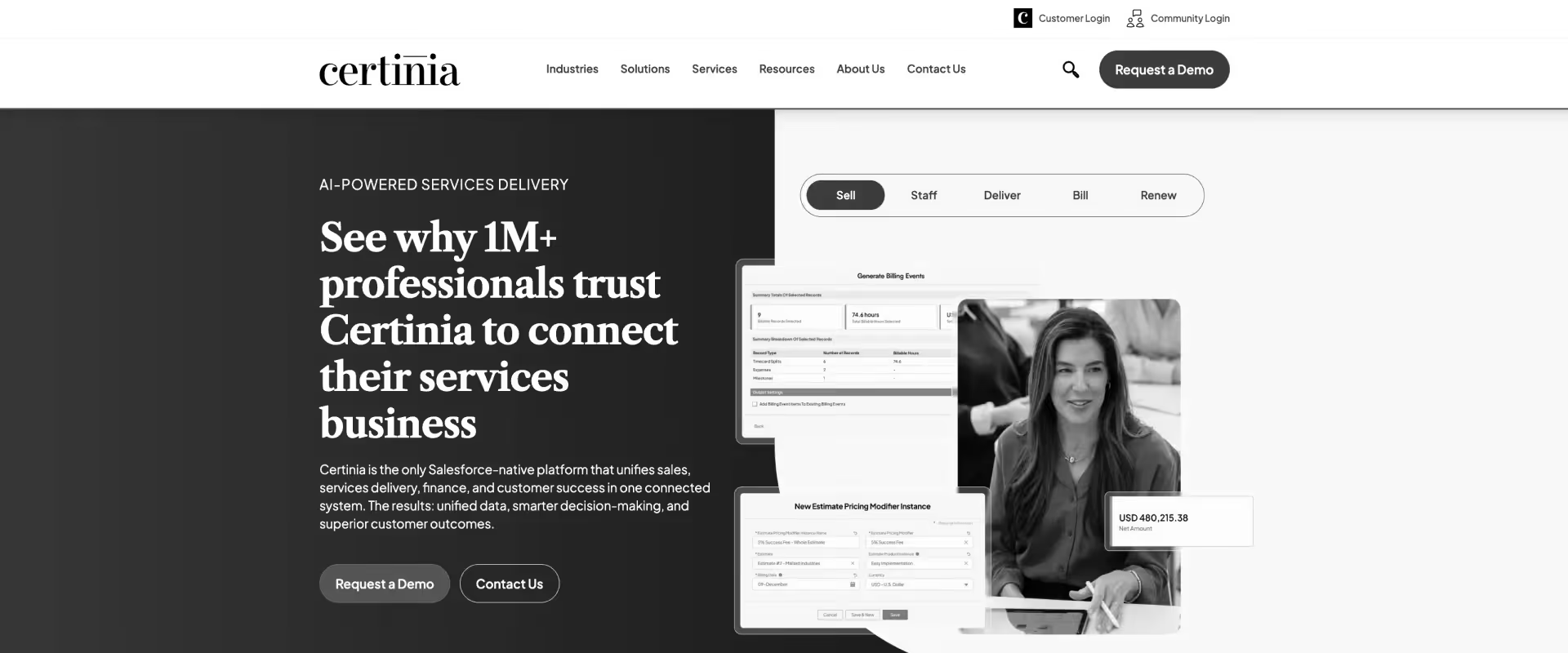
Certinia (formerly FinancialForce) is a Salesforce-native professional services automation and ERP platform designed for organizations that want project delivery, financial operations, and customer data managed within a single ecosystem. Its positioning is strongest among enterprise services organizations already deeply invested in Salesforce infrastructure.
For teams moving from Planview, Certinia introduces stronger financial governance and tighter integration between delivery operations and revenue systems. Resource planning, project accounting, revenue recognition, and billing workflows are considerably more mature than generalized portfolio management platforms. The system is built less like a collaborative work management tool and more like an operational backbone for services organizations.
Key features
- Salesforce-native architecture: Certinia operates directly within Salesforce, allowing customer records, opportunity data, project delivery, and financial workflows to remain connected in a single system. This reduces data fragmentation but also ties usability closely to Salesforce administration quality.
- Project financial management: Revenue recognition, billing, margin tracking, forecasting, and project accounting are core platform capabilities. Financial governance is substantially stronger than most project management platforms, particularly for enterprise services environments.
- Resource and utilization management: Supports skills tracking, staffing forecasts, utilization monitoring, and capacity planning across large delivery organizations. Forecasting depth is strong, though operational accuracy depends heavily on timesheet discipline and forecasting hygiene.
- ERP and PSA convergence: Combines professional services automation with broader ERP capabilities including accounting, procurement, subscription billing, and financial reporting. This creates operational consolidation but also increases implementation scope and system complexity.
- Workflow customization through Salesforce: Organizations can customize workflows extensively using Salesforce objects, automations, and integrations. This flexibility is powerful but often requires dedicated Salesforce administrators or implementation partners.
- AI and analytics capabilities: AI features focus primarily on forecasting insights, reporting, anomaly detection, and operational visibility. The intelligence layer remains analytics-oriented rather than workflow-driven.
Pros and cons
Best for
- Enterprise professional services organizations already standardized on Salesforce
- Services firms requiring strong revenue recognition and financial governance
- Organizations consolidating CRM, PSA, and ERP workflows into one platform
- Complex multi-region delivery environments with mature operational processes
Key takeaways
What customers say (G2 reviews)
4. NetSuite OpenAir
NetSuite OpenAir is a PSA platform focused on resource management, project accounting, time tracking, and financial oversight for services organizations. As part of the Oracle NetSuite ecosystem, it is designed primarily for companies that want tighter alignment between project delivery and back-office financial operations.
For teams moving from Planview, OpenAir offers a more financially structured operating model. Resource utilization, project profitability, time tracking, and billing workflows are more mature than generalized portfolio management tools, particularly for organizations managing billable client delivery. Its strongest differentiator is the connection between project operations and ERP-level financial controls.
Key features
- Resource management and utilization tracking: OpenAir provides detailed visibility into staffing, utilization rates, availability, and allocation planning. Forecasting capabilities are strong for finance-driven services organizations but depend heavily on accurate timesheet and resource data.
- Project accounting and financial oversight: Tracks project profitability, budgets, billing, revenue recognition, and financial performance across delivery operations. Financial governance is considerably deeper than most project management platforms.
- Time and expense management: Integrated timesheet and expense workflows connect directly to invoicing and accounting processes. This creates tighter operational-financial alignment but can also increase process overhead for delivery teams.
- NetSuite ERP integration: Deep integration with NetSuite ERP enables synchronization between delivery operations, finance, procurement, and accounting workflows. The platform is most effective within organizations already standardized on NetSuite.
- Portfolio and reporting capabilities: Reporting covers project health, utilization, financial performance, and staffing metrics. Reporting depth is extensive, though customization often requires specialist expertise or administrative support.
- Automation and workflow configuration: Workflow automation exists for approvals, billing, and operational processes, but configuration flexibility is less intuitive than modern low-code workflow systems.
Pros and cons
Best for
- Professional services firms already using NetSuite ERP
- Finance-driven services organizations prioritizing utilization and profitability
- Large consulting or services teams requiring strong operational controls
- Organizations needing deep project accounting and billing workflows
Key takeaways
What customers say (G2 reviews)
5. Scoro
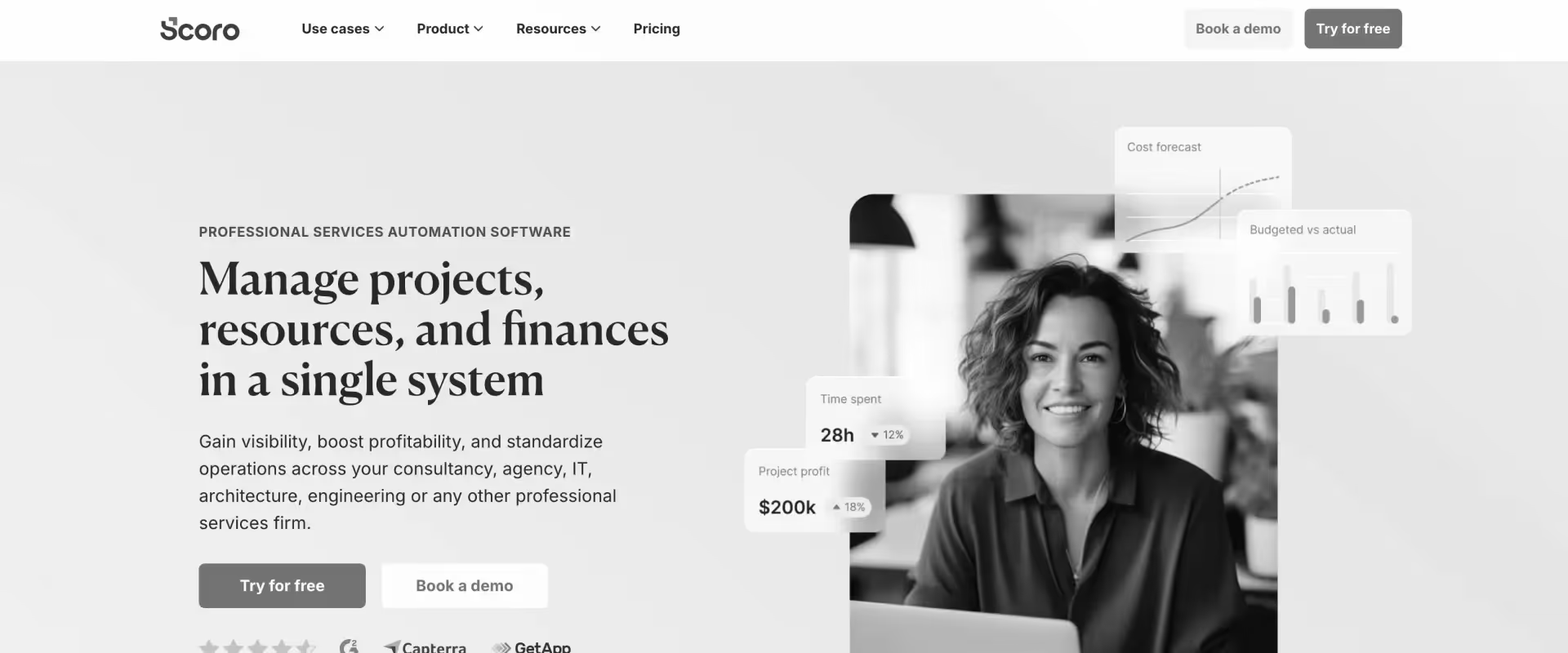
Scoro is a business management platform that combines project management, resource planning, CRM, quoting, billing, and reporting into a unified operational workspace. Unlike traditional work management tools, Scoro positions itself as an end-to-end operations platform for agencies, consultancies, and professional services firms that want project delivery and business operations managed together.
For teams moving from Planview, Scoro offers a more commercially integrated operating model. Financial visibility, quoting, budgeting, invoicing, and profitability tracking are more tightly connected to project execution than in generalized portfolio management systems.
The platform is particularly attractive to service businesses that want operational consolidation without implementing a large enterprise PSA stack.
Key features
- Integrated business operations layer: Scoro combines project management, CRM, quoting, billing, budgeting, and reporting within a single platform. This reduces operational fragmentation for services businesses managing both delivery and commercial workflows.
- Project profitability tracking: Budgets, billable hours, retainers, invoicing, and profitability metrics are directly connected to project execution. Financial visibility is stronger than most project management platforms, particularly for agencies and consulting firms.
- Resource planning and workload management: Supports scheduling, workload visibility, and utilization monitoring across teams. Resource planning is functional for mid-sized operations but lacks the forecasting sophistication of enterprise PSA systems.
- Sales-to-delivery workflow continuity: Quotes, proposals, contracts, and project delivery workflows are linked within the same operational flow, helping reduce handoff friction between sales and services teams.
- Dashboards and reporting: Real-time reporting covers profitability, utilization, sales pipelines, and operational performance. Reporting is visually accessible but less customizable and analytically deep than enterprise BI-oriented systems.
- Automation and workflow tools: Automation supports recurring tasks, billing workflows, and operational triggers, though orchestration depth is lighter than platforms built specifically for large-scale delivery governance.
Pros and cons
Best for
- Agencies and consulting firms managing project delivery and profitability together
- Small to mid-sized professional services organizations seeking operational consolidation
- Services teams wanting integrated quoting, invoicing, and project workflows
- Organizations needing more financial visibility than standard PM tools provide
Key takeaways
What customers say (G2 reviews)
6. Productive.io
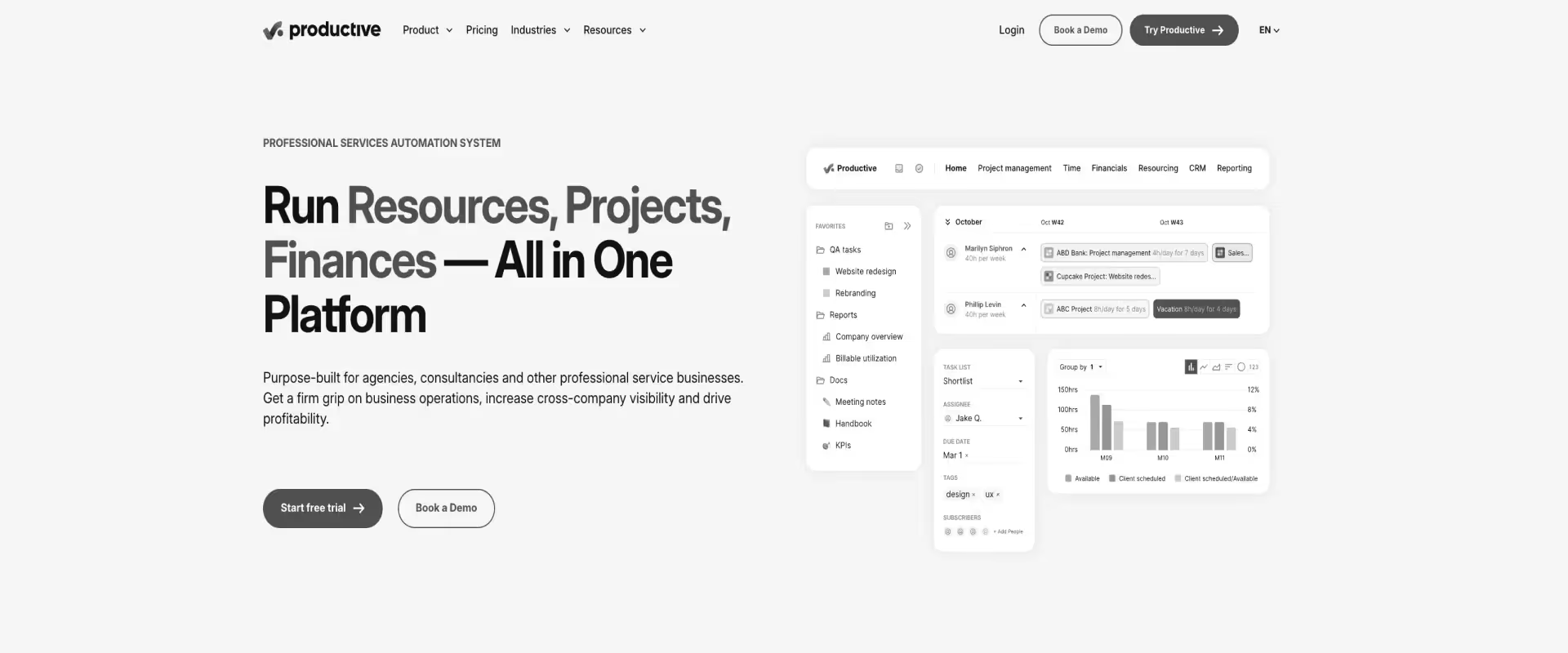
Productive.io is a PSA platform designed primarily for agencies and professional services firms that want project delivery, resource planning, budgeting, and profitability tracking managed within a single system. The platform combines work management with operational finance capabilities, positioning itself between lightweight project tools and heavyweight enterprise PSA systems.
For teams moving from Planview, Productive.io offers a more modern and operationally connected experience for services delivery.
Budget tracking, utilization visibility, forecasting, and profitability reporting are more integrated into day-to-day project execution than traditional portfolio management platforms. Its interface and workflow design are also more approachable than many legacy PSA systems.
Key features
- Integrated budgeting and profitability tracking: Budgets, billable hours, retainers, margins, and profitability metrics are embedded directly into delivery workflows. Financial visibility is considerably stronger than traditional work management platforms.
- Resource planning and utilization management: Supports workload planning, allocation visibility, utilization tracking, and forecasting across teams. Forecasting is functional and visually accessible, though less sophisticated for large-scale capacity modeling or scenario planning.
- Project operations and task management: Combines task management, project planning, collaboration, and operational oversight in a single interface. The platform prioritizes operational clarity over highly customizable workflow structures.
- Sales and CRM capabilities: Includes lightweight CRM and pipeline management functionality to connect sales opportunities with delivery planning and forecasting workflows.
- Time tracking and invoicing: Time entries, billing workflows, invoicing, and revenue tracking are integrated into project execution, helping agencies manage operational and financial workflows together.
- Automation and reporting: Automation supports recurring workflows, status changes, and operational notifications. Reporting is visually strong and accessible but less analytically deep than enterprise PSA and BI-oriented systems.
Pros and cons
Best for
- Agencies and mid-sized professional services organizations
- Services firms needing operational and profitability visibility without ERP complexity
- Teams seeking a more modern PSA experience than legacy systems provide
- Organizations balancing project delivery, resource planning, and financial tracking together
Key takeaways
What customers say (G2 reviews)
7. BigTime
BigTime is a PSA and time management platform built primarily for accounting firms, consultancies, engineering companies, and professional services organizations that need tighter control over utilization, billing, and project financials. The platform focuses heavily on operational efficiency, combining project tracking, resource management, invoicing, and financial reporting within a relatively approachable system.
For teams moving from Planview, BigTime introduces stronger billing and financial management capabilities tied directly to project execution.
Time tracking, utilization visibility, invoicing workflows, and budget monitoring are more mature than what generalized portfolio management tools typically provide. The platform is designed less around strategic portfolio orchestration and more around day-to-day operational accountability.
Key features
- Time tracking and billing workflows: BigTime’s core strength is operational time management tied directly to invoicing, budgeting, and financial reporting. Timesheets, approvals, billable tracking, and invoicing workflows are tightly integrated into project operations.
- Project financial visibility: Tracks budgets, realization rates, profitability, billable utilization, and revenue performance across projects. Financial oversight is significantly stronger than standard project management tools, especially for accounting and consulting workflows.
- Resource and workload management: Supports resource allocation, scheduling, and utilization monitoring across teams. Resource planning works well for mid-sized firms but lacks advanced forecasting and scenario modeling sophistication.
- Project management capabilities: Includes task tracking, project planning, and milestone management, though execution workflows are more operational than collaborative. The platform prioritizes financial accountability over modern work coordination experiences.
- Reporting and operational analytics: Dashboards cover utilization, profitability, staffing, and project health metrics. Reporting is functional and finance-oriented but less flexible for highly customized operational analysis.
- Integrations and accounting connectivity: Integrates with QuickBooks, Sage Intacct, Jira, Salesforce, and other business systems, helping connect operational and accounting workflows.
Pros and cons
Best for
- Accounting firms and consultancies managing billable client work
- Mid-sized professional services organizations needing operational financial visibility
- Teams prioritizing utilization, invoicing, and profitability management
- Organizations seeking PSA functionality without enterprise implementation complexity
Key takeaways
What customers say (G2 reviews)
8. Smartsheet
Smartsheet is a collaborative work management platform built around spreadsheet-style project coordination, workflow automation, and portfolio visibility. Its flexibility and familiarity make it popular among operations teams, PMOs, and enterprises managing cross-functional workflows that require more structure than lightweight task management tools.
For teams moving from Planview, Smartsheet offers a more approachable and customizable execution environment. Grid views, automations, dashboards, and portfolio rollups provide greater flexibility for teams that found Planview operationally rigid or overly specialized. The platform is particularly strong for organizations standardizing operational coordination across non-technical teams.
Key features
- Spreadsheet-based project management: Smartsheet uses a spreadsheet-style interface that lowers adoption friction for business teams familiar with Excel-like workflows. This makes the platform highly approachable but can also encourage inconsistent operational structures across teams.
- Workflow automation and approvals: Rule-based automation supports approvals, notifications, status updates, recurring workflows, and intake processes. Automation capabilities are flexible for operational coordination but less sophisticated for multi-stage delivery orchestration.
- Portfolio visibility and dashboards: Portfolio rollups, executive dashboards, and reporting provide visibility across projects and operational initiatives. Reporting is visually accessible, though operational and financial depth remains limited compared to PSA platforms.
- Forms and intake management: Forms and request workflows are strong differentiators, particularly for PMOs managing operational intake, governance, and cross-functional coordination at scale.
- Collaboration and enterprise controls: Supports enterprise permissions, document management, proofing, and team collaboration workflows. Collaboration functionality is solid but often fragmented across sheets and workspaces as environments scale.
- Integrations and extensibility: Integrates with Microsoft, Google Workspace, Jira, Salesforce, Slack, and enterprise systems. Many organizations extend functionality through connectors and custom workflows rather than native operational capabilities.
Pros and cons
Best for
- PMOs and operations teams managing cross-functional coordination
- Organizations needing flexible workflow management beyond rigid PM systems
- Enterprises standardizing intake, approvals, and operational reporting
- Teams prioritizing configurability over deep professional services functionality
Key takeaways
What customers say (G2 reviews)
9. Wrike
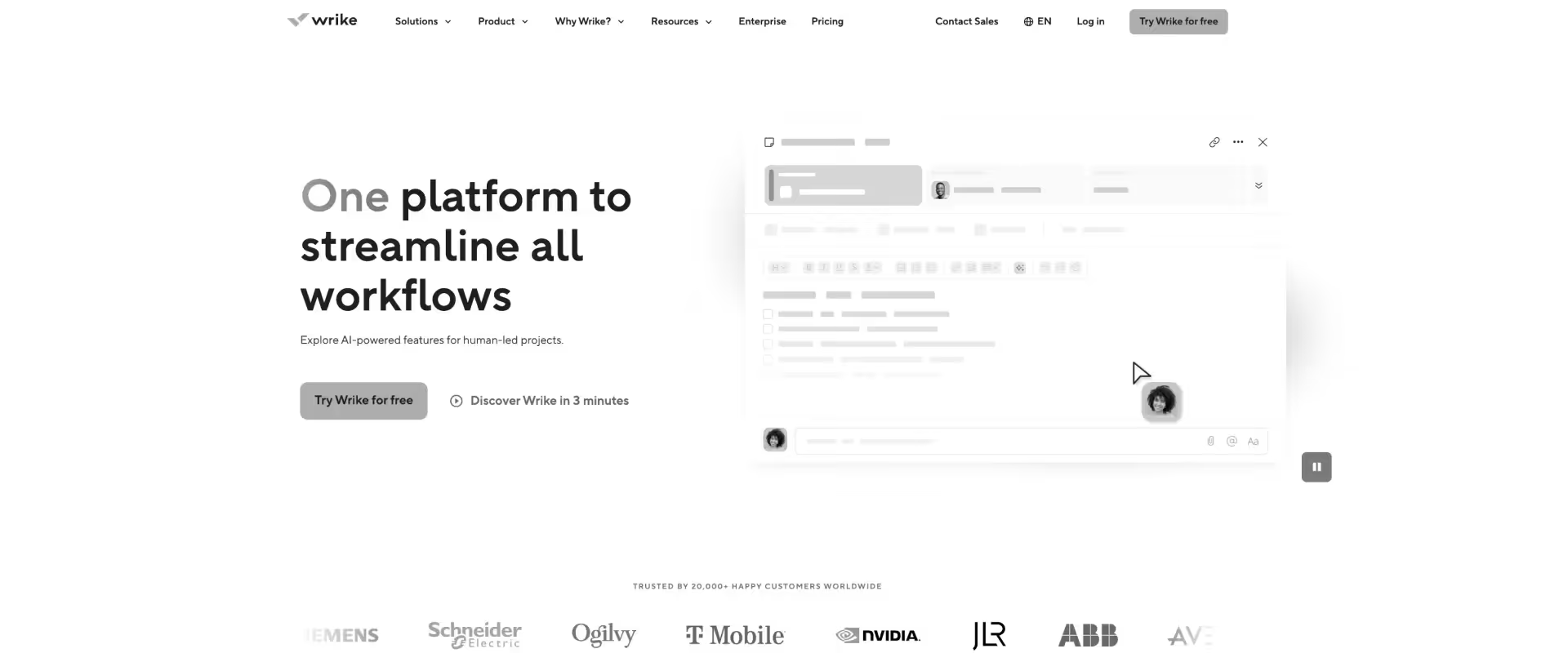
Wrike is a collaborative work management platform designed for cross-functional project coordination, workflow automation, and enterprise work visibility. The platform is widely used by marketing, operations, IT, and PMO teams that need configurable workflows and structured execution across distributed teams.
For teams moving from Planview, Wrike offers a more modern and flexible collaboration environment. Custom workflows, dashboards, automations, and real-time reporting provide stronger execution visibility for operational teams that found Planview overly rigid or portfolio-centric. The platform is particularly effective for coordinating internal work across departments with varying processes and execution styles.
Key features
- Custom workflow management: Wrike supports highly configurable workflows, custom statuses, request forms, approvals, and operational automations. This flexibility makes it adaptable across many departments but can create governance inconsistency over time.
- Cross-functional collaboration: Task management, proofing, document collaboration, approvals, and team coordination are central strengths. The platform is optimized for internal execution visibility more than client-facing delivery operations.
- Dashboards and reporting: Real-time dashboards and reporting provide visibility into workload, project health, and operational performance. Reporting is strong for execution tracking but less mature for financial and PSA-oriented analysis.
- Resource and workload management: Includes workload balancing, effort tracking, and resource planning functionality. Resource visibility is useful operationally, though forecasting sophistication is lighter than dedicated PSA platforms.
- Automation and request workflows: Rule-based automation supports approvals, routing, notifications, and intake management. Automation is strong for work coordination but less capable for end-to-end operational orchestration across delivery and finance systems.
- Enterprise scalability and integrations: Integrates with Adobe, Salesforce, Microsoft, Jira, Slack, and enterprise ecosystems. Enterprise security and governance controls are mature, making Wrike suitable for large operational environments.
Pros and cons
Best for
- Cross-functional enterprise teams managing operational execution
- Marketing, PMO, IT, and operations organizations needing workflow flexibility
- Teams requiring configurable approval and intake workflows
- Organizations prioritizing collaboration and execution visibility over PSA depth
Key takeaways
What customers say (G2 reviews)
10. Birdview PSA
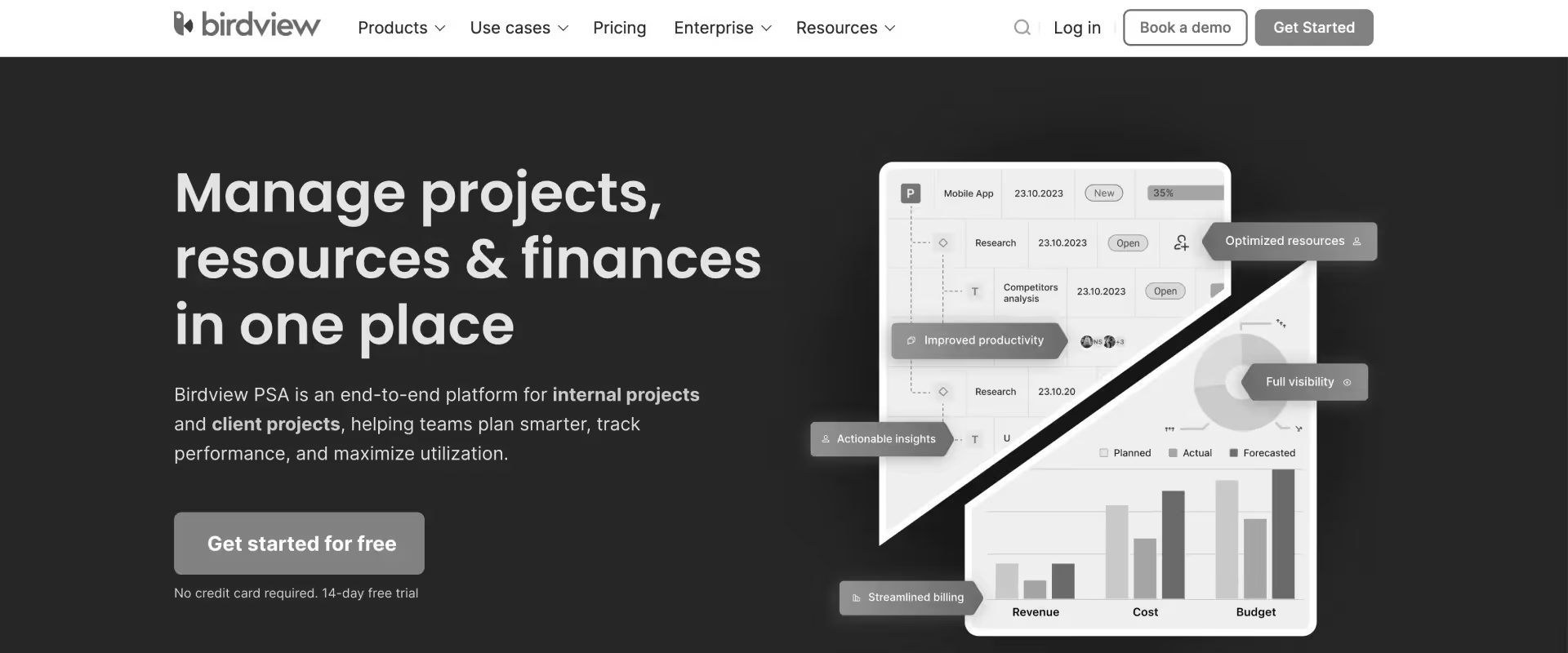
Birdview PSA (formerly Easy Projects) is a professional services automation platform focused on project delivery, resource management, capacity planning, and portfolio visibility.
The platform positions itself between traditional work management systems and enterprise PSA platforms, targeting organizations that need stronger operational oversight without the implementation complexity of large ERP-oriented systems.
For teams moving from Planview, Birdview PSA offers a more delivery-focused operational layer with stronger visibility into staffing, utilization, and project execution. Resource allocation, workload planning, and portfolio reporting are more actionable for day-to-day services operations than generalized portfolio management workflows. The platform is particularly oriented toward organizations trying to balance project demand with finite delivery capacity.
Key features
- Resource and capacity planning: Resource allocation, workload balancing across projects and teams, capacity planning, utilization visibility, and staffing management are central to the platform’s operational model.
- Portfolio and project visibility: Dashboards and portfolio reporting provide centralized oversight into project health, resource bottlenecks, timelines, and delivery risks. Visibility is operationally useful but less financially comprehensive than enterprise PSA systems.
- Project execution workflows: Supports task management, dependencies, milestones, approvals, and collaborative project execution. Workflow structures are more delivery-oriented than spreadsheet-based work management tools.
- Demand and scenario planning: Teams can model resource demand, project intake, and staffing constraints to evaluate delivery feasibility before project commitments are finalized. Forecasting is practical operationally but less sophisticated for enterprise-scale financial modeling.
- Time tracking and utilization reporting: Integrated timesheets and utilization analytics support operational accountability and delivery reporting, though billing and financial management capabilities remain lighter than finance-first PSA platforms.
- Automation and integrations: Supports integrations with Jira, Salesforce, Azure DevOps, Microsoft ecosystems, and business applications. Automation capabilities exist but are more workflow-supportive than deeply orchestrated.
Pros and cons
Best for
- Professional services teams prioritizing staffing and delivery visibility
- Mid-sized organizations managing resource-constrained project operations
- PMOs requiring stronger operational planning than standard PM tools provide
- Services organizations wanting PSA functionality without ERP-level complexity
Key takeaways
What customers say (G2 reviews)
How does Planview compare to the most commonly evaluated PSA platforms?
Most organizations evaluating alternatives to Planview PSA are trying to reduce operational overhead while improving delivery visibility, customer collaboration, resource coordination, and financial accountability across professional services operations.
The challenge is that most competing platforms optimize for different priorities, such as:
- Enterprise governance and financial control.
- Resource forecasting and utilization.
- Execution and collaboration.
- Flexible work management systems rather than true PSA platforms.
As a result, the right replacement depends less on feature parity and more on which operational bottleneck the organization is trying to solve.
How do the top Planview alternatives compare?
Rocketlane is strongest for customer-facing onboarding, implementation delivery, and operational automation. Kantata is strongest for enterprise resource forecasting and utilization-heavy services operations.
Certinia is best suited for Salesforce-centric financial governance environments. NetSuite OpenAir fits ERP-connected services organizations prioritizing project accounting. Scoro and Productive.io are stronger for agencies seeking operational simplicity, while Smartsheet and Wrike prioritize workflow flexibility over deep PSA functionality.
Which is better: Planview vs Rocketlane?
Planview and Rocketlane are built around fundamentally different operating models.
Planview is designed primarily for enterprise portfolio governance, structured operational oversight, and large-scale resource visibility.
Rocketlane is designed around customer-facing implementation delivery, onboarding orchestration, and collaborative execution across services teams and customers.
While both platforms support project delivery, resource coordination, and reporting, they approach professional services operations from opposite directions: governance-first versus delivery-first.
Key insight
Planview optimizes for governance visibility across large organizations. Rocketlane optimizes for execution velocity, customer coordination, and delivery operations.
What this means for professional services teams
Organizations struggling with onboarding coordination, fragmented customer communication, delivery visibility, or operational adoption typically prioritize systems optimized around execution workflows rather than portfolio governance alone.
Why teams switch from Planview to Rocketlane
The decision to switch typically follows a cost-of-operations reckoning rather than a single failure. The five patterns that most consistently drive the move:
- Delivery execution never lived inside Planview: The most common Planview environment includes Planview for reporting and governance, Smartsheet or Jira for actual delivery, separate time tracking, and resource spreadsheets. The PSA became the reporting layer. Delivery happened everywhere else.
- Leadership questions require a day of preparation to answer: Margin visibility, utilization trends, and delivery risk are available in Planview — after exports, manual reconciliation, and a reporting cycle. PS leaders need those answers in the moment, not after reconstruction.
- There is no customer-facing delivery layer: Client collaboration in Planview environments defaults to email, shared drives, and status meetings. As implementation experience becomes a retention driver, that gap becomes a competitive liability.
- Implementation overhead became a permanent operational cost: Planview implementations run long and require ongoing admin discipline to maintain. For PS organizations without dedicated PMO or operations teams, that overhead compounds faster than delivery throughput.
- Resource planning operates at the wrong level: Planview's resource management is optimized for portfolio-level capacity governance. PS delivery requires engagement-level staffing visibility — which available consultant has the right skills, what their current utilization is, and how a reallocation affects active timelines.
Planview vs. Kantata
Kantata and Planview are closer competitors because both operate within the PSA and enterprise services operations category. Both platforms support resource planning, forecasting, utilization management, and operational reporting at scale.
The difference is where operational depth is concentrated.
Kantata is more services-operations-centric, particularly around utilization, staffing, and project financial oversight. Planview is stronger in portfolio governance, enterprise planning, and cross-functional operational visibility.
Key insight
Both platforms are operationally mature, but Kantata aligns more closely with organizations where utilization, staffing efficiency, and project profitability are primary operational concerns.
What this means for professional services teams
If the operational bottleneck is forecasting, utilization optimization, and resource planning, Kantata is often the more natural PSA comparison. If the organization operates primarily through centralized PMO governance structures, Planview may remain the stronger fit.
Planview vs. Certinia
Certinia and Planview both serve enterprise environments, but they solve different operational problems.
Certinia is fundamentally a Salesforce-centric PSA and ERP platform focused on project accounting, billing, revenue recognition, and services financial operations. Planview focuses more heavily on portfolio governance, planning visibility, and enterprise resource coordination.
Key insight
This comparison is primarily about operational center of gravity: governance versus financial operations.
What this means for professional services teams
Organizations prioritizing project accounting, billing, and Salesforce ecosystem consolidation often evaluate Certinia more seriously than Planview. However, both platforms can become operationally heavy for mid-market services teams prioritizing delivery agility and adoption simplicity.
Planview vs. Smartsheet
Smartsheet is frequently compared with Planview because many organizations use the two systems together.
In practice, Smartsheet often becomes the execution layer inside environments where Planview manages reporting, governance, or portfolio visibility.
However, the platforms are not true PSA equivalents.
Key insight
Smartsheet solves workflow flexibility and operational coordination problems. It does not replace enterprise PSA depth around forecasting, utilization, or financial operations.
What this means for professional services teams
Teams replacing Planview with Smartsheet alone often improve usability and collaboration but lose operational depth around resource management, utilization tracking, and PSA governance unless additional systems are introduced.
Planview vs. NetSuite OpenAir
NetSuite OpenAir and Planview both operate in enterprise-oriented PSA environments with strong operational governance and financial oversight.
The difference is that OpenAir is more tightly aligned to ERP-connected project accounting and billing workflows, while Planview remains more focused on portfolio visibility and enterprise planning.
Key insight
Both platforms prioritize operational control over collaborative delivery simplicity.
What this means for professional services teams
Organizations deeply invested in NetSuite often prefer OpenAir because of tighter accounting and billing integration. However, both systems can feel operationally heavy for services teams prioritizing customer collaboration, onboarding orchestration, and fast-moving implementation execution.
How do you choose the right Planview alternative for your PS team?

Choosing a Planview alternative starts with identifying where operational friction is accumulating across delivery, staffing, financial visibility, and customer communication.
In many professional services organizations, the problem is not a lack of functionality. It is the amount of coordination required to keep execution, resource planning, reporting, and customer-facing workflows aligned across multiple systems.
The strongest replacements typically reduce operational fragmentation across several layers simultaneously:
- Delivery execution
- Resource and financial visibility
- Customer collaboration
- Workflow continuity
- Reporting overhead
The most common evaluation mistake is replacing one operational gap with another. Some teams improve usability but lose financial visibility. Others strengthen accounting workflows while making delivery adoption harder.
The evaluation process works best when approached as a delivery systems problem rather than a feature checklist exercise.
Step 1: Identify where operational friction accumulates
Start by examining where delivery teams spend disproportionate coordination effort today.
In professional services environments, operational friction usually appears in one or more of these areas:
- Delivery execution and project coordination
- Resource planning and staffing visibility
- Financial reporting and profitability tracking
- Customer communication and external collaboration
- Workflow fragmentation across multiple systems
- Administrative maintenance and reporting overhead
The goal is to identify which operational bottlenecks consume the most time, create the most reconstruction work, or slow delivery visibility the most.
The right PSA is usually the system that minimizes operational reconstruction across delivery, staffing, reporting, and customer coordination simultaneously.
Step 2: Map how delivery information moves through the organization
Professional services delivery is a connected operational flow:
- Sales commitments become onboarding projects
- Projects consume staffing capacity
- Staffing affects utilization and margins
- Delivery progress affects customer communication
- Delivery execution influences forecasting and revenue realization
The key evaluation question is how directly the system maintains continuity across those transitions.
Strong PSA systems maintain continuity between delivery execution, resource coordination, customer communication, and operational reporting rather than treating them as isolated workflows.
Step 3: Evaluate how the platform maintains operational state
Professional services operations constantly shift between states:
- Planned → active
- On track → at risk
- Under capacity → overloaded
- Within budget → margin pressure
- Internal delivery → customer escalation
Most PSA systems can technically represent these states. The more important question is how much manual coordination is required to keep them accurate across projects, teams, customers, and reporting layers.
Systems that depend heavily on manual interpretation, spreadsheet reconciliation, or reporting reconstruction tend to increase administrative overhead faster than delivery throughput as organizations scale.
Step 4: Match the platform to operational scale and growth trajectory
Different PSA platforms optimize for different operational environments.
Some prioritize lightweight operational consolidation. Others prioritize enterprise governance, forecasting sophistication, or financial control. The right fit depends not only on current headcount but also on expected coordination complexity over time.
The right PSA should fit not only the current operational scale but also the level of cross-functional coordination the organization expects over the next several years.
Step 5: Evaluate how operational insight is produced
Operational visibility is not just about dashboards. It is about whether teams can act without rebuilding context manually.
Look at common operational questions:
- Which projects are likely to slip?
- Where is utilization constrained?
- Which accounts are margin risks?
- Which delivery teams are overloaded?
- What revenue is at risk based on implementation delays?
Then evaluate how answers are produced.
Step 6: Assess continuity between internal delivery and customer visibility
Customer-facing delivery introduces a second operational environment: the client experience.
Internal execution, customer communication, approvals, milestone visibility, and document collaboration all need to remain synchronized.
As onboarding and implementation experience become stronger competitive differentiators, delivery systems increasingly need to support both operational execution and customer collaboration within the same workflow environment.
Step 7: Use these 7 questions to validate customer-facing delivery workflows during demos
Customer-facing delivery creates a second operational environment: the client experience.
Internal execution, customer communication, approvals, reporting, and delivery visibility all need to remain synchronized as projects evolve. Many PSA platforms handle internal operations reasonably well but become fragmented once customer-facing coordination enters the workflow.
Use these questions during demos to evaluate how the platform behaves in real operational conditions, not just how it looks in dashboards.
Which platforms typically fit different operational priorities?
Different PSA platforms tend to align with different operational models and organizational priorities.
Decision Routing Table
Rocketlane appears across multiple categories because it combines customer-facing delivery workflows, PSA visibility, onboarding coordination, and operational collaboration within a single system rather than optimizing only one layer of the services workflow.
Why is Rocketlane the best Planview alternative for professional services teams in 2026?

Most professional services organizations replacing Planview are trying to reduce the operational fragmentation that builds around one.
The typical environment often looks like this:
- Planview for portfolio reporting and governance
- Smartsheet, Jira, or spreadsheets for delivery execution
- Separate time tracking systems
- Resource allocation spreadsheets
- Excel-based financial reconciliation
- Email and Slack for customer communication
Over time, delivery execution, staffing, financial visibility, and customer communication evolve in separate operational layers. Teams spend increasing amounts of time maintaining coordination between systems rather than improving delivery itself.
This is where Rocketlane differs from most Planview alternatives.
Rocketlane is designed specifically for customer-facing onboarding and implementation delivery, where execution, customer collaboration, resource coordination, and operational visibility need to remain connected as work progresses.
Rocketlane reduces operational fragmentation
One of the biggest operational problems in many PSA environments is that the system of record is not the system where work actually happens.
Projects are managed in one place. Staffing lives somewhere else. Customer coordination happens over email. Reporting is rebuilt separately.
Rocketlane attempts to reduce that fragmentation by keeping delivery execution, customer collaboration, operational reporting, resource coordination, and financial visibility closer to the same operational workflow.
Delivery visibility stays closer to execution
In many services organizations, operational visibility arrives after delivery drift has already happened.
By the time margin pressure, utilization imbalance, or delivery risk becomes visible through reporting, teams are already reacting instead of adjusting proactively.
Rocketlane keeps operational and financial visibility connected more directly to execution itself:
- Time remains tied to project phases and budgets
- Budget burn remains visible during delivery
- Utilization reflects active assignments
- Delivery changes affect operational visibility immediately
The advantage is not simply “better reporting.” It is a shorter distance between execution and operational awareness.
Customer collaboration happens inside delivery
Most professional services delivery still depends heavily on external coordination: email threads, Shared drives, status meetings, Slack channels, and manual approvals.
That creates a persistent gap between internal delivery state and customer visibility.
Rocketlane treats customer collaboration as part of the delivery workflow itself:
- Customers can track milestones and progress directly
- Approvals happen inside workflows
- Documents remain attached to execution context
- Communication reflects current project state
Resource coordination reflects live delivery conditions
Resource planning becomes difficult when staffing visibility and delivery execution evolve separately.
Common problems include:
- Spreadsheet-heavy staffing coordination
- Delayed utilization visibility
- Forecasting disconnected from active delivery
- Resource conflicts identified late
Rocketlane connects allocation, workload visibility, and delivery execution more directly within the same operational environment to reduce the amount of manual coordination required to understand:
- Who is overloaded
- Where capacity is constrained
- Which projects are under-resourced
- How staffing changes affect delivery timelines
Rocketlane fits how modern PS teams operate
Many legacy PSA systems were designed around governance, portfolio management, and administrative control. Rocketlane is optimized more directly for customer-facing delivery teams.
That distinction matters because modern PS organizations increasingly compete on:
- Speed-to-value
- Customer onboarding experience
- Delivery transparency
- Operational responsiveness
- Scalable implementation execution
What PS teams achieve with Rocketlane:
- 70–85% billable utilization for high-performing teams
- 30–50% reduction in time-to-value
- >50% reduction in implementation timelines after centralizing delivery in Rocketlane
What automation does Rocketlane Nitro provide that Planview doesn’t?
Planview was designed to answer internal governance questions: what is in the portfolio, how is capacity allocated, what does the executive roadmap look like. Those are legitimate questions for a corporate PMO.
They are not the questions a PS delivery leader needs answered in real time — and Planview's architecture reflects that.
Client-facing delivery visibility, engagement-level financial intelligence, and continuous account health monitoring are outside Planview’s design intent.
Nitro is where Rocketlane addresses those questions directly, from within the delivery system itself.
As Rocketlane's agentic AI system, it runs on the same operational layer as project execution, resource planning, and financial tracking. This means that companies need no export pipelines, no BI configuration layer, and no dedicated admin required to keep the intelligence current.
The agents act on live delivery state and surface what matters while there is still time to act on it.
What Nitro replaces in a Planview environment
Planview was built to answer governance questions. Nitro is built to handle delivery work. That difference represents a shift from merely tracking work to actively executing it — and it is most visible in the five operational areas where Planview environments accumulate the most coordination overhead.
Operational visibility: from reporting lag to live delivery intelligence
Many Planview environments still rely on exports and manual reporting to understand delivery performance in real time.
The Nitro Analyst Agent:
- Answers questions on margins, utilization, forecasting, and delivery risk using live operational data
- Surfaces underlying drivers behind project and portfolio changes
- Automates recurring operational analyses for leadership reviews
The PS outcome:
Delivery leaders get continuous operational visibility directly inside the delivery workflow, helping teams respond faster to risk, staffing pressure, and margin changes.
Resource management: from static capacity planning to live allocation intelligence
Planview’s resource planning is optimized for portfolio governance. PS delivery requires real-time staffing visibility at the engagement level.
The Nitro Resourcing Agent:
- Automates skill matching, reallocations, and backfills
- Maintains live allocation visibility across projects
- Flags capacity conflicts and staffing risks early
The PS outcome:
Staffing decisions reflect current delivery conditions, not periodic planning cycles.
Delivery governance: from retrospective reporting to continuous enforcement
In many Planview environments, governance issues surface after delivery impact has already occurred.
- Flag budget, milestone, and policy risks during execution
- Enforce billing rules, approvals, and workflow sequencing automatically
- Surface operational exceptions before they affect delivery or margins
The PS outcome:
Governance becomes embedded directly into delivery workflows, reducing operational drift and margin surprises.
Account intelligence: from manual reviews to continuous client signals
Account visibility in Planview environments often depends on manual CRM reviews and fragmented communication tracking.
The Nitro Signals Agent:
- Monitors client interactions and delivery activity continuously
- Detects churn risk, scope drift, and expansion signals early
- Maintains account context across project and team transitions
The PS outcome:
Delivery teams get continuous account visibility with earlier insight into risk and growth opportunities.
Delivery execution: from manual preparation to agent-managed workflows
Migration preparation and project documentation often create operational overhead in Planview environments.
The Nitro Documentation and Migration Agents:
- Generate BRDs, SOWs, handoff notes, and delivery documentation automatically
- Handle migration mapping, validation, and transformation workflows
- Build reusable delivery playbooks across engagements
The PS outcome:
Implementation overhead decreases while delivery teams spend more time on customer-facing execution.
Nitro agents mapped to Planview pain points
What does migrating from Planview to a modern PSA actually look like?

For most 50–200 person professional services organizations, migrating from Planview to a modern PSA platform like Rocketlane is an operational redesign problem.
The difficult part is usually not exporting data. It is untangling years of layered workflows that show up as:
- Reporting processes built outside the PSA
- Disconnected delivery tooling
- Manual customer communication workflows
- Custom operational workarounds
In practice, most successful migrations happen incrementally when:
- Delivery workflows are standardized first
- Integrations are mapped early
- Historical data is selectively migrated
- Pilot teams validate operational fit before full rollout
For organizations evaluating Rocketlane, implementation timelines are shorter than traditional enterprise PSA deployments because Rocketlane is designed around prescriptive onboarding and delivery workflows rather than large-scale custom ERP-style configuration.
Typical Rocketlane migration timeline
The exact timeline depends heavily on number of integrations,workflow complexity, and the degree of Planview customization
What typically gets migrated from Planview
Most migrations focus on operational continuity rather than copying every historical artifact.
Common migration areas include:
- Active project data
- Project templates and workflows
- Resource allocations and staffing structures
- Customer and contact records
- Time tracking history
- Budget and financial reference data
- User roles and permissions
- Integrations with systems like Salesforce, Jira, NetSuite, or QuickBooks
In many cases, teams selectively migrate historical reporting data rather than moving every historical project in full detail.
The real migration challenge is workflow consolidation
One of the biggest surprises during Planview migrations is discovering how much operational logic exists outside the PSA itself.
The migration process often becomes an opportunity to simplify and consolidate these operational layers rather than reproducing them exactly as they exist today.
This is one reason many organizations prefer prescriptive implementations over fully open-ended customization approaches. Rebuilding every legacy workflow exactly as-is can recreate the same operational fragmentation that drove the migration in the first place.
Conclusion: Which Planview alternative is right for your PS organization?
Choosing among Planview alternatives is a category-level decision. Teams need to move beyond asking which tool has better Gantt charts or more flexible reporting. It is whether enterprise portfolio governance is the right architectural model for how a PS organization actually delivers client work.
For the use case it was designed for, Planview largely operates as intended. The mismatch for PS teams is structural.
Client-facing delivery, engagement-level resource management, and real-time project financials are not features Planview deprioritized.
They are features that sit outside its core design intent, which is why they require configuration, add-ons, and adjacent tools that each add to the operational overhead the team is already carrying.
PS organizations that have done the honest accounting — implementation cost, ongoing admin burden, hours spent assembling data before every leadership review — typically find that Planview is solving a well-defined problem that is not quite their problem.
Modern PSA platforms like Rocketlane are built around the PS delivery model specifically: client-facing project execution, engagement-level resource management, real-time financial visibility, and AI-assisted delivery operations — without the governance overhead that makes sense for an enterprise PMO and creates drag everywhere else.

Authored by

Kailash Ganesh
Kailash Ganesh is a professional services researcher at Rocketlane with more than seven years of experience in content, research, and market analysis. He studies how enterprise PS teams are adopting agentic AI to transform delivery operations, has evaluated every major PSA platform in the category, and writes from the perspective of a practitioner who watches enterprise PS teams make these exact decisions daily.
Table of Contents

Regsiter for the live webinar


Great consultants didn't join your team to spend Fridays writing documentation.
Table of contents
18 of Forbes Cloud 100 chose Rocketlane. The best PS teams aren't waiting around.
FAQs
What is the best Planview alternative for professional services teams?
Rocketlane is the most purpose-built alternative for PS organizations that need delivery-first operations rather than enterprise portfolio governance. Where Planview optimizes for internal capacity planning and program management, Rocketlane is built around client-facing project execution, combining resource management, financial visibility, client collaboration, time tracking, and AI workflows in a platform that does not require a dedicated admin team to keep it operational.
Why do PS organizations evaluate alternatives to Planview?
The most common reasons are implementation overhead, ongoing administration cost, and the persistent gap between what the platform tracks and what delivery leaders actually need to see. Planview was designed for internal enterprise PMOs, capital programs, IT portfolios, governance-heavy environments. PS delivery is client-revenue-connected, externally visible, and faster-moving. Teams that report the most frustration are often the ones using Planview correctly: following the workflows, maintaining the data, running the reports, and still pulling from three systems before every leadership review.
How does Planview compare to a PS-specific platform like Rocketlane?
Planview is an enterprise portfolio governance tool. Rocketlane is a PS delivery platform. Planview optimizes for how an organization manages its own internal portfolio. Rocketlane optimizes for how a PS organization delivers client engagements: real-time project financials, client-facing visibility, engagement-level resource management, and AI-assisted delivery operations. Features that require configuration layers in Planview are core to how Rocketlane operates by default.
How long does it take to migrate from Planview to Rocketlane?
Most organizations complete the transition within 10–14 weeks, with timeline variation driven by integration complexity, historical data requirements, and the number of active programs being migrated. Given the administration overhead Planview typically carries, teams often find that the migration period itself requires less internal resource than ongoing Planview operations did.
What should PS leaders prioritize when evaluating Planview alternatives?
Key evaluation areas typically include: Client-facing delivery visibility without custom configuration Real-time project and portfolio financial tracking Resource management at the engagement level, not just capacity planning Implementation speed and ongoing admin requirements AI capabilities for forecasting, scheduling, and delivery risk Native client collaboration and portal functionality Integration with CRM, ERP, and finance systems Total cost of ownership including internal operational overhead













Copyright © 2026 Rocketlane Corp. All rights reserved.





















.webp)