Introducing Migration Agents: Data migration that runs itself

•
•
Summarize blog with






It's the week before go-live.
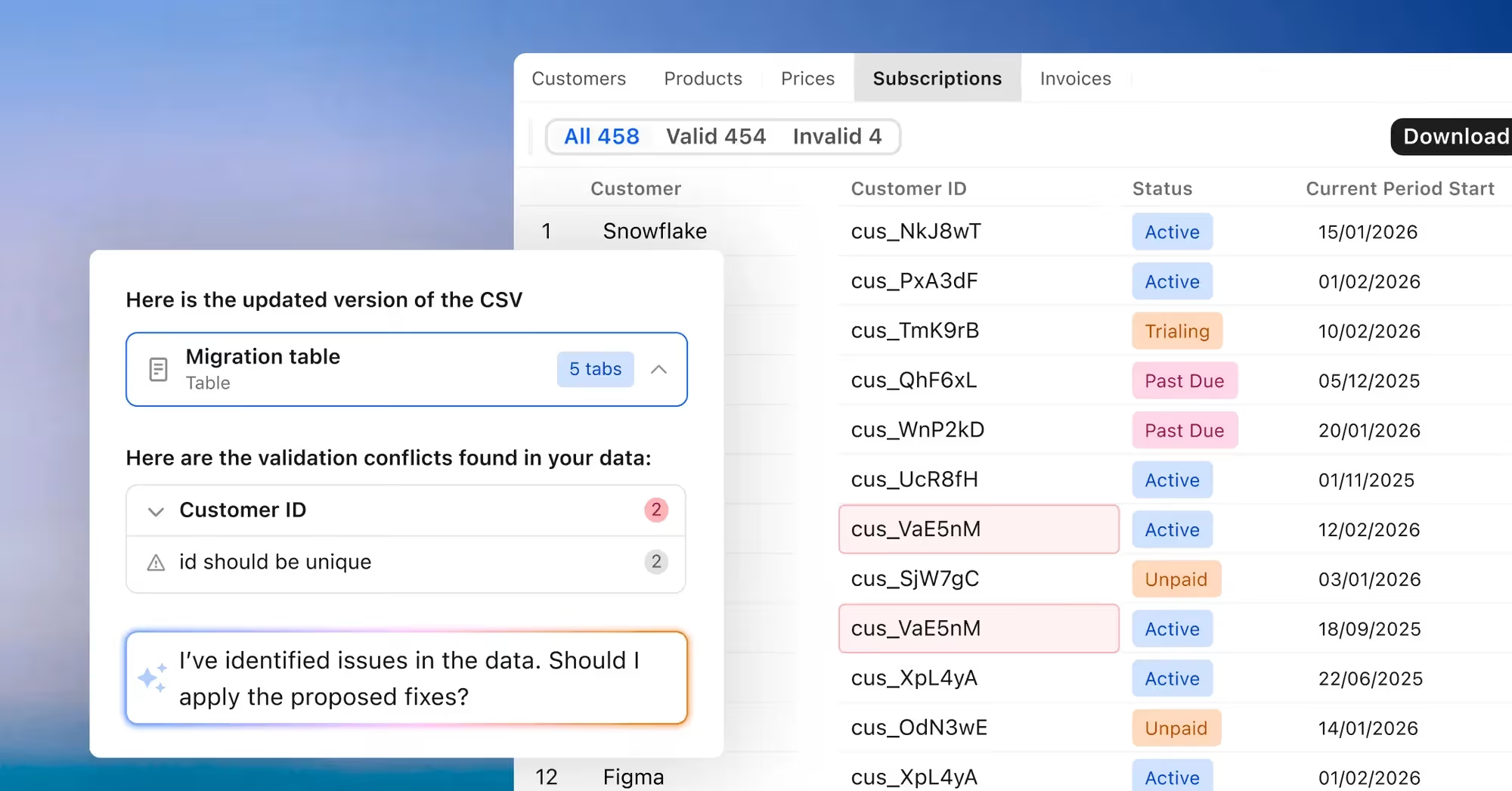
Your team exported the customer's data three days ago. Since then, it's been a blur of spreadsheet tabs, broken field mappings, and Slack threads trying to track down why 400 rows are failing validation.
Someone stays late. Again. To manually reformat date fields and reconcile a picklist that doesn't match what the destination expects. This isn't a one-off. It's every migration.
Most migrations don't fail dramatically. They drag. Quietly eating weeks — and margin — before anyone names the problem.
Introducing Migration Agents
Migration Agents handles the preparation work that consumes implementation teams before every go-live.
Upload the source export, define what the destination system expects, and the agent takes it from there — mapping fields, transforming data, validating results, and flagging gaps before anything gets loaded.
Your team stops debugging files. They start delivering.
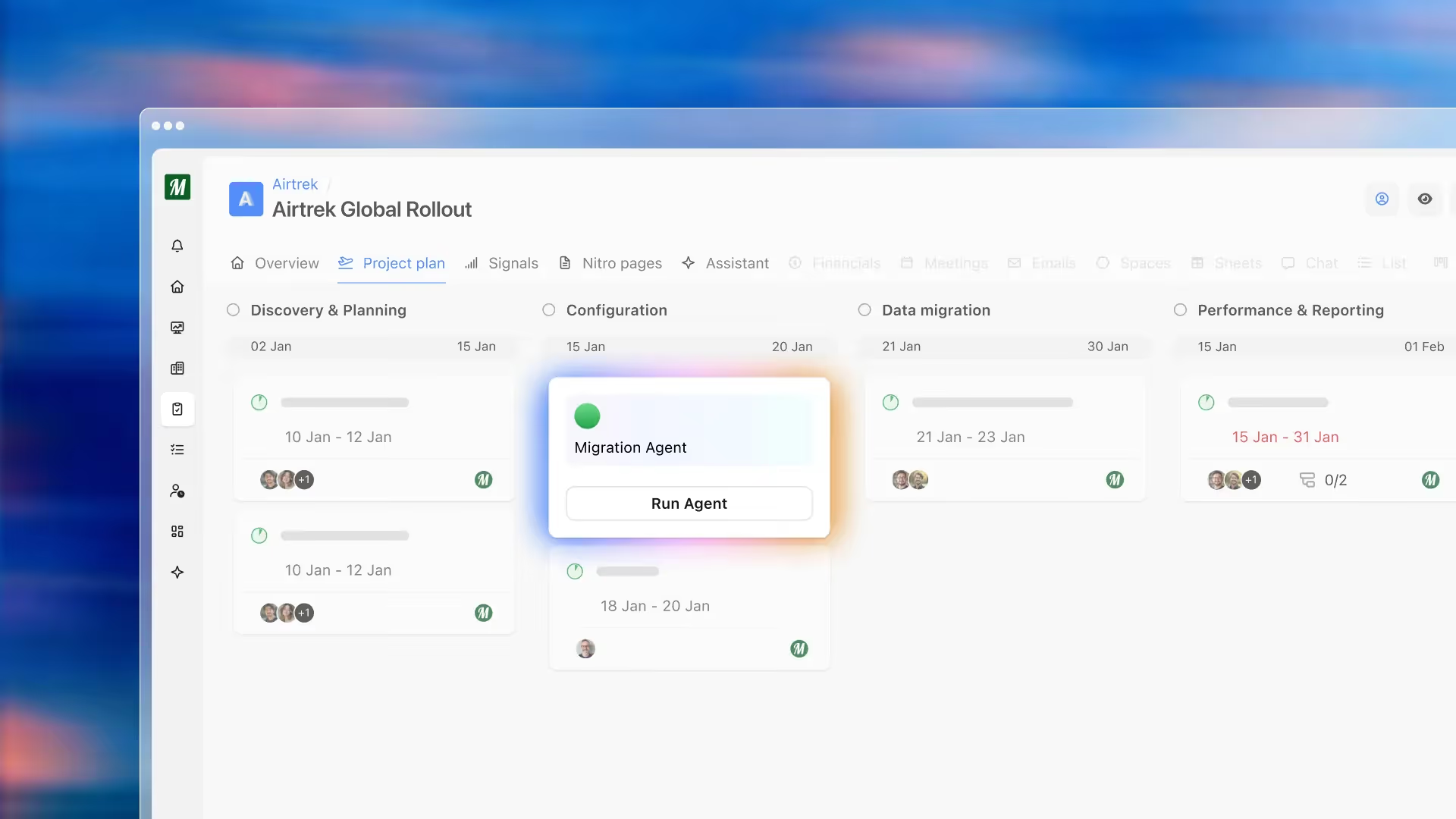
Here's what that looks like in practice: an implementation manager opens a new enterprise project. Instead of a blank checklist, the migration agents are already there — pre-loaded with the mapping rules, transformation logic, and validation checks built from every prior migration on that path. The agent runs. The output is there.
The manager reviews, assigns ownership, and the team is ahead of schedule before the first customer call. That's the moment Migration Agents is designed for.
Turn every migration path into a reusable playbook
Every time your team migrates from the same source system, they're rebuilding from scratch. Migration Agents changes that.
You define the destination schema, field mappings, transformation rules, and validation logic once.
Every subsequent migration on that path inherits everything the agent already knows — how fields map, what formats to expect, which edge cases to watch for. The playbook builds itself over time.
Handle every edge case without touching a formula
No two customer exports are identical. The edge cases are where migrations have always broken down — and where the most time gets lost chasing corrections over email.
With Migration Agents, every exception gets handled in plain English. You describe what needs to change. The agent applies it across the entire dataset. No SQL. No row-by-row editing. No rework cycles.
Give your team a full audit trail, automatically
Every prompt creates a new version of the dataset. Previous versions stay intact. If something doesn't look right, you roll back. Every change is logged — what changed, when, and why — so nothing gets lost between handoffs and no one has to reconstruct what happened the night before go-live.
Agents are built around your migration patterns
Not every migration path is the same. Migration Agents adapts to your destination systems, your customer exports, and the edge cases your team has learned to expect — so what runs is precise, not generic.
Here's what implementation teams are configuring their agents to handle:
Broad migration work:
- Field mapping and transformation "Map all source fields to the destination schema and flag anything that doesn't have a match."
- Data validation "Run validation checks across all rows and surface anything that will fail on import."
- Cross-table reconciliation "Check that every customer ID in the customer table has at least one corresponding record in the transaction table."
More specific edge cases:
- Financial calculations "Validate that the sum of line items equals the bill amount for every record. Flag mismatches."
- Multi-sheet merges "Combine guest, ledger, and notes files using unit number as the common key."
- Date field conversions "Convert paid-from dates to paid-through dates by adding the billing cycle length to each value."
- Customer-specific corrections "Change row 8 in the rates sheet, column price, to 300."
- Format standardization "Normalize all phone number fields to E.164 format before output."
Get Started with Migration Agents
Migration Agents is available now as part of the Rocketlane Nitro platform.
If your team is spending weeks per migration on manual data preparation, or if you're looking to standardize and scale your migration practice, we'd like to show you what this looks like in practice.
Book a demo to see Migration Agents in action, or talk to your Rocketlane account team about getting started.
Table of Contents

Regsiter for the live webinar


Great consultants didn't join your team to spend Fridays writing documentation.
Table of contents
18 of Forbes Cloud 100 chose Rocketlane. The best PS teams aren't waiting around.
FAQs













Copyright © 2026 Rocketlane Corp. All rights reserved.





















.webp)