The Best Asana Alternatives for Professional Services in 2026
•
•
Summarize blog with






The best professional services teams don’t think in terms of tools. They think in terms of outcomes.
Projects need to go live on time. Clients need visibility without constant follow-ups. Teams need to know who is available, what is at risk, and whether delivery is actually profitable. When those answers take too long to arrive, the search for Asana alternatives begins.
Asana works well for internal task management. The friction shows up when the questions move beyond tasks:
- Which projects are at risk this week?
- Where is capacity underutilized or stretched?
- Are we on track financially across active engagements?
- What does the client see right now without a status call?
Answering these requires pulling data from multiple places, interpreting it, and communicating it. That effort compounds as delivery scales.
At that point, the evaluation goes beyond replacing Asana. It is about finding a system that can answer these questions directly, without relying on manual stitching across tools.
This guide breaks down the best Asana alternatives in 2026 across categories. You’ll see how different tools approach delivery, where they fit, and what problems they actually solve in practice.
The goal is to help you identify whether you need a better project management tool or a different kind of system altogether.
10 best Asana alternatives: Fast track (2026)
Top Asana competitors: How we carried out this comparison
We evaluated these Asana alternatives based on how delivery teams actually operate once they’re managing multiple concurrent client engagements, dealing with capacity constraints, and being held accountable for timelines and margins.
Each tool was looked at through five lenses that tend to matter in real delivery environments:
- Client collaboration: Can customers operate inside the system without creating overhead for the team? Does visibility reduce status calls or create more coordination?
- Resource management: Can you answer “who should do this next” based on skills, availability, and cost, not just who has fewer tasks?
- Financial visibility: Can you understand project performance while work is in motion, or only after exporting data and rebuilding it elsewhere?
- System reliability: Does it integrate cleanly with CRM and other core systems, or does it introduce another layer of reconciliation?
- Execution leverage: Does the system reduce actual delivery effort, or just make reporting and tracking easier?
Comparison: 10 Asana alternatives at a glance
What is Asana?
Asana is a cloud-based work management platform that helps internal teams plan, organize, and track tasks, projects, and goals. It offers multiple views, including lists, boards, timelines, and portfolio dashboards, along with workflow automation to streamline internal coordination.
Asana is widely used across marketing, operations, product, and engineering teams to manage day-to-day work and align teams around shared objectives.
For the use case it was designed around, coordinating internal work across teams, Asana performs reliably.
The interface is intuitive, teams can get started quickly, and common workflows can be automated without heavy setup. This makes it a natural choice for growing organizations that need structure without complexity.
As delivery operations evolve, especially in customer-facing environments like onboarding, implementation, or professional services, additional requirements begin to surface.
Teams need visibility into capacity, clarity on timelines across multiple projects, and structured ways to collaborate with customers.
These needs sit outside Asana’s core design. Over time, the absence of resource planning, financial tracking, and customer-facing workflows creates gaps that teams have to manage outside the system.
Why professional services teams look for Asana alternatives

The teams evaluating alternatives to Asana do so given the amount of effort required to keep everything aligned.
At low scale, Asana feels clean and sufficient. Tasks are visible, ownership is clear, and progress is easy to track.
As delivery becomes customer-facing and revenue-linked, new layers emerge. Coordination extends beyond the team.
Decisions depend on capacity and margins. Workflows need to adapt to different types of engagements.
That’s where the friction begins to surface, in patterns that look small individually but compound quickly.
1. No client portal, with view-only collaboration for clients
The first place this shows up is in how customers interact with delivery.
Asana doesn’t offer a dedicated client environment. Teams either keep customers outside the system or bring them in as collaborators.
Both approaches introduce tradeoffs.
Keeping clients out means updates move to email and calls.
Bringing them in creates visibility challenges. Internal tasks, comments, and dependencies were never meant to be client-facing, so teams end up managing permissions manually.
Over time, this creates a split.
Asana holds internal progress. Communication with the customer happens elsewhere. The project exists in two places, and what begins as a workaround gradually becomes the default operating model that slows everyone down.
2. No resource management means teams run blind on utilization
As delivery scales, the question shifts from tracking work to allocating it well.
Asana shows who has tasks assigned. It doesn’t represent capacity in a meaningful way.
There’s no built-in understanding of skills, cost structures, or availability beyond a basic workload view. Teams compensate by building parallel systems, usually in spreadsheets, to plan allocations.
This works until billable utilization becomes a business metric.
At that point, the absence of structured resource planning becomes visible. Under-utilization doesn’t show up in the system where work is managed. It shows up later, in financial reports, after the opportunity to adjust has passed.
The challenge is not knowing what happened. It’s not being able to influence it while it’s happening.
3. Zero financial visibility without a focus on budgets and margins
As projects become tied to revenue, visibility into financial performance becomes critical.
Asana doesn’t model budgets, burn rates, or margins. A project can appear on track from a task perspective while drifting financially.
To understand performance, teams export data and reconstruct financial views outside the system.
That reconstruction takes time. It also introduces delay. By the time the numbers are clear, they reflect a state that has already passed. Decisions are made on lagging indicators instead of live signals.
This creates a gap between execution and understanding, one that widens as the number of projects increases.
4. Template limitations at scale
Templates are meant to bring consistency to delivery. In practice, they often multiply.
In Asana, templates are static. They don’t adapt based on deal structure, product configuration, or customer segment.
Teams respond by creating variations. One template becomes several, each slightly different.
As the number grows, clarity decreases. Project managers spend time selecting, modifying, and aligning templates before kickoff. The logic that should live inside the system lives instead in people’s heads.
Each new project starts with manual adjustment, even when the patterns are known and repeatable.
5. Tool sprawl: Asana plus everything else
As these gaps appear, teams add tools to fill them.
Asana continues to handle task management. A professional services automation (PSA) tool is introduced for financials.
A separate time tracker is added for utilization. Spreadsheets remain for reporting and edge cases.
Individually, each tool solves a problem. Together, they create a new one.
Data now exists in multiple places. Reports require aggregation.
Updates need to be reconciled across systems before they can be trusted. The effort shifts from executing delivery to aligning systems.
What was once a single source of truth becomes a network of partial truths.
6. Forced migration at enterprise scale
The final pressure often comes from customers themselves.
As organizations move upmarket, expectations change. Clients want visibility without relying on status updates.
They want to participate in the process, assign responsibilities, and track progress independently.
These expectations surface in simple questions:
- Can I see where my project stands at any time?
- Can my team engage directly in this workflow?
Asana doesn’t provide a clear path for this kind of interaction. The gap is filled manually, through more communication and coordination.
At enterprise scale, that effort becomes difficult to sustain.
The 10 best Asana alternatives in 2026
1. Rocketlane
.avif)
Rocketlane is an agentic AI-powered PSA platform built specifically for professional services and implementation teams. It brings together project management, resource planning, time tracking, financial management, and client collaboration into a single delivery system.
Unlike tools that focus on organizing work, Rocketlane is designed around how delivery actually runs when it becomes central to revenue. Projects, resources, financials, and customer interactions exist in one system, removing the need to stitch together Asana, PSA tools, and spreadsheets.
This structural difference shows up quickly in practice. Work doesn’t need to be translated across systems. Reporting doesn’t need to be rebuilt. Customer communication doesn’t sit outside the workflow. The system holds the full context of delivery.
Nitro, Rocketlane’s agentic execution layer
Most platforms introduce AI as a layer on top of workflows. Rocketlane’s Nitro operates inside them.
It is an agentic AI system embedded in delivery, with agents that don’t just analyze work but actively execute parts of it through agents like:
- Timesheet Policy Agent enforces billing rules at the point of entry, improving accuracy without manual review
- AI Analyst answers operational questions in natural language, replacing manual reporting cycles
- Project Governance Agent monitors budget burn and timeline risk across projects in real time
- Documentation Agent generates BRDs (business requirement documents), design docs, and handoff documents from real conversations.
- Workforce Agent converts SOWs into structured project plans, reducing setup effort
- Account Signals Agent detects churn risk and expansion signals based on delivery interactions
This fundamentally changes capacity because teams can handle more projects with the same headcount because parts of execution are absorbed by the system itself.
Key features
- Unified delivery engine: Projects, resources, time, financials, and client collaboration run inside one system, so the work itself and the understanding of that work don’t drift apart. Teams that were previously operating across Asana, a PSA, a time tracker, and spreadsheets find that the weekly effort of reconciling data simply disappears, because there is only one version of reality to manage.
- Purpose-built client portal: Instead of treating clients as external to the system or forcing them into internal tools, Rocketlane gives them a client portal which acts as a workspace that feels like an extension of your product. Access is frictionless, visibility is intentional, and ownership is shared. The practical shift is that updates stop being pushed manually. Clients can see progress, act on tasks, and stay aligned without needing to ask.
- Resource AI for intelligent, real-time resource allocation: Allocation moves from intuition to a modeled system. Decisions factor in skills, availability, cost, and context, rather than just workload. More importantly, the system surfaces problems before they become visible elsewhere. Bench risk, over-allocation, or misaligned staffing show up weeks in advance, when there is still room to rebalance.
- Conditional template logic: Templates stop behaving like static checklists and start functioning like systems. Instead of maintaining dozens of variations, teams define logic that adapts workflows based on deal structure, product, or customer segment. The result is fewer templates, more consistency, and significantly less setup effort before each project begins.
- Real-time financial management: Financial performance is not something reconstructed after delivery. It is part of delivery. As work progresses and time is tracked, budgets, burn, and margins update continuously. Metrics like EAC (Estimate at Completion) and ETC (Estimate to Complete) evolve alongside execution, which means teams can adjust direction while the project is still in motion rather than reacting after it closes.
- Native CRM and ERP integrations: The boundary between sales and delivery is removed. Data flows directly from systems like Salesforce or HubSpot into project execution without re-entry, and financial systems remain aligned with real-time delivery data. This ensures that what was sold, what is being delivered, and what is being billed all stay in sync.
- Governance-led time tracking: Time tracking becomes part of how work is completed, not something followed up on later. Entries are tied to tasks, policies are enforced automatically, and approvals focus only on exceptions. The result is more reliable utilization data and less administrative overhead.
- Agentic execution built in: Nitro, the agentic layer, operates inside the workflow rather than alongside it. Agents enforce time tracking policies as work happens, generate documentation from conversations, turn SOWs into delivery-ready project plans, and monitor projects for early signs of risk.
Over time, this translates into teams handling more delivery without a proportional increase in headcount.
Bonus: PSA capabilities for enterprises
- Enterprise-ready PSA foundation: Built to meet enterprise requirements without introducing the operational drag typically associated with legacy PSA systems. Governance, compliance, and delivery execution coexist in the same system, so teams don’t have to choose between control and speed.
- Security and compliance: SOC 2–compliant with SSO, role-based access, and audit logs embedded into everyday workflows. Access control and traceability are handled at the system level, ensuring enterprise-grade security without adding friction for delivery teams.
- Salesforce two-way sync (pipeline integrity protected): Data flows bi-directionally between PSA and CRM without manual intervention or middleware. Delivery reflects what was sold, and pipeline integrity remains intact because updates are controlled and non-destructive—critical for Salesforce-centric organizations.
- Revenue recognition and budget control: Scope changes, budget shifts, and actuals are tracked continuously with audit-ready visibility. Multiple revenue recognition methods are supported, ensuring financial accuracy even as projects evolve mid-delivery.
- Structured implementation and time-to-value: Designed to replace fragmented systems, not layer on top of them. Most teams reach a functional setup within weeks through a phased rollout and parallel run. The impact shows up early in reduced coordination effort, not just eventual system adoption.
- Native integrations and extensibility: Direct integrations with NetSuite, HubSpot, QuickBooks, and Salesforce ensure alignment across finance and GTM systems. Robust APIs allow the platform to fit into existing architectures without introducing additional complexity.
Pros and cons
Best for
- VP/Director of Professional Services running 20–200+ concurrent implementations, where utilization, margins, and delivery predictability directly impact revenue
- B2B SaaS CS and Implementation leaders replacing an Asana + PSA stack with a single system for delivery, financials, and client experience
- Delivery ops teams managing 50+ projects who need real-time visibility into health, margins, and risk without manual reporting
- Organizations scaling customer onboarding or implementation programs where time-to-value and standardization drive retention and expansion
- PS leaders looking beyond dashboards toward agentic AI that executes delivery work (documentation, planning, resource balancing),
Key takeaways
Switching complexity from Asana: Very Low. Most teams go live in two weeks given that the Nitro migration agent (Enterprise) automates data mapping.
What customers say
Rocketlane vs Asana in one line: Choose Rocketlane if your PS motion is delivery-first. Choose Asana if you just need a task management tool for your operations.
See how teams move from coordination-heavy delivery with Asana to system-driven execution with Rocketlane → Book a 30-min demo
2. Monday.com
Monday.com is a visual work management platform built around customizable boards, flexible workflows, and a wide integration ecosystem. It is widely used across marketing, operations, HR, and general project management teams where ease of use and fast setup matter more than structured delivery control.
Monday.com tends to come up in Asana evaluations when teams want more flexibility in how work is visualized and automated. Its board-based UX and no-code automation builder make it especially appealing to teams that operate in Kanban or spreadsheet-style workflows and want quick wins without heavy configuration.
Key features:
- Customizable boards: Multiple views (timeline, calendar, map, chart) allow teams to shape workflows around how they prefer to work rather than adapting to rigid structures
- WorkOS automations: No-code trigger-action builder with 200+ integration triggers, enabling teams to automate repetitive internal workflows without engineering support
- Monday AI: Embedded AI for text generation, formula suggestions, and automation recommendations, primarily focused on improving productivity within tasks
- Monday CRM: Lightweight CRM capabilities for teams that want basic pipeline visibility alongside project tracking without adopting a separate system
- 250+ integrations: Connects with Salesforce, HubSpot, Jira, Slack, Google Workspace, and other commonly used tools
Pros and cons
Best for:
- SMB to mid-market teams looking for a fast, flexible work management tool with minimal setup
- Cross-functional teams (marketing, ops, product) that prioritize visibility and ease of use over structured delivery governance
- Organizations optimizing internal workflows rather than customer-facing delivery systems
Key takeaways
Switching complexity from Asana: Medium
Monday’s structure is familiar to Asana users, and most teams can migrate workflows quickly.
The tradeoff is structural: teams moving from Asana will see incremental UX and automation improvements, but core gaps around resource planning, financial visibility, and client collaboration remain. Teams switching from Asana to Monday.com typically need 1–2 additional tools to bridge this gap.
What customers say
3. Clickup
ClickUp is a highly configurable work management platform that combines tasks, docs, goals, dashboards, and time tracking into a single workspace.
It is designed for teams that want to consolidate multiple tools and build workflows tailored to their exact needs, often at a lower cost than alternatives.
ClickUp is typically considered by teams evaluating Asana when customization becomes the primary concern. It offers a broader feature surface, including native time tracking and documentation, at a lower price point.
The tradeoff is that flexibility shifts the burden of system design onto the team. Without clear structure, workspaces can become inconsistent and difficult to scale.
Key features
- Extreme workflow flexibility: Custom fields, statuses, automations, and views allow teams to model almost any process, from simple task tracking to complex workflows
- Native time tracking: Task-level time entries with reporting and billable designation, removing the need for a separate time tracking tool
- Custom views: 15+ views including list, board, Gantt, calendar, workload, and table, giving teams multiple ways to visualize the same work
- Docs and goal tracking: Built-in documentation and OKR tracking linked directly to tasks and projects, reducing dependency on external tools
- ClickUp AI: AI assistant for drafting, summarization, and task creation, focused on content generation rather than execution
Pros and cons
Best for
- Small to mid-market teams that prioritize flexibility and cost over structured delivery workflows
- Organizations looking to consolidate multiple internal tools into a single configurable workspace
- Teams with non-standard workflows willing to invest time in building and maintaining their system
Key takeaways
Switching complexity from Asana: Medium to high
Migrating tasks is straightforward, but building a structured system is not.Teams often recreate workflows manually using custom fields and automations, especially for resource planning, financial tracking, and client collaboration, which are not available out of the box.
What customers say
4. Jira
Jira is Atlassian’s issue and project tracking platform, built for software development teams running agile workflows. It is structured around tickets, sprints, and backlogs, and is widely used by engineering teams to manage product development and release cycles.
Jira typically comes up in Asana evaluations when delivery involves engineering teams or when organizations are already invested in the Atlassian ecosystem.
Compared to Asana, it offers deeper control over technical workflows, but that depth is specific to software development and does not translate well to client-facing delivery.
Key features
- Sprint and backlog management: Ticket-based workflows with story points, velocity tracking, and sprint planning
- Advanced roadmaps: Cross-project dependency tracking for coordinating multiple engineering initiatives
- Atlassian Intelligence: AI features for summarizing issues and generating basic insights within workflows
- 3,000+ integrations: Extensive marketplace focused on engineering and DevOps tooling
- Automation rules: Trigger-based automation for issue transitions and workflow steps
Pros and cons
Best for:
- Engineering teams managing product development through sprints and backlogs
- Organizations already standardized on Atlassian tools
- PS teams tightly coupled with engineering workflows where Jira is already the system of record
Key takeaways
Switching complexity from Asana: Medium to high
Workflows need to be rebuilt around tickets and sprints rather than tasks.For non-engineering teams, this often introduces additional process overhead rather than reducing it.
What customers say
5. Trello
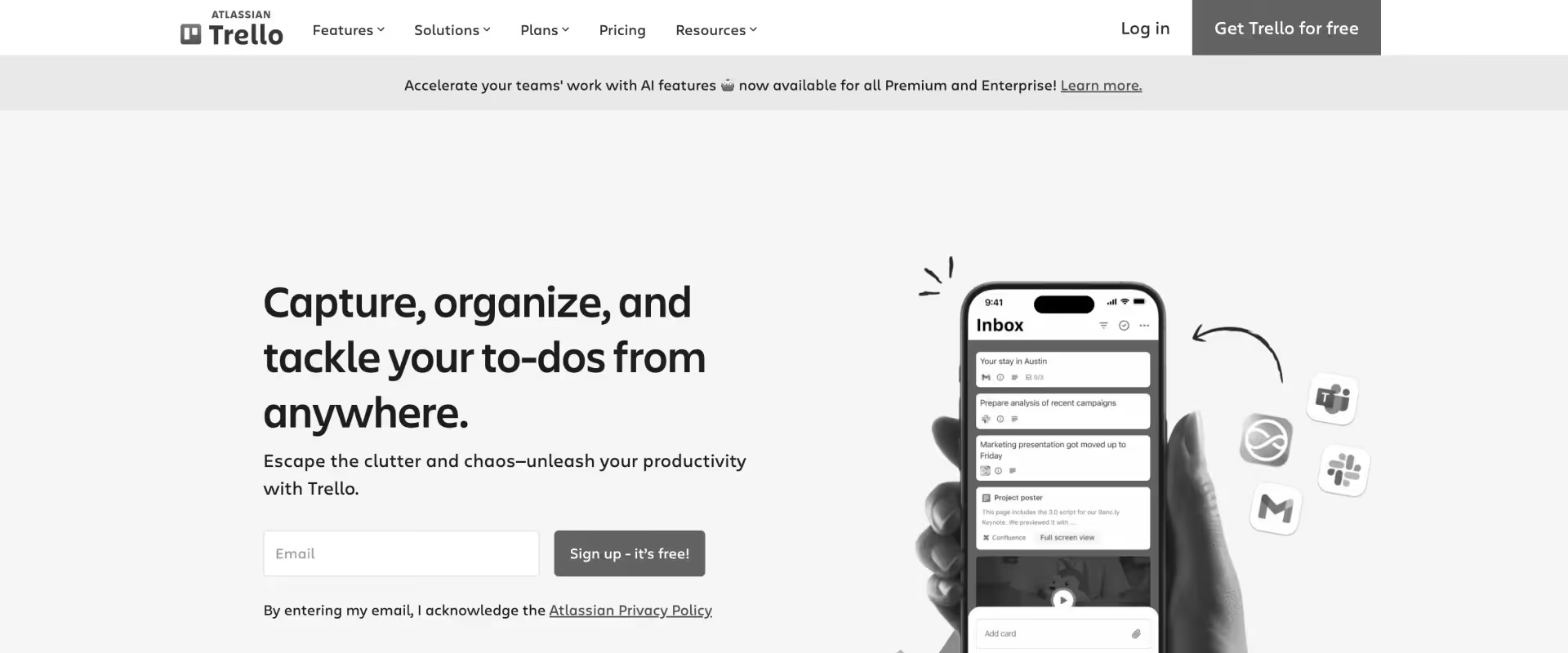
Trello is a lightweight, Kanban-based project management tool built around boards, lists, and cards. It is designed for simplicity and is widely used by small teams to track tasks and workflows visually without setup overhead.
Trello typically comes up in Asana evaluations for teams that want something even simpler. It removes layers of structure and focuses on visual task movement. That simplicity works well for basic coordination, but it also means most operational needs beyond task tracking sit outside the system.
Key features
- Kanban boards and cards: Visual task management using drag-and-drop cards across lists representing workflow stages
- Power-Ups (integrations): Add-ons for calendars, time tracking, reporting, and external tools to extend functionality
- Butler automation: Rule-based automation for repetitive actions like moving cards, assigning users, or setting due dates
- Checklists and attachments: Break tasks into sub-items, attach files, and track progress within individual cards
- Templates: Reusable board and card templates for recurring workflows
Pros and cons
Best for
- Small teams or individuals managing simple workflows with minimal coordination needs
- Early-stage startups or SMBs that need basic task tracking without process complexity
- Teams prioritizing simplicity over structure, visibility, or scalability
Key takeaways
Switching complexity from Asana: Low
Trello is simpler than Asana, so migration is straightforward.The tradeoff is loss of structure. Teams moving from Asana often end up recreating workflows manually or adding Power-Ups to compensate for missing capabilities.
What customers say
6. Smartsheet
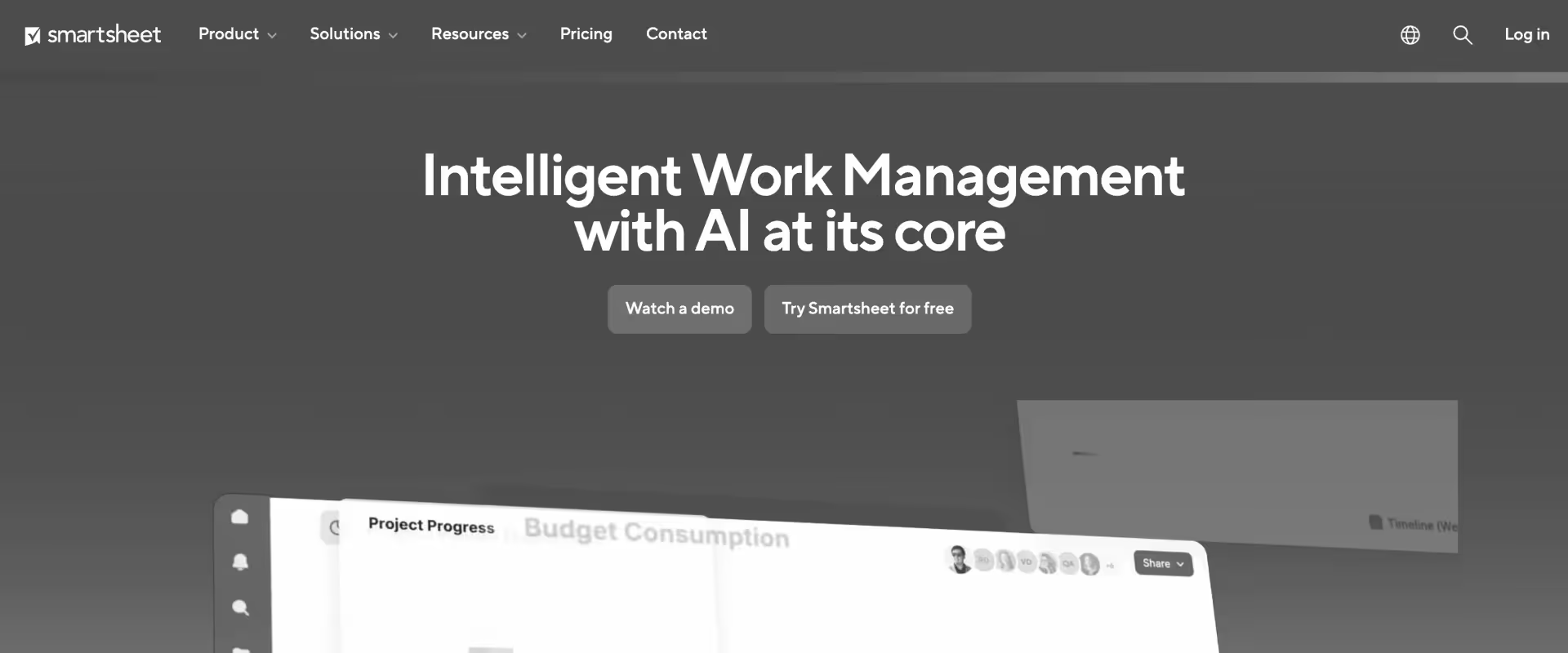
Smartsheet is a spreadsheet-style work management platform designed for teams that prefer structured, grid-based planning over boards or lists. It is widely used in enterprise environments where familiarity with Excel-like interfaces makes adoption easier across large, cross-functional teams.
Smartsheet typically comes up in Asana evaluations when teams outgrow visual task management and want more control over data, dependencies, and reporting. It offers more structure than Asana, especially for planning and tracking at scale, but that structure is still spreadsheet-driven rather than delivery-system-driven.
Key features
- Spreadsheet-style project planning: Grid-based interface with rows, columns, and formulas, enabling structured planning and tracking similar to Excel
- Gantt charts and dependencies: Built-in timeline views with task dependencies for managing complex project schedules
- Automation workflows: Rule-based alerts, approvals, and updates triggered by changes in sheets
- Dashboards and reporting: Custom dashboards aggregating data across sheets for visibility into project status and metrics
- Forms and data capture: Collect structured inputs directly into sheets for intake, requests, or updates
Pros and cons
Best for
- Enterprise teams that prefer spreadsheet-based planning and are already comfortable with Excel-style workflows
- PMOs managing large portfolios where structured tracking and reporting are prioritized
- Organizations coordinating internal projects across multiple departments
Key takeaways
Switching complexity from Asana: Medium
Data migration is straightforward, but workflow translation is not. Teams often rebuild processes using sheets, formulas, and automations, which increases setup effort and ongoing maintenance.
What customers say
7. Wrike
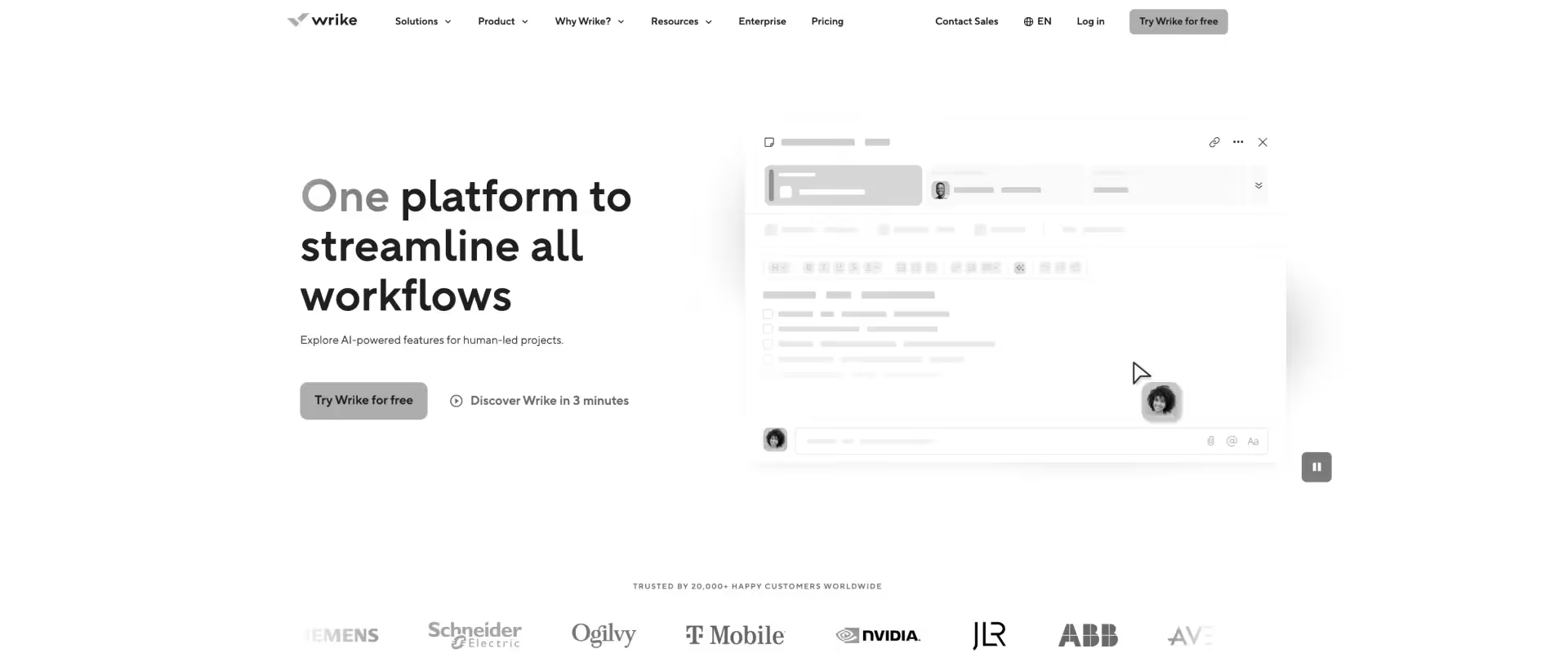
Wrike is a work management platform designed for cross-functional teams that need structured workflows, approvals, and reporting across departments. It is commonly used in enterprise environments where marketing, operations, and project teams need to coordinate work with more control than lightweight PM tools provide.
Wrike typically comes up in Asana evaluations when teams want stronger workflow control, better reporting, and more structured project tracking.
Compared to Asana, it offers more configurability and governance, but it remains focused on internal work management rather than customer-facing delivery.
Key features
- Advanced reporting and dashboards: Real-time dashboards with customizable reports across projects and teams
- Custom workflows and request forms: Define multi-step workflows with approvals, intake forms, and structured task routing
- Resource management (limited): Workload views and effort allocation across users, though without deep skill or cost modeling
- Wrike AI: AI features for content generation, task summarization, and basic workflow suggestions
- Proofing and approvals: Built-in review and approval flows for creative and cross-functional work
Pros and cons
Best for
- Enterprise teams managing cross-functional workflows across marketing, operations, and PMO functions
- Organizations needing structured approvals, reporting, and governance in internal workflows
- Teams outgrowing basic PM tools but not requiring full PSA capabilities
Key takeaways
Switching complexity from Asana: Medium
Workflows and reporting can be migrated, but require reconfiguration. Teams often spend time rebuilding structures for approvals, reporting, and workload management.
What customers say
8. Notion
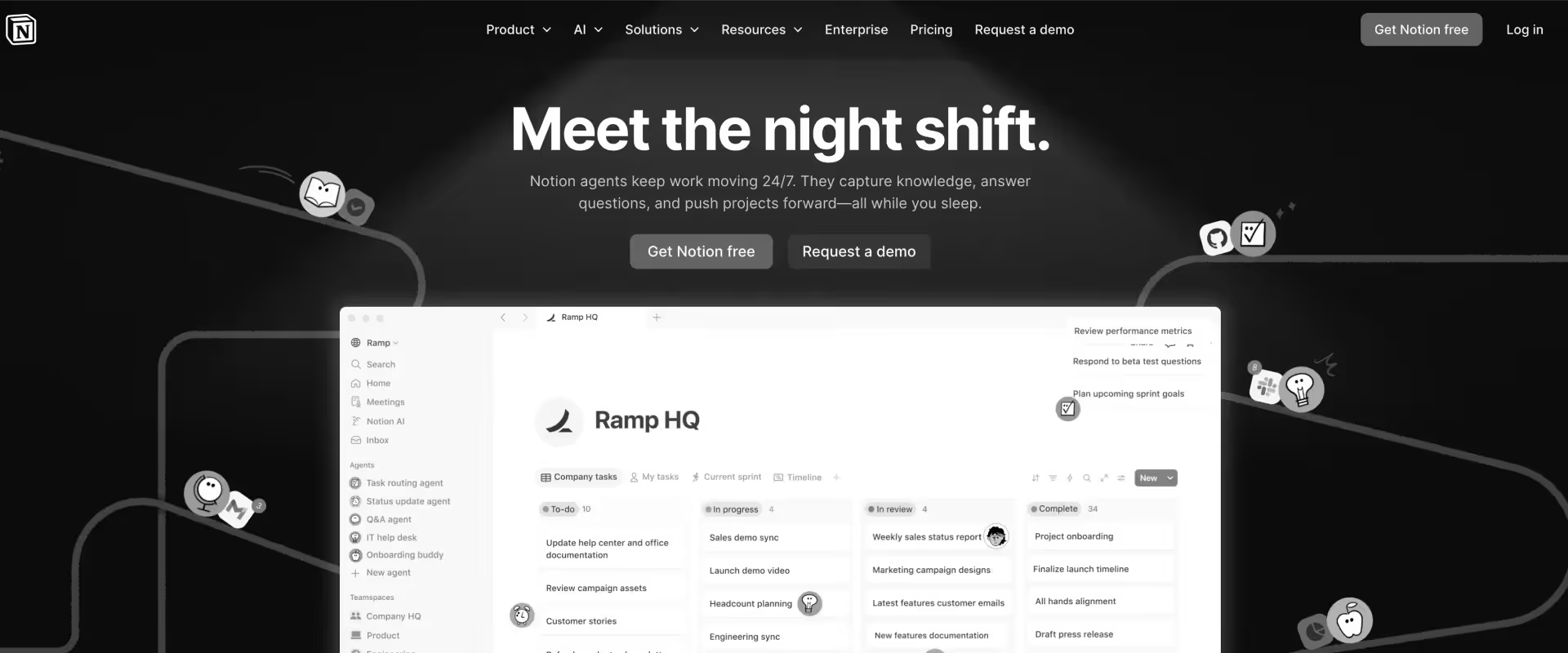
Notion is an all-in-one workspace combining notes, docs, databases, and lightweight project management.
It lets teams design their own workflows using pages, tables, and linked content instead of following predefined structures.
Notion typically comes up in Asana evaluations when teams want more control over documentation and knowledge management alongside tasks. It replaces multiple tools at the surface level, but that flexibility comes with minimal structure, which shifts the burden of system design and consistency onto the team.
Key features
- Flexible databases and pages: Build custom workflows using tables, boards, lists, and nested pages, all connected within a single workspace
- Docs and knowledge management: Rich text editing, wikis, and internal documentation tightly integrated with tasks and projects
- Linked databases: Connect projects, tasks, docs, and resources across views for a unified workspace
- Notion AI: AI for writing, summarization, and content generation within docs and pages
- Templates and customization: Pre-built and custom templates for workflows, docs, and internal systems
Pros and cons
Best for
- Teams prioritizing documentation, knowledge management, and internal collaboration
- Startups and small teams building custom workflows without strict process requirements
- Organizations looking to consolidate notes, docs, and lightweight task tracking
Key takeaways
Switching complexity from Asana: Medium
Tasks and projects can be recreated, but structure is not predefined.
Teams need to design their own workflows using databases and templates, which can lead to inconsistency without strong governance.
What customers say
9. Airtable
Airtable is a database-style work management platform that combines spreadsheet simplicity with relational data modeling.
It allows teams to build custom workflows using linked tables, views, and automations, making it popular for operations-heavy teams managing structured data.
Airtable typically comes up in Asana evaluations when teams want more control over how data is structured and connected across workflows. It offers significantly more flexibility than Asana at the data layer, but that flexibility requires teams to design and maintain their own systems.
Key features
- Relational database structure: Link records across tables to model complex workflows and relationships beyond flat task lists
- Multiple views: Grid, Kanban, calendar, gallery, and timeline views to visualize the same data in different ways
- Automation builder: Trigger-based automations for updating records, sending notifications, and integrating with other tools
- Interfaces: Custom front-end views built on top of data for different stakeholders (ops, leadership, contributors)
- Airtable AI: AI features for content generation, categorization, and basic workflow assistance
Pros and cons
Best for
- Operations and internal tooling teams managing structured data across workflows
- Organizations needing relational data modeling beyond traditional task management
- Teams willing to invest in building and maintaining custom systems
Key takeaways
Switching complexity from Asana: Medium to high
Migration requires redesigning workflows as data models rather than task lists.
Teams often spend time structuring tables, relationships, and automations before achieving a usable system.
What customers say
10. Microsoft Project

Microsoft Project is a traditional project management tool designed for detailed planning, scheduling, and resource tracking.
It is widely used in enterprise environments, especially where project management follows structured, timeline-driven methodologies.
Microsoft Project typically comes up in Asana evaluations when organizations want more rigor in planning and control. It offers deeper scheduling capabilities than Asana, particularly around dependencies and timelines, but it remains focused on planning rather than end-to-end delivery execution.
Key features
- Advanced scheduling and dependencies: Detailed Gantt charts with task dependencies, critical path analysis, and timeline control
- Resource allocation (basic): Assign resources to tasks and track workload, though without skill-based or cost-aware planning
- Portfolio management: View and manage multiple projects with high-level timelines and resource allocation
- Microsoft ecosystem integration: Connects with Teams, Excel, SharePoint, and other Microsoft tools
- Templates and project planning tools: Pre-built templates for structured project planning across industries
Pros and cons
Best for
- Enterprise PMOs managing large, structured projects with heavy planning requirements
- Organizations already standardized on Microsoft tools and workflows
- Teams prioritizing scheduling rigor over collaborative or customer-facing delivery
Key takeaways
Switching complexity from Asana: High
Workflows need to be restructured around timelines and dependencies rather than tasks.
Adoption often requires training, especially for teams unfamiliar with traditional project planning tools.
What customers say
Key criteria for evaluating Asana alternatives
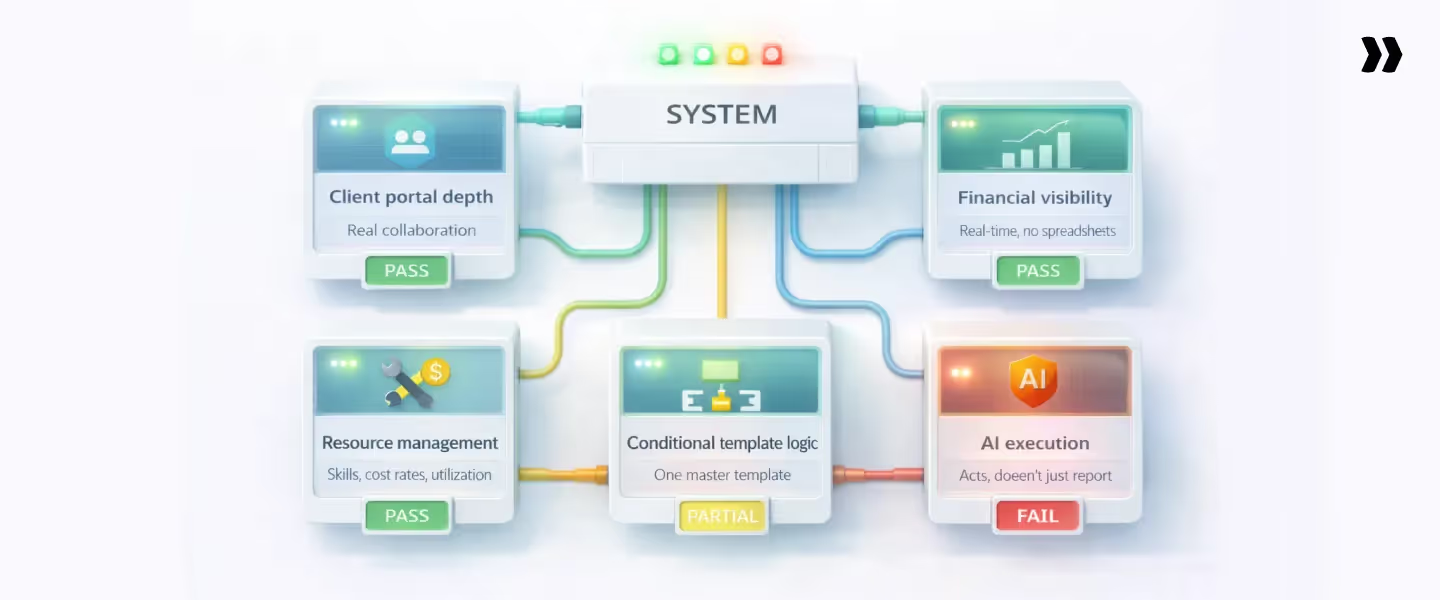
Most Asana alternatives solve the same problem. The criteria that matter depend on where your delivery system is under strain.
For some teams, the issue shows up in constant follow-ups and unclear ownership.
For others, it appears in missed utilization targets or margins that only become visible after the fact. In many cases, multiple issues exist together, but one usually drives the decision to switch.
This is not a feature comparison exercise. It is about identifying whether a system reduces the effort required to run delivery as complexity increases.
1. Client portal depth: Real collaboration, not view-only access
The key question is whether clients can operate inside the system in a meaningful way.
In many tools, client access is limited to viewing information. That still requires the project manager to interpret progress, decide what matters, and communicate it separately. Over time, this creates two parallel workflows: one for internal tracking and one for client updates.
A more effective setup allows clients to:
- See only the parts of the project relevant to them
- Take ownership of tasks and respond in context
- Receive updates without needing manual follow-ups
If communication still depends on email threads or scheduled updates, the collaboration layer is not carrying enough of the load.
2. Resource management at scale: Skills, cost rates, and utilization
As delivery grows, assigning work becomes a decision about fit, not just availability.
A basic workload view shows how tasks are distributed. It does not answer:
- Who is best suited for this work
- What is the cost impact of assigning them
- How this decision affects utilization targets
A system that supports scale should allow teams to:
- Filter resources by skill, role, geography, and cost
- Plan capacity across upcoming projects, not just current tasks
- Surface early signals such as under-utilization or over-allocation
The timing of these signals matters. If issues are visible only in reports after the fact, teams are reacting rather than managing.
3. Financial visibility without spreadsheets
When budgets, burn, and margins are tracked outside the delivery system, teams rely on reconstructed data. This introduces delay between execution and understanding.
A useful system makes financial signals part of execution:
- Budgets and actuals update as time is tracked
- EAC and ETC reflect the current state of the project
- Margins are visible at any point, not just after close
If financial insight depends on exporting data and rebuilding it elsewhere, decisions will always lag behind reality.
4. Conditional template logic
Templates are meant to create consistency, but static templates tend to multiply.
Different products, customer segments, and deal structures introduce variation. Without logic, each variation leads to a new template. Over time, teams manage a growing library with overlapping use cases.
A better approach is to encode decision logic into the system. Workflows should adjust based on inputs such as:
- Product purchased
- Deal size or scope
- Customer type or segment
This allows a smaller set of templates to handle a wider range of scenarios.
If project setup still involves selecting and modifying templates each time, the system is not reducing effort in a meaningful way.
5. AI that executes work, not just reports on it
AI is often introduced to summarize information or generate content. That improves visibility but does not change how work gets done.
The more useful shift is when AI participates directly in execution. This includes:
- Enforcing policies such as time tracking at the point of entry
- Generating structured outputs like project plans or documentation
- Identifying risks while projects are still in motion
The distinction is practical. Systems that assist still rely on people to interpret and act. Systems that participate reduce the amount of manual effort required to keep delivery moving.
If AI outputs still require a separate step for action, the system improves awareness but not execution.
Asana vs. top alternatives: Quick comparisons
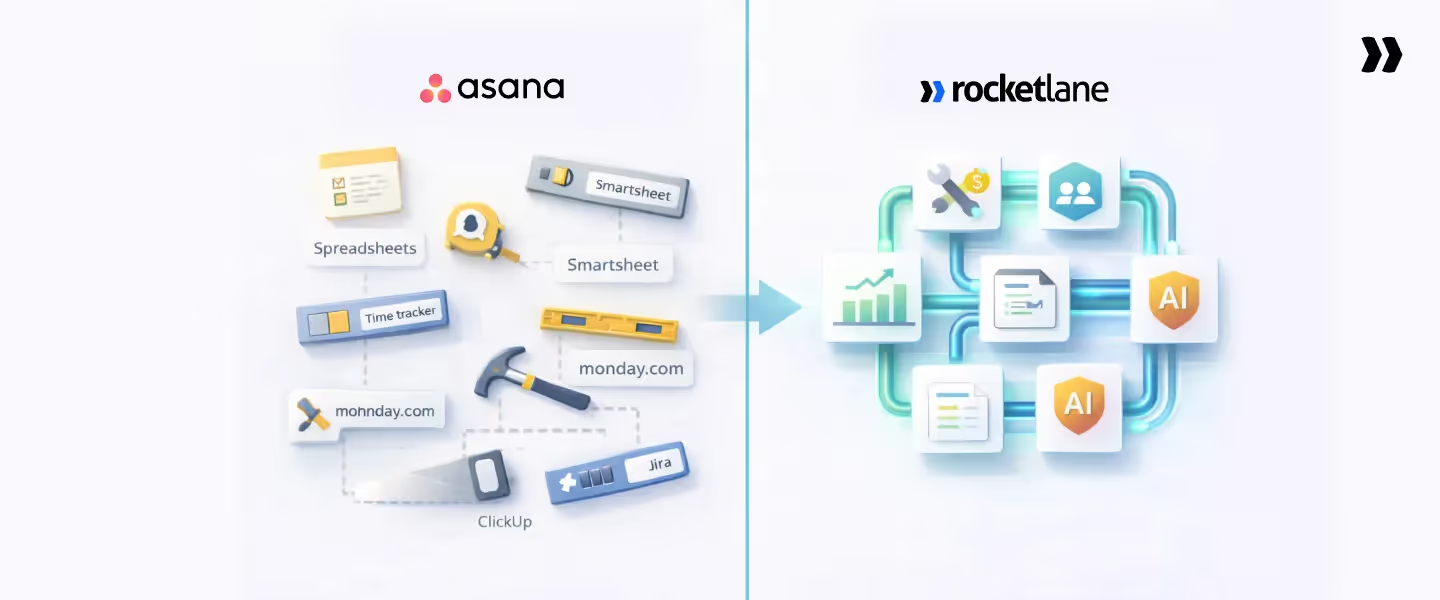
Teams searching these comparisons are usually at different stages of maturity. Each comparison reflects a distinct evaluation path based on what is breaking in the delivery system.
A useful way to read this section is not as “which tool is better,” but as what problem are you actually trying to solve. Most teams switch tools without changing the underlying system, which is why the same issues tend to reappear.
Asana vs. Rocketlane
This is a category-level decision: project management tool vs professional services automation platform.
In practice, this shows up in where effort sits. With Asana, coordination lives with the team. Status needs to be compiled, reports need to be built, and alignment requires active follow-up.
With Rocketlane, a portion of that coordination is handled by the system itself. Visibility, allocation, and financial signals update continuously.
Decision rule:
Choose Asana if the primary need is internal coordination.
Choose Rocketlane if delivery involves clients, resources, and revenue tracking across multiple projects.
Key insight:
If your weekly reporting depends on pulling data from multiple tools, you are already operating beyond the PM category. The decision here is whether to keep coordinating across systems or consolidate them.
Asana vs. Monday.com
This is a comparison within the same category: internal work management.
The difference shows up in how teams interact with work. Monday emphasizes flexibility and visual configuration. Asana emphasizes clarity and consistency in task structure.
What does not change is the scope. Both tools are designed for internal coordination. Neither models delivery as a system that includes clients, resources, or financials.
Decision rule:
Choose based on workflow preference and usability.
Neither platform provides resource management, financial visibility, or a client portal for professional services delivery.
Key insight:
Teams switching between these tools often see improvements in usability but not in delivery outcomes. If the issue is beyond internal workflow, this comparison does not address it.
Asana vs. ClickUp
This is a tradeoff between simplicity and configurability.
The shift here is where effort is applied. ClickUp gives teams the ability to design their own system, which increases flexibility but also introduces setup and maintenance overhead. Asana reduces that overhead but requires additional tools as delivery becomes more complex.
Neither option introduces native support for resource planning, financial tracking, or client collaboration.
Decision rule:
Choose Asana for faster adoption and lower setup effort.
Choose ClickUp for flexibility and broader feature coverage at a lower cost.
Key insight:
ClickUp can consolidate tools at the surface level. It does not remove the need to define how delivery runs. Without strong governance, teams often recreate fragmented workflows inside a single platform.
Asana vs. Jira
This comparison reflects a split between business workflows and engineering workflows.
Jira introduces a system optimized for engineering execution. It handles tickets, sprints, and releases with precision. Asana continues to serve as the coordination layer for non-technical teams.
This leads to a multi-system setup where delivery spans tools, and no single system holds full project context.
Decision rule:
Choose Jira for software development workflows.
Choose Asana for general business coordination.
Key insight:
Jira rarely replaces Asana in professional services environments. It adds another layer. Teams then manage delivery across systems, with client communication, financials, and resource planning handled elsewhere.
Asana vs. Smartsheet
This comparison reflects a difference in planning models.
Smartsheet strengthens planning and reporting through structured sheets and dependencies. Asana supports execution and coordination through tasks and workflows.
Many teams use both, which creates a split between planning and execution. Plans are maintained in one system, while work progresses in another.
Decision rule:
Choose Asana for execution and team coordination.
Choose Smartsheet for structured planning and reporting.
Key insight:
The real cost here is synchronization. Every update requires alignment between systems. Over time, this becomes a recurring operational burden that does not show up in tool pricing but impacts delivery efficiency.
Asana vs. Rocketlane feature comparison
Decision routing: Which Asana alternative fits your org?
Migrating from Asana to Rocketlane
Most teams approach migration with a narrow question: what happens to everything already in Asana?
It sounds like a data question. It is actually a systems question.
What sits inside Asana is not just tasks and projects. It is how your team has learned to run delivery over time.
The workarounds, the duplicate templates, the reporting spreadsheets, the side-channel communication with clients. All of that is part of the system, even if it is not visible in one place.
If you move that system as-is, the surface changes. The effort does not.
Migration is where most teams either reset or reinforce their problems
There are two ways this typically plays out.
In the first, teams treat migration as a lift-and-shift. Projects move, templates move, workflows move. The new tool looks more modern, but the same patterns reappear within weeks. Reporting still takes effort. Resource decisions still rely on external views. Clients are still managed partly outside the system.
In the second, migration is used as a point of correction. The team pauses and asks a harder question: what should this system actually be doing for us?
What changes when the system itself changes
Rocketlane is built as an agentic PSA. That means the system does not just store and organize work. It participates in execution.
This has a direct implication for migration. You are not trying to recreate your Asana setup. You are deciding which parts of your current way of working should disappear.
Some things carry forward cleanly:
- Project structures and dependencies
- Documentation and historical context
- The shape of ongoing work
Other things are intentionally redesigned:
- Templates become fewer, but more adaptive through conditional logic
- Resource planning moves into the system instead of living in separate views
- Financial tracking becomes continuous instead of reconstructed
- Client communication shifts into a shared workspace
The role of agentic AI in the transition
This is where the migration starts to feel different in practice.
In a traditional setup, even after migration, the team is responsible for:
- Updating plans
- Generating documentation
- Checking for risks
- Following up on gaps
With Rocketlane’s Nitro layer, parts of that work are handled within the system.
Project plans are recommended from SOWs and project context; documentation is generated from real project artifacts and conversations; risks are identified and surfaced to the team while projects are still in motion, enabling corrective action before impact.
This does not remove the need for human judgment. It changes where effort is spent. Less time is spent maintaining the system, more time is spent making decisions within it.
Why the parallel run matters more than the data migration
The most fragile part of any migration is not the data. It is behavior.
Teams are used to a certain rhythm:
- Check multiple tools
- Compile updates
- Translate status for different stakeholders
When the system changes, that rhythm changes.
The parallel run phase exists to let teams experience this shift without risk. Active projects run in both systems for a short period.
The new workflows are tested against real delivery, not assumptions.
By the time Asana is switched off, the team is no longer learning the system. They are already operating inside it.
What clients notice first
Clients move from a model where they wait for updates to one where they can see progress directly. Tasks are clearer. Ownership is clearer.
The need to ask “where are we on this?” reduces because the answer is already available.
From their perspective, this feels like better communication. From the team’s perspective, it is less communication overhead.
What a successful migration actually looks like
A successful migration does not just result in a new tool being adopted.
It shows up in small but compounding shifts:
- Fewer coordination loops to keep projects moving
- Earlier visibility into risks and delays
- Less effort spent preparing reports
- A tighter connection between work, resources, and outcomes
Over time, the system starts to carry part of the operational load.
The real transition is from a setup where people hold the system together to one where the system actively supports how delivery runs.
Why Rocketlane is the best Asana alternative for professional services teams

The shift from Asana to alternatives like Rocketlane happen when delivery becomes harder to run than it should be. This shows up in patterns that are hard to ignore:
- Project tracking is in one place
- Financials are in another
- Resource decisions rely on separate views
- Client communication sits partly outside the system
The overhead accumulates in small ways: time spent preparing reports, effort spent aligning data, delays between what is happening and what is visible.
Rocketlane addresses this by changing where these pieces sit. Instead of operating across layers, delivery runs inside one system.
1. The system boundary shifts from coordination to delivery
In Asana, the system is centered around tasks and projects. Everything else sits around it.
In Rocketlane, projects, resources, financials, and client interaction are part of the same model. That changes how work flows.
- Project progress, staffing, and financials are connected
- Client visibility is part of the workflow, not an add-on
- Reporting reflects the current state of delivery without reconstruction
The practical effect is that fewer steps are required to understand what is happening across projects.
2. Operational effort moves out of manual layers
In a multi-tool setup, a portion of delivery work is not delivery itself. It is:
- Aligning data across systems
- Preparing updates for stakeholders
- Rebuilding views for planning and reporting
These are necessary because the system does not hold everything together.
With a unified system, that effort reduces because:
- Data is not duplicated across tools
- Updates are visible from the same source
- Decisions are made on current project state
Teams eliminate recurring coordination loops: no more chasing time entries, no more manual resource reconciliation, no more post-close budget rebuilds. Visibility is continuous, approval is streamlined, and decisions are made on current data.
3. Outcomes show up in how delivery behaves
When the system changes, the impact is visible in delivery patterns:
- Project setup becomes more consistent because workflows are standardized
- Resource allocation becomes easier to adjust because capacity is visible earlier
- Financial signals are available during execution, not after completion
- Client communication becomes more predictable because visibility is built in
Teams that have made this transition report improvements in:
- Time-to-value for implementations
- Utilization visibility and optimization (skills-based allocation prevents bench time and over-allocation; forward-looking capacity planning surfaces gaps before they impact delivery)
- Client satisfaction linked to delivery visibility
These reflect how the system supports day-to-day execution.
How Rocketlane’s Nitro AI transforms PS Delivery

Tools like Monday.com and ClickUp use AI to summarize tasks or suggest automations. That improves visibility but does not reduce the manual effort required to keep delivery moving. Execution still depends on people interpreting and acting.
Rocketlane’s Nitro is designed differently. It is embedded inside the delivery system, working on the same data that drives projects, resources, and financials. The focus is not on assisting after the fact, but on reducing the amount of manual effort required to run delivery in the first place.
A helpful way to understand Nitro is by looking at where it operates.
Level 1: Operational AI (reduces day-to-day execution load)
This layer focuses on work that happens across every project and usually consumes PM bandwidth.
- Timesheet Policy Agent: Teams often spend time chasing time entries and fixing inconsistencies. Nitro enforces submission rules automatically based on defined policies. Compliance becomes a system behavior rather than a follow-up activity
- AI Analyst: Instead of building reports or waiting on BI tools, teams can query live delivery data directly. Questions like utilization by region, margin by project type, or timelines across segments are answered from the system in plain language
- Workforce Agent: Project setup is often a manual translation of SOWs into plans. Nitro generates recommended project plans from SOWs and deal context, aligned to templates and delivery standards. Teams validate and finalize before kickoff, eliminating manual plan construction and ensuring consistency at scale.
At this level, the gain is consistency. Routine work happens the same way across projects without requiring manual intervention.
Level 2: Governance AI (continuous oversight across delivery)
This layer addresses a common gap. Visibility exists, but it arrives too late to influence outcomes.
- Project Governance Agent: Monitors budget consumption, milestone progress, and delivery velocity across all active projects. When patterns diverge, for example, budget burn outpacing completion, the system flags it while there is still time to adjust
- Account Signals Agent: Looks at customer engagement and delivery patterns using data across accounts to surface early indicators of risk or expansion. These signals are tied to how delivery is progressing, not just usage or feedback data
The shift is from reactive, post-hoc reporting to continuous governance signalsmi. Budget drift, milestone slippage, and resource mismatches surface during execution, not after close, so teams can adjust in real time rather than discover problems in reviews.
Level 3: Workforce AI (expands effective team capacity)
This layer focuses on areas where effort scales linearly with the number of projects.
- Documentation Agent: Produces structured outputs such as BRDs, SOW summaries, and RAID logs from project conversations and artifacts. Documentation becomes a byproduct of delivery activity rather than a separate task
- Resource AI: Recommends staffing decisions based on skills, availability, and cost. It highlights mismatches, such as senior resources assigned to lower-scope work, and surfaces capacity gaps ahead of time
The effect is the ability to maintain consistency as delivery volume increases.
Nitro is embedded in delivery workflows, not consulted separately. It operates within workflows.
- Time tracking follows defined rules without manual enforcement
- Plans and documentation are generated from existing inputs
- Risks are identified while projects are still active
- Resource decisions are supported by current capacity and demand
The result is a gradual shift in where effort is spent. Less time goes into maintaining the system. More time goes into managing outcomes within it.
Conclusion
At some point, the question stops being “which tool should we use?” and becomes “how is our delivery actually running?”
If your team is:
- Coordinating across multiple systems before every review
- Discovering utilization or margin issues after they’ve already impacted outcomes
- Relying on PM effort to keep clients aligned
…then the constraint is not the interface. It is the system.
Switching between PM tools can improve usability. It does not change how delivery is structured.
Moving to Rocketlane changes how delivery is structured. Projects, resources, financials, and client interaction operate in one system. This eliminates the coordination tax of multi-tool setups and enables the system to participate in execution — flagging risks, enforcing policies, and generating routine outputs — so teams focus on decisions and outcomes.
The practical shift is visible in fewer coordination loops, earlier signals, and more predictable delivery.
If you want to see how this applies to your setup, the most useful next step is mapping your current stack and identifying where effort accumulates.

Authored by

Kailash Ganesh
Kailash Ganesh is a professional services researcher at Rocketlane with more than seven years of experience in content, research, and market analysis. He studies how enterprise PS teams are adopting agentic AI to transform delivery operations, has evaluated every major PSA platform in the category, and writes from the perspective of a practitioner who watches enterprise PS teams make these exact decisions daily.
Table of Contents

Regsiter for the live webinar


Great consultants didn't join your team to spend Fridays writing documentation.
Table of contents
18 of Forbes Cloud 100 chose Rocketlane. The best PS teams aren't waiting around.
FAQs
What is the best Asana alternative for professional services teams?
Rocketlane is the only platform that treats clients, resources, and financials as part of the same delivery system — not separate layers to coordinate. It combines project execution, client collaboration, resource planning, and financial tracking in one system. This becomes relevant once teams manage ~20+ concurrent implementations and need visibility beyond tasks.
Why do professional services teams switch from Asana?
Teams move away from Asana when delivery requires more than task coordination. Common drivers include lack of a structured client workspace, no resource or utilization planning, limited financial visibility, and reliance on multiple tools for reporting and execution.
Is Rocketlane significantly more expensive than Asana?
On a per-seat basis, Rocketlane is higher than Asana alone. In practice, teams pair Asana with PSA tools, time tracking, and reporting layers. This increases total cost and introduces reconciliation effort. A unified platform consolidates these functions into one system.
How long does it take to migrate from Asana to Rocketlane?
A typical migration takes 4–6 weeks. This includes data transfer, workflow and template restructuring, CRM integration, and a parallel run phase where both systems operate together before full cutover.
Which Asana alternative is best for small teams?
For internal coordination, Rocketale offers broad features at an affordable cost, and Monday.com is easier to adopt. Trello fits simple Kanban workflows. Teams expecting to scale client delivery may consider starting with a PSA platform earlier.













Copyright © 2026 Rocketlane Corp. All rights reserved.





















.webp)