


Introduction
Running an IT consulting firm in 2026 means managing 50+ concurrent projects, complex rate cards, and board-level pressure to hit 75%+ billable utilization — while your ops team is still reconciling four tools in Excel two weeks after the month close.
The problem isn’t effort. It’s infrastructure.
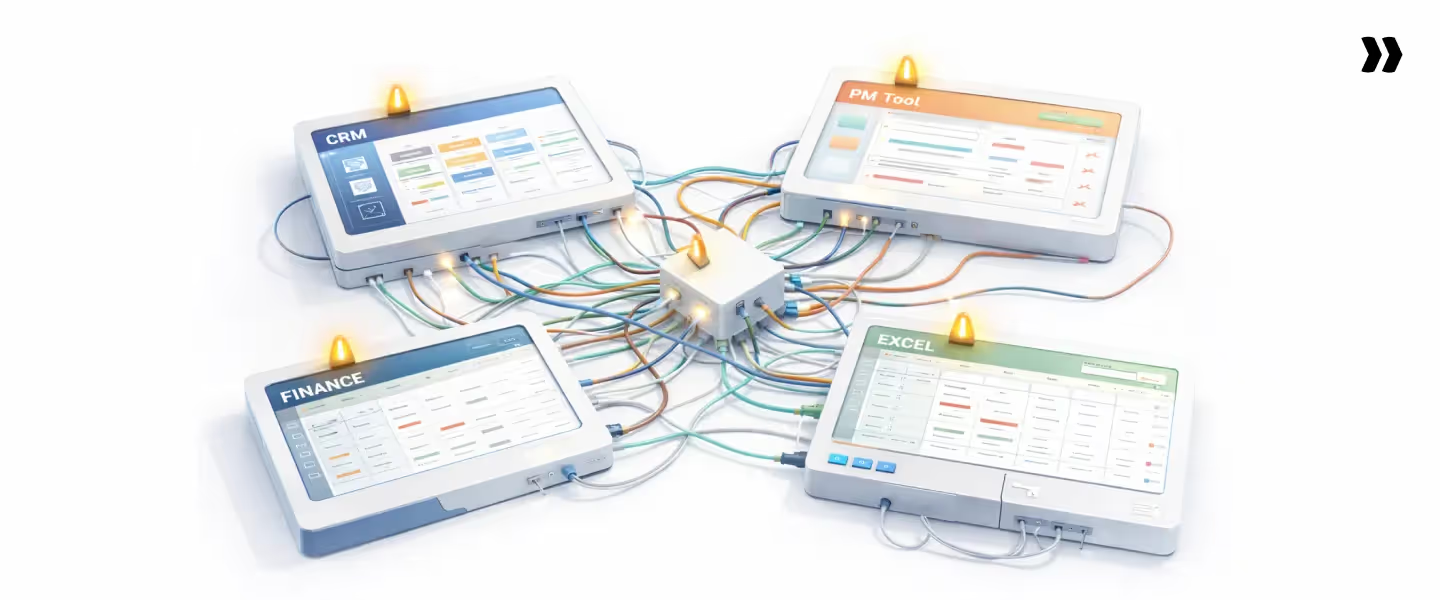
Most IT consulting firms are running a Frankenstein stack: Salesforce for pipeline, Jira for projects, spreadsheets for resource planning, QuickBooks for billing, and email for client updates. None of them talks to each other without a manual export. By the time leadership sees a margin report, it reflects last month's figures, not this week's.
That’s the gap that IT professional services automation (IT PSA) software exists to close.
IT PSA connects your entire delivery lifecycle — resource allocation, project execution, time tracking, billing, and financial management — in a single system, giving PS leaders real-time visibility into utilization, margins, and revenue without manual reconciliation.
This guide compares the 7 best IT PSA software platforms in 2026 across resource management, financial visibility, client portals, AI capability, and pricing — so you can make the right call for your team.
Choosing the right PSA software is crucial, and the evaluation process should start with a deep understanding of your organization's unique needs, challenges, and objectives to ensure the best fit for long-term growth.
Top 7 IT PSA tools - Compared at a glance
Here's how the top IT PSA competitors stack up at a glance — full breakdowns follow in the next section.
For the full breakdown of each tool — features, pros/cons, and G2 reviews — read on.
What is IT professional services automation software?

Before comparing platforms, it helps to get clear on what IT PSA actually is — and what it isn't. The distinction between IT PSA, ERP, and generic project management tools matters when you're evaluating what your firm actually needs.
What is PSA in IT?
PSA stands for Professional Services Automation — but in IT consulting, it means something more specific than in a generic project management context.
An IT PSA platform is built to handle the operational complexity native to IT service delivery: skills matrices, geography-based rate cards, onshore/offshore leverage analysis, complex billing models (T&M, fixed-fee, milestone, retainer), and multi-resource project staffing across dozens of concurrent engagements.
While both PSA and project management software (PMS) aid in managing projects, PSA software offers specialized tools for professional service organizations, focusing more on operational aspects such as billing and resource management, whereas PMS is broader and caters to a wider range of industries.
Project management software is typically used for general project execution and collaboration, while PSA solutions are tailored for professional services, emphasizing project management capabilities, resource allocation, and financial integration.
An IT PSA platform is built to handle the operational complexity native to IT service delivery: skills matrices, geography-based rate cards, onshore/offshore leverage analysis, complex billing models (T&M, fixed-fee, milestone, retainer), and multi-resource project staffing across dozens of concurrent engagements.
PSA software provides a unified framework for managing project-based work across the entire project and service delivery lifecycle, including sales, staffing, billing, and reporting.
What distinguishes IT PSA from generic PSA tools is the depth of integration between delivery data and financial data. In IT consulting, a utilization report that lags by two weeks is not a reporting inconvenience — it is a margin problem.
The right IT PSA gives leaders real-time visibility, not at month-end. Key features of PSA software include project management, time tracking, resource allocation, automated billing and invoicing, and analytics for performance monitoring.
One more important clarification: IT PSA is not a helpdesk tool, not an ITSM platform, and not built for support queues. It is purpose-built for billable delivery teams managing project-based engagements with financial accountability at the phase, project, and portfolio levels.
Project planning and project operations are core capabilities that support organizations throughout all phases of the project lifecycle—from estimation and planning to execution, monitoring, and delivery.
What is the difference between ERP and PSA?
The answer is simpler than most vendors make it.
ERP platforms like NetSuite, SAP, and Oracle are financial systems of record — they manage the general ledger, payroll, and financial close. They answer: "Where did the money go?" PSA platforms are delivery systems of execution — they manage projects, resources, time, billing, and client interactions. They answer: "Are we delivering profitably, and where are the risks?"
IT consulting firms need both. PSA handles everything from deal handoff through invoicing. ERP handles financial close and board reporting. The handoff between them — invoice data, recognized revenue, and cost actuals — is where most disconnected stacks fall apart, and where a well-integrated IT PSA creates measurable margin improvement.
Why generic project management tools fail IT consulting teams
Generic PM tools create the illusion of coverage without providing the financial accountability IT consulting firms actually need.
Jira, Asana, and Monday.com were designed for internal product teams, not billable client delivery.
They solve task management. They do not solve rate card management, margin tracking, skills-based resource allocation, or client-facing delivery governance.
This highlights the distinction between project management software and PSA software: project management software is broader and serves a variety of industries, while PSA is specialized for professional services and operational needs.
The result is what operations leaders consistently describe as the Frankenstein stack: Salesforce for pipeline, Jira for projects, Excel for resource planning, QuickBooks for billing, Slack for coordination, and email for client updates.
None of them talks to each other without a manual export. By the time leadership has a margin report, it reflects last month, not this week.
That is the gap IT PSA software exists to close.
Why IT Consulting Firms Outgrow Their Current Tools
Most IT consulting firms don’t have a people problem or a process problem.
They have an infrastructure problem — and it shows up in the same four places, at almost every firm that’s grown past 100 consultants.
As firms grow, manual effort increases significantly, making it harder to manage projects, resources, and finances efficiently.
This leads to a decline in operational efficiency, as teams struggle to keep pace with scaling demands without the right tools.
1. Resource utilization is stuck at 65% — and every point costs real money
With 200+ consultants, spreadsheet-based resource allocation breaks down completely:
- Without a skills matrix, you cannot filter by certification, language, geography, and cost rate simultaneously
- Without real-time availability data, resource managers are working from memory and email threads
- Without forward-looking capacity views, bench time surfaces as a problem only after it hits the utilization report, three weeks after it became unfixable
Every percentage point of billable utilization a 500-person firm recovers at a $100/hour blended rate is worth approximately $1M annually.
The platform that actually moves that number — rather than just reporting it — pays for itself in the first quarter.
2. Rate card and leverage complexity defeat every reporting tool
IT consulting firms routinely manage 15–40 different rate cards simultaneously — by client, by project type, by geography, by seniority level.
When a tool cannot pull the correct bill rate mid-period:
- Every margin report is an approximation
- Leadership makes staffing and scope decisions based on numbers that don’t reflect the actual financial position
- Leverage mismatches — billing senior rates but delivering mid-level, or the reverse — go undetected until they’ve already eroded margin
An IT PSA that connects cost rates to billing rates at the task level surfaces these mismatches before they become margin leakage.
3. Financial visibility requires a two-week Excel build
The typical mid-market IT consulting firm closes the month by exporting data from four separate systems:
- CRM for revenue pipeline
- PM tool for project status
- Time tracker for hours
- Accounting for actuals
A senior analyst then spends a week reconciling exports and building the margin report. Another week passes before leadership reviews it.
By the time the numbers reach a decision, the window to act has already closed. That two-week lag — repeated twelve times a year — is a structural margin problem that no amount of analyst effort fixes.
Integrating PSA solutions with accounting software and existing systems streamlines financial reporting, reduces manual effort, and enables automated billing and invoicing, thereby improving cash flow and providing timely insights for better decision-making.
4. Clients expect Amazon-level project transparency
IT consulting clients — particularly enterprise buyers — now benchmark their vendor experience against consumer-grade digital interactions:
- A weekly status email is not a client portal
- An emailed PDF is not a shared workspace
- A PM remembering to send an update is not a delivery governance system
When project transparency is that fragile, client confidence erodes with every missed touchpoint — and those missed touchpoints accumulate into renewal risk before a single formal complaint is filed.
Effective document sharing across PSA and project management tools is essential for seamless client collaboration and transparency, ensuring that all stakeholders have real-time access to key project documents.
The 7 Best IT Professional Services Automation Software in 2026
We evaluated these platforms against five IT-specific criteria: resource management at scale, financial visibility without Excel, client collaboration depth, integration with IT org tech stacks (Salesforce, NetSuite, Workday), and AI capability that reduces manual overhead — not just adds a dashboard.
Here is what the analysis produced.
1. Rocketlane
.avif)
Rocketlane is the only agentic, AI-powered PSA built for IT consulting and professional services teams — and the only platform on this list that unifies project execution, resource management, client collaboration, and financial management in a single system.
Where most IT PSA platforms automate reporting, Rocketlane automates operations.
That distinction matters for IT consulting firms managing 50–200+ concurrent projects, where the bottleneck is not a missing dashboard but the manual execution burden that consumes your highest-cost consultants' time every week.
Built for both sides of the services business — the front office (project execution, client collaboration, delivery workflows) and the back office (time tracking, resource management, financial accounting) — Rocketlane connects delivery data and financial data in real time.
There is no reconciliation at month-end because there is no disconnect to reconcile.
For IT consulting firms under PE pressure to improve utilization, protect margins, and deliver a better client experience without adding headcount, Rocketlane is the platform built to do exactly that.
Key Features
1. Skills-based resource allocation with leverage optimization: Rocketlane's resource management goes beyond availability — it filters by skill, certification, geography, seniority, and cost rate simultaneously, flagging leverage mismatches before allocation is confirmed. Resource managers see bench time 3–4 weeks ahead, early enough to reallocate before it becomes an unrecoverable loss of utilization.
2. Real-time phase-level budget tracking with EAC and ETC: Unlike platforms that update financials at month-end, Rocketlane recalculates Estimate at Completion (EAC) and Estimate to Completion (ETC) in real time as time is tracked. PS leaders see the financial position of every active engagement as it develops — not two weeks after it has already moved.
3. Native white-labeled client portal: Rocketlane's client portal is built into the platform — not a paid add-on or a third-party integration. Clients access tasks, milestones, documents, and approvals in a branded workspace, reducing status update meetings and giving enterprise buyers the transparency they now expect as standard.
4. Nitro AI agents — agentic, not advisory: Nitro is Rocketlane's agentic AI layer — five agents (Resourcing, Timesheet Policy, Project Governance, Analyst, and Workforce) that execute delivery operations rather than surface recommendations. The Timesheet Policy Agent enforces submission compliance at entry. The Governance Agent fires threshold alerts before a phase overruns. The Analyst answers margin and utilization questions in plain language, instantly.
5. Dynamic project templates from CRM deal attributes. Rocketlane converts CRM deal data into structured project plans automatically — phases, tasks, milestones, and budget allocations are populated from the SOW, without a PM building them from scratch. For IT consulting firms running repeatable delivery motions, this alone recovers a significant amount of non-billable setup time per engagement.
6. Multi-rate-card and multi-currency financial management: Rocketlane handles the rate card complexity that defeats most reporting tools — multiple bill rates, cost rates, and currencies managed in a single system, with the correct rate applied automatically based on who is doing the work, what contract governs it, and where the work is being delivered.
7. Native integrations with the IT consulting tech stack: Rocketlane integrates natively with NetSuite, Salesforce, HubSpot, Workday, BambooHR, and Google/Outlook calendar — connecting CRM pipeline to project delivery, ERP to financial close, and HRMS to cost rate accuracy without custom middleware or manual exports.
Pros and Cons
Best For
- IT consulting firms with 200–1,500 employees managing 50–200+ concurrent projects who need unified delivery, resource management, and financial visibility in one platform
- Systems integrators running multi-phase, multi-resource engagements with complex billing models — T&M, fixed-fee, milestone, or hybrid — who need rate card management and phase-level margin tracking
- PS leaders under PE mandate to improve billable utilization from 65% to 80%+ without adding resource management headcount
- IT consulting firms migrating off Certinia or Kantata who cite implementation complexity, low end-user adoption, or lack of a native client portal as the primary reasons for switching
- Salesforce and NetSuite-embedded organizations that need a PSA integrating natively with their existing CRM and ERP without custom middleware
Bonus: Enterprise-ready PSA capabilities
- Security & Compliance (SOC 2, SSO, Audit Logs)
SOC 2–compliant with SSO, role-based access, and audit logs—so enterprise security standards are met without slowing delivery teams. - Salesforce two-way sync (Pipeline Integrity Protected)
Keeps PSA data aligned with Salesforce while protecting pipeline integrity by preventing accidental overwrites—a critical requirement for Salesforce-first organizations. - Revenue recognition + Budget change handling
Tracks scope changes, budget shifts, and actuals with audit-ready visibility, ensuring accurate revenue recognition even as projects evolve. - Implementation plan & Timeline (Designed for fast time-to-value)
Most teams go live in 4–12 weeks using proven templates and phased rollout—delivering value quickly without over-customization. - Integrations with NetSuite, Hubspot & QuickBooks (Plus APIs)
Native integrations with NetSuite, HubSpot, Notion, and Salesforce, plus robust APIs, ensure Rocketlane fits seamlessly into existing finance and GTM stacks.
Key Takeaways
What customers say
2. Autotask (Datto)
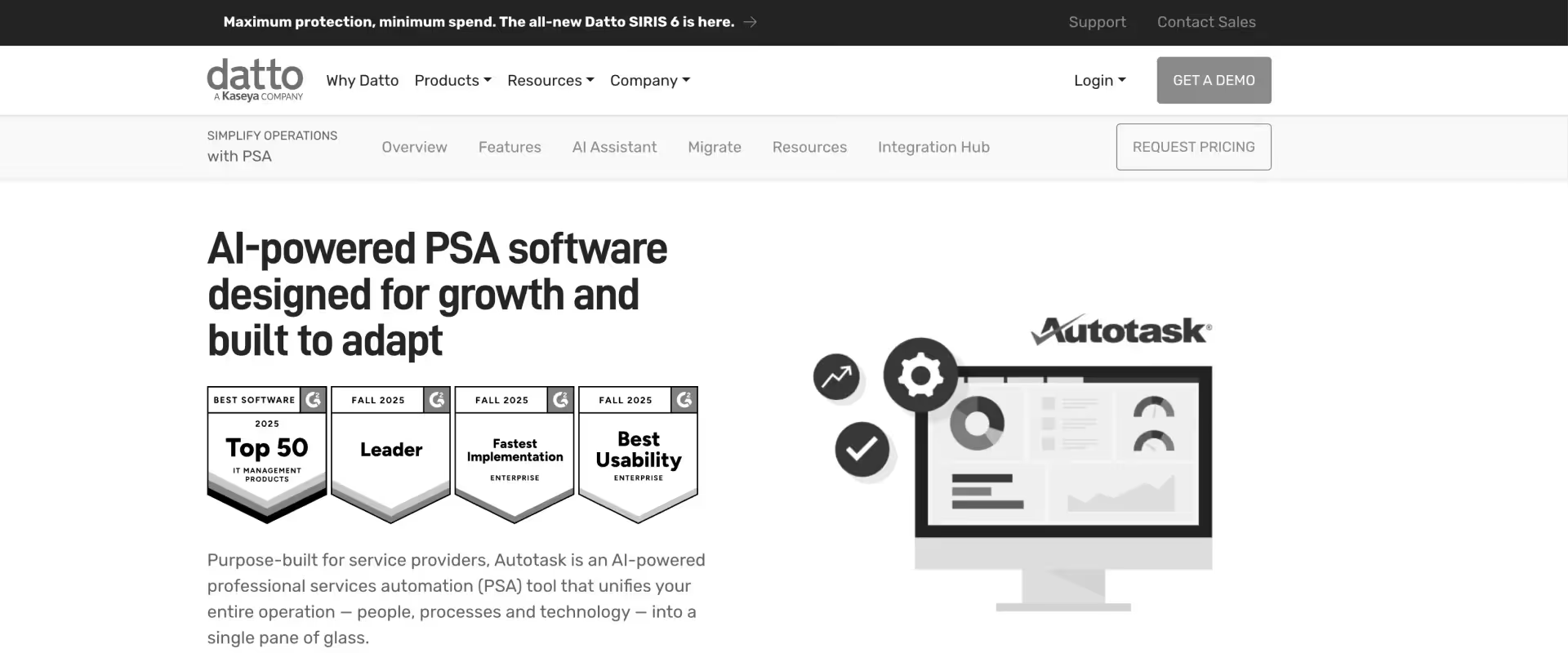
Autotask is a PSA platform built primarily for managed service providers and IT support organizations. It combines ticketing, contract management, and project management into a single system, with a focus on service desk operations and recurring managed services workflows.
Key Features
- Integrated ticketing and PSA in one platform for MSP service desk operations
- Contract management for recurring managed services agreements and SLA tracking
- Billing automation tied to service contracts, tickets, and time entries
- Project management module for project-based work alongside managed services
- Datto ecosystem integration — backup, RMM, and MSP toolchain connectivity
Pros and Cons
Best For
- MSPs managing a mix of managed services contracts and project-based IT work, where ticketing volume is the primary operational driver
- Organizations already embedded in the Datto ecosystem are looking for a PSA that connects natively with their existing toolchain
- IT support organizations where service desk operations take priority over project delivery governance
Key Takeaways
What customers say
3. Scoro
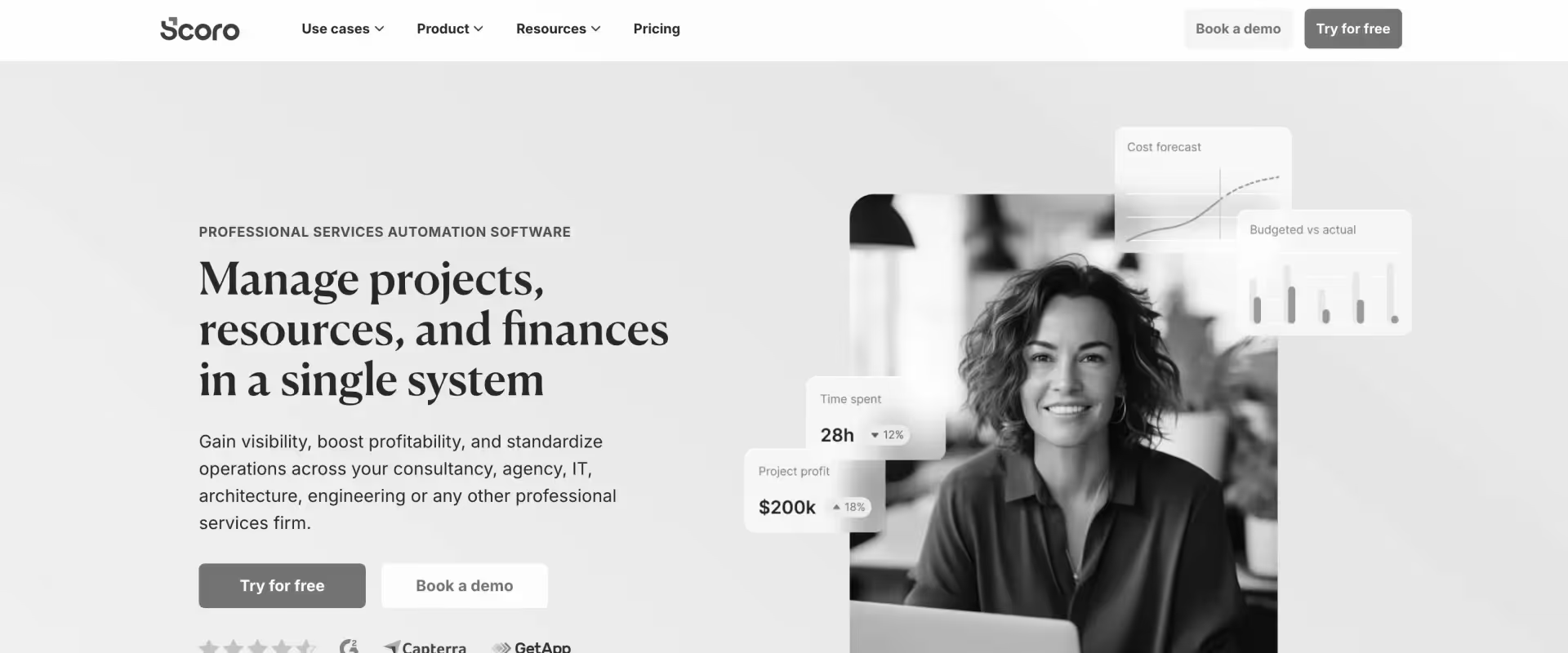
Scoro is a work management and PSA platform that combines project management, time tracking, and financial reporting into a single system. It is oriented toward consulting firms and agencies that prioritize financial visibility and reporting depth over delivery governance and client collaboration features.
Key Features
- Real-time financial dashboards with profit, revenue, and cost tracking across projects and clients
- Utilization and capacity reporting with visual resource views
- Time tracking with automatic timesheet generation and billable/non-billable categorization
- Quoting and invoicing with multi-currency support
- CRM module for pipeline management connected to project delivery
Pros and Cons
Best For
- Analytics-driven IT consultancies where financial reporting depth is the primary buying criteria and resource management complexity is manageable
- Smaller IT consulting firms under 100 people that need accessible pricing alongside solid financial visibility
- Teams that want a CRM and PSA in one system without the cost and complexity of an enterprise platform
Key Takeaways
What customers say
4. Productive
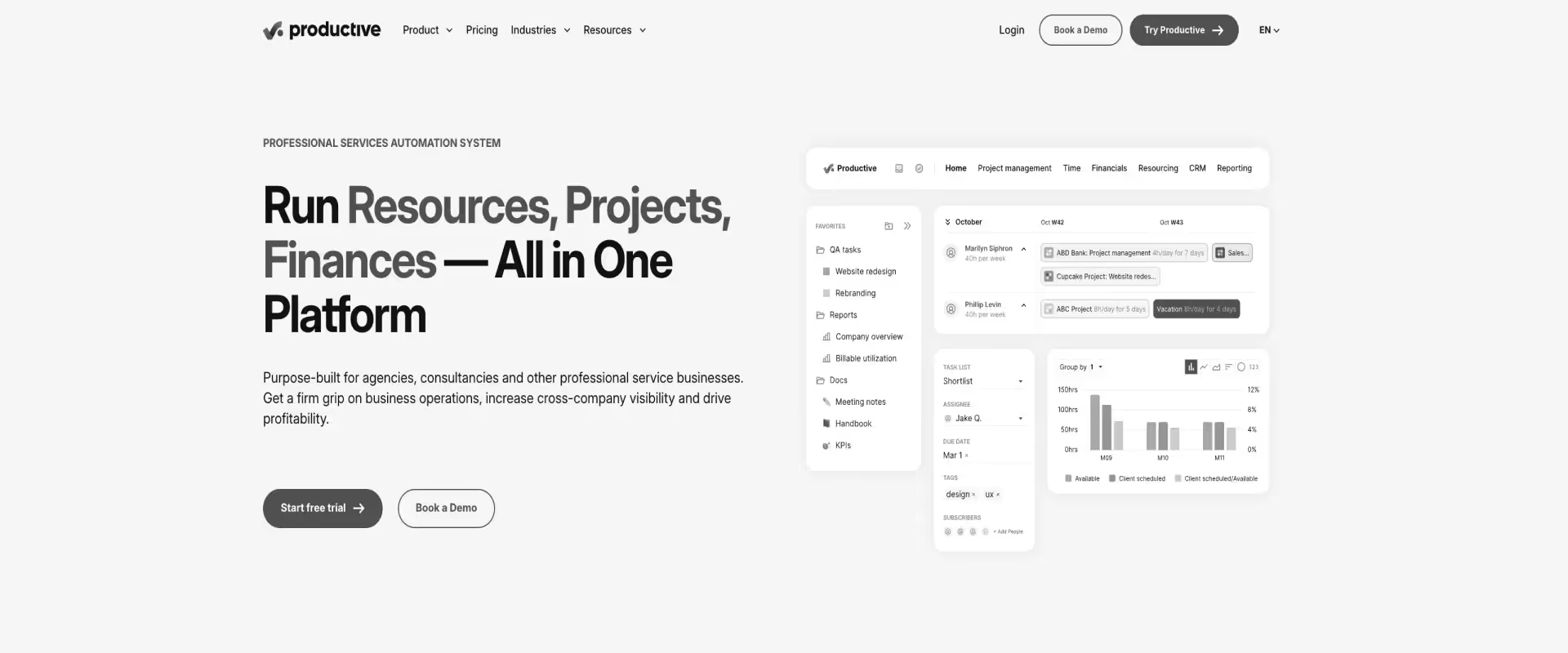
Productive is a project management and PSA platform built for agencies and small to mid-sized consulting teams. It brings together time tracking, budgeting, resource planning, and profitability reporting in a single interface with a focus on ease of use and fast setup.
Key Features
- Project management with budget and time tracking in a single interface
- Profitability reporting with revenue, cost, and margin visibility at the project level
- Resource planning with availability views and workload management
- Time tracking with billable/non-billable categorization and approval workflows
- Agency-focused reporting with client budget burn and utilization dashboards
Pros and Cons
Best For
- IT agencies and boutique consultancies under 100 people that need a clean, fast PSA without enterprise-level complexity
- Teams transitioning off spreadsheets that need fast time-to-value and high adoption from day one
- Organizations where ease of use and setup speed outweigh the need for deep resource management or client collaboration features
Key Takeaways
What customers say
5. Kantata
.avif)
Kantata is an enterprise PSA platform formed from the merger of Mavenlink and Kimble. It is designed for large professional services organizations that need deep resource management, financial controls, and integration with enterprise systems like Salesforce and Oracle.
Key Features
- Portfolio-level resource management with capacity forecasting across geographies and business units
- Deep Salesforce integration — can be deployed natively within the Salesforce ecosystem
- Revenue recognition support and project accounting for compliance-heavy IT organizations
- Profitability analytics with cost-rate and bill-rate tracking at the project level
- Time and expense management with configurable approval workflows
Pros and Cons
Best For
- Large enterprise IT organizations with 1,500+ employees that have an existing Salesforce or Oracle dependency and need a PSA that fits within that ecosystem
- IT consulting firms where financial compliance depth, revenue recognition controls, and portfolio-level resource planning outweigh the need for implementation speed
- Organizations with dedicated PSA administrators and long implementation runways who can absorb the configuration complexity
Key Takeaways
What customers say
6. Polaris PSA(by Deltek)
Polaris PSA is a project and resource management platform built for professional services organizations. It covers the core PSA functions — resource planning, time tracking, project management, and financial reporting — with a focus on mid-market consulting firms moving off spreadsheet-based operations.
Key Features
- Resource management with utilization tracking and capacity planning
- Project management with milestone and task-level tracking
- Time and expense tracking with approval workflows
- Financial reporting with project profitability and margin visibility
- Integration with Salesforce and standard accounting tools
Pros and Cons
Best For
- Growing IT consultancies between 50–200 people that need a step up from spreadsheets without the complexity or cost of an enterprise PSA
- Organizations with Salesforce as their CRM anchor that need a basic CRM-to-project handoff without custom middleware
- Teams that need solid resource planning and time tracking as the immediate priority and can defer client portal and AI requirements
Key Takeaways
What customers say
7. BigTime
BigTime is a time-tracking and billing platform with PSA functionality, built for professional services firms where billing accuracy and accounting integration are the primary operational priorities. It is widely used by advisory, accounting, and small consulting practices that run tight billing cycles.
Key Features
- Time tracking with configurable rates, approval chains, and audit trails for high billing accuracy
- Expense management with receipt capture and billable expense categorization
- Invoicing with QuickBooks, Sage, and Intacct integrations for accounting-first workflows
- Project budgeting and basic financial reporting at the project level
- Utilization dashboards for billable hour tracking across the firm
Pros and Cons
Best For
- IT advisory firms and small consulting practices where billing accuracy and accounting integration are the primary pain points
- Accounting-first organizations that need tight QuickBooks or Sage integration and run billing-heavy operations
- Firms under 50 people where project delivery complexity is still manageable without a dedicated governance or client collaboration layer
Key Takeaways
What customers say
What to look for in IT PSA Software
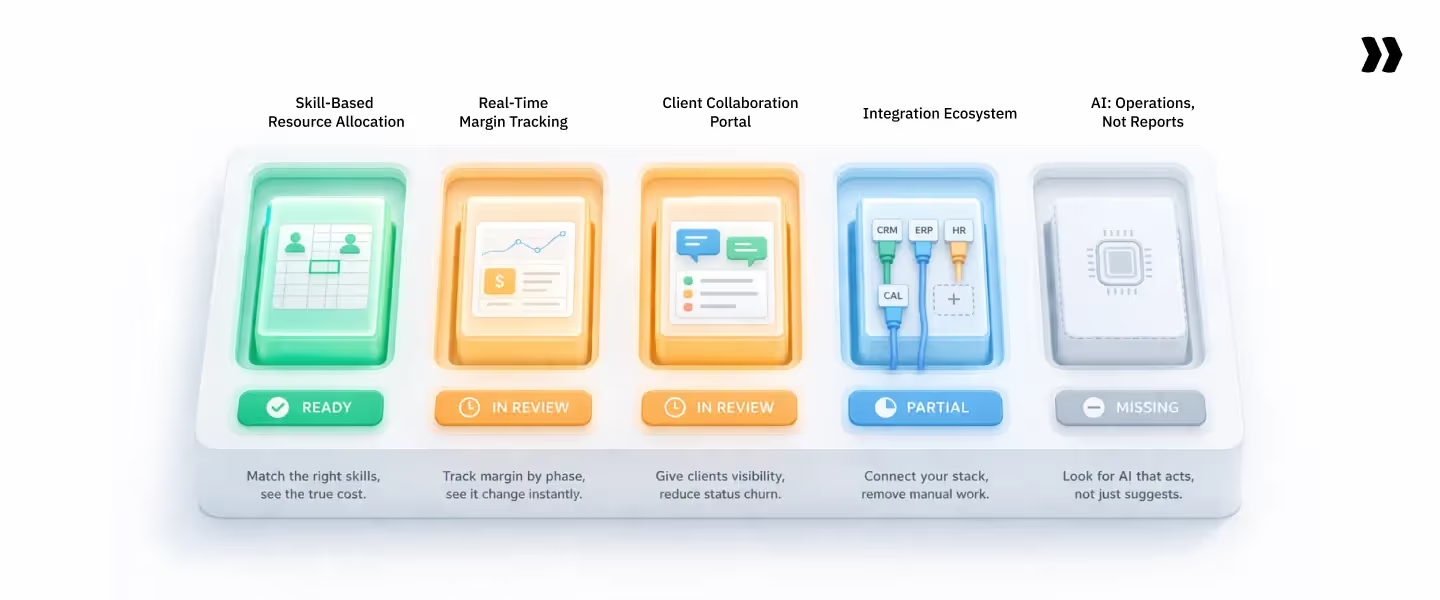
Evaluating IT PSA platforms against generic criteria misses the point.
Professional services automation (PSA) platforms offer advanced project management capabilities crucial to improving operational efficiency, resource allocation, and overall project execution within professional services organizations.
Additionally, PSA software significantly reduces the manual effort required to manage projects, resources, and finances, streamlining processes and improving decision-making.
Here are the five capabilities that differentiate purpose-built IT PSA from tools that happen to support project-based work.
1. Skills-based resource allocation with cost-rate visibility
Generic resource management shows you who is available. A dedicated PSA resource management shows you who is available, qualified, cost-effective, and correctly leveraged for the work being allocated.
Look for:
- Simultaneous filtering by skill certification, language, geography, seniority level, cost rate, and current allocation percentage
- Leverage analysis that flags when a senior resource is being allocated to a task priced for a mid-level — automatically at allocation, not at month-end review
- Real-time reallocation that propagates across all active projects when a resource changes status, goes on leave, or is reassigned
This capability increases utilization from 65% to 75% without adding headcount.
2. Real-time margin tracking at the project and portfolio level
IT consulting projects run over silently. Phase-level budget vs. actual tracking — not just project-level — catches overruns before the phase closes and the client is already expecting an invoice that does not reflect the real cost position.
Look for:
- EAC and ETC updating in real time as time is tracked — not at month-end
- Rate card management that handles multiple bill rates, cost rates, and currencies in a single system, with the correct rate applied automatically based on who is doing the work, what contract is in effect, and where the work is being delivered
- Leadership visibility into the margin as it is developing, not two weeks after the month closes
3. Client collaboration portal
A client portal is not a differentiator for IT consulting firms — it is table stakes. The expectation that clients can see project status, access shared documents, review milestones, and complete approval actions without a weekly status call has become a baseline for enterprise IT engagements.
Look for:
- A native, white-labeled client portal that does not require a paid add-on or a third-party integration
- Structured client access to tasks, milestones, documents, and approvals in one place
- A branded experience that strengthens the client relationship from day one — not a bolted-on afterthought
4. Integration ecosystem
IT consulting firms cannot afford a PSA that lives in isolation from the rest of the operational stack. Look for native integrations across:
- CRM — Salesforce, HubSpot for pipeline-to-project handoff without manual data entry
- ERP and accounting — NetSuite, QuickBooks, Sage for recognized revenue and invoice reconciliation
- HRMS — Workday, BambooHR, ADP for cost rate accuracy that reflects actual people costs
- Calendar — Google, Outlook for automated time capture that reduces manual timesheet entry
Any integration that requires custom middleware or periodic manual export is a margin problem waiting to happen.
5. AI that automates operations — not just reporting
Most legacy IT PSA tools have added "AI insights" — dashboards that surface recommendations, trend lines that flag risks after they have materialized, and natural language queries that return data the user could have found with a filter.
That is AI for reporting. It is useful. It is not what moves the needle for a 500-person IT consulting firm. Look for:
- Timesheet policy enforcement at submission — not a reminder email after the fact
- Resource reallocation is triggered automatically by threshold breaches
- SOW-to-project-plan conversion that frees senior consultant hours from non-billable setup work
- Governance alerts that fire when a phase hits 80% budget at 60% completion — before the overrun is locked in
How to choose the right IT PSA Software for your organization
Step 1 — Match your org type
Step 2 — Filter by your primary failure point
Step 3 — The IT PSA evaluation checklist
Before committing to a shortlist, run every platform through these questions:
- Can it load your full organization's resource view without requiring exports?
- Does it support multiple rate cards by client, role, and geography simultaneously?
- Can it track margin at the phase level — not just the project level?
- Does it include a client portal natively — or is it a paid add-on?
- Does it integrate with your CRM, ERP, and HRMS without custom middleware?
- What is the actual implementation timeline — weeks or months?
- What is the end-user adoption rate within 90 days, verified by reference customers?
- Does the AI layer execute work, or does it only surface recommendations?
IT professional services automation software by company size

For small IT consulting firms (under 50 people)
Small IT consulting firms do not need enterprise-grade complexity. They need fast setup, low admin overhead, and a single place to track time, budget, and billing without a dedicated ops person to run the platform.
The primary failure mode at this size is not missing features — it is tool sprawl: three or four disconnected apps that require manual reconciliation at every month-end.
- Best fit: Rocketlane, Productive, BigTime
- What to prioritize:
- Fast time-to-value — the platform should be operational within days, not months
- Per-seat pricing that does not penalize a small team
- QuickBooks integration for accounting-first billing workflows
- Ease of adoption for non-technical team members without a dedicated admin
Watch out for: Platforms that require 8–12 weeks of implementation and a dedicated administrator to configure — this is overkill at this scale and will kill adoption before the platform delivers value
For mid-sized IT consulting firms (50–300 people)
This is where the spreadsheet-and-PM-tool stack breaks. Mid-sized IT consulting firms are managing 20–80 concurrent projects, running mixed contract types (T&M, fixed-fee, retainer), and hitting the ceiling of what disconnected tools can support.
Utilization tracking becomes unreliable. Margin reporting lags by weeks. Resource managers export to Excel before every staffing call.
The right platform at this stage handles resource management, financial visibility, and client collaboration in one system — without a 6-month implementation or a Salesforce dependency as a prerequisite.
- Best fit: Rocketlane, Productive, Scoro
- What to prioritize:
- Resource management that scales to 200+ consultants without degrading
- Real-time margin dashboards that do not require a two-week Excel build
- A native client portal for enterprise buyer transparency
- CRM and ERP integration that eliminates manual handoffs between pipeline and delivery
Watch out for: Tools that work well at 100 seats but degrade in performance and capability at 200+. Ask for reference customers at your target scale before committing.
For enterprise IT consulting firms (300+ people)
At enterprise scale, the PSA platform is operational infrastructure — not a productivity tool.
IT consulting firms managing 300+ consultants across multiple geographies need portfolio-level resource visibility, skills-based allocation with cost-rate optimization, multi-currency support, ASC 606-compliant revenue recognition, and governance that enforces delivery standards without relying on individual PMs to police compliance.
Implementation complexity and adoption rate become the two most expensive variables in the evaluation — a platform that takes 9 months to implement and reaches 40% adoption is operationally worse than the spreadsheet stack it replaced, with a seven-figure price tag attached.
- Best fit: Rocketlane, Kantata
- What to prioritize:
- Adoption rate within 90 days — ask vendors for verified data from reference customers at your scale
- AI-driven governance that enforces delivery standards without manual oversight
- Multi-geography rate card management across currencies, geographies, and seniority levels
- ERP integration depth for ASC 606-compliant revenue recognition and financial close
- Portfolio-level margin visibility across all active engagements in real time
Watch out for: Legacy platforms with high configuration overhead and low end-user adoption. This is consistently identified as the number-one regret in enterprise PSA decisions — and it surfaces months after go-live, long after the contract is signed.
Why Rocketlane is the Best IT professional services automation software for IT Firms in 2026?
Most IT PSA platforms automate reporting. Rocketlane automates operations.
That is the distinction that matters for IT consulting firms managing 50–200+ concurrent projects — where the bottleneck is not a missing dashboard, but the manual execution burden that consumes your highest-cost consultants' time every week.
Nitro is Rocketlane's agentic AI layer — three levels of intelligence embedded directly inside the PSA, not bolted on top of it.
How Nitro AI adds value to IT consulting teams
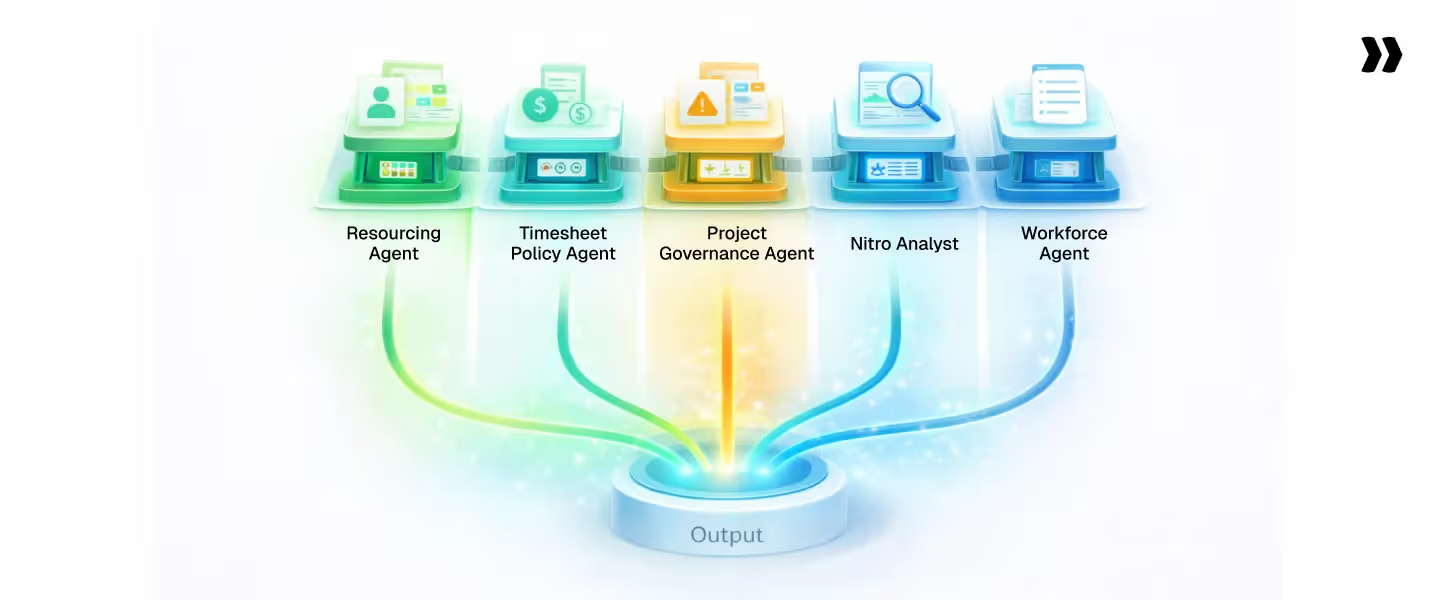
1. Resourcing Agent — fills the utilization gap without spreadsheets
- Matches consultants to projects based on skills, geography, cost rate, and current allocation
- Flags when a senior resource is proposed for a task that a mid-level consultant could handle at 30–40% lower cost
- Surfaces bench time 3–4 weeks ahead — early enough to reallocate before it becomes an unrecoverable utilization loss
- For a 200-person firm, moving utilization from 65% to 72% recovers more than $5M in annual billable revenue at a $100/hour blended rate
2. Timesheet Policy Agent — closes the billing lag that erodes revenue
- Enforces timesheet compliance through natural language rules — set once, applied continuously
- Flags entries against closed phases, incorrect charge codes, and missing billable categorizations at submission — not at month-end
- Drives submission rates above 95% as the operational baseline
- For a 50-consultant team at a $150/hour blended rate, closing a two-week billing lag recovers more than $100,000 in annual cash flow
3. Project Governance Agent — catches overruns before the phase closes
- Monitors phase-level budget consumption and milestone completion continuously
- Fires threshold alerts when a phase hits 80% budget at less than 60% completion
- Recalculates EAC and ETC in real time as time is tracked
- Leadership sees the updated financial position as it develops, not at the monthly review meeting scheduled before the problem existed
4. Nitro Analyst — answers the margin questions that take two days to build today
- Answers questions like "which project types have the worst margin variance this quarter?" and "which practice area is over-leveraged?" in plain language, instantly
- Connects revenue, margin, delivery, time, and resource data across every active project in one query
- Saves analysis as a reusable template — the same QBR prep runs automatically every cycle
- Replaces the two-day Excel build that currently sits between a leadership question and a reliable answer
5. Workforce Agent — converts SOWs to project plans and frees billable hours
- Converts SOW documents into structured Rocketlane project plans in minutes — phases, tasks, milestones, and budget allocations populated automatically
- Eliminates the non-billable setup hours senior consultants currently spend building project plans from scratch
- Executes repeatable steps for configuration and data migration work while the consultant reviews and approves
- The same team delivers more engagements in parallel without adding headcount
Why legacy IT PSA platforms cannot replicate this
Legacy IT PSA platforms were built before agentic AI existed. Their AI roadmaps are adding intelligence to architectures designed for manual workflows.
Rocketlane was built AI-first — Nitro is not a feature layer on top of a traditional PSA. It is the operating model that traditional PSA architectures cannot replicate by adding a dashboard.
Conclusion
Generic PSA tools were not built for the level of leverage complexity, rate card management, and skills-based allocation that IT consulting firms operate at scale. They track time. They generate invoices. They produce reports. They do not change the underlying operational math.
If your team is managing 50+ concurrent projects with disconnected tools and flying blind on margin, the right IT PSA is not a feature upgrade. It is an operating model change.
The question is not whether the math works. The question is which platform executes that change fastest and with the highest adoption.
No other IT PSA on this list has an agentic AI layer that executes operations. That is not a roadmap item. It is live today.





























.webp)