The 7 Best Teamwork Alternatives in 2026 — Compared for Professional Services Teams

•
•
Summarize blog with






Teams don’t start by searching for Teamwork alternatives on a whim. The shift happens gradually through day-to-day work.
Like a typical Monday standup, where the professional services (PS) team lead walks in with three versions of project status.
One that sits in Teamwork, another in MS Project or some other project management tool, and a third that exists in a Power BI dashboard someone refreshed last Thursday.
This situation reflects how the system is structured. Each layer of delivery has found its own place. Planning, resourcing, reporting, and communication sit across different tools, each holding part of the truth.
The team has learnt to adjust around it. The project manager double-checks numbers before speaking. The delivery lead follows up after the call to reconcile differences. And in the end, the project status update for the client is created from scratch, so everything lines up.
Teamwork handles tasks well. But professional services delivery does not live inside a task list. It spans planning, resourcing, client collaboration, and financial tracking, layers that the tool was simply not built to support.
PS Teams often seek an alternative to Teamwork that offers an extensive feature set, along with more basic features like integrated time tracking, multi-currency billing, and in-task communication, all in one platform.
This guide evaluates seven popular Teamwork alternatives, each with real trade-offs in how they handle PS delivery, client collaboration, resource intelligence, and financial visibility.
7 best Teamwork alternatives, compared at a glance
Before going deeper into each tool, here is how the top Teamwork alternatives compare across the factors that matter most in professional services delivery.
Most tools provide strong task management and workflow flexibility. As delivery expands into client collaboration, resource coordination, and financial tracking, teams begin to rely on additional systems.
Platforms built specifically for professional services bring these layers together. The differences become more visible as project volume increases and delivery cycles become more structured.
What is Teamwork project management software?
Teamwork is a project management and team collaboration platform designed for client-facing service teams, covering task management, time tracking, project planning, basic resource management, and client communication tools.
Pricing starts at $10.99 per user per month (Starter), increases to $19.99 (Deliver), $54.99 (Grow), and moves to custom pricing for Enterprise. The structure includes tier-based project limits that scale with usage and push upgrades as volume grows.
Some advanced functionalities, such as higher attachment limits, advanced automation, and additional integrations, are only available on paid plans.
Teamwork works well as an entry point. Teams get clear task ownership, basic time tracking, and a shared workspace for coordination. For small agencies and early-stage service teams, this creates immediate operational clarity.
As delivery becomes more structured, additional layers emerge and the limitations of Teamwork are hard to ignore.
Take, for instance, a typical professional services workflow. It includes:
- Pre-sales discovery inputs
- Phase-based project planning with dependencies
- Resource allocation across multiple projects
- Time tracking tied to budgets
- Client communication across milestones
- Reporting for leadership and finance
Teamwork supports only parts of this workflow. The remaining layers are handled in other systems.
Teams often end up:
- Planning projects in MS Project or Smartsheet
- Exporting data into Power BI for reporting
- Managing client communication through email or Slack
- Tracking financials in separate tools
If Teamwork no longer fits where your PS team is heading, in scale, capability, or client experience, this article covers eight Teamwork alternatives worth a serious look.
Why teams are looking for Teamwork alternatives in 2026

The decision to move away from Teamwork.com builds over time as delivery expands and the system starts to stretch across multiple workflows.
What begins as a project management setup gradually turns into a collection of tools that each hold part of the delivery process.
Teams start searching for an alternative to teamwork that can integrate seamlessly with their existing workflows, ensuring unified processes and minimizing disruption.
Here are the patterns that consistently push teams to evaluate alternatives.
1. Teamwork handles tasks, while planning lives elsewhere
Professional services teams rely on structured project plans. These include phases, dependencies, timelines, and effort estimates.
In many cases, those plans are created and maintained in tools like MS Project, Smartsheet, or other project management tools that teams use as alternatives for planning.
As projects evolve, the systems drift:
- A dependency changes in the plan but not in Teamwork
- A timeline shifts without reflecting across all tasks
- Effort estimates get updated in one place only
Teams begin to cross-check before making decisions. Over time, the planning tool becomes the reference point, while Teamwork becomes a task tracker.
2. The client portal exists, but communication stays manual
Client-facing delivery depends on shared visibility.
Teams experiment with setting up or building a client portal with the intention of sharing progress, assigning tasks, and centralizing communication
Adoption varies. Clients often revert to email or calls for updates.
Project managers then maintain two parallel workflows:
- Updating the system
- Translating updates into external communication
This adds time and introduces inconsistency between what is tracked and what is communicated.
3. Reporting becomes a recurring operational task
Reporting is one of the recurring tasks teams must manage, as this process repeats every week.
The effort sits in assembling the data rather than interpreting it. Teams spend significant time preparing updates before discussions can even begin.
Leadership requires visibility into:
- Project health
- Utilization
- Timelines
- Revenue impact
In many teams, this requires:
- Exporting data
- Cleaning it in spreadsheets
- Building dashboards in BI tools
- Writing narrative updates
4. Project volume introduces structural pressure
As teams grow, the number of active projects increases.
This brings new requirements:
- Visibility across the portfolio
- Coordinated resource allocation
- Consistent delivery standards
Systems that work for smaller volumes begin to feel constrained.
Teams encounter:
- Limits tied to pricing tiers
- Increased coordination overhead
- Reduced visibility across projects
Growth becomes harder to manage within the existing setup.
5. Financial workflows sit outside delivery
Time tracking is available. Financial clarity requires additional steps. Teams track time within the system, but financial workflows often involve:
- Exporting time data
- Reconciling it with budgets
- Calculating margins externally
- Preparing billing inputs separately
This process makes it difficult to track project profitability directly within the project management tool, limiting real-time insights into financial performance and margins. Leaders, too, rely on periodic updates rather than real-time visibility.
6. AI is expected within delivery workflows
The expectations around tooling and AI in professional services have shifted.
Teams now look for:
- Automated status updates
- Early signals for delivery risks
- Assistance with optimized resource allocation
- Documentation generated from actual work
Without these capabilities, work expands around the system. Project managers spend time writing updates while delivery leads monitor risks manually and pperations teams assemble insights from multiple sources.
The system supports coordination, while execution effort remains unchanged.
Did you know?
Professional services teams using manual reporting workflows can spend up to 8 hours per week compiling dashboards from exported data.
That is one full working day each week directed toward reporting instead of delivery.
The 7 best Teamwork alternatives in 2026
1. Rocketlane
Rocketlane is a purpose-built, AI-powered professional services automation platform designed for B2B SaaS and technology teams running structured onboarding, implementation, and managed services.
It is built for how delivery actually works in these environments.
Professional services delivery does not sit inside a single function or tool. It spans planning, execution, resource allocation, client collaboration, and financial tracking. Most teams manage these layers across multiple systems, which introduces coordination overhead that compounds as the organization scales.
Rocketlane brings these layers into a single system, allowing teams to operate on a shared, continuously updated view of delivery.
Key features
- End-to-end delivery workspace: Project planning, task management, time tracking, and financial tracking operate within a single system, reducing reliance on parallel tools
- Structured onboarding and implementation workflows: Phase-based project execution with dependencies, milestones, and repeatable templates aligned to PS delivery models
- Real-time delivery visibility: Project health, timelines, and execution signals update continuously as work progresses, without requiring manual consolidation
- Integrated client collaboration: External stakeholders interact within the project context, with access to tasks, updates, and deliverables tied directly to execution
- Resource planning and allocation: Team capacity and utilization/allocation managed within the system, with visibility into utilization across projects
- Financial tracking within delivery: Budgets, revenue, and project-level financial performance tracked alongside execution data
Embedded agentic AI for execution and support: Workflow automation, delivery signals, and system-generated updates reduce manual coordination and reporting overhead
Bonus: Enterprise-ready PSA capabilities
- Security & Compliance (SOC 2, SSO, Audit Logs)
SOC 2–compliant with SSO, role-based access, and audit logs—so enterprise security standards are met without slowing delivery teams. - Salesforce two-way sync (Pipeline Integrity Protected)
Keeps PSA data aligned with Salesforce while protecting pipeline integrity by preventing accidental overwrites—a critical requirement for Salesforce-first organizations. - Revenue recognition + Budget change handling
Tracks scope changes, budget shifts, and actuals with audit-ready visibility, ensuring accurate revenue recognition even as projects evolve. - Implementation plan & Timeline (Designed for fast time-to-value)
Most teams go live in 4–12 weeks using proven templates and phased rollout—delivering value quickly without over-customization. - Integrations with NetSuite, Hubspot & QuickBooks (Plus APIs)
Native integrations with NetSuite, HubSpot, Notion, and Salesforce, plus robust APIs, ensure Rocketlane fits seamlessly into existing finance and GTM stacks.
Why PS teams choose Rocketlane over Teamwork
Teamwork gets teams organized. But for PS teams managing structured client delivery across multiple projects, organized is not enough. Rocketlane is built for the full delivery motion — from sales handoff to go-live — where Teamwork stops at the task level.
Native client portal that drives real engagement
Most teams introduce a client portal expecting it to centralize communication, yet over time, clients drift back to email because the experience feels disconnected from the actual work being done.
This creates a second layer of communication that project managers have to maintain alongside the system.
Rocketlane integrates the client directly into the delivery workflow, so the portal reflects the actual structure of the project rather than acting as a separate interface. It is fully customizable and designed to make participation straightforward for external stakeholders.
Clients can:
- View milestones and real-time progress within the project
- Complete assigned tasks directly inside the plan
- Upload documents and provide inputs in context
- Interact with updates without needing interpretation from the team
Adoption remains high, and communication stays anchored within the system because the experience is simple and tied directly to execution,.
Resource and Staffing agents that reflects real delivery constraints
As project volume increases, resource planning becomes less about static allocation and more about continuous adjustment. Many teams still rely on spreadsheets and recurring allocation calls, which makes it difficult to respond quickly when conditions change.
Rocketlane Nitro embeds resource intelligence into the system, evaluating multiple variables at once and surfacing the most suitable team for each project.
It considers:
- Utilization levels across all active projects
- Availability over time, including upcoming constraints
- Skillsets required for specific project phases
This becomes especially valuable in real scenarios. When a consultant takes unexpected leave across several projects, teams can rebalance allocation using natural language inputs, and the system identifies team members with available capacity. Instead of manually reworking multiple plans, teams can respond in minutes.
Business IQ that replaces manual reporting workflows
Reporting in many PS organizations operates as a separate workflow, where teams extract data, clean it, and assemble dashboards before leadership can review it. This creates a gap between delivery activity and decision-making.
With Business IQ, Rocketlane brings reporting into the core system by making it continuous rather than periodic. It provides real-time visibility into key delivery and financial metrics, which update automatically as work progresses.
Teams gain visibility into:
- Project health across all active engagements
- Utilization at both individual and portfolio levels
- Revenue recognition and forecasting based on live delivery data
- Profitability across projects and accounts
This removes the need for Power BI exports and weekly reporting cycles, allowing teams to focus on interpreting insights instead of assembling them.
Nitro, agentic AI that enables proactive delivery management
Most systems help teams understand what has already happened.
Nitro, Rocketlane’s agentic AI layer, operates within workflows to help teams act earlier and reduce the amount of manual effort required to manage delivery.
This agentic AI layer supports:
- Automated post-meeting deliverables and structured updates
- Early risk detection based on delivery signals
- Identification of bottlenecks before they impact timelines
- Continuous documentation generation from project activity
Since these capabilities are embedded in the system, teams move from reactive updates to proactive management. Over time, this reduces the cognitive load on project managers and improves consistency across projects.
Financial governance built directly into delivery workflows
Financial tracking is often handled outside the delivery system, which introduces delays and requires reconciliation before teams can understand performance.
Rocketlane connects financial workflows directly to delivery activity, so the same system reflects both execution and outcomes.
Teams can track:
- Budget versus actual performance in real time
- Scope changes and their impact on margins
- Revenue recognition aligned with delivery progress
- Billing inputs based on completed work
This creates a shared view between delivery and finance, grounded in live data rather than periodic updates.
Fast time to value without consulting overhead
Most professional services automation (PSA) platforms take months to implement and require external consultants. Rocketlane goes live in 6–8 weeks using structured onboarding and pre-built templates, so teams start running projects sooner.
The impact of these changes becomes visible in delivery outcomes across teams:
- GoCardless achieved 59% faster time-to-value and saved 50,000 hours annually
- Teams have reached billable utilization levels of around 85%
- Implementation timelines go from months to days
- Customer NPS scores consistently remain in the 70–80 range, with strong first-time-to-value outcomes
Best for:
- PS and client onboarding teams: Built for professional services teams running structured onboarding and implementation. If your delivery motion starts at CRM handoff and ends at client go-live, Rocketlane is designed for that exact workflow.
- B2B SaaS and technology companies: Designed for SaaS and tech organizations where post-sale delivery directly impacts retention and revenue. Rocketlane connects delivery execution to business outcomes, not just task completion.
- Teams managing multiple parallel engagements: As project volume grows, coordination overhead compounds. Rocketlane gives PS leaders portfolio-level visibility across all active projects, resources, and financials in one place.
- Organizations replacing fragmented delivery stacks: If your team runs planning in MS Project, reporting in Power BI, and client updates over email, Rocketlane consolidates those layers into one connected system without losing depth.
- PS leaders needing real-time financial and utilization visibility: For operations and finance leaders waiting on end-of-month reports to understand margins and capacity, Rocketlane surfaces those signals continuously as delivery happens.
Key takeaways
Switching complexity from Teamwork:
Most teams complete the switch in 6–8 weeks using Rocketlane's structured onboarding and pre-built templates. The transition runs incrementally — new projects launch in Rocketlane while existing Teamwork projects run to completion, keeping delivery uninterrupted throughout.
What customers say
2. ClickUp
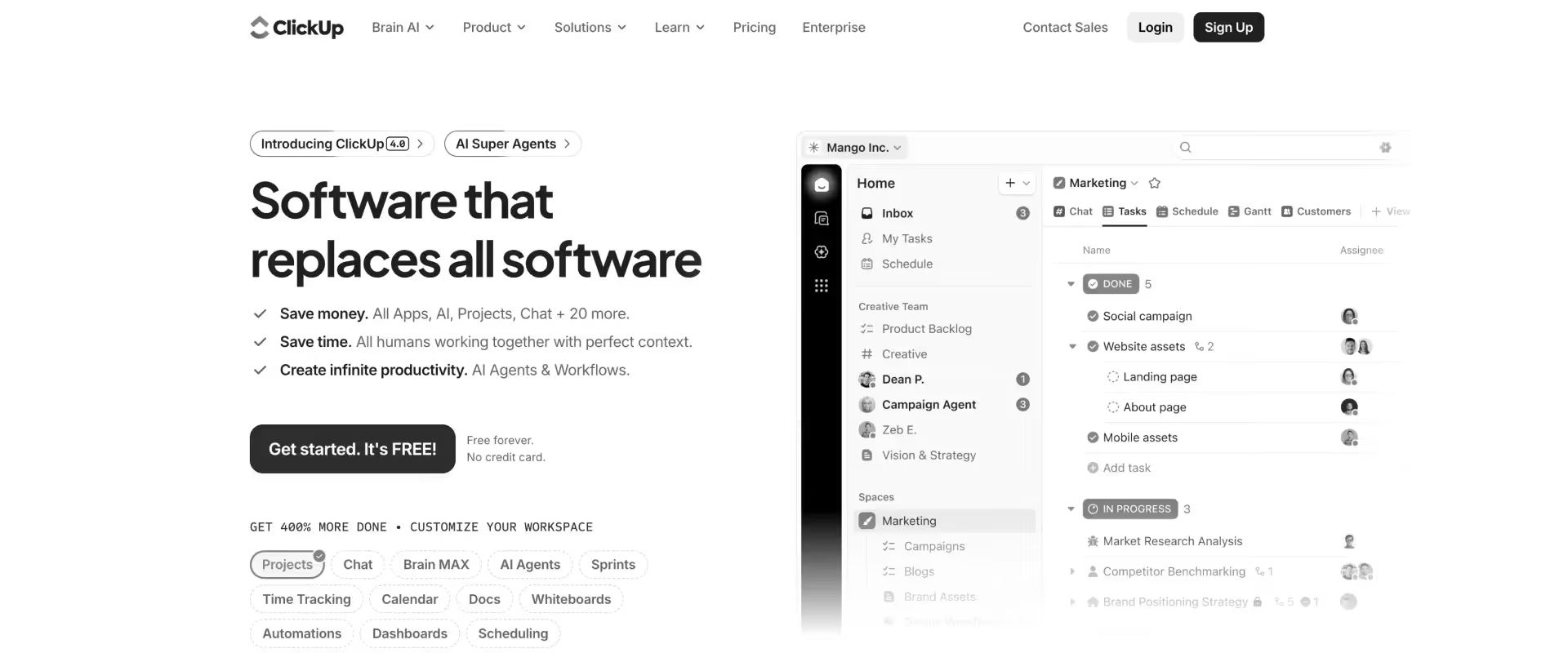
ClickUp is a flexible work management platform that brings together tasks, documents, goals, dashboards, and automations into a single, configurable workspace.
It is designed for teams that want to consolidate multiple tools and shape the system around their internal workflows.
Key features
- Hierarchical project structure: Work organized across Spaces, Folders, Lists, and tasks, enabling layered structuring of projects and teams
- Task management and views: Tasks managed across multiple views including lists, boards, calendars, Gantt charts, and timelines, with flexibility in how work is visualized
- Customization and fields: Custom fields, statuses, and workflows used to model different processes, often requiring setup to align with team needs
- Automation: Rule-based automations for task updates, assignments, and status changes, configurable across different levels of the hierarchy
- Time tracking and goals: Native time tracking linked to tasks, along with goal tracking to measure progress across projects
- Docs and collaboration: Built-in documents, comments, and real-time collaboration tied to tasks and projects, with integrations across external tools
Pros and Cons
Best for:
ClickUp suits teams that need high configurability across varied workflows without committing to a purpose-built platform. It works well for growing organizations looking to consolidate tools at a lower price point. Best for internal or cross-functional teams where delivery complexity has not yet outpaced the system's flexibility.
Key Takeaways
Why teams choose ClickUp over Teamwork
Teams that outgrow Teamwork.com often look for greater control over how work is structured. ClickUp stands out because it allows teams to design workflows that match their internal processes rather than adapting to predefined models.
It provides:
- Extensive workflow configurability across projects and teams
- Competitive pricing, especially for growing organizations
- Native support for docs, goals, and sprint management alongside tasks
This makes it appealing for teams that want to centralize operations and reduce tool sprawl at the surface level.
Where it falls short
The same flexibility that makes ClickUp powerful also introduces complexity.
The flexibility becomes a tax. Teams spend weeks defining workflows, then more time enforcing them across projects, while variation still creeps in as delivery scales. This show up in:
- A high setup and maintenance effort to define and standardize workflows
- Variability in usage across teams without strong operational discipline
- Limited support for PS-specific needs, such as financial tracking and revenue recognition
- No native client portal for structured external collaboration
- AI features exist but remain disconnected from the work. Teams still write status updates manually, monitor risks by scanning dashboards, and assemble documentation after delivery is complete.
As a result, teams may consolidate tools initially, but still rely on additional systems as delivery complexity increases.
ClickUp vs Teamwork
ClickUp provides more flexibility and a broader feature set than Teamwork, along with lower cost at scale.
For professional services teams, it remains a configurable project management platform. Teams gain adaptability, while still managing resource planning, financial tracking, and client collaboration outside the system.
Switching complexity from Teamwork: ClickUp's flexible structure means most teams can migrate tasks and projects within a few weeks, though workflow setup and standardization take longer. Teams often spend more time configuring the system than moving data.
What customers say
3. Monday.com
Monday.com is a visual work OS built around boards, timelines, automations, and dashboards. It is designed to give teams a clear, visual understanding of how work moves across projects, making it easy to track progress and coordinate across functions.
Key features
- Board-based project management: Work organized into customizable boards with columns representing task attributes, statuses, and data points
- Workflow customization: Configurable workflows using status columns, automations, and multiple views, often requiring setup to match processes
- Automation and integrations: Rule-based automations and integrations with external tools to streamline updates and data movement
- Resource and workload tracking: Workload views and time tracking features for monitoring team capacity, with limited depth for complex planning
- Dashboards and reporting: Visual dashboards built from board data to track project progress, timelines, and team performance
- Collaboration and documentation: Updates, comments, and file sharing within boards, with basic documentation capabilities across projects
Pros and Cons
Best for: Monday.com is a strong fit for teams that need fast adoption and clear visual visibility across projects. It works well for cross-functional teams managing multiple workstreams without deep delivery complexity. Best for organizations prioritizing ease of use and board-based coordination over structured PS workflows.
Key Takeaways
Why teams choose it over Teamwork
Teams that move from Teamwork.com often do so for a more intuitive and visual experience. Monday.com makes project state immediately visible without requiring deep configuration or training.
It offers:
- Clean, visual interfaces across boards, timelines, and calendars
- A large integration ecosystem with 200+ native integrations
- Automation builders for handling routine task workflows
This makes it easier for teams to adopt quickly and align on project status without needing to interpret complex views.
Where it falls short
As delivery becomes more structured, teams begin extending Monday.com beyond its core capabilities.
Common limitations include:
- No native financial management, revenue recognition, or billing workflows
- A client portal that is basic and not designed for structured PS delivery
- Resource management that requires significant setup to be usable at scale
- No AI layer embedded into professional services workflows
Teams often end up layering additional tools to handle these gaps.
Monday.com vs Teamwork
Monday.com improves visibility and usability, which makes it easier for teams to adopt and collaborate.
For professional services teams, the underlying limitations remain similar. Financial tracking, resource intelligence, and structured client collaboration still require additional systems.
Switching complexity from Teamwork: Monday.com is relatively straightforward to migrate to, with an intuitive interface that reduces onboarding time. Most teams are operational within two to three weeks, though replicating structured workflows requires upfront board configuration.
What customers say
4. Asana
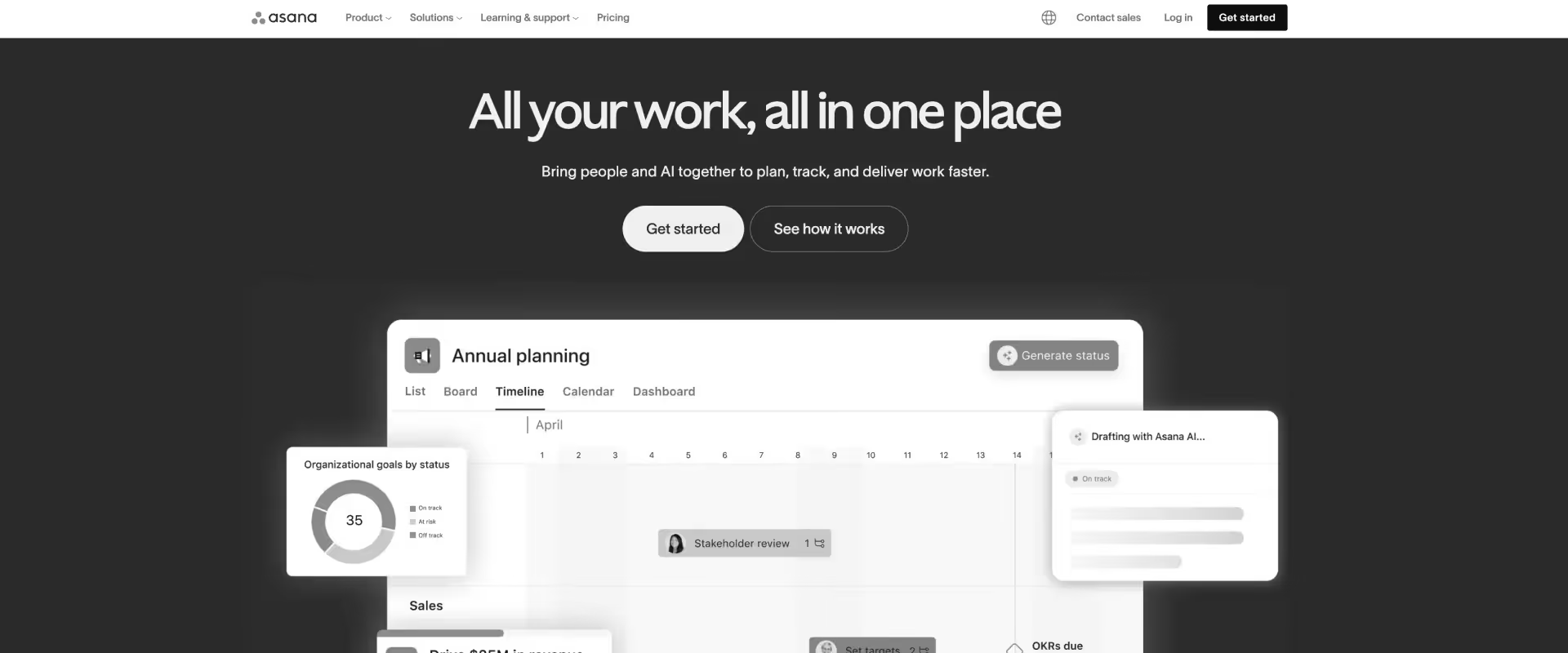
Asana is a task and project management platform built for clarity and speed of adoption. It combines timelines, boards, workload views, and automations into a system that teams can start using with minimal setup.
Key features
- Task and project organization: Work structured across lists, boards, timelines, and calendars, with flexibility in how teams view and manage projects
- Workflow structuring: Task dependencies, milestones, and timelines used to coordinate work, with manual setup required for more complex workflows
- Automation: Rule-based automation for task updates, assignments, and notifications to reduce repetitive coordination
- Workload visibility: Task-based workload views showing team capacity and distribution, without deeper skills-based planning
- Request intake: Forms to capture and standardize incoming work, converting submissions into tasks or projects
- Reporting and goals: Dashboards and goal tracking to monitor progress across projects and align work to broader objectives
Pros and Cons
Best for: Monday.com is a strong fit for teams that need fast adoption and clear visual visibility across projects. It works well for cross-functional teams managing multiple workstreams without deep delivery complexity. Best for organizations prioritizing ease of use and board-based coordination over structured PS workflows.
Key Takeaways
Why teams choose it over Teamwork
Teams often move from Teamwork.com when they want a system that is easier to learn and faster to adopt across teams.
Asana provides:
- A clean, intuitive user experience that reduces onboarding time
- Strong task dependencies and milestone tracking
- Reliable automation workflows for recurring processes
Teams can become productive within hours, which makes it appealing for organizations prioritizing speed and clarity.
Where it falls short
As delivery requirements expand, Asana’s limitations become more visible.
Teams typically encounter:
- No proper financial management, billing, or revenue recognition capabilities
- No client portal for structured external collaboration
- Basic resource management without skills-based allocation or forecasting
- Limited AI capabilities for professional services workflows
As a result, teams often introduce additional tools to manage these layers.
Asana vs Teamwork
Asana simplifies task management and improves usability across teams.
For professional services organizations, it does not address financial tracking, resource planning, or client-facing delivery, which keeps the broader system fragmented.
Switching complexity from Teamwork: Monday.com is relatively straightforward to migrate to, with an intuitive interface that reduces onboarding time. Most teams are operational within two to three weeks, though replicating structured workflows requires upfront board configuration.
What customers say
5. Jira
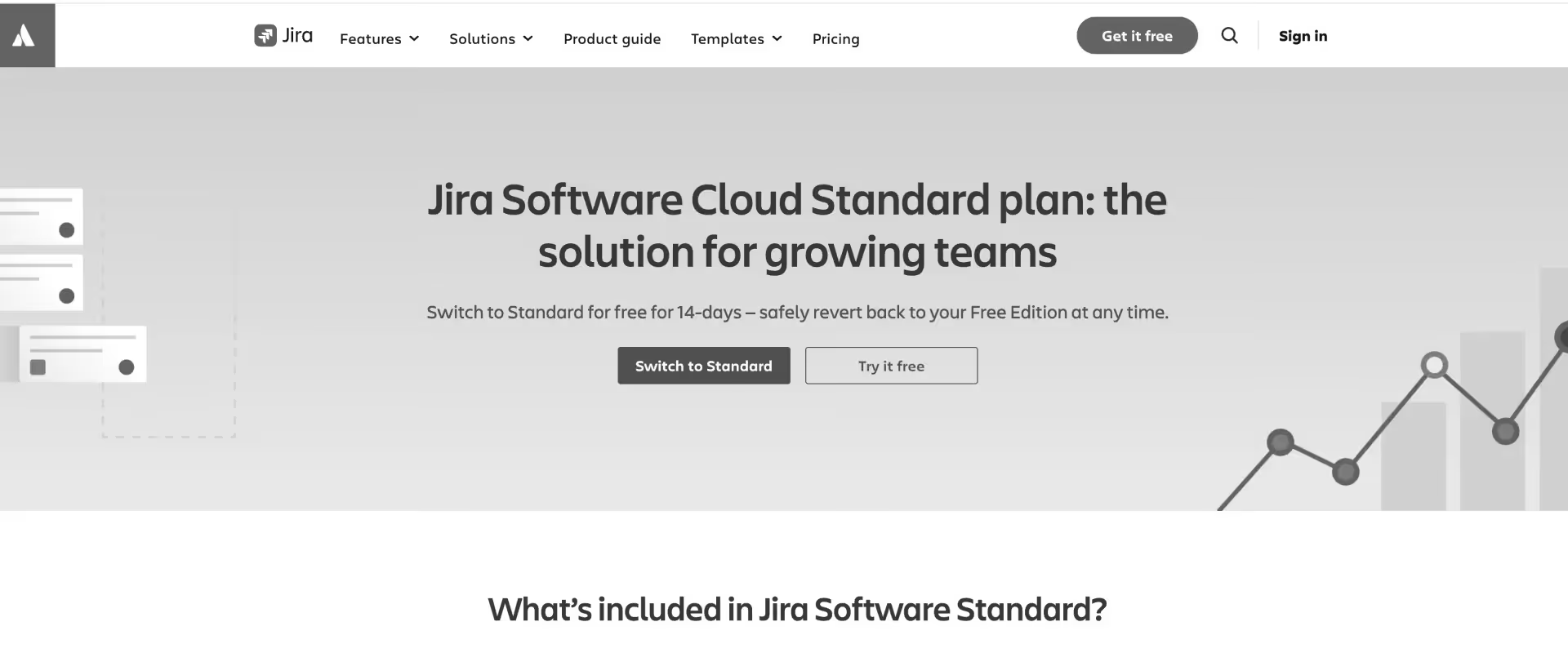
Jira is Atlassian’s project tracking platform, built for software development workflows. It supports agile methodologies through sprint planning, backlog management, and deep integrations with developer tools.
Key features
- Issue tracking: Work managed as issues with configurable workflows, statuses, and transitions
- Agile execution: Scrum and Kanban boards for sprint planning, backlog management, and iterative delivery
- Automation: Rule-based triggers for issue updates, transitions, and notifications
- Roadmapping: Planning across epics, releases, and dependencies with timeline visibility
- Customization: Custom fields, issue types, and permission schemes to reflect complex requirements
- Integrations: Extensive plugin ecosystem, especially within the Atlassian suite
Pros and Cons
Best for: Asana is best suited for teams that prioritize fast adoption and clean task management over delivery depth. It works well for cross-functional teams coordinating work across departments without heavy workflow customization. Best for organizations where simplicity and speed of onboarding matter more than end-to-end PS capability.
Key Takeaways
Why teams choose it over Teamwork
Teams that operate close to engineering workflows often need tighter integration with development systems. Jira provides that alignment.
It offers:
- Deep integrations with tools like GitHub, Confluence, and Bitbucket
- Support for agile practices such as sprints and velocity tracking
- Highly configurable workflows for technical project management
This makes it a good fit for teams where delivery is closely tied to software development.
Where it falls short
Jira is designed for engineering teams, which creates challenges in client-facing environments.
Teams typically face:
- No client portal or structured external collaboration layer
- No financial management or revenue tracking capabilities
- A steep learning curve for non-technical users
- Resource management that requires add-ons or external tools
This limits its effectiveness for broader professional services delivery.
Jira vs Teamwork
Jira aligns well with technical delivery and engineering workflows.
For teams managing client-facing projects, financial performance, and resource allocation, it addresses a different set of needs than those driving the search for Teamwork alternatives.
Switching complexity from Teamwork: Asana is one of the easier switches from Teamwork, with a clean interface and straightforward data import. Most teams are up and running within one to two weeks, with minimal disruption to active projects.
What customers say
6. Productive
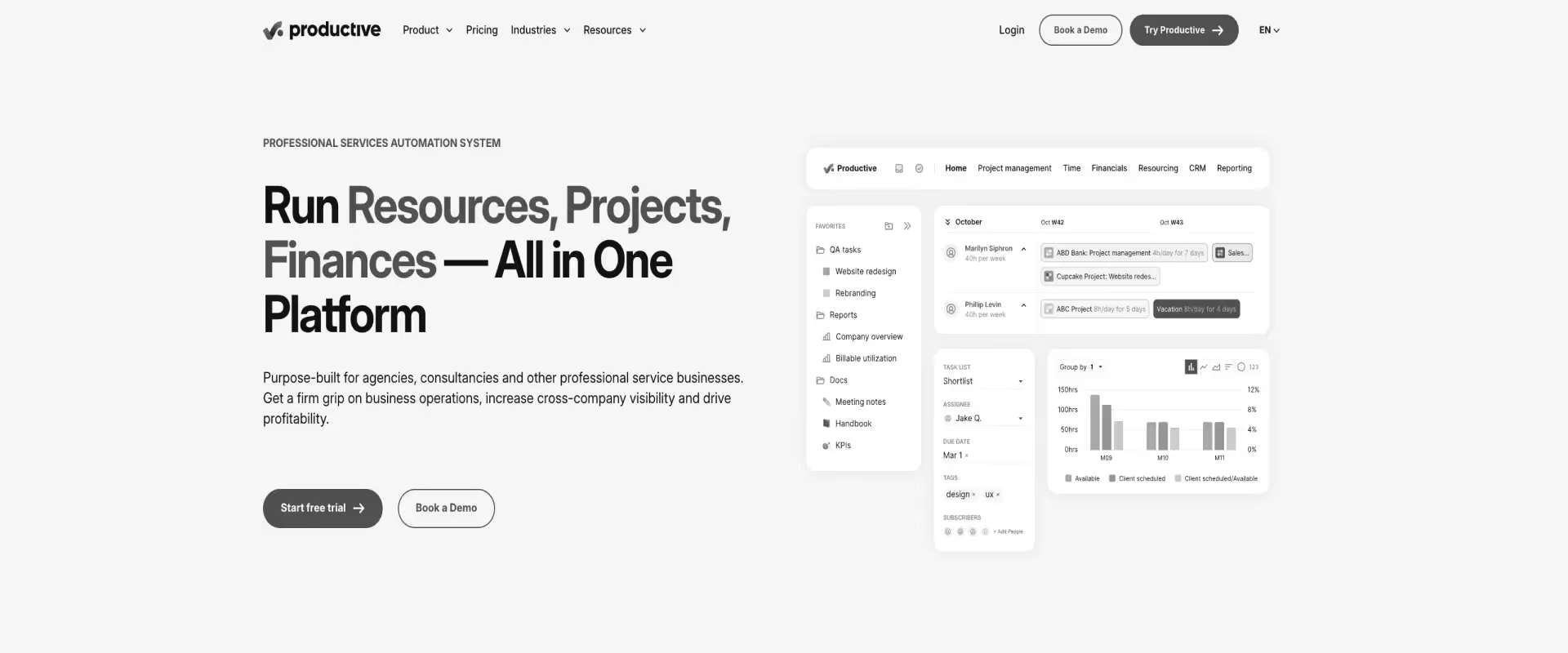
Productive is a project and resource management platform designed specifically for agencies. It focuses on capacity planning, utilization tracking, and profitability, giving teams visibility into how projects perform financially as work progresses.
Key features
- Project and financial management: Tasks, projects, and budgets managed together, with visibility into revenue, costs, and margins
- Time and expense tracking: Logged time and expenses linked directly to projects for billing and cost control
- Resource planning: Capacity and utilization tracking based on assigned work and recorded time
- CRM integration: Sales pipeline tracking connected to project delivery, enabling continuity from deal to execution
- Reporting and forecasting: Predefined dashboards for utilization, revenue, and performance, with forward-looking projections
- Project standardization: Templates and structured project setups, often requiring configuration to align with internal workflows
Pros and Cons
Best for: Jira is best suited for technical PS teams where delivery is closely tied to software development and engineering workflows. It works well for organizations already embedded in the Atlassian ecosystem managing sprint-based or agile delivery. Best for teams where deep developer tool integration and issue tracking matter more than client-facing delivery features.
Key Takeaways
Why teams choose it over Teamwork
Teams moving from Teamwork.com often look for stronger visibility into how work translates into revenue and profitability. Productive brings financial awareness directly into project workflows.
It provides:
- Agency-focused resource planning with clear utilization tracking
- Profitability visibility at the project level without relying on finance teams
- More structured financial workflows for billing and budget tracking
This makes it easier for agency teams to understand margins in real time and adjust delivery decisions accordingly.
Where it falls short
As delivery models become more structured and client-facing, Productive shows its boundaries.
Teams typically encounter:
- No native branded client portal for structured external collaboration
- Limited features for client interaction within delivery workflows
- Limited fit for SaaS onboarding or multi-phase implementation programs
- No AI layer for resource automation or financial forecasting
These gaps become more visible for teams operating beyond agency-style delivery.
Productive vs Teamwork
Productive provides a meaningful upgrade in resource planning and profitability tracking.
For agencies, this aligns closely with how work is managed. For professional services teams running structured onboarding or implementation, it supports part of the workflow but does not cover the full delivery system.
Switching complexity from Teamwork: Productive requires moderate setup effort to align sales, delivery, and financial workflows before teams can use it effectively. Most agencies complete the transition within three to four weeks, with the bulk of effort spent on financial configuration rather than data migration.
What customers say
7. Basecamp
Basecamp is a lightweight project management and team communication platform built around simplicity. It combines to-do lists, message boards, file sharing, and schedules into a clean, opinionated interface.
Key features
- Task organization: To-do lists with assigned owners and due dates, without support for dependencies or complex workflow structures
- Communication: Message boards, group chat, and direct messaging embedded within projects, with discussions loosely tied to execution
- File storage: Project-level file and document storage, with limited hierarchy or structured knowledge management
- Scheduling: Shared calendars for deadlines and milestones, without timeline planning or forecasting capabilities
- Client access: Ability to include clients in projects with controlled visibility and basic collaboration
- Progress tracking: Hill Charts for qualitative progress visualization rather than detailed execution metrics
Pros and Cons
Best for: Basecamp is best suited for small teams with straightforward coordination needs and low workflow complexity. It works well for organizations that want a simple, low-overhead system for tasks, communication, and file sharing. Best for teams that have outgrown email but do not yet need structured delivery, resource planning, or financial tracking.
Key Takeaways
Why teams choose it over Teamwork
Some teams move away from Teamwork.com in search of a simpler system that reduces overhead and is easy to adopt.
Basecamp offers:
- An extremely simple interface with minimal learning curve
- Flat-rate pricing that removes per-seat cost concerns
- Clear communication and file organization within projects
This makes it appealing for small teams that value clarity over configurability.
Where it falls short
As delivery requirements increase, Basecamp’s limitations become more apparent.
Teams typically encounter:
- No resource management, financial tracking, or client portal
- No support for dependencies, Gantt charts, or structured project planning
- Limited ability to manage multi-phase or complex delivery workflows
These constraints limit its usefulness for teams operating at scale.
Basecamp vs Teamwork
Basecamp is simpler and more affordable than Teamwork, which makes it viable for small teams with lightweight coordination needs.
But for PS teams that have moved beyond basic task management, it represents a loss of capability across planning, reporting, and structured delivery.
Switching complexity from Teamwork: Basecamp is one of the simplest migrations available, with minimal configuration required to get started. Most small teams are fully transitioned within a week, though teams with structured workflows will notice an immediate reduction in capability.
What customers say
Key criteria for evaluating Teamwork alternatives
When it comes to choosing between Teamwork alternatives, most PS teams switch tools for the wrong reason. They compare features when they should be mapping friction points: where does your current system force manual work, fragment data, or delay decisions?
The right evaluation framework focuses on whether a tool can replace fragmentation with a single, reliable system through capabilities such as:
1. Native project planning (not just task tracking)
Many tools handle tasks well but rely on external systems for actual planning.
You should be able to:
- Build phase-based project plans with dependencies and milestones
- Maintain a single source of truth without relying on MS Project or Smartsheet
- Reflect timeline changes across tasks automatically
If planning lives outside the system, delivery will always require reconciliation.
2. Client portal quality
Client-facing experience directly impacts delivery efficiency.
Look for a dedicated customer portal that:
- Supports branded, structured client interaction
- Allows task assignment to external stakeholders
- Embeds documents, updates, and communication in context
- Encourages consistent adoption without training overhead
Low adoption creates parallel workflows that increase coordination effort.
3. Resource management depth
Headcount visibility alone is insufficient once teams scale.
Evaluate whether the system can:
- Match resources based on skills, availability, and utilization
- Provide portfolio-level visibility into pipeline in terms of capacity and demand
- Support forward-looking planning instead of reactive allocation
- Assist with allocation decisions through AI
4. Reporting without exports
Reporting should reflect delivery as it happens, not as a separate process.
The system should provide:
- Real-time dashboards for project health and utilization
- Revenue forecasting and profitability tracking
- Portfolio-level visibility without manual data movement
If reporting depends on spreadsheets or BI tools, decision-making will lag behind execution.
5. Financial management integration
Financial workflows should operate within the same system as delivery.
This includes:
- Time tracking connected to budgets
- Revenue recognition aligned with delivery progress
- Billing workflows based on actual work completed
Separate financial systems introduce delays and require reconciliation, which reduces visibility into margins.
AI capabilities that set leading Teamwork alternatives apart

Teamwork.com does not offer a meaningful AI layer. Teams without AI in 2026 spend 8+ hours weekly on manual reporting, staff projects reactively instead of intelligently, and discover risks after clients do.
AI-native systems execute delivery work: they match resources to projects based on skills and utilization, surface budget drift before it becomes escalation, and generate documentation from meeting context.
They change how work gets done, through:
Intelligent resource allocation
In most teams, resource allocation is still a coordination problem. Managers balance availability, utilization, and skill fit across spreadsheets and conversations.
AI-native systems evaluate these constraints together and act on them:
- Match resources based on skills, utilization, and project phase
- Continuously monitor allocation across the portfolio
- Rebalance assignments when constraints change, such as unplanned leave
Instead of periodic planning cycles, allocation becomes a continuously updated system.
Proactive risk detection
Delivery risk is usually identified after something slips. By that point, the response is reactive and often visible to the client.
AI-native platforms monitor delivery signals in real time:
- Budget drift relative to effort consumed
- Timeline pressure based on dependency delays
- Bottlenecks forming across tasks or stakeholders
These signals surface early, which allows teams to intervene before escalation. Over time, this shifts delivery from reactive management to controlled execution.
Automated post-meeting and documentation workflows
A significant portion of delivery effort sits outside execution, in documentation and follow-ups.
AI systems now convert delivery activity directly into structured outputs:
- Meeting discussions become project updates and action items
- Stakeholder summaries are generated automatically
- Project documentation evolves continuously based on work completed
This removes a recurring layer of manual effort that typically scales with project volume.
AI-powered financial forecasting
Financial visibility in PS teams often lags delivery because it depends on reconciliation across systems.
AI-native platforms connect financials directly to execution:
- Revenue recognition updates as delivery progresses
- Project-level profitability reflects real-time effort and scope
- Portfolio forecasts adjust dynamically based on live project data
Agentic AI for execution
The most advanced systems extend beyond insights and begin executing repeatable work inside delivery.
This includes:
- Generating project documents such as SOWs and design artifacts from structured inputs
- Automating data-heavy workflows like migrations and validations
- Recommending or applying staffing changes based on evolving constraints
This is the shift from AI assisting work to AI completing parts of the work itself.
Across these capabilities, the pattern is consistent.
AI reduces coordination overhead, surfaces signals earlier, and absorbs repeatable execution. As delivery scales, this creates a compounding advantage in capacity, predictability, and speed.
One Key Takeaway
The AI gap between Teamwork and purpose-built PSA platforms is operational in 2026. It determines whether your team manages delivery manually or executes with system support. Platforms that automate resource allocation, surface risks early, and remove reporting overhead are structurally ahead, creating a compounding advantage in speed, capacity, and delivery consistency.
How to choose your ideal Teamwork alternative: 5 steps

Choosing between Teamwork alternatives becomes clearer when each decision is broken into concrete filters. Each step below narrows the field based on how your team actually operates, rather than how tools present themselves in demos.
Step 1: Define your primary use case
Every tool in this category is optimized for a different operating model. The mistake most teams make is assuming they are interchangeable.
Start by identifying what your team does most of the time:
- Deliver structured onboarding and implementation to external clients
- Manage internal or cross-functional projects
- Run agile or engineering-led workflows
- Optimize for utilization and profitability
Then map that to the right system:
Step 2: Filter by team size and delivery complexity
Team size is a proxy for how complex your delivery system needs to be. As teams grow, coordination overhead increases, and visibility requirements expand.
You will start to see:
- More parallel projects
- Resource conflicts across teams
- Increased demand for reporting and forecasting
Typical alignment looks like:
At this stage, the decision shifts from managing tasks to managing a portfolio.
Step 3: Evaluate how clients fit into delivery
This is one of the most overlooked filters, and it often becomes the breaking point after implementation.
If clients are part of delivery, the system must support:
- Visibility into progress
- Participation in tasks and approvals
- Contextual communication within the project
Otherwise, teams create parallel workflows that increase effort.
Client involvement ultimately defines whether your system remains centralized or fragments.
Step 4: Test AI depth in real workflows
AI is now a structural layer in delivery systems. The difference is not whether AI exists, but how it behaves. If AI requires prompting, it assists. If it operates inside workflows, it reduces work.
Evaluate it in context:
- Does it rebalance resources when constraints change?
- Does it surface risks before escalation?
- Does it generate updates and documentation from real work?
Step 5: Run the consolidation test
The final step is often the most revealing. Most teams underestimate how many systems they are running to deliver work.
Most PS teams run 5-7 systems to close one project.
Count your delivery stack right now:
- Planning tools (MS Project, Smartsheet)
- Reporting layers (Power BI, spreadsheets)
- Financial systems (billing, revenue tracking)
Then evaluate:
The right Teamwork alternative reduces your stack and simplifies delivery. The wrong one becomes another layer to manage.
Not sure if Rocketlane fits your PS team's specific workflow?
Talk to a PS delivery specialist to map your use cases and see how they translate into Rocketlane.
Teamwork vs Rocketlane: A head-to-head comparison
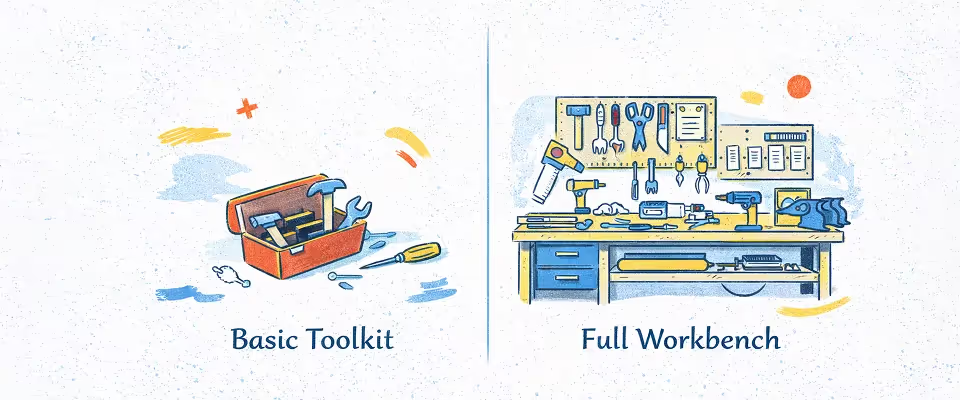
For B2B SaaS and technology companies running onboarding, implementation, or managed services, the comparison between Teamwork.com and Rocketlane goes beyond features. It is about whether your system is built for internal task coordination or external client delivery at scale.
The difference shows up in how onboarding and implementation actually run.
In many SaaS companies, a deal closes and delivery begins across multiple systems. The project plan is built outside the tool, resource allocation is handled separately, reporting is compiled weekly, and client communication moves between email and the platform.
Teamwork supports the coordination layer in that process. It keeps tasks organized, but the system around those tasks often lives elsewhere.
Rocketlane is built for that exact post-sale motion. From CRM handoff to client go-live, it connects project planning, resource allocation, client collaboration, and financial tracking into a single workflow.
This reduces the need for manual coordination and gives teams continuous visibility into delivery, utilization, and revenue.
Verdict: Deciding between Teamwork and Rocketlane
Teamwork works if your team primarily needs simple task assignment, basic time tracking, and you're comfortable maintaining separate tools for planning, reporting, and finance.
Choose Rocketlane if your PS team manages structured client engagements and needs the project plan, resource data, financial tracking, and client communication to live in one system — updated in real time, without manual reconciliation.
Why choose Rocketlane over Teamwork?
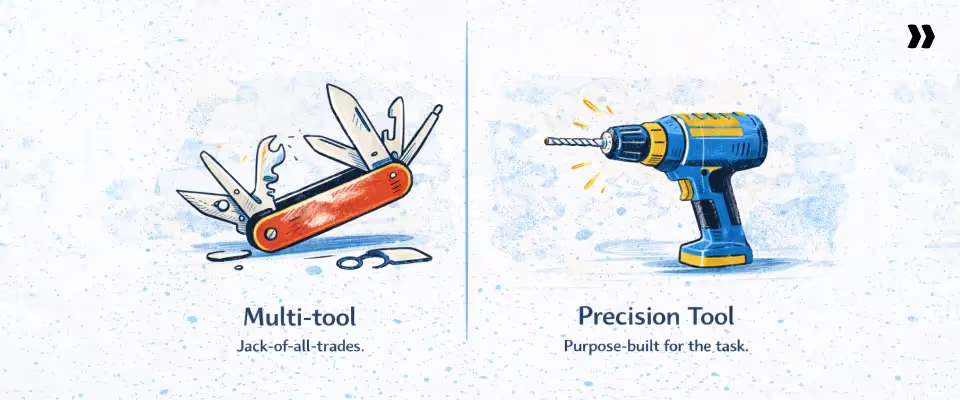
For B2B SaaS companies running onboarding and implementation, the real constraint is not task visibility. It is whether delivery can run as a connected system across planning, resourcing, clients, and revenue.
Teamwork.com organizes work inside a project. As delivery scales across dozens or hundreds of client engagements, teams begin to operate across multiple systems to keep that work moving.
Rocketlane is built for that exact post-sale motion. The difference shows up in how teams plan, execute, and measure delivery day to day.
1. Purpose-built for PS delivery
Most project tools are adapted for services teams. That adaptation shows up in the gaps between planning, execution, and financial tracking.
Rocketlane PSA is designed for onboarding and implementation workflows where:
- Projects follow defined phases with dependencies
- Resources move across multiple parallel engagements
- Delivery progress directly impacts revenue recognition
Instead of fitting PS delivery into a general system, the system reflects the workflow itself.
2. Client collaboration that actually reduces work
In many teams, client communication exists outside the system even when a portal is available. Updates are rewritten into emails, documents are shared separately, and approvals happen across threads.
Rocketlane embeds the client into delivery:
- Clients receive milestone-based updates tied to actual progress
- Tasks, documents, and approvals sit inside the project plan
- Communication stays contextual instead of being recreated
This approach removes the translation layer that consumes PM time across every project.
3. Live utilization and margin visibility
Utilization and margins are often reconstructed after the fact. Teams export time data, reconcile budgets, and build reports before leadership can understand performance.
Rocketlane makes these signals visible as delivery happens:
- Utilization updates continuously across all projects
- Budget versus actual reflects real-time effort
- Revenue and margin impact are tied directly to delivery activity
This changes decision timing. Teams adjust earlier instead of reacting after reporting cycles.
4. Faster time-to-value through system design
Long implementation timelines are rarely caused by effort alone. They are caused by a lack of visibility across dependencies, resources, and client inputs.
When those signals sit in different systems, delays compound.
Rocketlane connects:
- Project planning
- Resource allocation
- Client dependencies
- Delivery progress
That connection allows teams to identify bottlenecks earlier and keep projects moving.
Across Rocketlane’s customers, this typically translates to:
- 30–60% faster implementations
- 181 days to 65 days
The gain comes from removing coordination overhead.
5. No implementation bottleneck at the tool level
Many tools require teams to design their operating model during implementation. That creates a delay before teams can run real projects.
Rocketlane provides:
- Pre-built templates aligned to onboarding and implementation
- Structured onboarding support
- A clear path from setup to live delivery
Teams start with a working system instead of building one from scratch.
6. Scales without adding coordination layers
As PS teams grow, complexity increases non-linearly:
- More projects
- More shared resources
- More reporting requirements
In fragmented systems, this leads to additional coordination effort.
Rocketlane scales by keeping planning, resources, financials, and client workflows inside the same system. This reduces the need for additional layers as volume increases.
7. AI built for how PS teams actually work
Most AI features sit on top of tools. They summarize or suggest.
Rocketlane’s Nitro, its agentic layer, operates inside workflows:
- Resource allocation adjusts based on utilization and constraints
- Risks are surfaced from delivery signals before escalation
- Documentation is generated from actual project activity
This reduces the manual work required to run delivery, especially at scale.
8. Outcome accountability, not activity tracking
The impact of a delivery system shows up in measurable outcomes that tie execution, visibility, and financial performance together.
Across Rocketlane customers, the outcomes follow a clear pattern:
The impact of a connected delivery system shows up in outcomes that are consistently reported across Rocketlane customers.
- Faster time-to-value:
GoCardless achieved 59% faster time-to-value after aligning onboarding workflows, customer collaboration, and reporting in one system - Implementation timelines compress materially:
Gamify reduced implementation timelines from 6+ months to ~30 days by standardizing execution and improving visibility - High and stable utilization:
Teams like Flux consistently reach high utilization with better resource tracking and automation - Large-scale time savings:
Yellow.ai saves 50,000+ hours annually by consolidating workflows and reducing manual coordination - Consistent customer experience outcomes:
Observe.AI maintains 70+ NPS, alongside high first-time-to-value success rates
These outcomes reflect a consistent operating model:
- Execution signals are unified across planning, resources, and client inputs
- Teams act on real-time visibility into progress and dependencies
- Delivery metrics and financial metrics move together
When delivery is structured this way, outcomes become a direct reflection of how the system runs.
Without Rocketlane vs With Rocketlane
How Rocketlane Nitro reshapes PS delivery
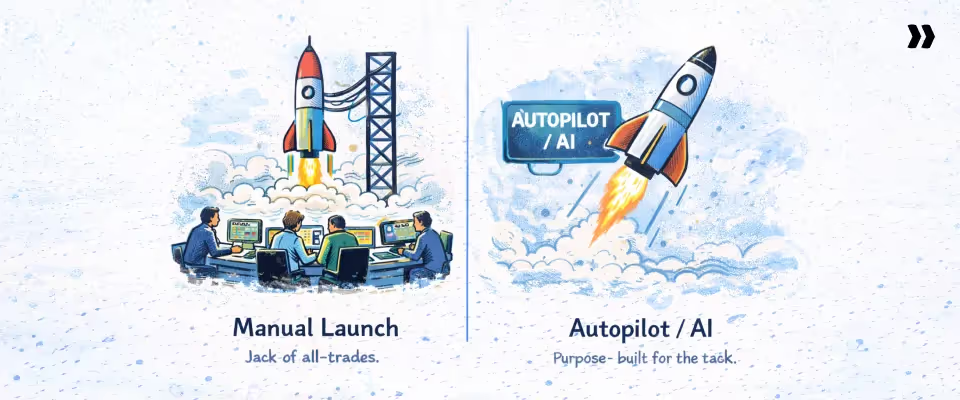
The difference between project tools like Teamwork and robust PSA platforms like Rocketlane becomes most visible in execution.
Teamwork.com tracks tasks and progress. Rocketlane embeds Nitro, its agentic AI layer,directly into delivery workflows, where it surfaces risks, governs execution, and accelerates routine work—reducing the overhead required to manage projects.
This happens across three levels.
Level 1: Operations transformation
At the operations layer, Nitro reduces the overhead of managing delivery.
In most teams, delivery managers spend time:
- Tracking utilization
- Following up on timesheets
- Compiling status updates
Nitro handles these continuously by:
- Surfacing utilization gaps and allocation issues
- Flagging incomplete time tracking, nudging time entries, and ensuring data completeness
- Maintaining delivery health signals across projects
This removes a recurring layer of operational work.
Level 2: Delivery transformation
At the delivery layer, Nitro focuses on keeping projects on track.
Instead of waiting for issues to surface, it:
- Flags risks based on timeline, budget, and dependency signals
- Generates structured status updates from delivery activity
- Highlights blockers before they affect milestones
This shifts delivery from reactive management to early intervention.
Level 3: Work Execution AI
This is where Nitro changes the system. Workforce Agents accelerate repetitive delivery work that currently consumes 30–50% of consultant time—configuration, migration, documentation—so your best people focus on what actually needs them.
Agents operate within defined rules, validations before execution, and approvals where it matters. These agents include:
Documentation Agents
Generate BRDs, SOWs, and solution documents from project inputs and discussions.
In many PS teams, documentation accounts for a large portion of implementation effort. Automating this reduces delivery time and consultant load.
Migration Agents
Handle routine data migration steps—mapping, transformation, and validation—guided by playbooks and project governance rules, reducing the senior consultant effort typically required per engagement.
Resource Management Agents
Recommend staffing based on skills, utilization, and project phase, reducing manual allocation effort.
Nitro Analyst: Conversational PS intelligence
Nitro Analyst allows teams to query delivery data in natural language.
Instead of building reports, teams can ask:
- Which accounts are at risk this quarter?
- What is time-to-value by segment?
- Where is utilization dropping below target?
It returns structured answers and allows queries to be reused, reducing reporting overhead and preparation time.
Teamwork provides visibility into work, but Rocketlane Nitro does something fundamentally more important: it reduces the work required to manage delivery and executes parts of it.
Check out Rocketlane Nitro to learn more about this radically efficient approach to PS delivery,
Enterprise knowledge and search
Nitro continuously monitors customer conversations and delivery activity across projects and accounts, surfacing early signals of risk, churn, expansion, and shifts in engagement.
Instead of relying on escalations or post-mortems, leaders gain visibility while there’s still time to act.
At the same time, Nitro ensures knowledge compounds with every project.
Calls, documents, and configurations are automatically converted into structured delivery assets—so knowledge is no longer tribal, buried, or lost.
Every engagement strengthens the system, helping teams deliver faster and smarter over time.
Customer and account signals
Continuous monitoring of project activity, stakeholder engagement, and customer communication to surface early signals of churn risk or expansion opportunity.
Instead of waiting for escalations, teams get visibility into shifts in timelines, engagement, or account health while there’s still time to act.
The result is more predictable delivery and leaders managing by exception rather than chasing updates.
Migration and implementation considerations
The biggest barrier to switching from Teamwork.com is the assumption that migration will disrupt active delivery.
In practice, switching to Rocketlane is less about “moving everything at once” and more about standing up a working delivery system alongside your existing Teamwork projects.
What to expect when moving from Teamwork to Rocketlane
- Data migration is structured and low-friction
Teamwork data exports cleanly into standard formats, which makes the transition to Rocketlane straightforward.
- Projects, tasks, and historical activity can be exported and imported without custom development
- Files and attachments transfer with minimal restructuring
- Teams can choose whether to migrate full history or start fresh with active projects
Most mid-sized teams complete this step in under a week, with effort focused on validation rather than extraction.
- Template buildout defines success in Rocketlane
The real work is not migrating data. It is translating how your team delivers projects into Rocketlane’s system.
This includes:
- Phase-based project structures for onboarding or implementation
- Standard task sequences and dependencies
- Resource roles and effort assumptions
Rocketlane’s onboarding team works with you to build this in the first sprint, typically delivering:
- 3 to 5 production-ready templates within 30 days
- A repeatable system for launching new projects inside Rocketlane
This is the shift from managing projects individually in Teamwork to running delivery as a system in Rocketlane.
- Team training aligns with PS workflows
Since Rocketlane is designed for professional services delivery, teams transition faster than expected with:
- 2 to 3 structured onboarding sessions
- Hands-on setup using real delivery scenarios
- Most delivery managers become self-sufficient within two weeks.
- Client communication is a transition, not a migration
If clients were using the Teamwork portal, moving them to Rocketlane is a one-time shift.
Most teams:
- Introduce Rocketlane as an upgrade to how delivery is managed
- Invite clients into the new portal aligned to active projects
- Move all future communication into Rocketlane
Since Rocketlane’s portal is tied to execution, adoption tends to increase rather than drop.
Common approach
Teams delay switching from Teamwork to Rocketlane because they assume live projects need to be migrated mid-delivery, which creates perceived risk.
Right approach
High-performing teams switch incrementally. New projects launch in Rocketlane, while existing Teamwork projects run to completion. Within one delivery cycle, typically 60 to 90 days, the transition is complete without disrupting clients or delivery timelines.
What changes when you switch from Teamwork to Rocketlane?

When you pick Rocketlane as a Teamwork alternative, the shift is from coordinating work across tools to running delivery inside a single system. This shows up in significant ways across roles:
For delivery managers
The change shows up immediately in how time is spent.
- Weekly reporting cycles disappear because Rocketlane surfaces utilization and project health in real time
- Resource allocation moves from Slack threads and inbox coordination into Rocketlane’s allocation layer
- Project setup becomes template-driven, reducing setup effort from hours in Teamwork to a repeatable process
Delivery managers spend less time assembling information and more time managing execution.
For PS operations leaders
The shift is from delayed visibility to continuous control.
- Margin visibility becomes real-time inside Rocketlane, instead of reconstructed at month-end
- Capacity planning moves from estimation to data-backed forecasting, with bench risk visible weeks in advance
- Portfolio-level insights are available without aggregating data across systems
Operations moves from reactive reporting to proactive management.
For clients
The experience shifts from fragmented communication to structured visibility.
- Status updates move from email threads to milestone-based updates inside Rocketlane
- Tasks, approvals, and documents sit within the delivery workflow
- Risks are identified earlier because internal visibility improves before issues surface externally
Clients experience faster, more predictable delivery.
For finance
The connection between delivery and revenue becomes direct.
- Revenue recognition inputs are generated from delivery data inside Rocketlane
- Budget versus actual is visible at project and portfolio levels
- Billing inputs align with tracked work, reducing reconciliation effort
Finance works from live delivery data instead of reconstructed reports.
Most importantly, your delivery or project methodology does not have to change
Rocketlane adapts to how your team already runs onboarding and implementation. The switch from Teamwork does not mean rebuilding your process. It means running it with more visibility, intelligence, and control.
Book a 30-minute Rocketlane demo to see exactly why teams are moving from Teamwork to Rocketlane to run onboarding and implementation with more visibility, control, and consistency.
Conclusion
Teamwork gets teams organized. But organization is not the same as delivery. The teams that move away from Teamwork are not looking for a cleaner task list — they are looking for a system that can hold the full weight of client delivery without falling apart at the seams.
The tools in this guide each close a different gap. The right choice depends on where your team is losing the most ground — whether that is reporting overhead, resource visibility, client collaboration, or financial tracking. If you have worked through the comparison and the decision framework above, you already have a shortlist.
For teams running structured onboarding, implementation, or managed services, Rocketlane brings together everything Teamwork leaves separate — the project plan, the client portal, the resource data, the financials — in one system that updates in real time. No exports. No reconciliation. No parallel tools.
Table of Contents

Regsiter for the live webinar


Great consultants didn't join your team to spend Fridays writing documentation.
Table of contents
18 of Forbes Cloud 100 chose Rocketlane. The best PS teams aren't waiting around.
FAQs
What are the best Teamwork alternatives?
The best Teamwork alternatives for professional services teams in 2026 are: Rocketlane (best for PS and client onboarding), ClickUp (best for all-in-one customization), Monday.com and Rocketlane (best visual project tracking), Asana (best task management ease of use), Jira (best for technical PS), Productive (best for agencies), and Basecamp (best for small teams).
What is the best Teamwork alternative for PS teams?
Rocketlane is the top Teamwork alternative for professional services teams. Unlike Teamwork, Rocketlane provides native project planning, a purpose-built branded client portal, Resource AI for skills-based allocation, real-time financial dashboards, and Nitro AI for proactive delivery intelligence — in one platform, without requiring supplementary tools.
How does Teamwork compare to Asana?
Teamwork and Asana both handle task management, but serve different needs. Teamwork has more financial features and time tracking. Asana is significantly easier to learn and use, with a fraction of Teamwork's setup time. Neither is a purpose-built PSA platform. Both require additional tools for financial management and external client collaboration.
How much does Teamwork cost?
Teamwork.com costs about $9.99–$24.99/user/month on published plans, plus Enterprise at custom pricing. Mid‑tier plans (e.g., Accelerate) allow unlimited projects. Year‑one pricing often includes discounts that may expire in year two.
Is it hard to switch from Teamwork?
Most teams find switching from Teamwork straightforward. Teamwork exports project, task, and time data in standard formats. The primary challenge is change management when moving team members and clients to a new system. Rocketlane's implementation packages and onboarding support are included on all plans, with most teams going live in 6–8 weeks.













Copyright © 2026 Rocketlane Corp. All rights reserved.





















.webp)