Easy to use project management software in 2026: Top tools for fast-moving teams

•
•
Summarize blog with






Introduction
You've seen this pattern before.
A project kicks off with aligned timelines and clear ownership.
Three weeks in, updates are scattered across Slack threads, the Gantt chart hasn't been touched in days, and no one's certain what's actually blocking progress.
As project management tools have grown more capable, they've also grown harder to sustain. Teams disengage when keeping projects updated requires extra effort outside the work itself.
In complex delivery environments, heavy interfaces, rigid workflows, and administrative overhead slow execution and weaken adoption.
Complex systems slow onboarding, concentrate knowledge in a few expert users, and fragment usage across teams.
As project volume increases, coordination weakens, reporting lags behind reality, and decision-making drifts away from actual execution signals.
This is where ease of use becomes decisive. Adoption depends on whether teams can update and rely on the system as part of execution.
Easy-to-use project management software works differently. Setup aligns with how work already flows, progress remains visible to all stakeholders, and ownership, dependencies, and timelines stay clear even as plans change.
When software stays easy to keep current, delivery improves in measurable ways. Decision latency drops. Execution visibility improves.
Coordination overhead decreases. Projects become easier to manage, easier to govern, and easier to scale because the system reflects reality instead of chasing it.
This guide examines what “easy to use” actually means in project management.
It breaks down how usability shows up across different team sizes and delivery contexts, where popular tools begin to struggle, and how execution-focused systems behave differently as complexity increases.
Why do most project management tools feel hard to use?

Many platforms attract users with a generous free plan, offering substantial free features, but usability issues can still arise as teams try to manage tasks at scale.
The most common reason project management tools fail is that using them consistently requires more effort than teams can justify during active delivery.
What begins as a well-intentioned system for coordination slowly becomes an additional layer of work, disconnected from the actual execution process.
A complicated onboarding process, especially one that lacks guided tutorials or customization options, can increase friction for new users and discourage adoption from the start.
As teams scale, this friction becomes more visible. Updates lag behind reality. Only a few people maintain the system. Others work around it. Over time, the tool remains “in place,” but delivery or visibility erodes, and trust in the system declines.
Manual updates and extra work can pile up, but automation parts of projects can help reduce repetitive tasks by streamlining routine processes and minimizing manual input, making the tool easier to use.
This is why many teams stop using project management (PM) tools even after investing heavily in setup and training. The underlying reasons for tools becoming more “work about work” include:
Complexity disguised as flexibility
Many tools present flexibility as a strength, with endless configuration options, custom fields, and workflows. In practice, this shifts the burden of design onto teams.
Instead of supporting execution, the tool requires constant decisions about structure before value can be realized.
Delivery teams end up spending time maintaining the system rather than moving work forward.
What looks flexible during evaluation becomes brittle in daily use, especially when projects evolve, and assumptions change.
Too many views, not enough clarity
Modern project management software often offers multiple views for the same work: lists, boards (such as the Kanban board, which provides visual clarity by organizing tasks on digital cards and moving them across work stages), timelines, calendars, dashboards, and reports.
While each view serves a purpose, the lack of a clear default creates confusion.
Teams are unsure which view reflects the source of truth.
Stakeholders interpret progress differently depending on where they look.
Instead of improving visibility, the abundance of views fragments understanding and slows decision-making.
Heavy setup before teams see value
Many tools require extensive configuration before they become usable.
Teams must define workflows, permissions, fields, and reporting structures upfront. This delays time-to-value and creates a dependency on administrators or consultants.
During this setup phase, delivery work continues outside the system.
By the time the tool is ready, habits have already formed elsewhere, making adoption harder and reducing long-term usage.
Tools optimized for admins, not delivery teams
A common reason project management software feels hard to use is that it is designed primarily for administrators and reporting needs.
Interfaces prioritize configuration, compliance, and data capture over day-to-day execution.
Delivery teams experience this as friction.
Updating progress feels like reporting work rather than doing work.
Development teams, in particular, may find admin-focused interfaces especially cumbersome when trying to maintain agile workflows.
Over time, participation drops, and the system reflects management intent more than execution reality.
Poor alignment between planning, execution, and tracking
Planning, execution, and tracking are often treated as separate activities inside tools.
Plans are created in one place, work happens somewhere else, and tracking is reconstructed after the fact.
When project details are scattered across different tools or documents, teams lose confidence in the system's accuracy.
When alignment breaks down, teams revert to informal coordination methods that feel faster and more reliable.
What makes project management software hard to use vs easy to use
What “easy to use” actually means for different project teams
“Easy to use” in project management is all about context.
What feels intuitive and lightweight for a five-person startup can feel dangerously underpowered for an enterprise program, while tools designed for enterprise governance often overwhelm smaller teams.
Ease of use only makes sense when it is evaluated against team size, delivery complexity, and coordination needs.
Team collaboration needs also vary significantly, with some teams prioritizing real-time communication and others needing structured approval workflows.
What follows is how “easy to use” shows up differently across small businesses, mid-market teams, and enterprises.
For small businesses and startups
For small teams, ease of use is primarily about time to value.
There is little tolerance for heavy setup, process design, or admin overhead. Work needs to be visible almost immediately, without asking teams to formalize everything upfront.
For instance, a simple to-do list helps small teams organize and prioritize work, making it easier to track progress and focus on what matters most.
Project management software for small businesses works best when setup is lightweight, with sensible defaults that balance flexibility with direction.
Ease of use here means:
- Clear task ownership without complex role hierarchies or permission models
- Immediate visibility into what is in progress, what is blocked, and what is done
- Minimal configuration so teams spend time delivering, not maintaining the tool
For mid-market teams
Mid-market teams sit in a more complex middle ground.
They are large enough to need consistency across projects, but not so large that heavy governance is acceptable. Ease of use here is about standardization without rigidity.
These teams often struggle with tools that either feel too loose to scale or too rigid to adapt. What they need is a shared structure that reduces variance across teams while still allowing flexibility at the edges.
Ease of use for mid-market teams shows up as:
- Common workflows and milestones that create consistency across projects
- Simple collaboration across functions such as delivery, customer success, sales, and operations, supporting cross-functional projects that involve multiple teams
- Visibility that works for both teams doing the work and leaders overseeing multiple initiatives
For enterprise teams
In enterprise environments, ease of use is less about simplicity and more about sustained usability at scale.
A tool can feel intuitive on day one and still fail if it cannot support complex dependencies, project governance needs, and cross-team visibility over time.
Project management software for enterprise teams must make execution understandable without burying teams under process.
Ease of use here means that governance, reporting, and oversight are embedded into the flow of work rather than layered on top of it.
For enterprise teams, ease of use includes:
- Visibility across portfolios, programs, and teams without manual rollups, supported by robust portfolio management and portfolio management features that enable high-level strategic planning and oversight.
- Governance mechanisms that provide oversight without slowing delivery.
- Interfaces that work equally well for delivery teams, program managers, and executives.
Core capabilities of easy-to-use project management software
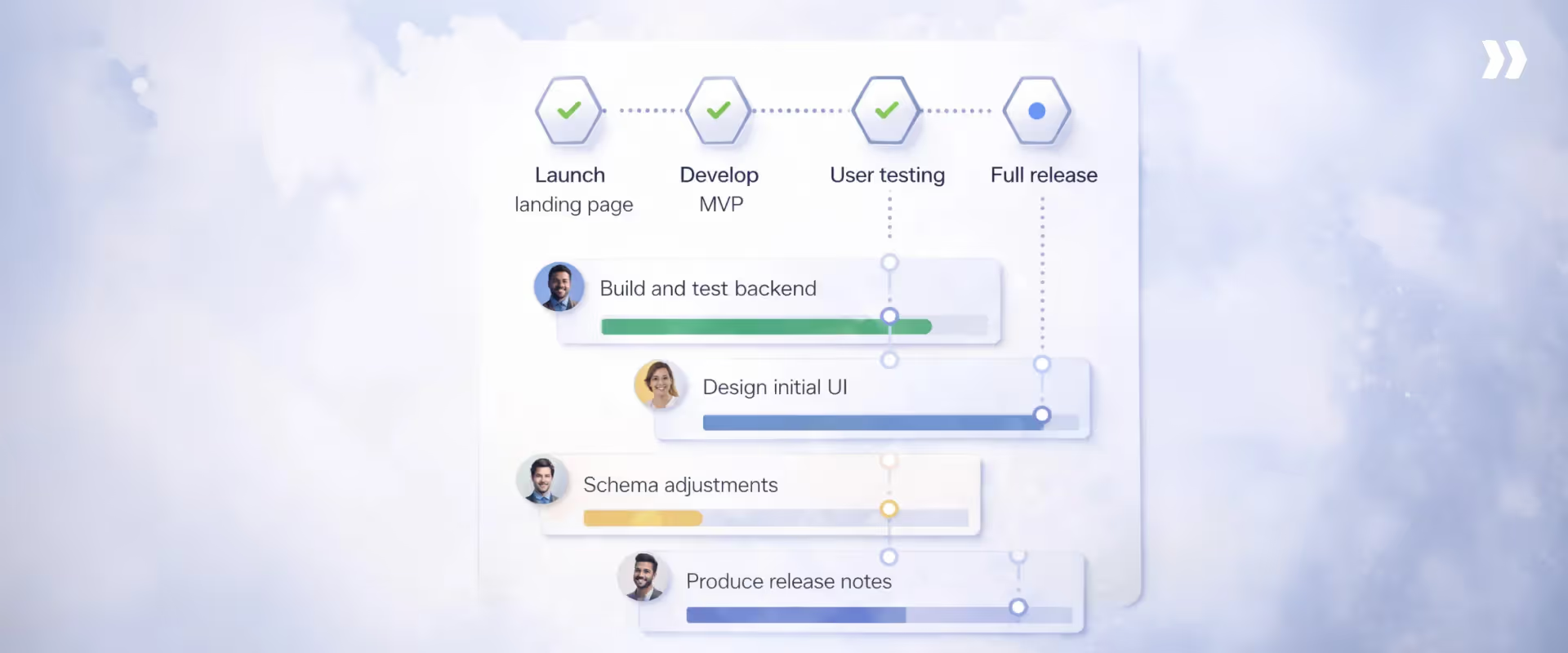
The best project management tools make the right actions obvious, reduce manual coordination, and surface what matters without constant interpretation.
A robust project management app or tool should also include project tracking software capabilities, enabling teams to monitor progress, manage budgets, and ensure the timely delivery of projects.
Below are the core capabilities that distinguish software teams that actually adopt from tools they struggled with until they are abandoned.
Intuitive project setup and templates
Easy-to-use project management software allows teams to start delivering value quickly.
The setup should reflect how work already happens rather than forcing teams to redesign their process just to satisfy the tool.
Strong tools provide:
- Pre-built templates that reflect real project patterns, not generic task lists
- The ability to adjust structure incrementally as projects evolve
- Sensible defaults that reduce decision fatigue at the start
For many teams, especially SMBs and mid-market organizations, fast setup is the difference between adoption and abandonment. If teams cannot see progress within the first few days, perceived complexity rises immediately.
Clear task ownership and dependencies
Ease of use breaks down quickly when ownership is unclear. Tools feel “hard” when users must infer who is responsible, what is blocked, or what depends on what.
Effective software makes ownership explicit and dependencies visible by default:
- Every task has a clear owner and outcome, with task assignments clearly distributed within the project team
- Dependencies are modeled directly, not buried in comments or external docs
- Blocked work is surfaced automatically, not discovered in meetings
When ownership and dependencies are obvious, teams spend less time chasing updates and more time resolving constraints. This directly improves delivery speed and reduces coordination overhead.
Real-time progress and status visibility
Many tools claim to offer visibility but rely on manual status updates to achieve it. That creates friction and quickly erodes trust in the data.
Easy-to-use project management software minimizes manual reporting by:
- Updating status based on real work activity
- Automating project updates to keep everyone informed in real time
- Showing progress at the right level for each role
- Highlighting risk and delay trends early, not after milestones slip
When progress is visible without constant explanation, teams stop managing perception and start managing execution. This is one of the most tangible benefits of project management software when implemented well.
Collaboration built into the workflow
Collaboration should not require switching tools or duplicating context. When conversations live outside the work, clarity degrades, and decisions are lost.
Strong collaboration features:
- Keep discussions tied to specific tasks or milestones
- Preserve context so new participants can catch up quickly
- Reduce reliance on side channels like email or chat for execution decisions
- Create dedicated customer portals for client visibility and accountability
This matters most in cross-functional and customer-facing projects, where misalignment compounds quickly.
Minimal training and fast onboarding
Ease shows up in how quickly new users can contribute without hand-holding.
High-adoption tools:
- Use familiar interaction patterns
- Explain themselves through the interface
- Allow teams to learn by doing rather than reading documentation
This is especially important for distributed teams, external collaborators, and growing organizations where onboarding new users is a constant process.
AI that operates inside execution
AI matters in services and project management when it does more than observe work. It has to participate in execution. That means reducing coordination effort, applying judgment in context, and acting where delivery actually happens.
Execution-focused AI operates inside workflows, owns follow-through, and reduces the need for human coordination to keep work on track.
Execution-oriented AI systems contribute by:
- Driving follow-through on dependencies and handoffs, ensuring next actions move forward without manual chasing or reminders.
- Maintaining execution state automatically, updating status, timelines, and ownership as work progresses across teams.
- Acting on delivery signals in real time, escalating risks, re-sequencing work, and prompting decisions before delays compound.
When AI is responsible for execution continuity, teams stop managing the system.
The system manages delivery momentum, allowing humans to focus on judgment, exceptions, and outcomes rather than coordination.
Types of project management software and ease-of-use tradeoffs
Teams struggles with PM tools for different reasons.
Today, there is a wide variety of online project management tools, each offering different tradeoffs in features, usability, and suitability for various team needs.
Much of the friction teams experience comes from what the software is optimized for.
Different categories of project management software make different tradeoffs between flexibility, structure, visibility, and project governance.
Understanding these tradeoffs helps explain why a tool can feel intuitive in one context and frustrating in another—and why ease of use is inseparable from delivery intent.
Task-based project management tools
Task-based or task management software focuses on individual work items: to-dos, checklists, and assignments. This is often the first category teams adopt because the tools feel immediately accessible.
The primary job of a task management tool is to help teams organize project tasks and to-dos, making it easier to assign responsibilities, track progress, and streamline collaboration.
Where they feel easy
- Fast to set up with little upfront configuration
- Simple mental model: tasks, due dates, owners
- Low barrier to entry for small teams and personal productivity
Where ease breaks down
- Limited support for dependencies, milestones, or cross-team coordination
- Progress is hard to interpret beyond task completion counts
- As projects grow, teams rely on manual updates and meetings to explain status
Task-based project management tools work well for lightweight coordination. They struggle when delivery requires sequencing, external stakeholders, outcome-level visibility, and customer accountability
Workflow and board-based tools
Workflow and board-based tools organize work around stages and flow, often using visual boards such as Kanban boards.
They are designed to help teams see how work moves rather than just what exists, and typically include task management features such as drag-and-drop functionality and customizable columns to streamline task organization and workflow visualization.
Where they feel easy
- Visual clarity into the work state and bottlenecks
- Flexible workflows that adapt to different team processes
- Strong fit for continuous work and operational teams
Where ease of use breaks down
- Flexibility can create inconsistency across teams
- Boards explain flow, but not always outcomes or delivery risk
- Scaling beyond a single team introduces coordination and governance challenges
These tools are intuitive at the team level, but ease of use declines when leaders need portfolio visibility or when delivery depends on synchronized milestones across teams.
Delivery- and outcome-focused project management systems
Delivery-focused systems are designed around milestones, dependencies, and outcomes rather than isolated tasks. Ease of use here comes from alignment, not simplicity.
Where they feel easy
- Clear linkage between work, milestones, and outcomes
- Built-in dependency tracking reduces coordination overhead
- Progress is visible without constant explanation
- These systems help teams complete projects efficiently by ensuring all project tasks are completed on time, supporting both project lifecycle management and task completion.
Where ease of use breaks down
- Requires more upfront structure than task-based tools
- Feels opinionated to teams used to ad hoc workflows
For complex projects, ease of use emerges over time. As delivery complexity increases, these systems often feel simpler than lighter tools because they remove the need for manual coordination and interpretation.
PSA-adjacent and execution-first platforms
Professional services automation (PSA)-adjacent platforms combine project execution with resourcing, financials, and delivery governance.
They are often used by professional services, delivery, and post-sales teams. Resource management features teams allocate and track resources effectively, making it easier to visualize resource allocation, monitor investments of time and materials, and anticipate bottlenecks to improve project efficiency.
Where they feel easy
- Single source of truth across delivery, resourcing, and progress
- Strong execution, governance, and cross-team visibility
- Designed to support scale, external stakeholders, and repeatable delivery
Where ease breaks down
- Perceived as heavy if teams only need basic task tracking
- Requires alignment on the delivery model to realize full value
When implemented with intent, execution-first platforms reduce cognitive load by replacing fragmented tools with a shared structure.
Top 10 easy-to-use project management software in 2026 (free and paid)
1. Rocketlane

Rocketlane is an execution-focused project management platform built for teams running repeatable, customer-facing projects such as onboarding, implementations, and service delivery programs.
It is designed for organizations that have outgrown spreadsheets and generic task tools and need a system that keeps delivery predictable without adding operational drag.
Unlike general-purpose project management software that prioritizes flexibility over follow-through, Rocketlane is built around how delivery actually happens.
Projects, people, timelines, dependencies, and customers are connected in a single system, so teams do not have to reconcile work across multiple tools.
The setup in Rocketlane’s project management tool emphasizes standardization through templates and shared processes, allowing teams to start executing quickly while maintaining consistency as volume grows.
Ease of use in Rocketlane comes from its delivery-first design. Project plans, milestones, risks, and time-to-value are visible in one place, without requiring manual reporting or constant status updates.
Teams update work as part of execution, not as a separate administrative step, which keeps project data accurate and reduces coordination overhead.
The platform is especially well-suited for teams that need execution clarity at scale. Built-in AI-powered resource planning, financial visibility, and customer collaboration are embedded into project workflows rather than layered on top.
This allows delivery teams to stay focused on progress, while leaders gain reliable visibility into pipeline, capacity, risk, and outcomes.
Key features
Standardized execution through reusable project templates
Rocketlane allows teams to define delivery workflows once and reuse them across projects, reducing setup effort and variance in execution.
Instead of starting from a blank canvas, teams define delivery workflows once and reuse them across engagements.
- Templates encode phases, milestones, dependencies, roles, and expected outcomes, reflecting how work actually moves from kickoff to completion.
- This reduces cognitive load during setup, shortens time to execution, and ensures new projects follow proven delivery patterns without requiring teams to redesign structure each time.
- As volume grows, standardization becomes an enabler rather than a constraint, allowing teams to scale delivery without introducing chaos.
Team management for organized collaboration
Rocketlane provides robust team management features, enabling organizations to coordinate work, assign tasks, and track progress across teams. User management, collaboration tools, and workflow visualization help teams stay aligned and ensure smooth project execution.
Milestone-driven execution with explicit ownership and dependencies
Execution in Rocketlane is organized around milestones rather than loosely connected tasks. This shifts the system from activity tracking to outcome progression.
- Each milestone has clear ownership, defined dependencies, and due dates, making responsibility and sequencing explicit.
- The system surfaces where work is blocked, what must happen next, and who is accountable, reducing the need for manual follow-ups and status meetings.
Features such as custom reports keep execution readable as complexity increases, especially in cross-functional or customer-facing delivery.
Customer participation embedded directly into execution
Rocketlane treats customers as part of the delivery framework process than external observers.
- A shared customer portal provides real-time visibility into timelines, milestones, and progress, without relying on email threads or slide updates.
- Approvals, discussions, document exchanges, and follow-ups happen in context, tied directly to milestones and work in progress.
This reduces misalignment, shortens feedback loops, and prevents execution from fragmenting across disconnected tools.
In-context collaboration that preserves execution continuity
Collaboration in Rocketlane is designed to support execution. This means that
- Conversations, documents, and approvals are anchored to specific projects, phases, and milestones, so context is never lost.
- Decisions remain traceable to the work they affect, which improves clarity when plans change or when new team members join.
- Project teams can mark tasks, fields, and discussions as private, giving them precise control over what customers see—so internal coordination stays internal while customer-facing work remains clear and intentional.
By keeping collaboration inside the delivery flow, teams spend less time translating information between tools.
Execution-aware resource and time tracking
Rocketlane integrates resource and time tracking into the delivery process rather than treating them as back-office activities.
- Time is captured against projects, phases, and milestones as work happens, improving accuracy and adoption.
- Leaders gain real-time visibility into effort, utilization, and capacity without waiting for reconciled reports.
This keeps delivery, resourcing, and financial signals aligned without slowing teams down.
A Glimpse of Nitro AI agents for professional services & project management teams
Ease of use shouldn’t mean limited capability.
While many project management tools focus only on task boards and timelines, Rocketlane layers in something far more powerful behind the scenes — Nitro, its embedded agentic AI system designed specifically for professional services teams.
Nitro isn’t a chatbot. It’s a network of specialized AI agents that work quietly inside your workflows to help teams deliver better outcomes without extra manual effort.
Here’s what that looks like in practice:
- Project Governance Agent monitors timelines, scope changes, and milestone slippage — surfacing risks before they become escalations.
- Time Policies Agent ensures time tracking stays compliant and accurate, protecting revenue and preventing billing leakage.
- Account Signals Agent detects early warning signs across projects and engagement patterns, helping teams intervene before customer health declines.
- Project Health Agent provides dynamic, data-driven health scoring instead of subjective status updates.
- Resource Management Agents optimize allocation and utilization, reducing burnout while protecting margins.
- Documentation Agents automatically generate summaries, status reports, and delivery artifacts — turning activity into structured knowledge.
- AI Analyst interprets delivery data and surfaces operational insights executives can actually act on.
The result?
Rocketlane doesn’t just help teams manage projects.
It helps them govern delivery, protect revenue, and scale operations intelligently — all while remaining intuitive and easy to use.
That’s the difference between a basic project management tool and an outcome-driven delivery platform.
What's coming next moves beyond into execution.
- Agentic AI components continuously monitor project health, time compliance, delivery signals, and customer interactions, triggering escalations and producing accurate status updates without waiting for human input.
- Specialized agents take on real delivery work, from reviewing timecards and enforcing compliance, to transforming workshop inputs into structured documentation, to executing configuration and migration tasks with human-in-the-loop approval.
- Resource and knowledge agents govern how capacity and expertise are applied across projects, preventing hidden bottlenecks and ensuring delivery learnings compound instead of staying siloed.
- Insights generated by these agents are explainable, tied to real execution data and conversations, and fed directly back into project plans and decision workflows.
By distributing execution responsibilities across agentic systems, Rocketlane reduces the amount of invisible work humans need to do to keep delivery on track.
The system does not just reflect execution. It actively participates in it, helping teams scale delivery with fewer surprises and stronger operational control.
Pros and cons
Key takeaways
What customers say
2. Asana
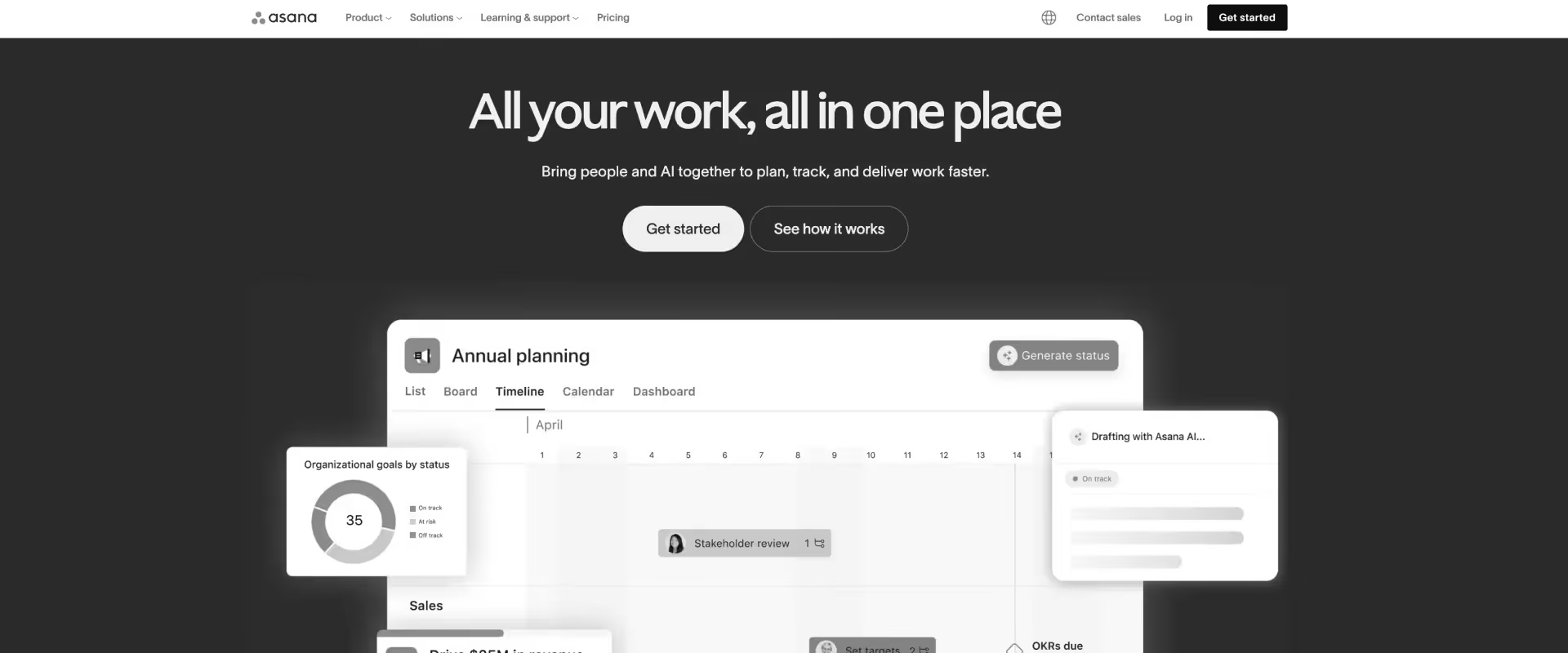
Asana is a general-purpose work and project management platform designed to help teams organize tasks, track progress, and collaborate across functions.
As a primary PM tool, Asana is widely adopted by marketing, product, operations, and business teams because it offers a balance of flexibility and structure.
It also integrates seamlessly with other tools, allowing teams to enhance functionality, automate workflows, and improve collaboration.
Teams can organize work into projects with clearly assigned tasks and deadlines, and visualize progress through multiple views such as lists, boards, timelines, and calendars.
Ease of use comes from a clear task model and consistent underlying data, allowing teams to change views without reworking how information is structured.
Key features
- Project-based task management with clear ownership and deadlines
- Multiple views, including lists, boards, timelines, and calendars
- Automation rules to reduce manual updates and handoffs
- Request forms, allowing teams to streamline task intake and automate workflow initiation.
Pros and cons
Key takeaways
What customers say
3. ClickUp
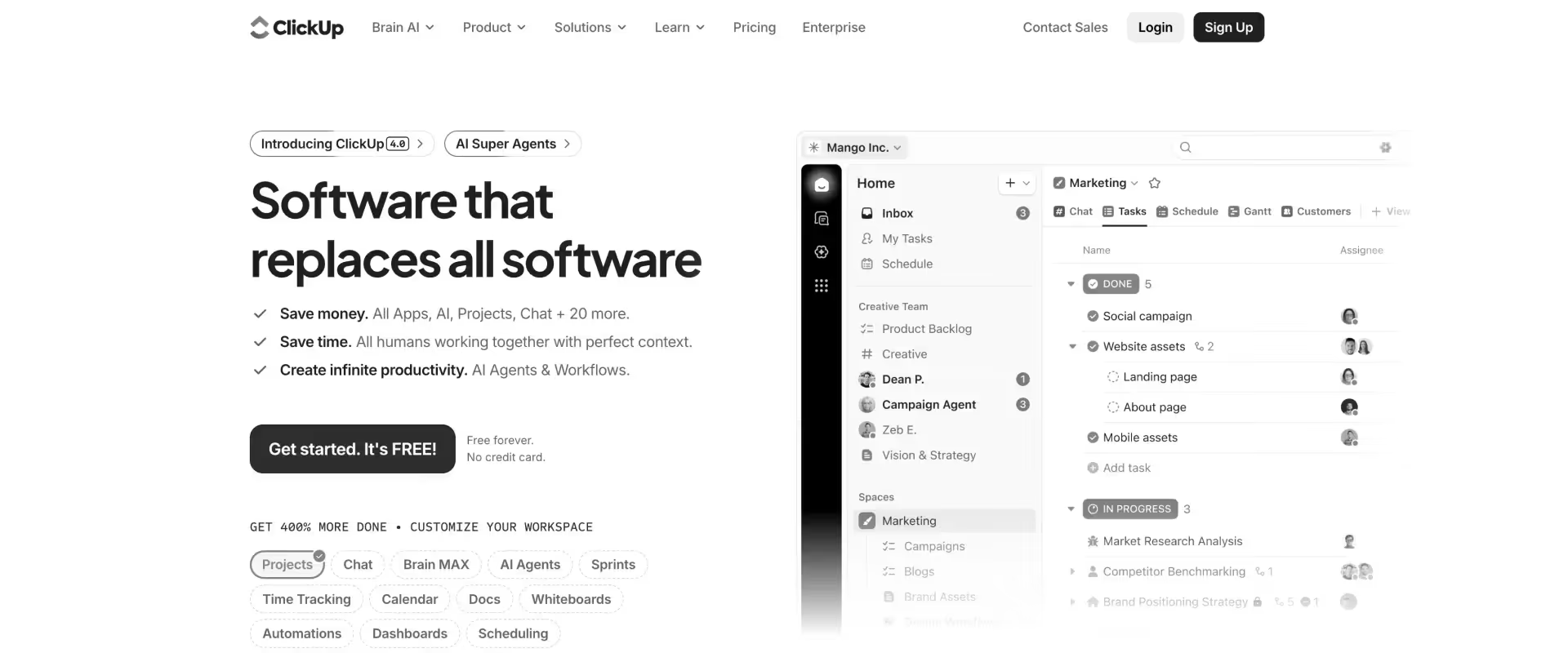
ClickUp positions itself as an all-in-one productivity and project management platform designed to consolidate tasks, documents, goals, and reporting into a single workspace.
It is commonly adopted by teams that want a high degree of flexibility and are willing to invest time in configuration.
ClickUp supports a wide range of work models through customizable task hierarchies, multiple views, and native features such as time tracking and goal tracking.
While the free version offers robust core features, upgrading to a team plan unlocks benefits like unlimited tasks, Gantt charts, custom fields, and expanded AI capabilities, significantly enhancing project management and collaboration functionalities.
Ease of use varies significantly by implementation, with well-governed setups feeling powerful and poorly governed ones becoming difficult to maintain.
Key features
- Tasks, subtasks, goals, documents, and dashboards in a single workspace
- Multiple views, including lists, boards, timelines, and mind maps
- Native time tracking and goal tracking
- Extensive workflow automation and customization
- Broad feature set designed to replace multiple tools
Pros and cons
Key takeaways
What customers say
4. Trello
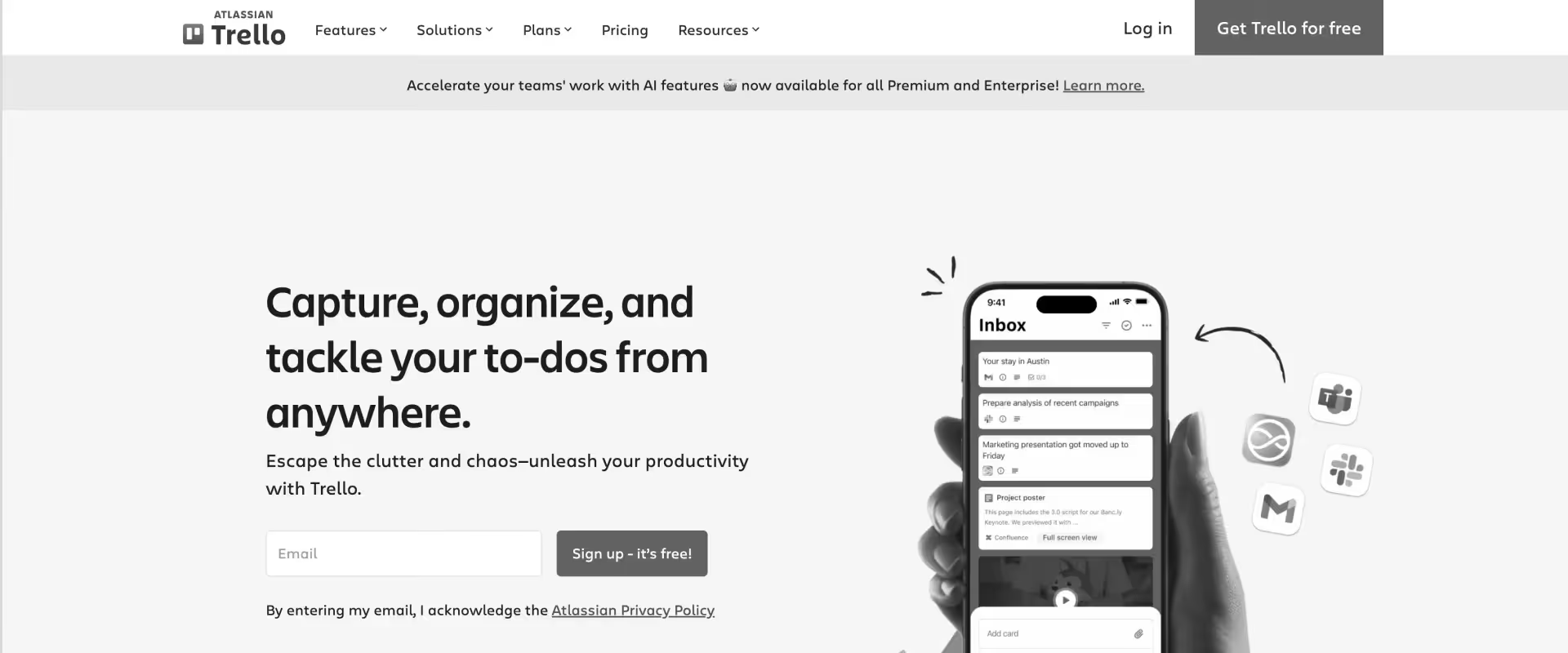
Trello is a visual, board-based project management tool built around simplicity and fast adoption.
Work is organized into boards, lists, and cards, making it easy for individuals and small teams to track tasks visually without formal project structures.
Cards can include checklists, due dates, attachments, and comments, while power-ups extend functionality through integrations and basic automation.
Ease of use is immediate and intuitive, though the underlying model limits how well Trello supports more complex delivery workflows as scale and coordination needs increase.
Key features
- Visual boards organized into lists and cards
- Cards with checklists, due dates, attachments, and comments
- Power-ups for integrations and basic automation
- Simple drag-and-drop workflow management
- Lightweight setup for rapid adoption
Pros and cons
Key takeaways
What customers say
5. Basecamp
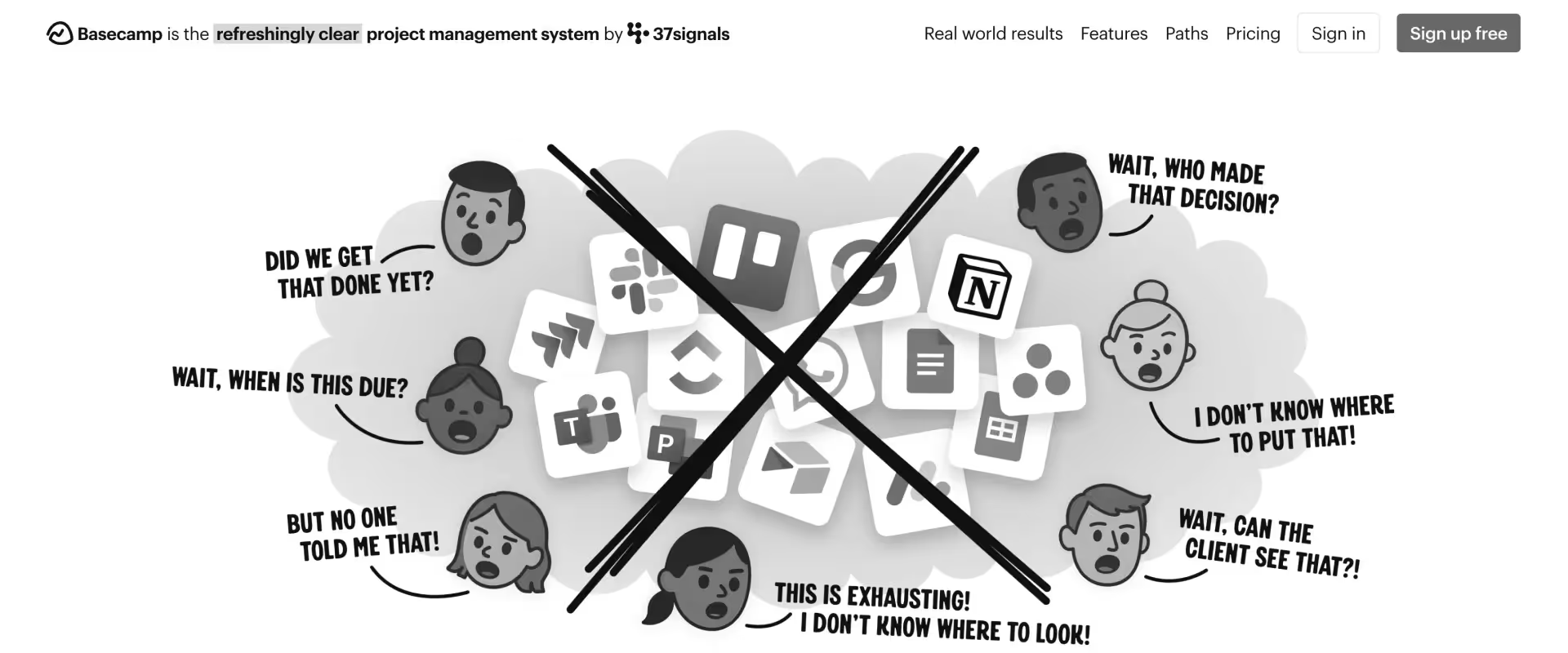
Basecamp is a collaboration-focused PM tool designed to centralize communication and reduce tool sprawl.
It organizes work around projects that include to-do lists, message boards, schedules, file storage, and group chat.
Basecamp is built around an opinionated model that emphasizes calm, structured collaboration over detailed project planning or execution tracking.
Ease of use comes from minimal configuration and a constrained feature set, which allows teams to get started quickly but also limits flexibility as delivery requirements grow.
Key features
- To-do lists, message boards, schedules, and file storage per project
- Group chat and centralized project communication
- Automatic check-ins to reduce meetings
- Notification controls designed to limit interruptions
- Minimal configuration and opinionated workflows
Pros and cons
Key takeaways
What customers say
6. Monday.com
Monday.com is a visual work operating system designed to help teams model workflows, track projects, and coordinate work across functions.
It is commonly used by marketing, operations, product, and business teams that want flexibility in how work is structured.
Work is organized through highly customizable boards with columns for status, ownership, timelines, and dependencies, supported by automations and dashboards for cross-project visibility.
Ease of use is driven by visual clarity and approachability, though sustained value typically depends on deliberate setup, standardization, and ongoing governance.
Key features
- Customizable boards with columns for status, ownership, timelines, and dependencies
- Visual workflow modeling across teams
- Automation for status changes and routine updates
- Dashboards for cross-project visibility
- Flexible templates for different use cases
Pros and cons
Key takeaways
What customers say
7. Airtable
Airtable combines spreadsheet flexibility with database structure, making it popular with teams that manage structured data alongside projects.
Teams can build custom tables with relational data and view the same information as grids, boards, calendars, or galleries.
Airtable works well for workflows that require structured records and flexible data relationships rather than linear task execution.
Ease of use depends heavily on familiarity with spreadsheets and data modeling, with more advanced use cases requiring deliberate design to maintain clarity.
Key features
- Custom tables with relational data modeling
- Multiple views, including grid, board, calendar, and gallery
- Basic automation for workflow actions
- Formula fields and structured data handling
- Integrations with external tools and APIs
Pros and cons
Key takeaways
What customers say
8. Wrike
Wrike is a structured work management platform built for cross-functional teams that need coordination, reporting, and governance across multiple projects.
It supports detailed task hierarchies, custom workflows, approval processes, and portfolio-level reporting, making it common in organizations with formal delivery requirements.
Wrike integrates with enterprise collaboration and productivity tools to support broader toolchains.
Ease of use improves as teams become familiar with the system, though initial setup and configuration can feel heavy before value is fully realized.
Key features
- Task hierarchies with custom workflows and approvals
- Portfolio-level dashboards and reporting
- Role-based access and governance controls
- Integrations with enterprise collaboration tools
- Support for structured, cross-functional delivery
Pros and cons
Key takeaways
What customers say
9. Scoro
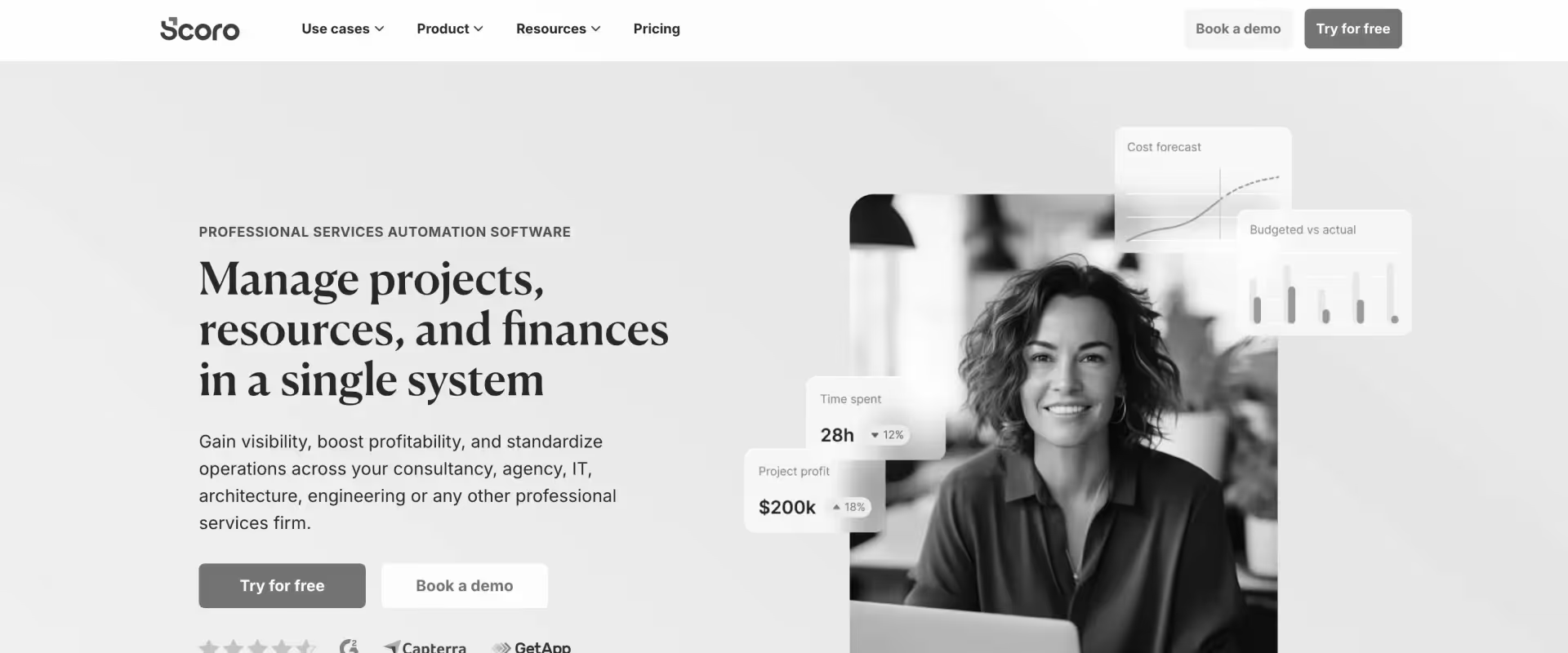
Scoro is a business management platform that combines project delivery with financial management, resource planning, and billing.
It is primarily used by agencies and professional services firms that need visibility into delivery, utilization, and financial performance within a single system.
Projects in Scoro are tightly connected to budgets, time tracking, invoices, and forecasts, allowing teams to monitor work and financial outcomes together.
Ease of use improves when teams adopt Scoro as a system of record rather than a standalone project management tool, though initial setup requires significant configuration.
Key features
- Integrated project planning, budgeting, and billing
- Time tracking and utilization management
- Resource forecasting and workload planning
- Dashboards combining delivery and financial performance
- Invoicing and revenue tracking tied to projects
Pros and cons
Key takeaways
What customers say
10. Kantata

Kantata is a professional services automation platform designed to support delivery governance, resource optimization, and financial performance for services organizations.
It is built for teams managing complex project portfolios that require tight control over resourcing, utilization, and revenue forecasting.
Kantata connects project planning with delivery analytics and financial systems to provide end-to-end visibility across the services lifecycle.
Ease of use is secondary to control and oversight, and teams typically need strong process maturity to operate the system effectively without friction.
Key features
- Project planning with resource allocation and scheduling
- Utilization, margin, and revenue forecasting
- Delivery analytics for services portfolios
- Governance and approval controls
- Integrations with financial and ERP systems
Pros and cons
Key takeaways
What customers say
Easy-to-use project management software by use case
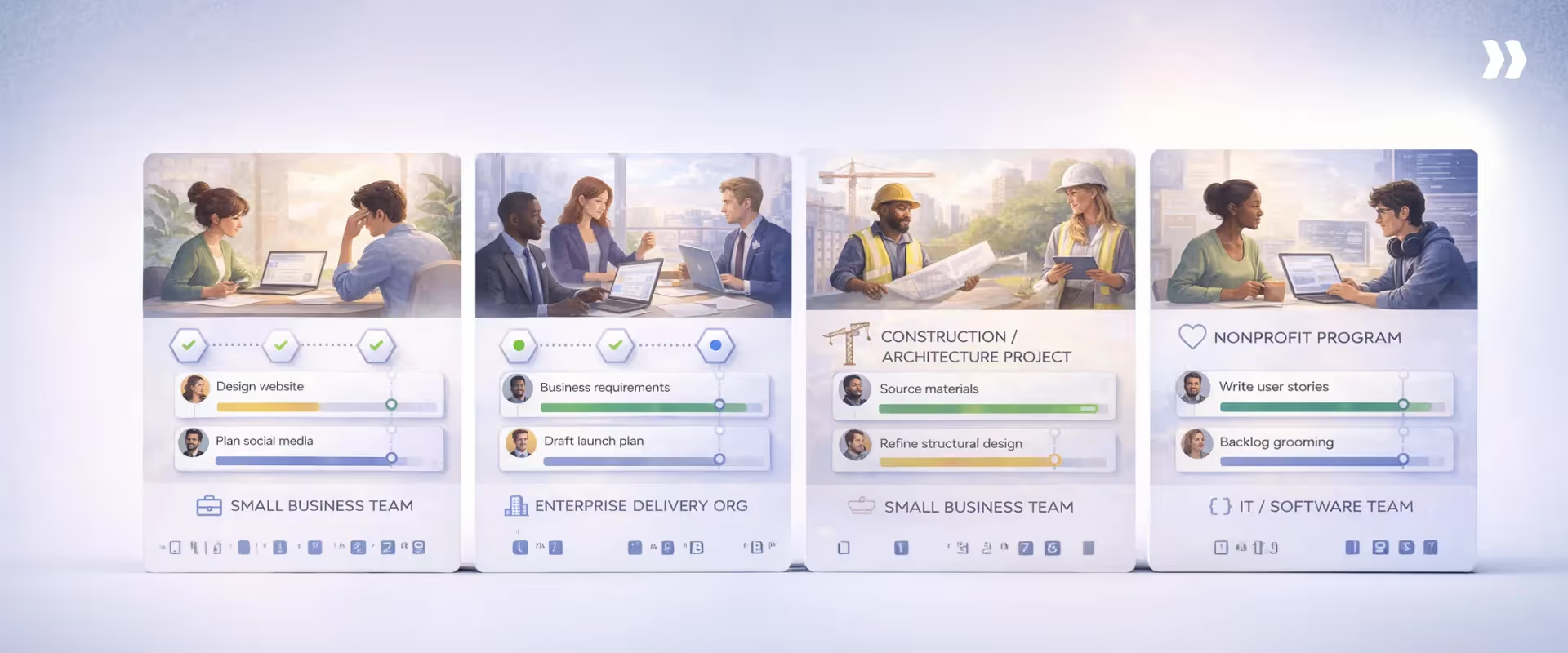
Here’s what most comparisons miss: Ease of use is not universal.
What feels intuitive depends on the type of work being delivered, the number of people involved, and the level of coordination, governance, and visibility the project requires.
Ease of use emerges from the interaction between delivery complexity, coordination load, and how much execution work the system absorbs.
Tools feel hard to use when they externalize that complexity onto people. They feel easy when they carry it internally.
While platforms like Monday.com and Trello are popular for their user-friendly interfaces, other project management tools may offer more advanced features or integrations that better suit high-level planning or comprehensive management.
Each category has its own strengths and weaknesses, so the best choice depends on your team's specific needs.
Below, we break down common use cases and explain what “easy to use” really means in each, along with the types of project management software that tend to fit best.
Best easy-to-use project management software for small businesses
For small businesses, ease of use is about momentum. Teams need to start quickly, stay organized without process overhead, and avoid tools that require a dedicated admin to function.
Small businesses need:
- Fast setup with sensible defaults and minimal configuration.
- Clear task ownership so work does not fall through the cracks.
- Lightweight progress visibility without complex reporting.
- Low training requirements so everyone can contribute immediately.
Where tools often fail small businesses is by introducing unnecessary flexibility too early. When every workflow is configurable from day one, teams spend more time deciding how to work than actually delivering.
Tools that tend to feel easiest
- Rocketlane: Ideal for when small teams want to run repeatable, customer-facing projects at the right stage.
- Asana: Adds structure around ownership and deadlines without overwhelming teams, making it easier to stay organized as work volume grows.
- Trello: Works well when work is informal, and coordination is lightweight. Its simplicity keeps friction low, though clarity drops once dependencies and handoffs increase.
Best easy-to-use project management software for enterprise teams
For enterprise teams, ease of use is less about simplicity and more about consistency at scale. The challenge is coordinating many teams, projects, and stakeholders without slowing delivery.
What enterprise teams need:
- Standardization without forcing identical workflows everywhere.
- Clear execution visibility across portfolios, not just individual projects.
- Governance, approvals, and auditability built into the flow of work.
- Role-based views so leaders, managers, and contributors see what matters to them.
Such teams struggle when tools are easy for individuals but hard for the organization.
A system that feels intuitive at the team level but requires spreadsheets and meetings to roll up status is not easy to use in practice.
Tools that make project management easy for enterprises:
- Rocketlane: Ideal for enterprise teams that need execution, clarity, and governance across portfolios. Milestone-based structure, embedded approvals, financial visibility, and customer collaboration reduce the amount of manual coordination required to keep leadership informed.
- Wrike: Strong for enterprises that prioritize reporting, approvals, and portfolio oversight. Usability depends on dedicated administration, but it supports structured governance reasonably well once configured.
- Monday.com: Feels easy at the team level due to visual boards, but requires strong internal standards to remain usable at scale. Without governance, fragmentation quickly erodes clarity.
Best project management software for construction and architecture
Construction and architecture work is sequencing-driven. Ease of use depends on how explicitly the tool models dependencies, phases, and approvals, not on how simple task creation feels.
Project management software for architects needs to minimize coordination errors by making sequencing and ownership visible, not by adding more checklists.
The best project management software for construction projects offers:
- Strong dependency and milestone tracking
- Clear sequencing of phases such as design, approvals, procurement, and build
- Visibility into handoffs between contractors, architects, and internal teams
- Documentation and version control that reflect real project stages
Tools that offer maximum ease of use:
- Rocketlane: Fits design-to-delivery workflows where milestones, approvals, and external stakeholders must stay tightly coordinated. Its execution model keeps sequencing and ownership explicit without relying on disconnected checklists.
- Wrike: Handles structured workflows and approvals reasonably well, though collaboration can feel dense and administrative for field-heavy work.
- Monday.com: Useful when teams need visual phase tracking and customizable boards, but dependency handling and sequencing consistency vary across implementations.
Best project management software for nonprofits
Nonprofits often operate under tight budgets, limited staffing, and complex stakeholder expectations.
Ease of use is closely tied to sustainability rather than speed alone.
What matters most:
- Low administrative overhead, so small teams are not burdened by tooling
- Clear visibility into deliverables tied to programs, grants, or initiatives
- Simple collaboration across staff, volunteers, and external partners
- Affordable pricing models that scale responsibly
Nonprofits struggle with tools that assume dedicated project managers or a heavy process.
Easy-to-use project management software for non-profits supports coordination and accountability without requiring constant maintenance, training, or customization.
Top choices
- Rocketlane: Works well for nonprofits running structured, repeatable programs such as grant execution, partner-led implementations or initiatives, or onboarding-style delivery. Templates and milestones reduce admin effort while keeping stakeholders aligned.
- Asana: Provides clear task ownership and progress visibility without excessive overhead, making it a practical option for program coordination.
- Trello: Effective for lightweight coordination among staff and volunteers, though clarity drops as programs become more complex or multi-phase.
Best IT and software project management tools
IT and software teams operate in environments where requirements evolve, dependencies are technical, and feedback cycles matter. Ease of use here is about supporting change without losing control.
What effective tools provide:
- Support for iterative planning and frequent reprioritization
- Visibility into dependencies, blockers, and work aging.
- Lightweight tracking that does not interrupt engineering flow.
- Clear linkage between work items and delivery outcomes.
The best IT project management software avoids forcing teams into rigid plans or excessive reporting. Instead, it makes execution visible through real signals so teams can adapt quickly.
Best-fit PM tools for IT and software:
- Rocketlane: Strong fit for customer-facing technical delivery, such as implementations and service delivery. Keeps engineering, services, and customer execution aligned with a focus on transparency and time to value.
- ClickUp: Flexible enough for small and medium-sized technical teams that want configurable workflows, though ease of use depends heavily on disciplined setup and governance.
- Airtable: Useful for teams that think in structured data and workflows, but requires careful design to avoid sprawl and maintain execution clarity.
Free vs paid project management software: ease-of-use tradeoffs

Free project management software lowers the barrier to getting started. Paid software is what most teams turn to when delivery complexity, coordination cost, and visibility requirements increase.
The difference is not about feature count. It is about how long a tool stays easy to use as work scales.
What free project management software does well
Free project management software is effective at solving early-stage coordination problems. It gives teams a shared place to track work without forcing process decisions too early.
In practice, free tools are easy to use because:
- Setup is fast and usually requires little to no configuration.
- Core concepts like tasks, lists, or boards are familiar and intuitive.
- Teams can experiment with lightweight planning without committing to a system.
- Free project planning software works well for personal productivity, small teams, and short-lived initiatives.
For early-stage teams or low-risk projects, free tools often feel simpler precisely because they avoid structure. At this stage, ease of use comes from speed and flexibility rather than rigor.
Where free tools break down as teams grow
As teams grow, ease of use starts to erode in predictable ways. The same flexibility that made free tools attractive begins to create ambiguity.
Common breakdown points include:
- Lack of clear ownership and accountability as more people join.
- Limited support for dependencies, milestones, and sequencing.
- Progress visibility that relies on manual updates or interpretation.
- Inconsistent workflows across teams due to missing governance controls.
Free tools often optimize for individual or small-team clarity, not cross-team coordination. As a result, teams compensate with meetings, spreadsheets, and side channels.
The tool still exists, but it no longer carries the coordination load.
At this point, the software is technically easy to use, but operationally hard to rely on.
When and how “free” becomes expensive through inefficiency
Free project management software rarely fails all at once. It becomes costly through accumulation. Small inefficiencies compound as delivery volume increases.
This usually shows up as:
- Time spent reconciling status across tools instead of acting on it.
- Rework caused by missed dependencies or late risk detection.
- Decision delays because leaders lack confidence in the data.
- Increased coordination overhead that scales faster than the team.
What teams often experience is execution drag. The work still gets done, but with more effort, more context switching, and more recovery work than necessary.
Paid tools justify their cost when they reduce this drag by:
- Making execution visible without manual reporting.
- Standardizing delivery without forcing rigidity.
- Absorbing coordination complexity so teams do not have to.
How to choose easy-to-use project management software
Choosing easy-to-use project management software is less about surface simplicity and more about how the tool behaves once real delivery pressure sets in. Many tools feel intuitive during a demo but become harder to use as projects evolve, teams grow, and coordination costs rise.
In this section, we outline how buyers can evaluate tools through that lens.
Questions buyers should ask before evaluating tools
Before comparing features or pricing, it helps to ask a small set of grounded questions that reveal whether a tool will support real execution or create friction over time.
- How quickly can this tool can enable team productivity?
Ease of use shows up in time-to-first-value. Teams should be able to create a project, assign ownership, and see meaningful progress without training sessions or extensive configuration. If productivity depends on a rollout phase or heavy setup, ease of use is already compromised. - Does the tool adapt as delivery changes?
Projects rarely unfold exactly as planned. Software should support changing priorities, shifting dependencies, and evolving timelines without forcing constant rework. Tools that require rigid structures early often feel manageable at first and restrictive later. - Is visibility shared or siloed?
True ease of use includes shared understanding. Ask whether progress, risks, and dependencies are visible to everyone who needs them, or whether insights are locked behind role-specific dashboards or manual reports. When visibility is fragmented, teams spend more time explaining status than acting on it. - How much ongoing admin work is required? Some tools feel easy initially, but demand continuous maintenance to stay usable. Look for software where execution naturally updates the system, rather than requiring someone to keep it accurate. High admin effort is a hidden cost that grows with scale.
Red flags to watch out for
Even widely adopted project management tools can create friction when their underlying assumptions do not match how delivery actually works. The warning signs usually surface early, long before teams consciously decide a tool is not working.
Over-customization disguised as flexibility
Flexibility is valuable until it becomes a prerequisite for usability. Tools that require teams to design every workflow, field, and rule from scratch shift the burden of clarity onto people.
Ease of use then depends less on the software and more on process maturity, internal governance, and ongoing maintenance. When structure is optional rather than embedded, consistency erodes quickly as teams scale.
Feature depth without execution focus
Broad feature sets are not inherently a problem, but they often dilute the core experience. When essential actions are buried under configuration options, secondary views, or competing paradigms, users hesitate.
Adoption becomes uneven, and teams compensate with side tools for speed. A tool feels hard to use when it makes common actions cognitively expensive.
Visibility that lags behind reality
Reporting that depends on manual updates or periodic snapshots creates the illusion of control without supporting timely decisions. If teams need meetings or commentary to explain what a report actually means, visibility is already broken.
Easy-to-use project management software makes the current state of execution obvious, without interpretation or reconciliation.
Implementing and using project management software successfully
Implementing project management software is less about installing a tool and more about embedding it into how projects are planned, executed, and tracked.
The right management software supports task management, resource allocation, and real-time visibility through features like time tracking and project dashboards, but only when it aligns with how teams actually work.
A robust implementation plan starts with understanding delivery needs before configuring the tool. Project managers or delivery leaders should:
- Map existing workflows and handoffs across teams
- Identify project management features that directly support execution
- Set clear objectives tied to the project plan and delivery outcomes
When project management software centralizes project data, automates repetitive tasks, and supports transparent communication, the coordination effort drops. The software becomes part of managing projects rather than an additional layer that teams have to maintain.
Best practices for onboarding your team
Onboarding determines whether project management software becomes part of execution or remains a reporting surface. This is especially critical when managing complex projects or working across multiple teams.
Effective onboarding focuses on early, hands-on use:
- Reinforce core concepts such as Gantt charts, kanban boards, and workflow automation
- Use a trial project to let teams assign tasks, track progress, and update work in context
- Encourage learning through real work rather than extensive documentation
Clear communication channels matter as well. Dedicated spaces in tools like Slack or Microsoft Teams help teams share questions, patterns, and best practices as they learn.
The goal is for team members to experience how the software simplifies daily project work.
Driving adoption and minimizing resistance
Adoption depends on trust. Teams resist project management software when it feels disconnected from execution or adds overhead to daily work.
To drive user adoption:
- Involve team members early when prioritizing task management and project tracking features
- Show how the tool reduces manual updates and improves collaboration in real workflows
- Highlight early wins that demonstrate practical value during delivery
When teams see that the system stays accurate without extra effort, usage becomes consistent. Over time, the software earns its place as a reliable source of truth rather than an optional reporting tool.
Measuring success and iterating your process
Project management software must be evaluated continuously to stay effective as delivery evolves. Success project management metrics should reflect execution outcomes, not just activity.
Common measures include:
- Project completion rates and delivery predictability
- Team member satisfaction and tool adoption consistency
- Return on investment and reduced coordination effort
Regular feedback from teams helps identify where workflows break down or where adjustments are needed.
Iteration should focus on reducing friction between planning, execution, and tracking. When teams treat implementation as an ongoing process, the software remains useful, trusted, and aligned with how work actually happens.
Easy-to-use project management software vs popular tools
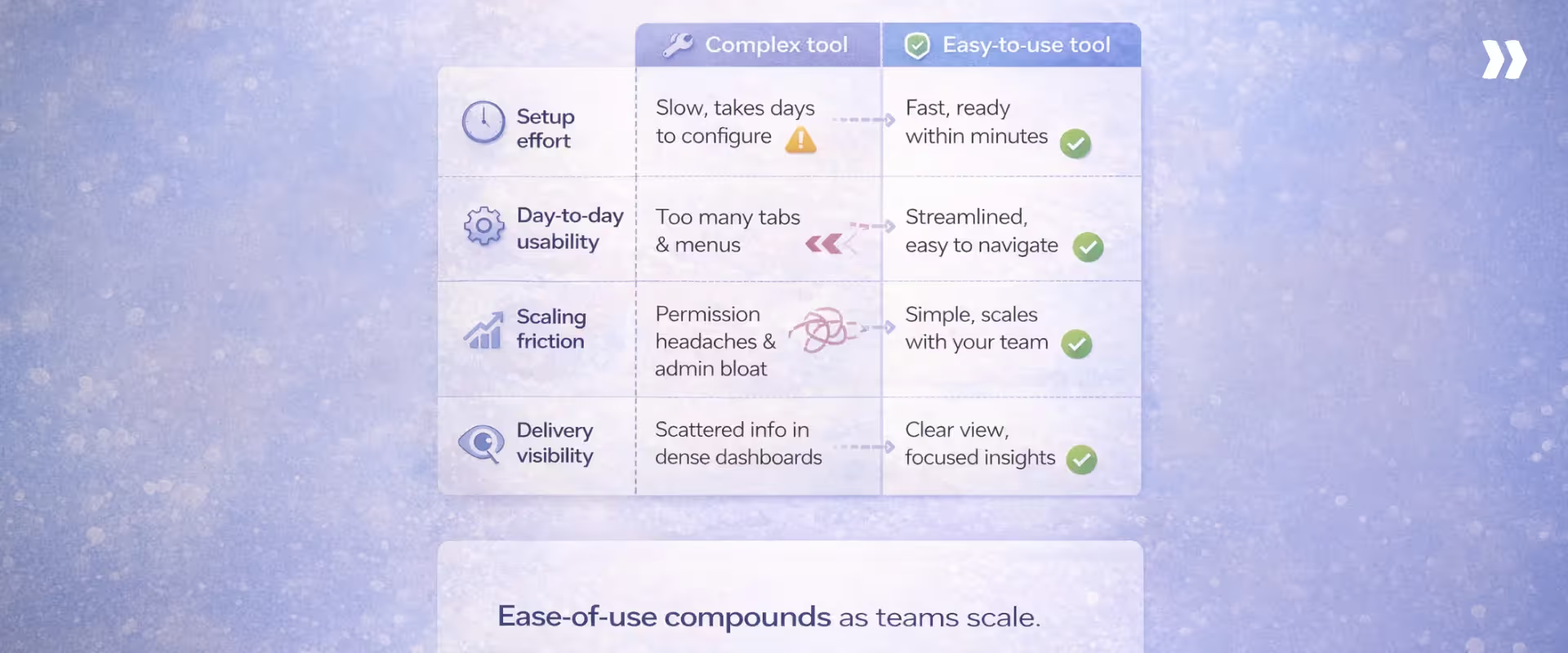
Popular project management tools often feel easy because they lower the barrier to starting work. Ease of use becomes harder to sustain when teams need shared execution clarity, outcome visibility, and coordination across roles and customers.
The differences become clear when compared against execution-first systems like Rocketlane, which are designed to absorb delivery complexity rather than expose it.
The comparison below looks at setup effort, day-to-day usability, scaling friction, and delivery visibility.
Easy to use project management software vs Asana
Asana is quick to adopt and intuitive for task management. Teams can start working immediately, which creates early momentum.
Over time, meaningful project structure depends on conventions teams define themselves, such as how to use sections, custom fields, and dependencies. As delivery becomes outcome-driven, ease of use relies more on internal discipline than on system behavior.
Execution-focused tools like Rocketlane differ by encoding delivery structure upfront. Projects begin with milestones, ownership, and dependencies already modeled, which reduces interpretation and coordination later.
How this shows up in practice
Easy to use project management software vs ClickUp
ClickUp emphasizes flexibility and breadth. Teams can model almost any workflow, which feels powerful early on. That flexibility shifts responsibility for clarity onto the team. Setup effort increases as teams design hierarchies, views, fields, and automations before execution feels coherent.
Day-to-day usage in ClickUp can feel cognitively heavy as features and views accumulate. Users often navigate the system to understand status.
Rocketlane reduces this burden by starting from delivery patterns rather than blank configuration. Structure is present early, allowing teams to focus on execution instead of system design.
How this shows up in practice
Easy to use project management software vs Teamwork
Teamwork introduces more structure than task-only tools, which improves clarity for project managers. That structure comes with higher setup and administrative effort.
Teams often need to configure milestones, permissions, and reports before value becomes visible.
Daily usability in Teamwork favors managers over contributors. Execution is coordinated through reporting and oversight. Execution-first systems balance usability across roles by keeping progress visible through execution signals rather than reporting layers.
Rocketlane shortens time to usefulness by starting with standardized delivery templates that reflect how work actually moves from kickoff to completion.
How this shows up in practice
Why execution-first PM software stays easier to use
Execution-first systems like Rocketlane remain usable as delivery complexity increases, while popular tools tend to shift coordination work onto people.
Why Rocketlane is easy to use for modern project delivery teams

“Easy to use” in delivery-heavy environments is not about simplicity. It is about how much cognitive and coordination work the system absorbs as complexity increases.
Rocketlane is easy to use because it is designed to carry execution complexity inside the system instead of pushing it onto people.
Execution-first design instead of task-first design
Most project management tools start with tasks and assume execution will emerge from activity. That works early, but breaks down as dependencies, handoffs, and customer commitments multiply. Rocketlane starts from the execution flow and works backward.
- Delivery is modeled as a sequence of outcomes with ownership, dependencies, and expectations built in.
- Tasks exist to serve execution, not as the primary unit that teams must interpret.
This reduces the mental effort required to understand what matters right now, especially across parallel projects. The result is a system that reflects reality without constant translation by project managers.
Projects structured around milestones and outcomes
As projects scale, activity-level tracking becomes noisy. Teams need to understand progress in terms of outcomes achieved and commitments met. Rocketlane structures projects around milestones to preserve clarity.
- Milestones act as checkpoints that signal meaningful delivery progress, not just motion.
- Dependencies and blockers surface naturally because progress is measured against outcomes, not task volume.
- Leaders and contributors can see where execution stands without reading through updates or comments.
This structure keeps projects readable even when delivery spans weeks, teams, and customers.
Customer and internal collaboration in one place
In most delivery environments, execution fragments across tools. Internal teams work in one system, customers communicate in another, and the project context gets lost in between. Rocketlane removes that fragmentation.
- Customers participate directly in execution through a shared portal tied to milestones, timelines, and deliverables.
- Internal teams collaborate around the same execution artifacts, rather than relaying information between tools.
- Decisions, approvals, and changes stay anchored to the work they affect.
This reduces rework, shortens feedback loops, and prevents misalignment from compounding over time.
AI that reduces coordination without adding complexity
AI often adds value at the reporting layer, but leaves coordination work untouched. Rocketlane’s approach is different. AI is used to reduce the invisible effort required to keep execution coherent.
- Automated summaries, follow-ups, and updates remove routine administrative work that delivery teams typically absorb.
- Upcoming agentic AI components to monitor execution signals continuously, detect breakdowns early, and trigger follow-through without waiting for human escalation. Agents take on execution-adjacent work directly, such as documentation generation, compliance enforcement, and configuration tasks with human oversight.
By carrying coordination and execution hygiene inside the system, AI makes the tool feel lighter as delivery pressure increases.
Enterprise-ready without long implementations
Enterprise tools often become hard to use because teams wait months before they see value. Rocketlane avoids this by separating execution readiness from long-term scale.
- Teams start with standardized templates that reflect proven delivery patterns, not blank configurations.
- Phased rollout allows teams to become operational quickly while layering in governance, financial visibility, and integrations over time.
- Enterprise requirements are embedded into workflows rather than bolted on later.
When Rocketlane is the best easy-to-use project management software for you?
Rocketlane becomes the easiest option when project management stops being about tracking work and starts being about orchestrating delivery.
In these environments, teams struggle less with knowing what to do and more with keeping execution aligned across people, customers, timelines, and constraints. Ease of use comes from reducing the effort required to keep delivery coherent.
This makes it ideal for:
Onboarding-heavy delivery
Customer onboarding as part of delivery introduces a specific execution challenge. The work follows a repeatable pattern, but outcomes depend heavily on customer participation and timing. Delays are often subtle at first and expensive later.
Rocketlane fits onboarding-heavy delivery because customer actions are treated as part of execution, not as external dependencies that teams must manage separately.
- Customer tasks, approvals, and timelines are visible alongside internal work, not tracked in parallel tools.
- Follow-ups and progress tracking are driven by execution state rather than manual checking.
- Patterns from past onboarding projects inform how new ones are structured and run.
This shifts coordination effort out of individual projects and into the system, which makes execution easier to manage as volume grows.
Cross-functional and customer-facing projects
Cross-functional delivery becomes difficult when each role sees a different version of the project. Teams spend time translating status rather than advancing work.
Rocketlane reduces this translation cost by keeping the execution context shared across roles and audiences.
- Internal teams and customers interact with the same underlying delivery state, even if their views differ.
- Decisions, approvals, and changes remain connected to the work they affect, reducing context loss.
- Progress does not need to be reinterpreted for different stakeholders to stay aligned.
Ease of use emerges because work moves forward with fewer explanations and fewer handoffs between systems.
Teams that have outgrown task-only tools
Teams outgrow task-only tools when task completion stops explaining delivery progress. The tool still captures activity, but meaning shifts elsewhere.
Rocketlane becomes easier at this stage because it answers execution questions directly.
- Delivery state reflects whether outcomes are advancing, not just whether tasks were checked off.
- Dependencies and delays surface through execution flow rather than post-hoc analysis.
- Manual synthesis through meetings and reports is reduced because the system stays current by design.
The tool feels easier because it replaces coordination work that teams were already doing outside the system.
Organizations that need speed without chaos
Growth increases delivery pressure. Tools that rely on manual coordination or loose structure often degrade first, even if they felt easy early on.
Rocketlane supports speed by letting structure accumulate without slowing execution.
- Teams start with established delivery patterns rather than designing workflows from scratch.
- Governance, resource visibility, and oversight are layered progressively as scale demands it.
- Execution signals remain dependable as volume and complexity increase.
Ease of use compounds over time because coordination effort does not grow at the same rate as delivery.
Execution that strengthens itself over time with Nitro AI agents
As delivery scales, the real challenge is not creating plans — it is maintaining execution integrity without adding oversight overhead.
This is where Rocketlane’s Nitro AI agents extend ease of use beyond interface simplicity into operational stability.
Rather than relying solely on human vigilance, Nitro agents continuously observe execution patterns in the background.
They detect early drift in timelines, surface emerging capacity strain, identify compliance gaps, and highlight subtle shifts in customer engagement before they turn into escalations.
The difference is structural.
Instead of managers spending time reconciling reports, validating time entries, interpreting health manually, or scanning for risk signals, the system continuously evaluates delivery state in real time.
Governance does not require additional meetings.
Resource alignment does not depend on spreadsheets.
Health signals do not rely on subjective interpretation.
Execution remains coherent because the platform actively reinforces it.
As volume increases, this intelligence layer prevents coordination effort from growing at the same rate as complexity.
Teams maintain speed without introducing fragility, and leaders gain operational clarity without creating reporting overhead.
Ease of use, at this stage, is not about fewer clicks.
It is about fewer invisible recovery efforts.
That is what separates a task tool from an execution platform
Conclusion: easy-to-use project management software is about execution, not simplicity
Ease of use should scale with complexity. Tools that feel simple only in low-stakes environments eventually create friction when delivery pressure increases.
The best project management software disappears into execution. It reduces explanation, absorbs coordination cost, and makes progress understandable without constant updates.
Execution-first platforms tend to win long-term adoption because they stay usable when teams, dependencies, and expectations grow. Ease of use is not about doing less. It is about the system carrying more of the load, so teams do not have to.
Ease of use should scale with complexity. Tools that feel simple only in low-stakes environments create friction when delivery pressure increases.
Rocketlane is built for teams that need project management software to work as fast as they do. See how customers deliver faster with less overhead, or book a demo to experience execution-first project management.

Authored by

Kailash Ganesh
Kailash Ganesh is a professional services researcher at Rocketlane with more than seven years of experience in content, research, and market analysis. He studies how enterprise PS teams are adopting agentic AI to transform delivery operations, has evaluated every major PSA platform in the category, and writes from the perspective of a practitioner who watches enterprise PS teams make these exact decisions daily.
Table of Contents

Regsiter for the live webinar


Great consultants didn't join your team to spend Fridays writing documentation.
Table of contents
18 of Forbes Cloud 100 chose Rocketlane. The best PS teams aren't waiting around.
FAQs
What is the easiest project management software to use?
The easiest software requires minimal explanation once execution begins. For simple tasks, lightweight tools work. For delivery-driven teams, true ease comes from clear execution visibility—where progress, ownership, and dependencies are immediately understandable without manual coordination.
Is free project management software good enough?
Free tools are sufficient for small teams and low-risk projects. As complexity, dependencies, and reporting needs increase, manual coordination rises. Ease of use often declines when teams rely on spreadsheets and status updates to compensate for limited functionality.
What project management software do enterprises use?
Enterprises typically combine execution platforms with governance and reporting systems. At scale, ease of use depends on shared visibility, standardized workflows, and consistent execution signals across teams, rather than isolated task tracking tools.
How do AI project management tools improve ease of use?
AI improves ease of use when it works within execution workflows. It updates plans based on real progress, flags risks early, and maintains alignment automatically. Effective AI reduces coordination effort instead of adding dashboards or manual interpretation.
What features should I avoid in PM tools?
Avoid tools that rely on heavy customization, excessive views, or manual reporting. Be cautious of “AI-powered” features that add alerts without reducing coordination work. If humans still reconcile status manually, the system increases friction instead of simplifying execution.













Copyright © 2026 Rocketlane Corp. All rights reserved.





















.webp)